Frontend: Unknown type encountered: sensor in 0.105.0b0
Checklist
- [x] I have updated to the latest available Home Assistant version.
- [x] I have cleared the cache of my browser.
- [x] I have tried a different browser to see if it is related to my browser.
The problem
Refreshing the UI with the 3 dots menue sometimes shows the red cards
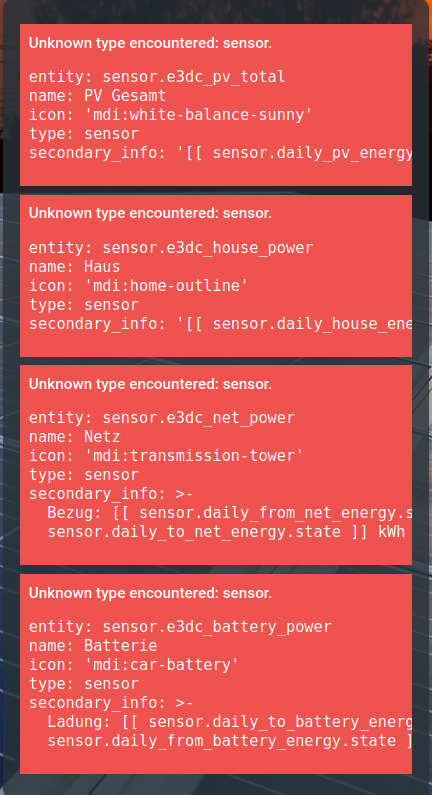
the next time it shows the expected card
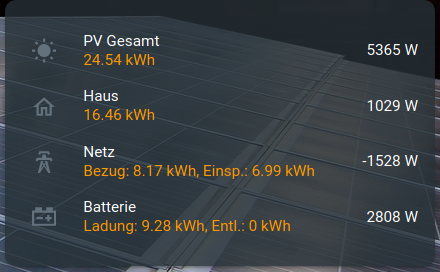
Expected behavior
Steps to reproduce
Not clear. Sometimes it shows the red cards after i open the browser, sometimes i have to refresh the UI multiple times.
Environment
- Home Assistant release with the issue: 0.105.0b0
- Last working Home Assistant release (if known): 0.104.3
- UI Type (States or Lovelace): Lovelace
- Browser and browser version: Latest Firefox 72.0.2 and Chrome
- Operating system: Ubuntu
Problem-relevant configuration
          - type: entities
            show_header_toggle: false
            entities:
              - entity: sensor.e3dc_pv_total
                name: PV Gesamt
                icon: mdi:white-balance-sunny
                type: "custom:secondaryinfo-entity-row"
                secondary_info: "[[ sensor.daily_pv_energy.state ]] kWh"
              - entity: sensor.e3dc_house_power
                name: Haus
                icon: mdi:home-outline
                type: "custom:secondaryinfo-entity-row"
                secondary_info: "[[ sensor.daily_house_energy.state ]] kWh"
              - entity: sensor.e3dc_net_power
                name: Netz
                icon: mdi:transmission-tower
                type: "custom:secondaryinfo-entity-row"
                secondary_info: "Bezug: [[ sensor.daily_from_net_energy.state ]] kWh, Einsp.: [[ sensor.daily_to_net_energy.state ]] kWh"
              - entity: sensor.e3dc_battery_power
                name: Batterie
                icon: mdi:car-battery
                type: "custom:secondaryinfo-entity-row"
                secondary_info: "Ladung: [[ sensor.daily_to_battery_energy.state ]] kWh, Entl.: [[ sensor.daily_from_battery_energy.state ]] kWh"
Javascript errors shown in your browser console/inspector
Additional information
I think it's the same problem like in this issue https://github.com/home-assistant/home-assistant-polymer/issues/4669, but that was closed in the moment i want to comment.
 VDRainer
All 26 comments
So, i can't reproduce the issue when i comment out the secondaryinfo-entity-row, but this is not used in https://github.com/home-assistant/home-assistant-polymer/issues/4669.
Is there a general issue with custom cards?
VDRainer
on 30 Jan 2020
I would say custom element rows, checking the code now, but can't see a problem immediately. Any way I can easily reproduce this?
 bramkragten
on 30 Jan 2020
bramkragten
on 30 Jan 2020
Ah, yeah, I see it
bramkragten
on 30 Jan 2020
Or maybe not, would still help to be able to reproduce
bramkragten
on 30 Jan 2020
Here's another one.
            entities:
              - entity: switch.e3dc
                name: S10-xxxxxxxxxxxx
                type: "custom:secondaryinfo-entity-row"
                secondary_info: "Firmware: [[ sensor.e3dc_firmware.state ]]"
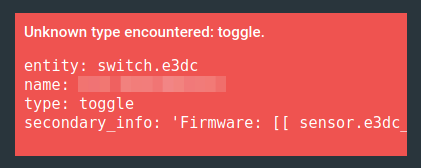
Normaly:

I simply click the 'Refresh' from the 3 dots menu multiple times, the red cards show up and at the bottom the LL Refresh bar is shown

After i click 'Refresh' on this bar, all cards are back to normal.
VDRainer
on 30 Jan 2020
I think it is cardTools and not our code, cardTools seems to change the config at some points and it really shouldn't
bramkragten
on 30 Jan 2020
Sorry about that. Should be fixed now.
 thomasloven
on 30 Jan 2020
thomasloven
on 30 Jan 2020
Thanks @thomasloven , but after upgrade card-tools to v8, the red cards are always there, not sporadically on refresh. :confused:
Should i open an issue in your repo?
VDRainer
on 30 Jan 2020
That is probably because secondaryinfo-entity-row is built with cardTools 0.4
bramkragten
on 30 Jan 2020
I just upgraded card-tools but my configs had been updated with a type: default for rows which I had not specified a type on and that is an unknown type and threw an error. I removed those and it seems to be good now.
 iantrich
on 30 Jan 2020
iantrich
on 30 Jan 2020
@iantrich how did you do that? Can you please explain?
 Krocko
on 30 Jan 2020
Krocko
on 30 Jan 2020
Did I not?
- update card-tools
- clear browser cache
- delete
type: defaultwhere ever it shows up in lovelace configuration
iantrich
on 30 Jan 2020
Thanks. But i don't have a defaultentry in my lovelace.
Krocko
on 30 Jan 2020
@iantrich , thanks for looking at this. After i update card-tools, i get this
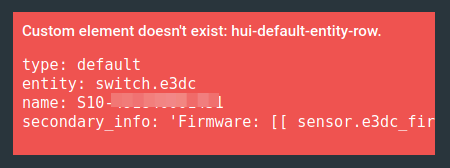
which shows type: default, but in the config there's nothing about default.
          - type: entities
            title: E3/DC
            show_header_toggle: false
            entities:
              - entity: switch.e3dc
                name: S10-xxxxxx
                type: "custom:secondaryinfo-entity-row"
                secondary_info: "Firmware: [[ sensor.e3dc_firmware.state ]]"
So, is this now an issue with card-tools or secondaryinfo-entity-row?
Where should i open an issue?
VDRainer
on 30 Jan 2020
Interesting. Are you using yaml or storage mode?
iantrich
on 30 Jan 2020
yaml, pure console guy! :smile:
Thanks once again!
Oh, and i have an error in the console now.

VDRainer
on 30 Jan 2020
Have you tried clearing your cache and a private session since updating card tools? I believe card tools updated the config to have those default types, those were written to my storage configuration, but they might be cached on the frontend for yours still
iantrich
on 30 Jan 2020
Yep! Still the same.
All other custom-cards work, only secondaryinfo-entity-row shows this.
Going back to card-tools 2.3, the issue shows randomly like in the first post here.
VDRainer
on 30 Jan 2020
Issue is back for me, actually. I went through and updated all those configs and it worked until a refresh. This card has not updated in quite a while so would suspect something with card-tools stills
iantrich
on 31 Jan 2020
Turns out the faulty behavior in card-tools was hiding a worse bug of the same kind in secondaryinfo-entity-row.
thomasloven
on 31 Jan 2020
so, being on card-tools version 2.3 and secondaryinfo-entity-row version 04324ab (0.3.1), which is the way forward?
is it safe to update card-tools to release 8 (49f34cd) without secondaryinfo-entity-row getting an update simultaneously?
 Mariusthvdb
on 31 Jan 2020
Mariusthvdb
on 31 Jan 2020
With the old card-tools version, secondaryinfo-entity-row works most of the time.
With the new version, never.
thomasloven
on 31 Jan 2020
Thanks very much, @bramkragten , @iantrich and @thomasloven for fixing this!
VDRainer
on 31 Jan 2020
I am still getting the message "Unknown type encountered: sensor" with v0.105.x and card-tools v9
Not sure what to do to fix it.
 SquareBeard
on 7 Feb 2020
SquareBeard
on 7 Feb 2020
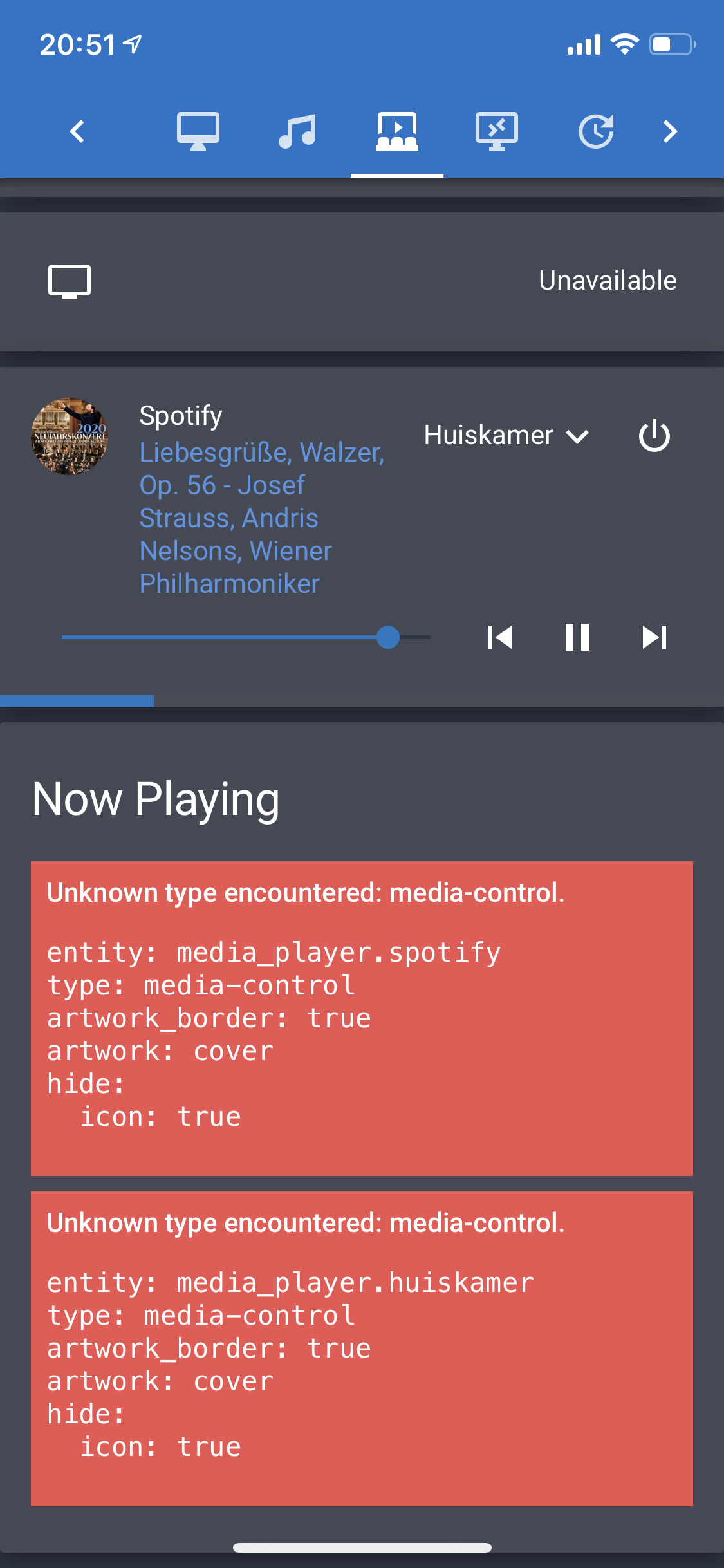
Same here for media-control
using
  - type: custom:auto-entities
    show_empty: false
    card:
      type: entities
      title: Now Playing
      show_header_toggle : false
    filter:
      include:
        - domain: media_player
          state: /playing|paused|'on'/
          options:
            type: media-control
            artwork_border: true
            artwork: cover
            hide:
              icon: true
Mariusthvdb
on 8 Feb 2020
Please create issues for the custom cards.
bramkragten
on 10 Feb 2020
Related issues
 OkhammahkO
·
80Comments
OkhammahkO
·
80Comments
 jer78
·
29Comments
jer78
·
29Comments
 tomlut
·
28Comments
tomlut
·
28Comments
 rosch100
·
27Comments
rosch100
·
27Comments
 mnoorenberghe
·
34Comments
mnoorenberghe
·
34Comments