Frontend: [NEST CAMERA] No image in more-info card on Safari
@TheCellMC commented on Jul 13, 2018, 2:13 PM UTC:
Home Assistant release with the issue:
0.73.1
Last working Home Assistant release (if known):
It used to work but I don't know exactly when.
Operating environment (Hass.io/Docker/Windows/etc.):
Hass.io on HassOS running on a Raspberry Pi 3b
Component/platform:
Description of problem:
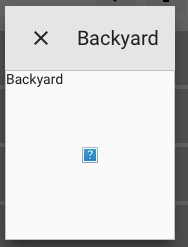
Home Assistant loads a snapshot of my camera on the camera tile with no issue. However, when I press the tile to load the more-info card, at first I get a blank card and then an icon with a question mark appears.
I'm getting this issue on my Late 2012 iMac running macOS High Sierra 10.13.4 with Safari 11.1 and on my iPhone 6s running iOS 12.0 with Safari. However I don't run into this bug on Chrome on the same iMac.
Problem-relevant configuration.yaml entries and (fill out even if it seems unimportant):
nest:
  client_id: REVOKED
  client_secret: REVOKED
Log:
When I clink on my camera to get the more-info card, this is what I get in my Safari console:
[Error] Failed to load resource
Additional information:
Here is a screenshot of my camera tile:
And here is a screenshot of the more-info card which does not load:
This issue was moved by balloob from home-assistant/home-assistant#15452.
 move[bot]
All 17 comments
@awarecan commented on Jul 13, 2018, 10:45 PM UTC:
Any browser console log (F12)?
move[bot]
on 14 Jul 2018
@TheCellMC commented on Jul 14, 2018, 7:00 AM UTC:
Here's the full Safari browser console log:
[Log] Loaded CustomUI 20180602 (data:text/javascript;charset=utf-8,%2F…%0A, line 27)
[Error] Unhandled Promise Rejection: [object Object]
    (anonymous function)
    promiseReactionJob
[Error] Failed to load resource
[Error] Unhandled Promise Rejection: [object Object]
    (anonymous function)
    promiseReactionJob
[Error] Failed to load resource
[Error] Failed to load resource
[Error] Failed to load resource
[Error] Unhandled Promise Rejection: [object Object]
    (anonymous function)
    promiseReactionJob
This error appears when I open the more-info card:
[Error] Failed to load resource
move[bot]
on 14 Jul 2018
@awarecan commented on Jul 14, 2018, 7:45 AM UTC:
Are you using CustomUI from andrey-git ?
move[bot]
on 14 Jul 2018
@TheCellMC commented on Jul 14, 2018, 9:09 AM UTC:
Yes, I am using his CustomUI.
I’ve just discovered that my Nest Cam more-info cards load in the Home Assistant iOS app but not in Safari on the same device.
move[bot]
on 14 Jul 2018
Please remove all custom UI and check if it still occurs.
 balloob
on 14 Jul 2018
balloob
on 14 Jul 2018
I've removed all custom UI and I can confirm that the issue still occurs on 75.1
 TheCellMC
on 4 Aug 2018
TheCellMC
on 4 Aug 2018
This issue still hasn’t been fixed in 0.76.0.
TheCellMC
on 18 Aug 2018
I've got the same issue on 0.76. My cameras are setup using the generic platform.
 Kanishkaz
on 20 Aug 2018
Kanishkaz
on 20 Aug 2018
For those of you still having this issue, could you post some additional screenshots or copy/pastes of the errors from your browsers dev console? Does anyone have both a Nest cam and another type of camera that could confirm if its all cameras or only the Nest ones having this issue?
 cgarwood
on 21 Sep 2018
cgarwood
on 21 Sep 2018
I'm actually pretty sure that's is the same probem i have had the problem since about v.60 and have had an issue registrereted since then, still haven't gotten the help and/or fixed the problem #2000
I have the foscam, instead of nest.
Screens:
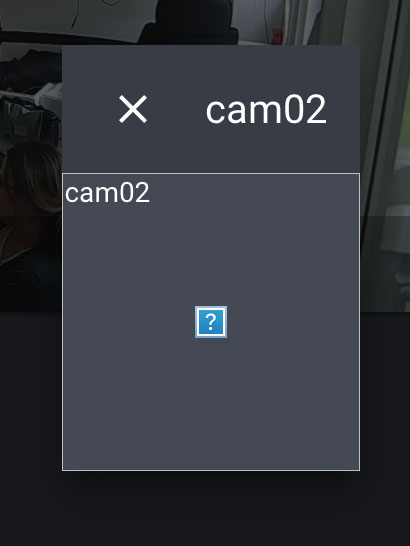
errors from the dev console:
[Error] The operation couldn’t be completed. ( error 0.)
[Error] Cannot load .
[Error] The operation couldn’t be completed. ( error 0.)
[Error] Cannot load .
[Error] The operation couldn’t be completed. ( error 0.)
[Error] Cannot load .
I'm open for a teamviewer session or something like that, so the error can bee seen firsthand or something like that.
 bymem
on 9 Nov 2018
bymem
on 9 Nov 2018
It’s really nice to have this bug present in now almost about 40 releases without any response at all.
bymem
on 21 Dec 2018
Hi,
Seems to be related to service workers.
A workaround :
- safari > preferences > Advanced > show develop menu in menu bar
then - Develop > Experimental features > uncheck serviceworkers
restart safari
It should now work...
 jgarec
on 10 Jan 2019
jgarec
on 10 Jan 2019
Works fine with latest version of Safari tech preview (73). Service workers is no longer an "experimental feature".
https://developer.apple.com/safari/technology-preview/release-notes/ (see release 72)
Service Workers
Fixed updating a service worker during a navigation load sometimes causing the load to fail
Yes that seems to do the "trick" but well thats not a fix for the iOs version which completly the same problem. both in the webapp and in the "normal" app.
bymem
on 11 Jan 2019
@jgarec that solved the issue for me. Thanks for you help.
For iOS the same setting exists in Settings > Safari > Advanced > Experimental features and turn off ServiceWorkers.
TheCellMC
on 12 Jan 2019
Closing as this looks to be resolved now
 iantrich
on 7 Mar 2019
iantrich
on 7 Mar 2019
But still does not fix the problem in the webapp, as this is just a "workaround"
bymem
on 19 Mar 2019
Related issues
 rosch100
·
27Comments
rosch100
·
27Comments
 andriej
·
64Comments
andriej
·
64Comments
 emlove
·
30Comments
emlove
·
30Comments
 SeLLeRoNe
·
39Comments
SeLLeRoNe
·
39Comments
 jlpouffier
·
30Comments
jlpouffier
·
30Comments
Most helpful comment
Hi,
Seems to be related to service workers.
A workaround :
then
restart safari
It should now work...