Freescout: Fetch doesn't complete, error in create customer
Hello guys!
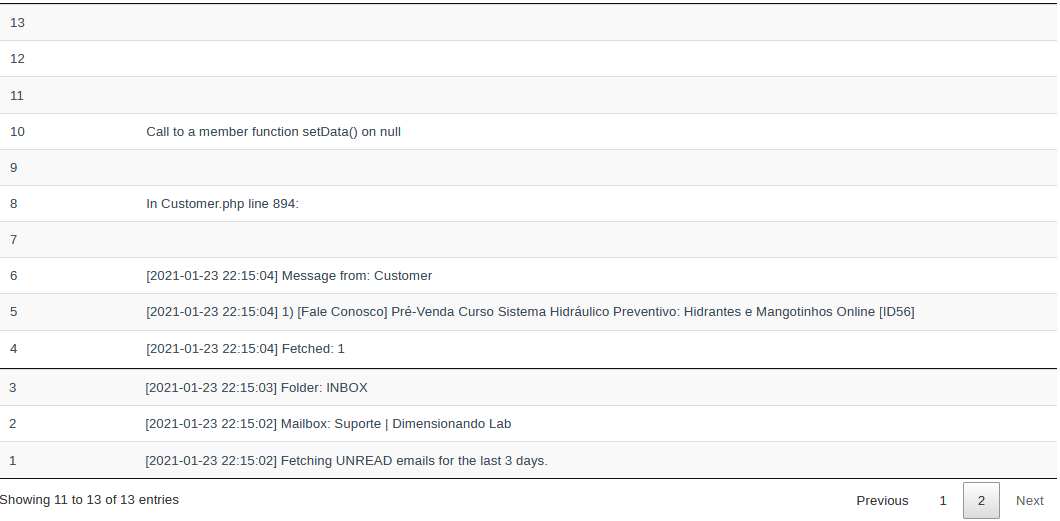
I have one pending email in my mail client and everytime FreeScout tries to fecth emails I get this error in my console and no email is fetched therefore no ticket is created.
Call to a member function setData() on null {"exception":"[object] (Symfony\\Component\\Debug\\Exception\\FatalThrowableError(code: 0): Call to a member function setData() on null at /XXXX/YYYY/public_html/helpdesk/app/Customer.php:894)
[stacktrace]
#0 /XXXX/YYYY/public_html/helpdesk/app/Console/Commands/FetchEmails.php(1034): App\\Customer::create('SOME_EMAIL@hotmai...', Array)
#1 /XXXX/YYYY/public_html/helpdesk/app/Console/Commands/FetchEmails.php(479): App\\Console\\Commands\\FetchEmails->createCustomers(Array, Array)
#2 /XXXX/YYYY/public_html/helpdesk/app/Console/Commands/FetchEmails.php(213): App\\Console\\Commands\\FetchEmails->processMessage(Object(Webklex\\IMAP\\Message), '20210123212841....', Object(App\\Mailbox), Object(Illuminate\\Database\\Eloquent\\Collection))
#3 /XXXX/YYYY/public_html/helpdesk/app/Console/Commands/FetchEmails.php(90): App\\Console\\Commands\\FetchEmails->fetch(Object(App\\Mailbox))
#4 [internal function]: App\\Console\\Commands\\FetchEmails->handle()
#5 /XXXX/YYYY/public_html/helpdesk/vendor/laravel/framework/src/Illuminate/Container/BoundMethod.php(29): call_user_func_array(Array, Array)
#6 /XXXX/YYYY/public_html/helpdesk/vendor/laravel/framework/src/Illuminate/Container/BoundMethod.php(87): Illuminate\\Container\\BoundMethod::Illuminate\\Container\\{closure}()
#7 /XXXX/YYYY/public_html/helpdesk/vendor/laravel/framework/src/Illuminate/Container/BoundMethod.php(31): Illuminate\\Container\\BoundMethod::callBoundMethod(Object(Illuminate\\Foundation\\Application), Array, Object(Closure))
#8 /XXXX/YYYY/public_html/helpdesk/vendor/laravel/framework/src/Illuminate/Container/Container.php(549): Illuminate\\Container\\BoundMethod::call(Object(Illuminate\\Foundation\\Application), Array, Array, NULL)
#9 /XXXX/YYYY/public_html/helpdesk/vendor/laravel/framework/src/Illuminate/Console/Command.php(183): Illuminate\\Container\\Container->call(Array)
#10 /XXXX/YYYY/public_html/helpdesk/vendor/symfony/console/Command/Command.php(255): Illuminate\\Console\\Command->execute(Object(Symfony\\Component\\Console\\Input\\ArgvInput), Object(Illuminate\\Console\\OutputStyle))
#11 /XXXX/YYYY/public_html/helpdesk/vendor/laravel/framework/src/Illuminate/Console/Command.php(170): Symfony\\Component\\Console\\Command\\Command->run(Object(Symfony\\Component\\Console\\Input\\ArgvInput), Object(Illuminate\\Console\\OutputStyle))
#12 /XXXX/YYYY/public_html/helpdesk/vendor/symfony/console/Application.php(963): Illuminate\\Console\\Command->run(Object(Symfony\\Component\\Console\\Input\\ArgvInput), Object(Symfony\\Component\\Console\\Output\\ConsoleOutput))
#13 /XXXX/YYYY/public_html/helpdesk/vendor/symfony/console/Application.php(254): Symfony\\Component\\Console\\Application->doRunCommand(Object(App\\Console\\Commands\\FetchEmails), Object(Symfony\\Component\\Console\\Input\\ArgvInput), Object(Symfony\\Component\\Console\\Output\\ConsoleOutput))
#14 /XXXX/YYYY/public_html/helpdesk/vendor/symfony/console/Application.php(147): Symfony\\Component\\Console\\Application->doRun(Object(Symfony\\Component\\Console\\Input\\ArgvInput), Object(Symfony\\Component\\Console\\Output\\ConsoleOutput))
#15 /XXXX/YYYY/public_html/helpdesk/vendor/laravel/framework/src/Illuminate/Console/Application.php(88): Symfony\\Component\\Console\\Application->run(Object(Symfony\\Component\\Console\\Input\\ArgvInput), Object(Symfony\\Component\\Console\\Output\\ConsoleOutput))
#16 /XXXX/YYYY/public_html/helpdesk/vendor/laravel/framework/src/Illuminate/Foundation/Console/Kernel.php(121): Illuminate\\Console\\Application->run(Object(Symfony\\Component\\Console\\Input\\ArgvInput), Object(Symfony\\Component\\Console\\Output\\ConsoleOutput))
#17 /XXXX/YYYY/public_html/helpdesk/artisan(43): Illuminate\\Foundation\\Console\\Kernel->handle(Object(Symfony\\Component\\Console\\Input\\ArgvInput), Object(Symfony\\Component\\Console\\Output\\ConsoleOutput))
#18 {main}
"}

Thank you for your help.
 diguinho2018
All 13 comments
Just deleted all opened emails messages and tried again with new email message but no success.
Any advice @freescout-helpdesk?
Thank you.
diguinho2018
on 29 Jan 2021
The issue has been fixed in the master branch.
 freescout-helpdesk
on 29 Jan 2021
freescout-helpdesk
on 29 Jan 2021
Wooray!
Thank you for your attention.
diguinho2018
on 29 Jan 2021
Is there any way to update the app by simply downloading the master branch from github and uploading via FTP replacing old files? Will it work?
I checked the updating options but didn't find it.
diguinho2018
on 31 Jan 2021
Yes. You can just download the code and replace it.
freescout-helpdesk
on 31 Jan 2021
Thank you!
That did solve the issue!
diguinho2018
on 31 Jan 2021
I don't know why we received this error (no customer), after the fix you applied the error is gone and the email is fecthed and the ticket is created but I noticed that for some reason FreeScout creates the user with no email address and if we use the email shortcode to display the user firstname it won't be displayed, its blank.
It creates the customer twice as seen in the images bellow:
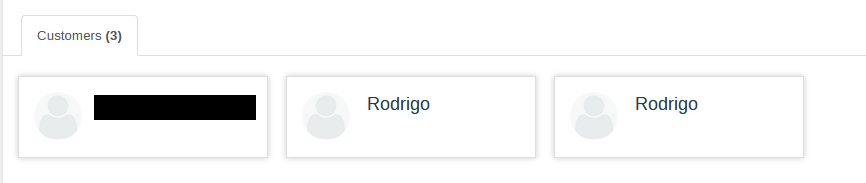
There is no info for customer:
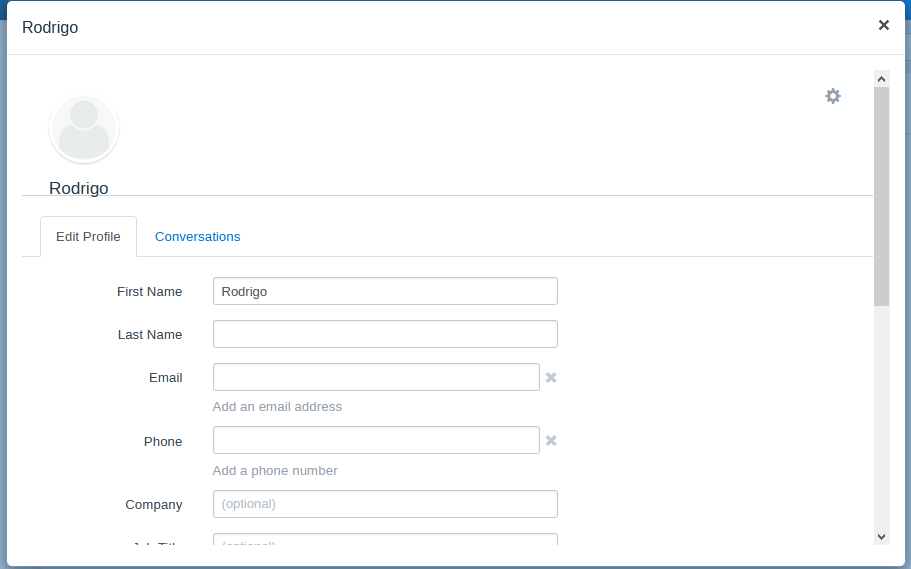
The ticket has no customer info:

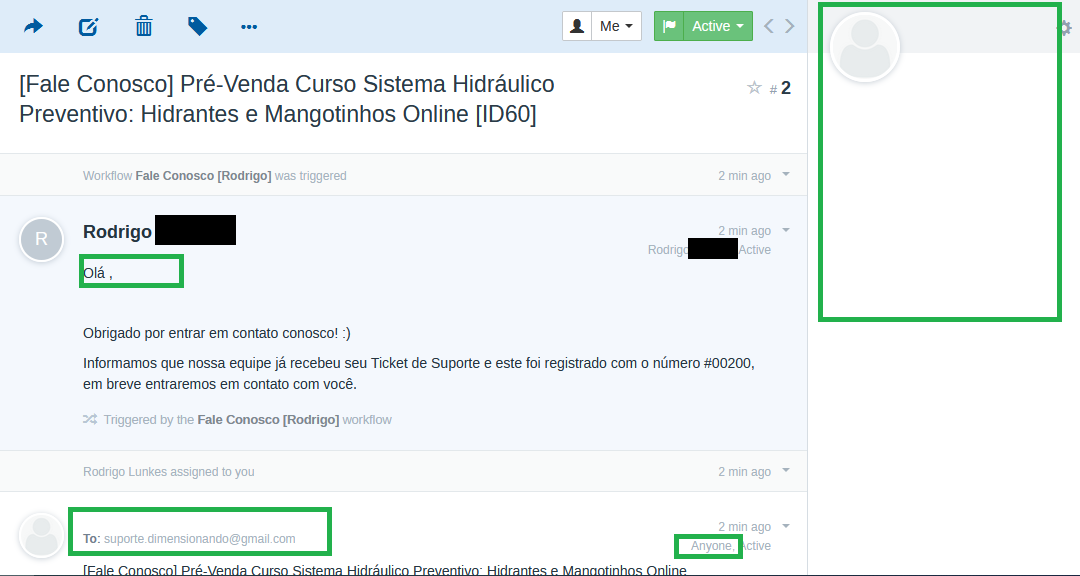
We are using gmail IMAP and the website is wordpress based and we use mailgun to deliver emails, but we always used this setting and there were no problems with the customer creation.
Just tested sending email to mailbox using the web interface of gmail (not using website form and therefore not passing through mailgun) and FreeScout creted the user the right way, I think there is something related to FreeScout identifying the customer if the email was sent by another provider..?
Tell me if you need access to my installation and we will provide it.
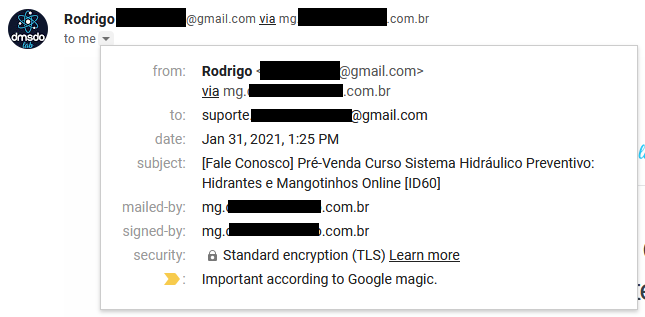
This is the info associated with the email received in gmail.
diguinho2018
on 31 Jan 2021
Hey guys, any ideas on this?
@freescout-helpdesk
diguinho2018
on 2 Feb 2021
Nope. You may need to debug it yourself.
freescout-helpdesk
on 2 Feb 2021
Okay, I'll try to debug that.
Doing some debugs on wordpress plugins to see if one of them are interfering with the layout of the email sent.
Will report back.
diguinho2018
on 2 Feb 2021
I think I found the issue @freescout-helpdesk.
Did some debug and after some testing I found that:
1- Send one email to mailbox (first email from customer);
2- FreeScout adds the right way;
3- Delete that user;
4- Send another email using the same email and customer name;
5- FreeScout won't add customer and won't display it's data;
6- Go to Customer page and try to add customer with same e-mail and name, FreeScout will say that there is already an user with that email even though there isn't.
phpMyAdmin:

Ticket Page:

And in the emails table the emails are still there.
Could you check it?
diguinho2018
on 3 Feb 2021
Hey @freescout-helpdesk, as referenced above the issue is that if the customer is deleted it keeps in the database, updating to the latest version did not solve the issue.
https://github.com/freescout-helpdesk/freescout/issues/1013#issuecomment-772124087
Could check?
diguinho2018
on 10 Feb 2021
Fetching has been fixed. For other issues create a separate issue.
freescout-helpdesk
on 10 Feb 2021
Related issues
 justajeffy
·
3Comments
justajeffy
·
3Comments
 rNianios
·
8Comments
rNianios
·
8Comments
 elfeffe
·
5Comments
elfeffe
·
5Comments
 nczz
·
7Comments
nczz
·
7Comments
 iPublicis
·
8Comments
iPublicis
·
8Comments