Enterprise: Locale: Japanese Characters Not Showing Up in the App Menu
Describe the bug
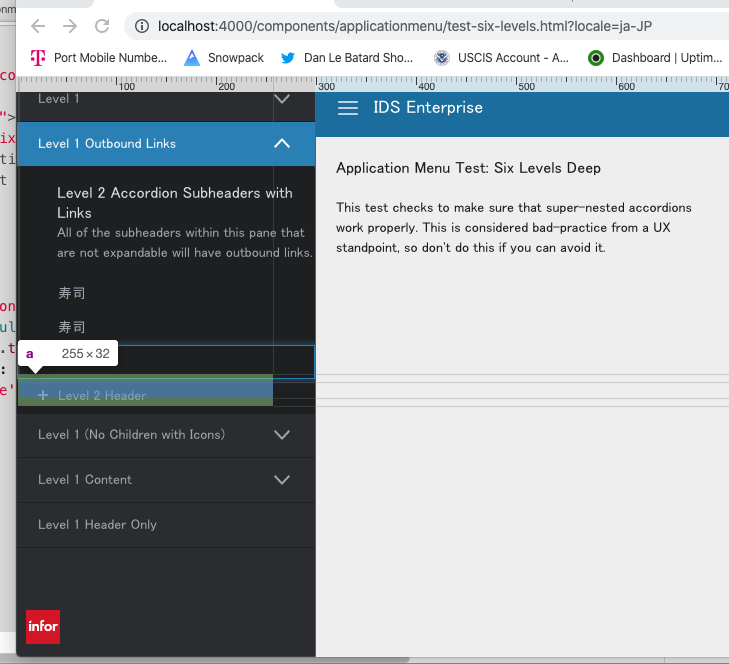
When using Japanese and possibly other languages the characters seem to flow to the next line when on deeper app menu levels.
To Reproduce
Steps to reproduce the behavior:
- Take the below code and replace the contents of app/views/components/applicationmenu/test-six-levels.html
- Go to http://localhost:4000/components/applicationmenu/test-six-levels.html?locale=ja-JP
- Expand Level 1 outbound links.
Expected behavior
Visible Japanese
Version
- ids-enterprise: [e.g. v4.25]
Screenshots
Platform
- chrome
Other Info
Code:
test-six-levels.html.zip
Seems to me like its the width of the text in this font. Maybe we can adjust this rule (width)
.accordion-pane .accordion-header.list-item a {
  padding-left: 1px;
  vertical-align: middle;
  width: calc(100% - 41px);
}
 tmcconechy
All 6 comments
Added the fix for this to the other 4.25.x Application Menu Q/A patch: https://github.com/infor-design/enterprise/pull/3359
 EdwardCoyle
on 22 Jan 2020
EdwardCoyle
on 22 Jan 2020
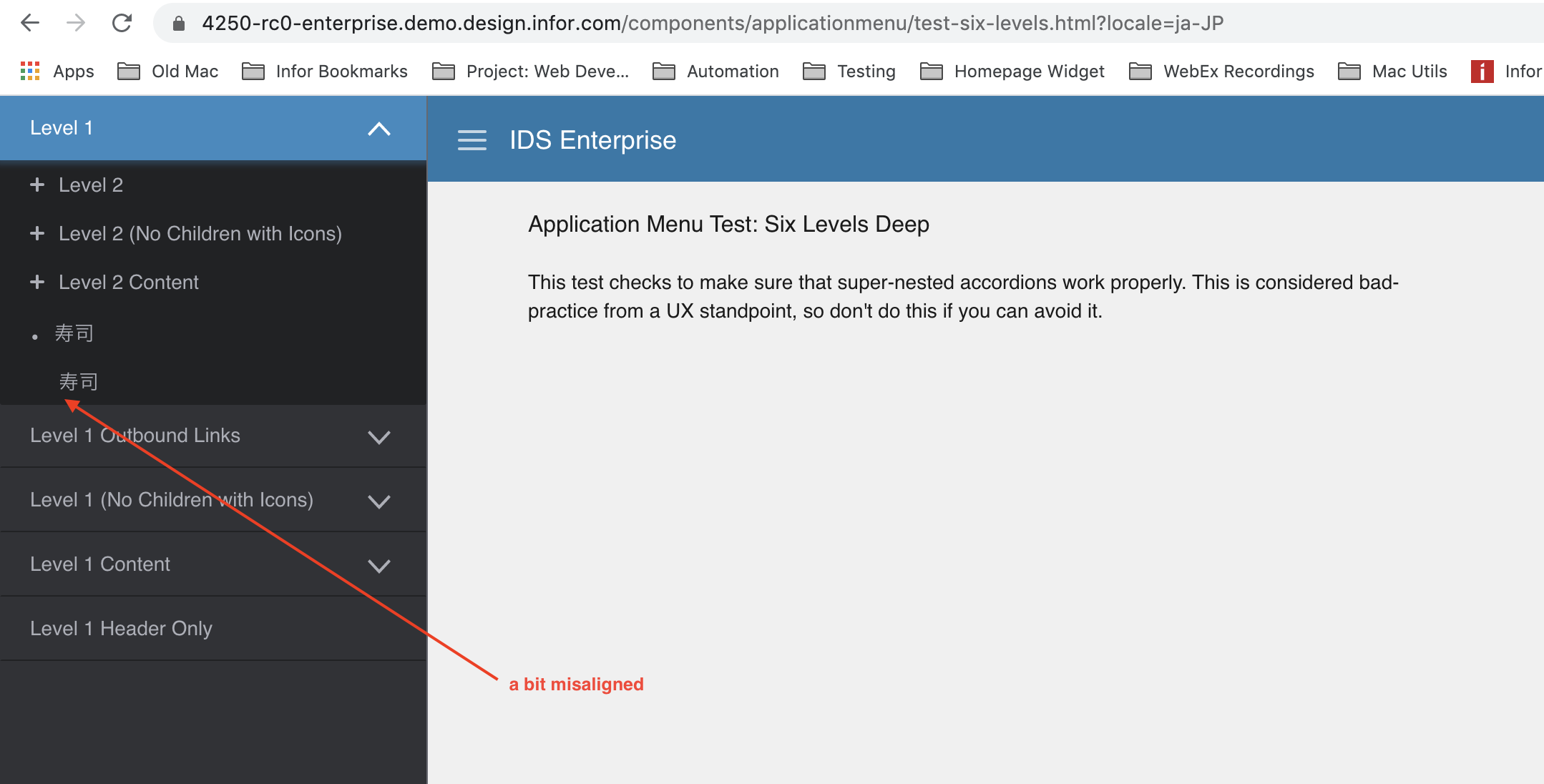
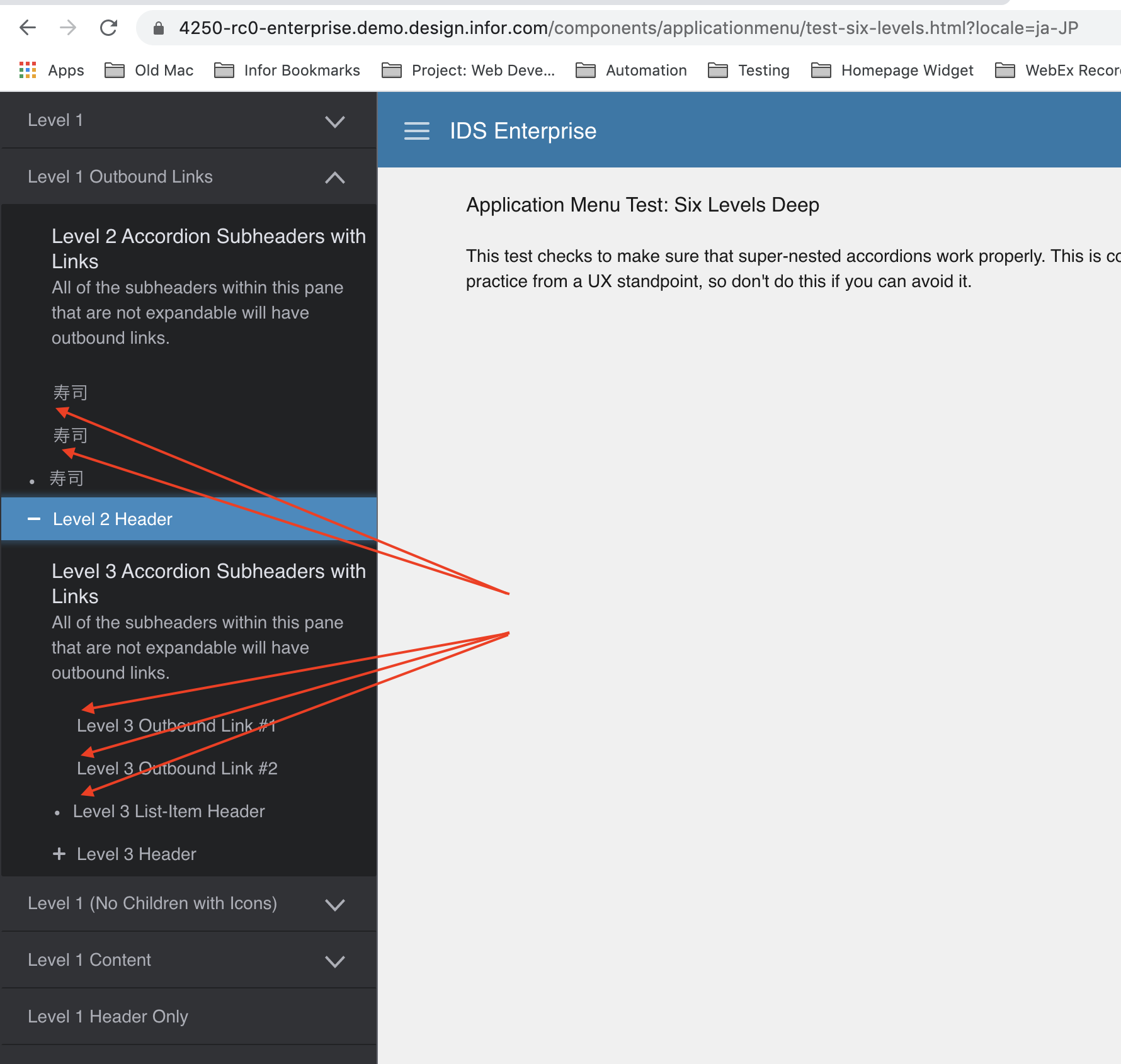
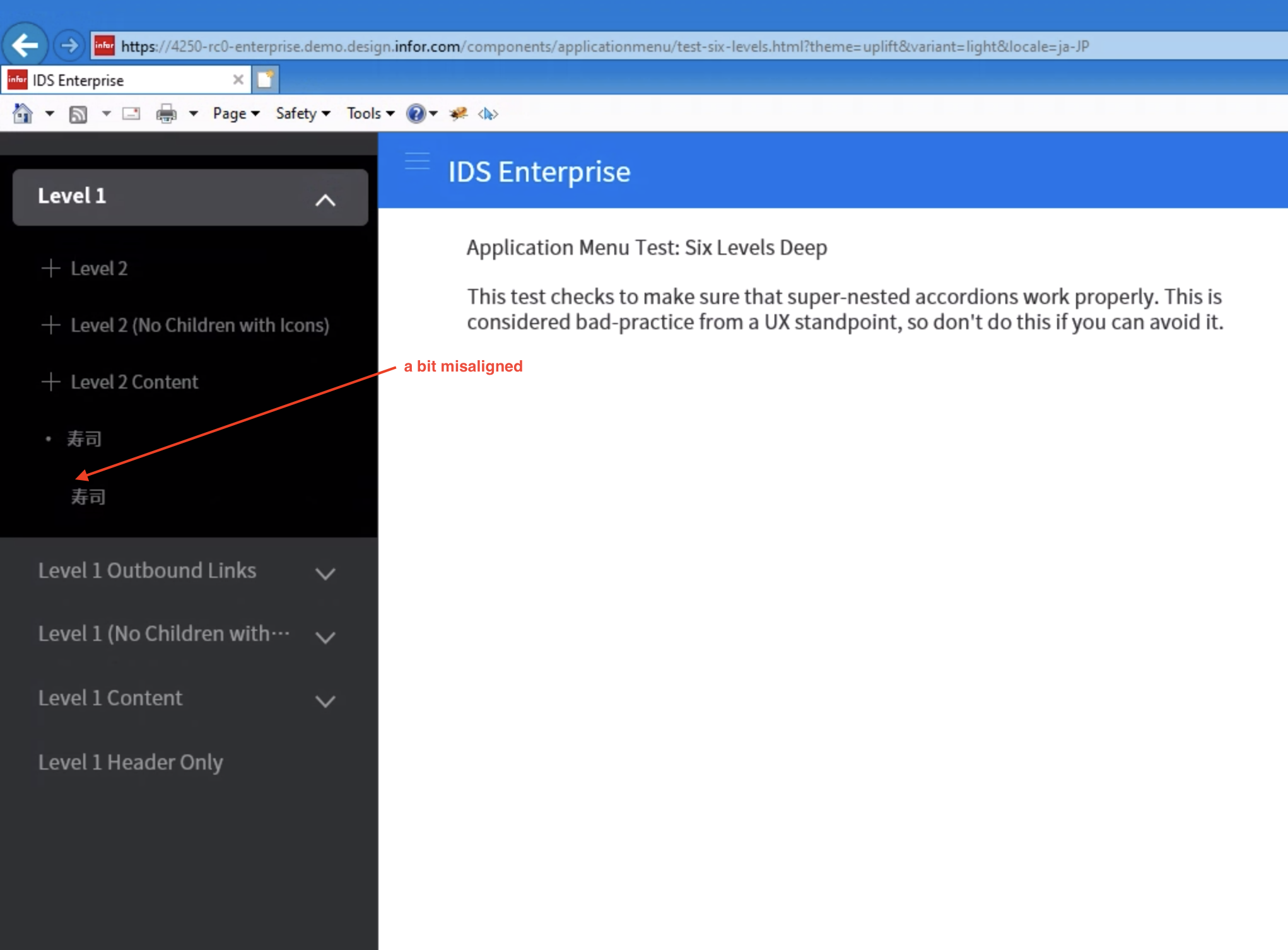
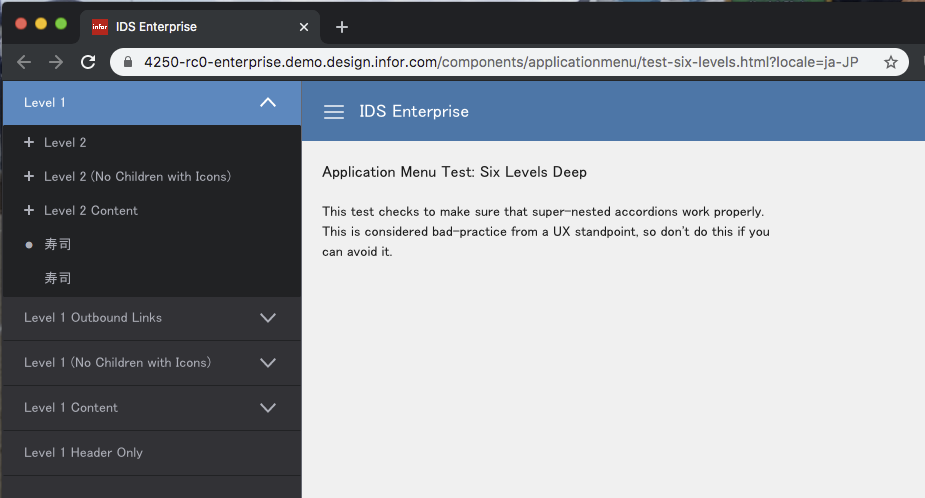
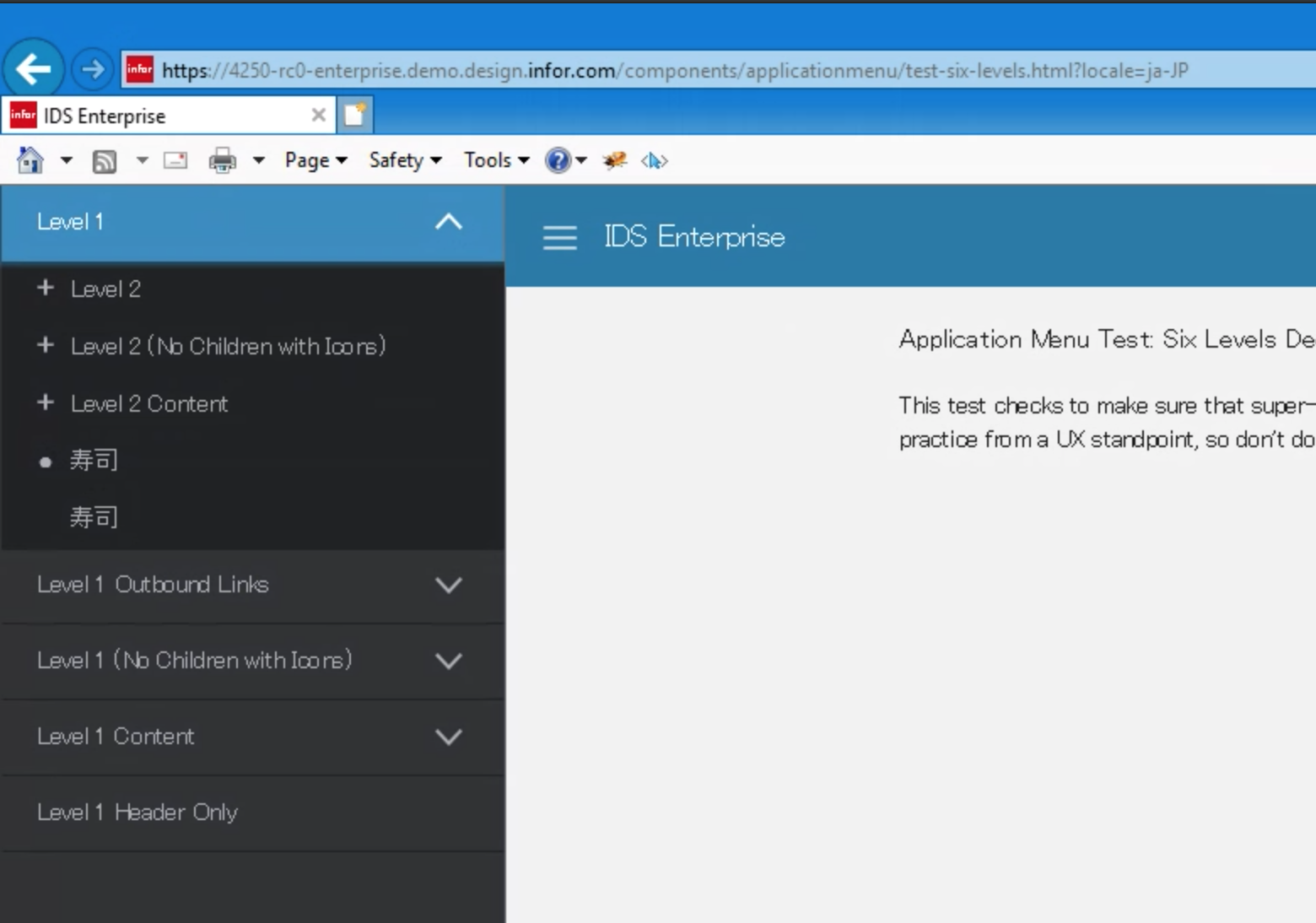
Japanses character are now showing up, but in Mac browsers and Android Chrome, the indentations are bit misaligned.
Mac Chrome
https://4250-rc0-enterprise.demo.design.infor.com/components/applicationmenu/test-six-levels.html?locale=ja-JP
In IE, it happens in Uplift theme
https://4250-rc0-enterprise.demo.design.infor.com/components/applicationmenu/test-six-levels.html?locale=ja-JP
 brianjuan
on 23 Jan 2020
brianjuan
on 23 Jan 2020
@brianjuan not sure what happened during your testing, but it appears that in both of your screenshots the Japanese Noto Sans JP font that's supposed to be used here was not loaded properly. I re-tested the rc URL and it seems that it's loading and the alignment is better:
EdwardCoyle
on 23 Jan 2020
It also looks pretty good to me.
tmcconechy
on 23 Jan 2020
This issue is now resolved. Moving this ticket to Done column.
 CindyMercadoReyes
on 23 Jan 2020
CindyMercadoReyes
on 23 Jan 2020
Since it only happens in my machine, I agree to move this to Done. Thank you guys.
brianjuan
on 24 Jan 2020
Related issues
 pwpatton
·
3Comments
pwpatton
·
3Comments
 jbrcna
·
3Comments
jbrcna
·
3Comments
brianjuan
·
3Comments
CindyMercadoReyes
·
3Comments
jbrcna
·
3Comments
jbrcna
·
3Comments
brianjuan
·
3Comments
CindyMercadoReyes
·
3Comments