Deeplabcut: 2.0.5.1 GUI cannot crop or grab frames Windows 10: 'MainFrame' object has no attribute 'new_x1'
OS: Windows 10
DeepLabCut version: 2.0.5
Anaconda 3 environment
Problem description:
Steps to reproduce problem:
(1) deeplabcut.extract_frames(config_path, 'manual', crop=True)
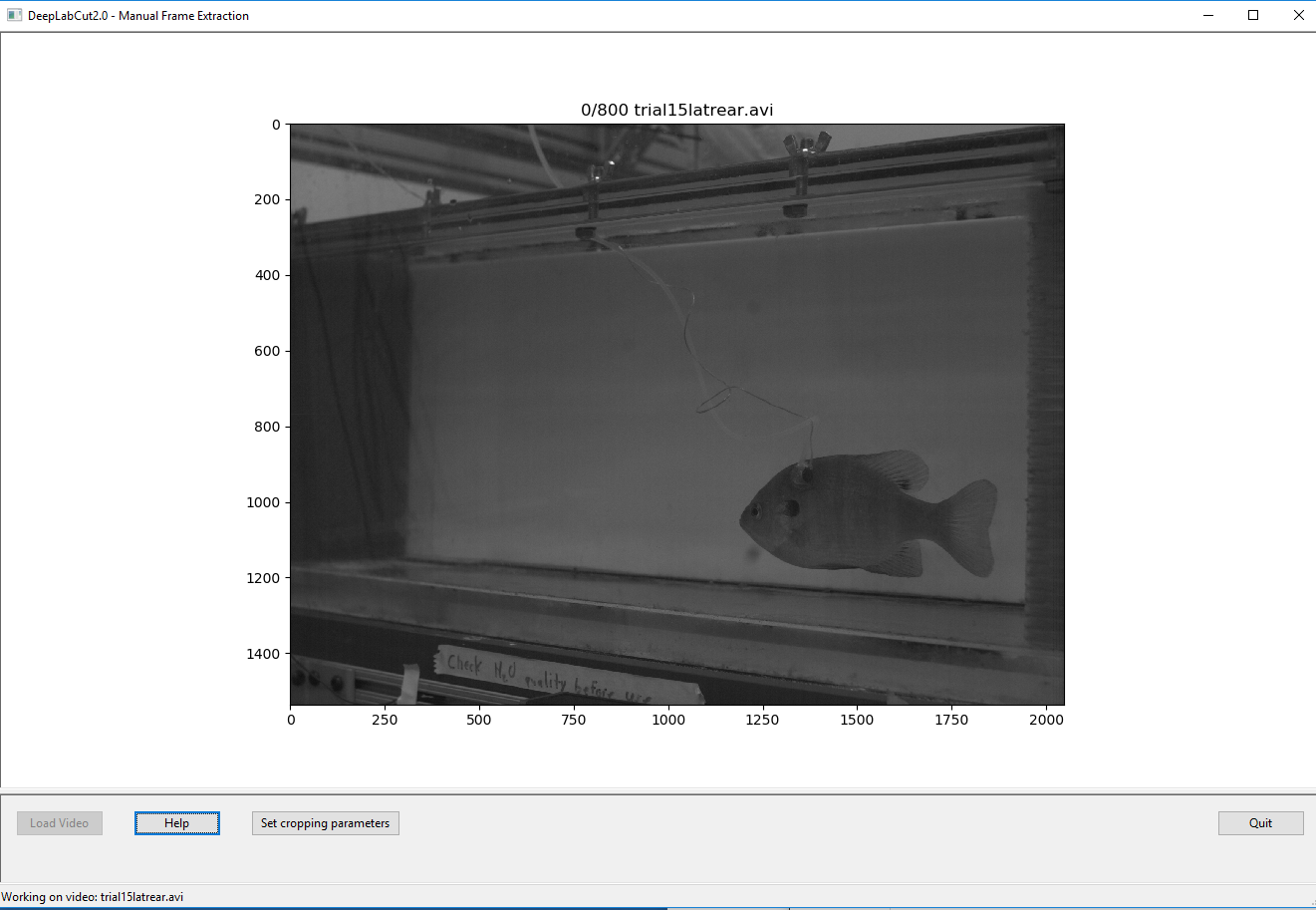
(2) GUI comes up and I select an avi file (see screenshots)
(3) I cannot crop and load frames doesn't do anything
Errors attached: 'MainFrame' object has no attribute 'new_x1'
I cannot select any cropping area and hitting 'Set cropping parameters' doesn't do anything


 effiek9999
All 6 comments
It seems the issue is while creating the project in windows, the symlinks are copied over to the variable video_sets in the config.yaml file. You can check in your config file, the variable video_sets should have the full path of symlink rather than the real path.
When you try to open the video it opens the real path and not the symlink. When cropping, the toolbox tries to access the croping parameters of the video from the config.yaml file and because the config file has symlink, it could not find the parameters and throws error.
FIX:
Either you can copy the video while creating the project.
or
Change the line 133 in new.py under create_project which is
rel_video_path = os.path.realpath(video)
to
rel_video_path=str(Path.resolve(Path(video)))
and reinstall DeepLabCut from your local repository.
We will release this fix soon.
Also, you do not need to specify crop=True for manual extraction, as the GUI will anyway ask the user if you need to crop. The argument crop=True is mainly for automatic extraction.
Hope it helps!
 meet10may
on 30 Mar 2019
meet10may
on 30 Mar 2019
Put it in repo. Will be also pip released in the next version
 AlexEMG
on 31 Mar 2019
AlexEMG
on 31 Mar 2019
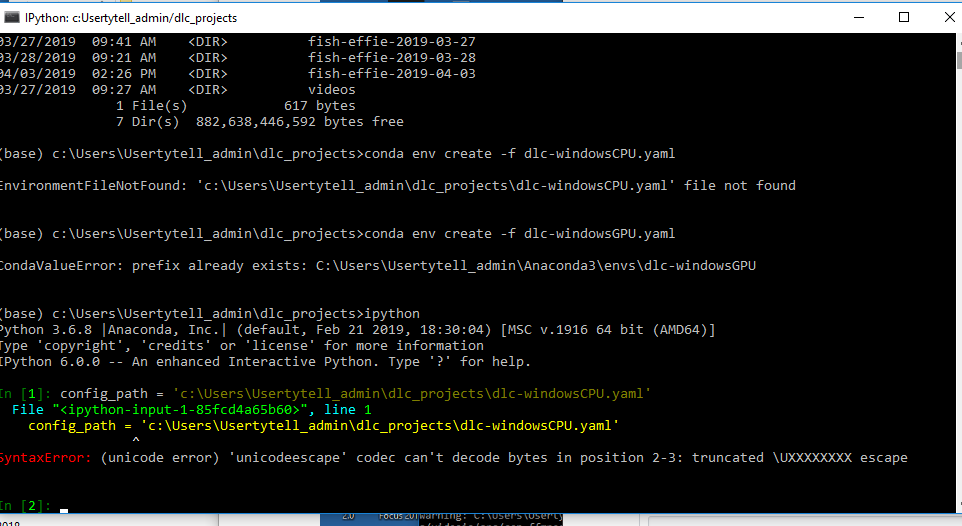
The problem now is that ipython itself gives errors when I use the double slashes. So I updated deeplabcut with the new.py fix (I hope I did the reinstallation correctly - I put all the latest DeepLabCut files in C:UsersUsertytell_admin\Anaconda3\Lib\site-packages\deeplabcut and ran conda env update -f dlc-windowsGPU.yaml) but now you can see there are other problems according to my screenshot. But I also wonder if I did the reinstallation correctly because you can see in the screenshot that I used deeplabcut.create_new_project with double slashes and it gave new errors. But in ipython I set config_path = 'c:UsersUsertytell_admin\dlc_projects\dlc-windowsCPU.yaml' and I got errors shown in screenshot #2.
I noticed the UseOverviewGuide has been updated with single slashes for paths on Windows (it used to have double slashes). I tried those instructions and ran into these problems.

effiek9999
on 3 Apr 2019
For the first error:
It seems the video file cannot be opened. May be you need to double check the path of the video file. When creating the new project, you need to pass the path of the real video file. Not sure, but the path you passed i.e. C:/Users_tyteladmin/dlc_projects/* seems to be a symlink of a video that in somewhere in C:/Users_tyteladmin/Anaconda3/envs/
There is something incorrect with the video file path!
For the second error:
In general, when passing the path in windows you either need to give double backslashes (e.g. C:\ Users\ \ ) or use 'r' ('rC:Users). Please check here for more details:
https://github.com/AlexEMG/DeepLabCut/wiki/Troubleshooting-Tips
meet10may
on 3 Apr 2019
Ah I thought there was a typo in the documentation so I didn't follow your suggestion exactly. Thank you so much, I will try this.
effiek9999
on 4 Apr 2019
GitHub can change \ \ to display \ , - i even have to add a space between \ and \ just to show you here - but Windows always needs \ \ - another reason to just use Linux! ;)
 MMathisLab
on 4 Apr 2019
MMathisLab
on 4 Apr 2019
Related issues
 vvolhejn
·
4Comments
vvolhejn
·
4Comments
 monajalal
·
4Comments
monajalal
·
4Comments
 Charly77220
·
3Comments
Charly77220
·
3Comments
 WernTanj
·
3Comments
WernTanj
·
3Comments
 dusa2
·
3Comments
dusa2
·
3Comments
Most helpful comment
It seems the issue is while creating the project in windows, the symlinks are copied over to the variable
video_setsin the config.yaml file. You can check in your config file, the variable video_sets should have the full path of symlink rather than the real path.When you try to open the video it opens the real path and not the symlink. When cropping, the toolbox tries to access the croping parameters of the video from the config.yaml file and because the config file has symlink, it could not find the parameters and throws error.
FIX:
Either you can copy the video while creating the project.
or
Change the line 133 in new.py under create_project which is
rel_video_path = os.path.realpath(video)to
rel_video_path=str(Path.resolve(Path(video)))and reinstall DeepLabCut from your local repository.
We will release this fix soon.
Also, you do not need to specify
crop=Truefor manual extraction, as the GUI will anyway ask the user if you need to crop. The argumentcrop=Trueis mainly for automatic extraction.Hope it helps!