Deck.gl: Create example using deck.gl with angular2
the examples seems all using in react. is there any examples using in angular2 or vue? thanks.
like deck.gl very much.
 dyh333
All 19 comments
is there any examples using in angular2?
@dyh333 There is no such example available but it would be great to have one in the examples/ folder.
Would love to see a PR. It should not be hard to put together, and there is actually a little bit of information in the docs:
As an assumption you'd essentially only need to create a DeckGL angular component and provide setLayers and a setViewport methods or props (not quite sure what the best API in Angular 2 would look like). Basically you would just port the code in this React integration file to Angular 2.
Also found a Polymer port, it is based on deck.gl v3 instead of v4 but might still provide some inspiration.
 ibgreen
on 17 Apr 2017
ibgreen
on 17 Apr 2017
@ibgreen thanks your reply. i have try it, but found a problem that the
dyh333
on 18 Apr 2017
Hi! Love the work you all are doing with deck.gl, and really appreciate your intentions of not depending on React or Mapbox GL.
When trying to use DeckGL v4, though, there does seem to be a dependency somewhere. Here's my example config:
{
  "name": "example-app",
  "version": "1.0.0",
  "description": "",
  "main": "index.js",
  "scripts": {
    "dev": "budo index.js:bundle.js -- -t babelify",
    "test": "echo \"Error: no test specified\" && exit 1"
  },
  "author": "Don McCurdy <[email protected]>",
  "license": "MIT",
  "dependencies": {
    "babel-polyfill": "^6.23.0",
    "deck.gl": "^4.0.4",
    "luma.gl": "^3.0.1"
  },
  "devDependencies": {
    "babel-preset-es2015": "^6.24.1",
    "babelify": "^7.3.0",
    "browserify": "^14.3.0",
    "budo": "^9.4.7"
  },
  "babel": {
    "presets": [
      "es2015"
    ]
  }
}
// index.js
import DeckGL, {LineLayer} from 'deck.gl';
import assert from 'assert';

assert(DeckGL);
Result of npm run dev:
Cannot find module 'react'
google-deckgl-layer/node_modules/deck.gl/dist/react
 donmccurdy
on 20 Apr 2017
donmccurdy
on 20 Apr 2017
@donmccurdy DeckGL is the react wrapper for deck.gl. It is a React component that wraps the LayerManager. If you want to use deck.gl without react, you'll want to use the LayerManager directly.
The react bindings are in src/react
Also, the deck.gl npm module lists react as a peer dependency. To get past npm's dependency checking you'd likely need to install it even though you won't be importing it/bundling it.
In the future, we'd like to separate the independent parts of deck.gl from the react bindings. Maybe we'll turn deck.gl into a monorepo and publish deck.gl and deck.gl-react modules. We could then add a deck.gl-angular module etc as well.
ibgreen
on 20 Apr 2017
@ibgreen thanks for clarifying. With this change, the error is the same:
import {LayerManager} from 'deck.gl';
import assert from 'assert';

assert(LayerManager);
I'm a bit new to the ES6 module syntax, should that be from 'deck.gl/LayerManager' or something, to isolate LayerManager from other parts of the module?
Unfortunately installing react in any manner is not an option for me. Perhaps react could be moved to optionalDependencies?
donmccurdy
on 20 Apr 2017
I'm a bit new to the ES6 module syntax, should that be from 'deck.gl/LayerManager' or something, to isolate LayerManager from other parts of the module?
LayerManager is actually exported from the main index.js, so the following should work:
import {LayerManager} from 'deck.gl';
Unfortunately installing react in any manner is not an option for me. Perhaps react could be moved to optionalDependencies?
Not until we have broken the library in two, as the overwhelming majority of users do use react. But there might be command line options to stop npm / yarn from erroring on a missing module during install.
ibgreen
on 20 Apr 2017
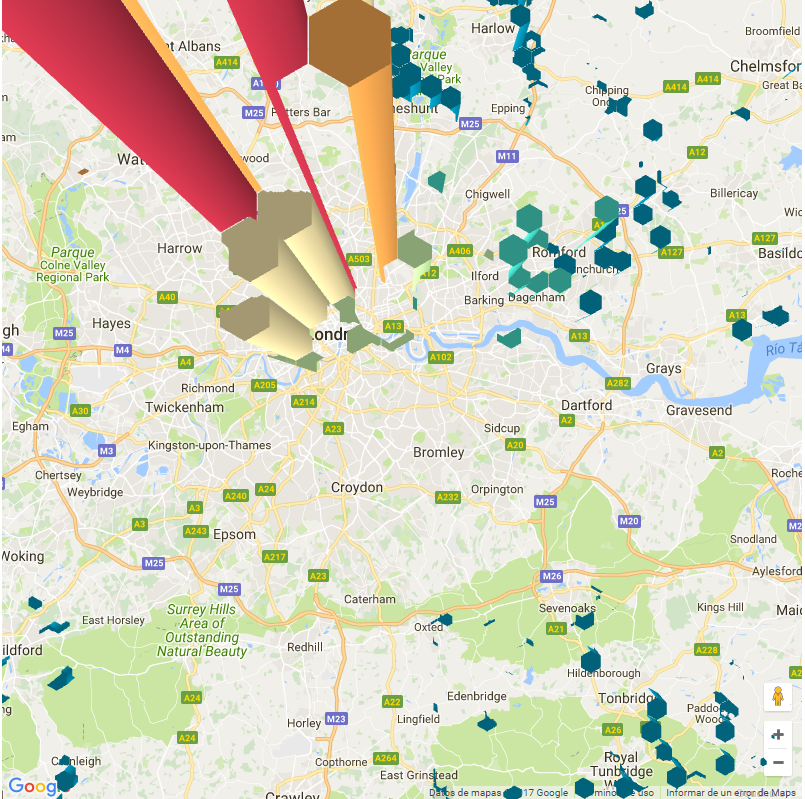
Im trying to make an example with angular 2 and google maps (code) and I finally achieve the integration in some point, but I am facing an issue with the hexagon generation (image). do you know why is this happening? I would appreciate some help :).
 mpeula-choice
on 3 Jul 2017
mpeula-choice
on 3 Jul 2017
@mpeula-choice
Hi,
We recently tried to do similar stuff. Were you able to resolve the above issue?
I don't see you are binding markers on google maps with values. Probably, that's causing this issue?
Thanks,
Avijit
 avijitpsingh
on 26 Jul 2017
avijitpsingh
on 26 Jul 2017
Sorry for the slow reply, at first blush looks like you haven't enabled depth testing.
ibgreen
on 18 Aug 2017
Hi @ibgreen,
Are there plans to have standalone examples for deck.gl or angular wrapper over deck.gl?
avijitpsingh
on 18 Aug 2017
Are there plans to have standalone examples for deck.gl or angular wrapper over deck.gl?
@avijitpsingh We definitely want to make it easier to use deck.gl in non-React contexts.
- As a first big step, we have already broken out event handling from the react integration into its own
EventManager, which is a plain JavaScript/ES6 class. - As a next step (soon), we are planning to replace the internal
WebGLRendererReact component with the luma.glAnimationLoop, which is a plain JavaScript/ES6 class. - When this is done, the
DeckGLReact component will be a really thin and trivial wrapper that delegates all the interesting work to reusable, framework independent JavaScript classes. Those components could then easily be integrated with other frameworks.
While I don't see the deck.gl core team actually doing an Angular example (we'd probably opt for a framework neutral, pure JS example) we'd be interested in strongly supporting someone who wanted to contribute an Angular example as a PR.
ibgreen
on 21 Aug 2017
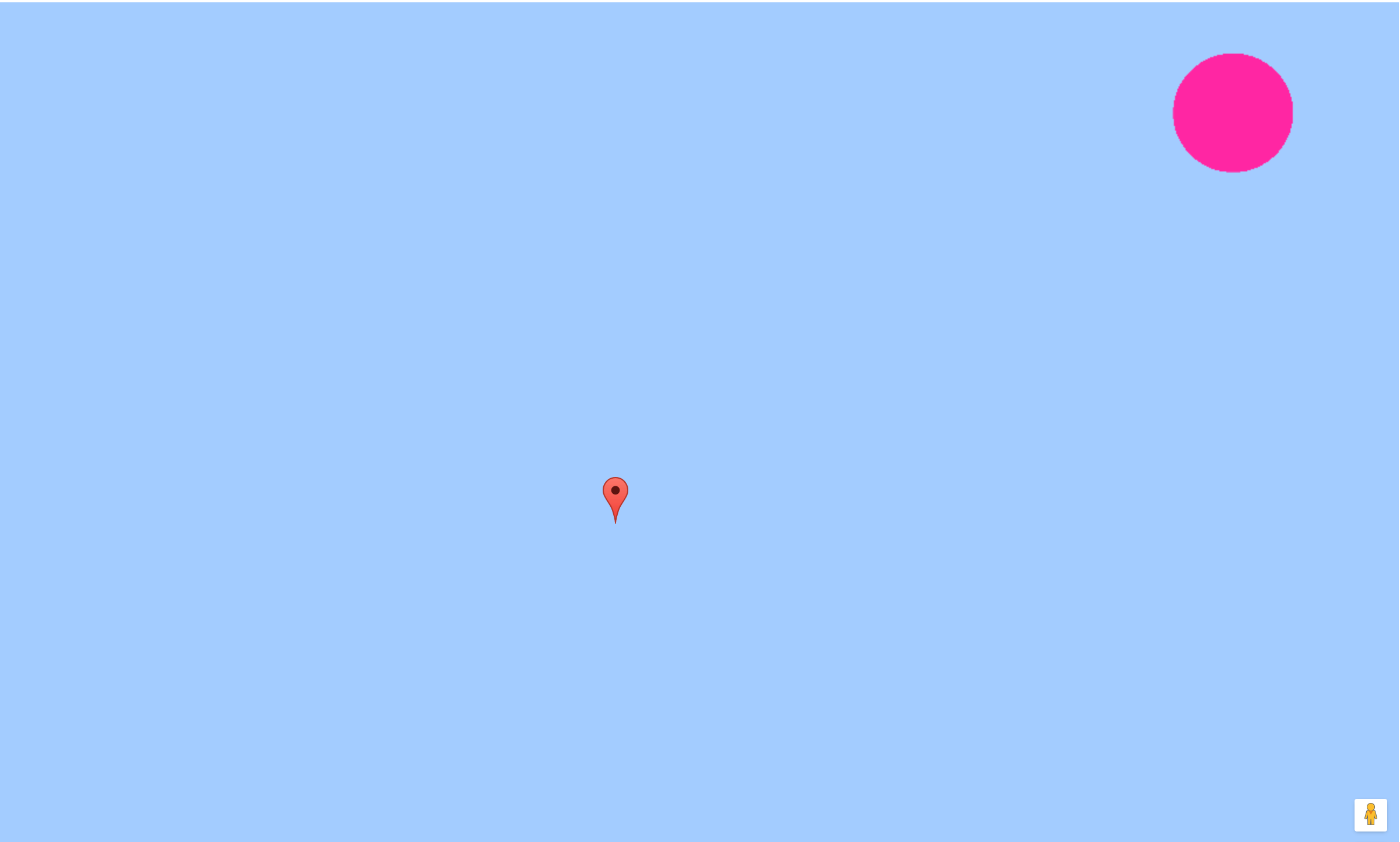
Hi @ibgreen , I tried to simplify the example provided by @mpeula-choice to try and help diagnose the issue (fork here).
I changed the hexagon layer to a scatterplot layer, configured the same as the scatterplot example provided by deck.gl.
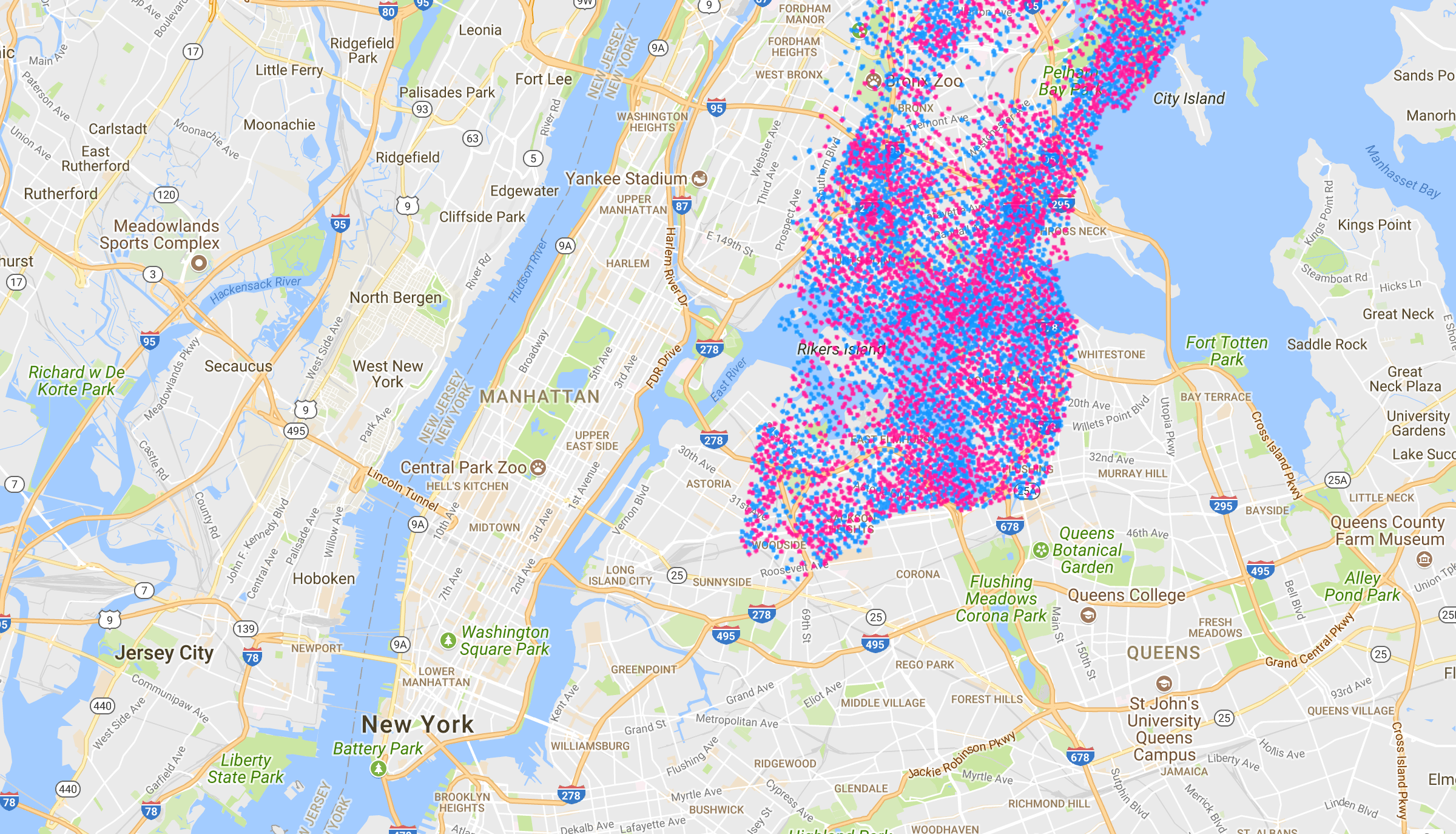
I then added center.json (a single point at 0,0), and added a gmaps marker at 0,0. I set the default viewport to 0,0. Below is an image that shows the offset between the two webgl layers, as you pan and zoom in and zoom out the position of the webgl scatterplot layer seems to change. When the page first loads, the google maps marker appears to be in the center of the screen at 0,0 while the deck.gl scatterplot layer is off screen.
Image showing the results:
Here is the same thing with the manhattan dataset:
I'm happy to try any suggestions you have and report back with results.
 rpk
on 6 Sep 2017
rpk
on 6 Sep 2017
Are there plans to have standalone examples for deck.gl or angular wrapper over deck.gl?
As a next step (soon), we are planning to replace the internal WebGLRenderer React component with the luma.gl AnimationLoop, which is a plain JavaScript/ES6 class.
@avijitpsingh FYI - Just opened the AnimationLoop PR I promised, this collects the entire React integration into one file, should make it easier to port.
ibgreen
on 6 Sep 2017
@rpk This is exciting! I will take a look at the fork as soon as time permits.
In the mean-time, the visual impression is that there is a scale issue
- the manhattan overlay looks 2x the size of the map of manhattan, but otherwise correctly aligned.
- A crazy idea would be to subtract 1 from the deck.gl zoom value (
scaleis 2**zoom) just in case google maps and deck.gl are interpreting differently. - could be related to retina displays? On master we have added a
useDevicePixelRatioprop to deck.gl to control the use of the retina multiplier.
Also deck.gl Viewports interpret lng/lat as center of screen (not sure what google maps conventions are) and needs correct width height.
ibgreen
on 6 Sep 2017
We now have an example that renders deck.gl layers without React and Mapbox
ibgreen
on 16 Sep 2017
@ibgreen great job!
 dazhi1011
on 17 Sep 2017
dazhi1011
on 17 Sep 2017
Assignee added retroactively just for reference
 howtimeflies0
on 19 Sep 2017
howtimeflies0
on 19 Sep 2017
 cracKer92
on 4 Jul 2018
cracKer92
on 4 Jul 2018
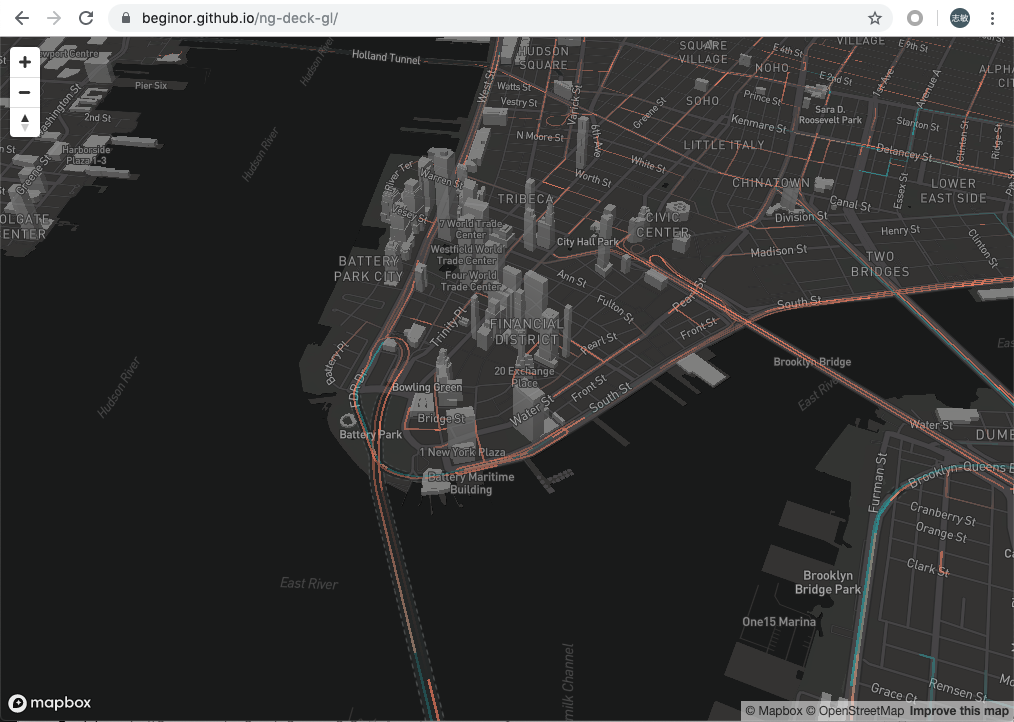
I have build a trips-layer demo with angular and mapbox , source repo is https://github.com/beginor/ng-deck-gl, and view it online https://beginor.github.io/ng-deck-gl
 beginor
on 1 Aug 2019
beginor
on 1 Aug 2019
Related issues
 mayteio
·
3Comments
mayteio
·
3Comments
 flowsipher
·
3Comments
flowsipher
·
3Comments
 patilvikram
·
3Comments
patilvikram
·
3Comments
 ToddJacobus
·
4Comments
ToddJacobus
·
4Comments
 rjimenezda
·
3Comments
rjimenezda
·
3Comments
Most helpful comment
I have build a trips-layer demo with angular and mapbox , source repo is https://github.com/beginor/ng-deck-gl, and view it online https://beginor.github.io/ng-deck-gl