Deck.gl: TileLayer: multiple zoom level tiles rendered at the same time
Description
When using Tile Layer, duplicated features (slightly offset)
can be seen.
The reason for this is that when the current zoom level tiles are not loaded yet, all the cached tiles are being rendered. That is, of all the zoom levels. This means that geometries will be duplicated and probably slightly offset due to tile precision.
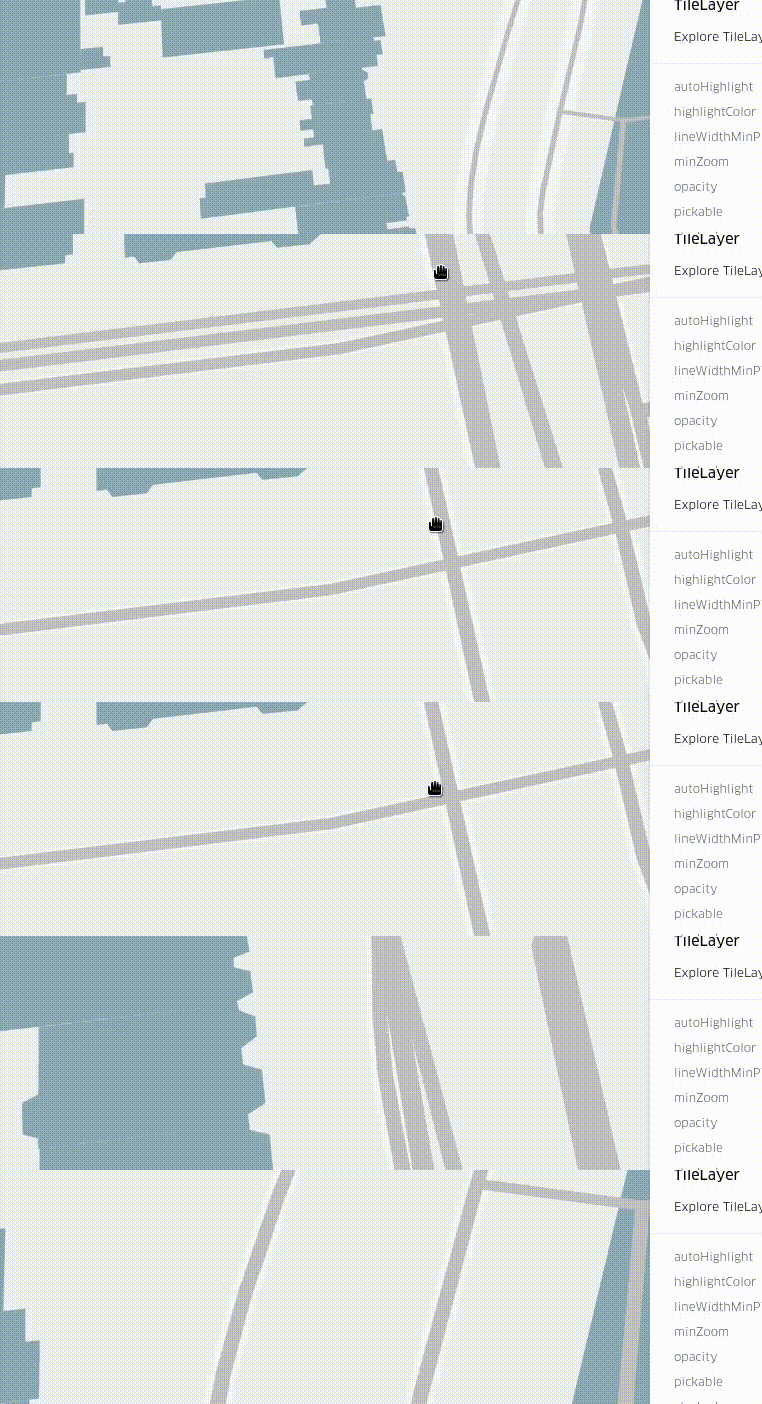
Repro Steps
- Go to https://deck.gl/#/documentation/deckgl-api-reference/layers/tile-layer
- Zoom in, pay attention to the lines.
Environment (please complete the following information):
- Framework Version: 7.2.2
- Browser Version: Chrome 75
- OS: Linux
I'll post some details of where the issue is on the code on the comments of the issue
 rjimenezda
All 3 comments
So, it seems like the issue lies here:
When the current zoom level is not loaded (!this.state.isLoaded) the zoom level equality condition will be ignored.
This is a potentially great feature, because it makes for nicer transitions while zooming / panning. However, when very low zoom level tiles cached are displayed on high zoom levels, discrepancies are massive.
A possible solution could be doing a first pass on the tiles before rendering the sublayers, and keeping track of which zoom levels are loaded. Then, when rendering the sublayers, if the current zoom level is not completely loaded, we can use tiles from the closest zoom level.
Also, related question for this layer type: Isn't rendering a sublayer per tile a massive performance hit? Wouldn't it be better to aggregate all the tiles per zoom level as they load just before rendering?
The cool thing about how it works is that you could have a different layer type per tile, but I don't know if that's a real use case.
rjimenezda
on 30 Aug 2019
I think the flickering I'm seeing in my TileLayer is the same issue. For me with my polygons (same data as in #3824 but using the workaround, so that's no longer the bug), when panning quickly I see dark flickers in the polygons. I think that's from the polygons temporarily being rendered twice, i.e. the current issue.
Is there a way to turn this off?
 kylebarron
on 23 Nov 2019
kylebarron
on 23 Nov 2019
TileLayer in 8.1.0 will offer a new prop that allows customization of the traversal strategy.
 Pessimistress
on 6 Feb 2020
Pessimistress
on 6 Feb 2020
Related issues
 flowsipher
·
3Comments
flowsipher
·
3Comments
 cosullivan
·
4Comments
cosullivan
·
4Comments
 jianhuang01
·
3Comments
jianhuang01
·
3Comments
 Dieegho
·
3Comments
Dieegho
·
3Comments
 patilvikram
·
3Comments
patilvikram
·
3Comments