Deck.gl: Performance advice/best practices with redux and filtering data
Firstly - I've read through the (performance optimisation)[https://deck.gl/#/documentation/developer-guide/performance-optimization?section=minimize-data-changes] page of the docs.
I'm using deck.gl to filter a geojson dataset of about 30k polygons. I run a requestAnimationFrame that filters the polygons based on a property - YearBuild. The idea is to visualise buildings showing up over time.
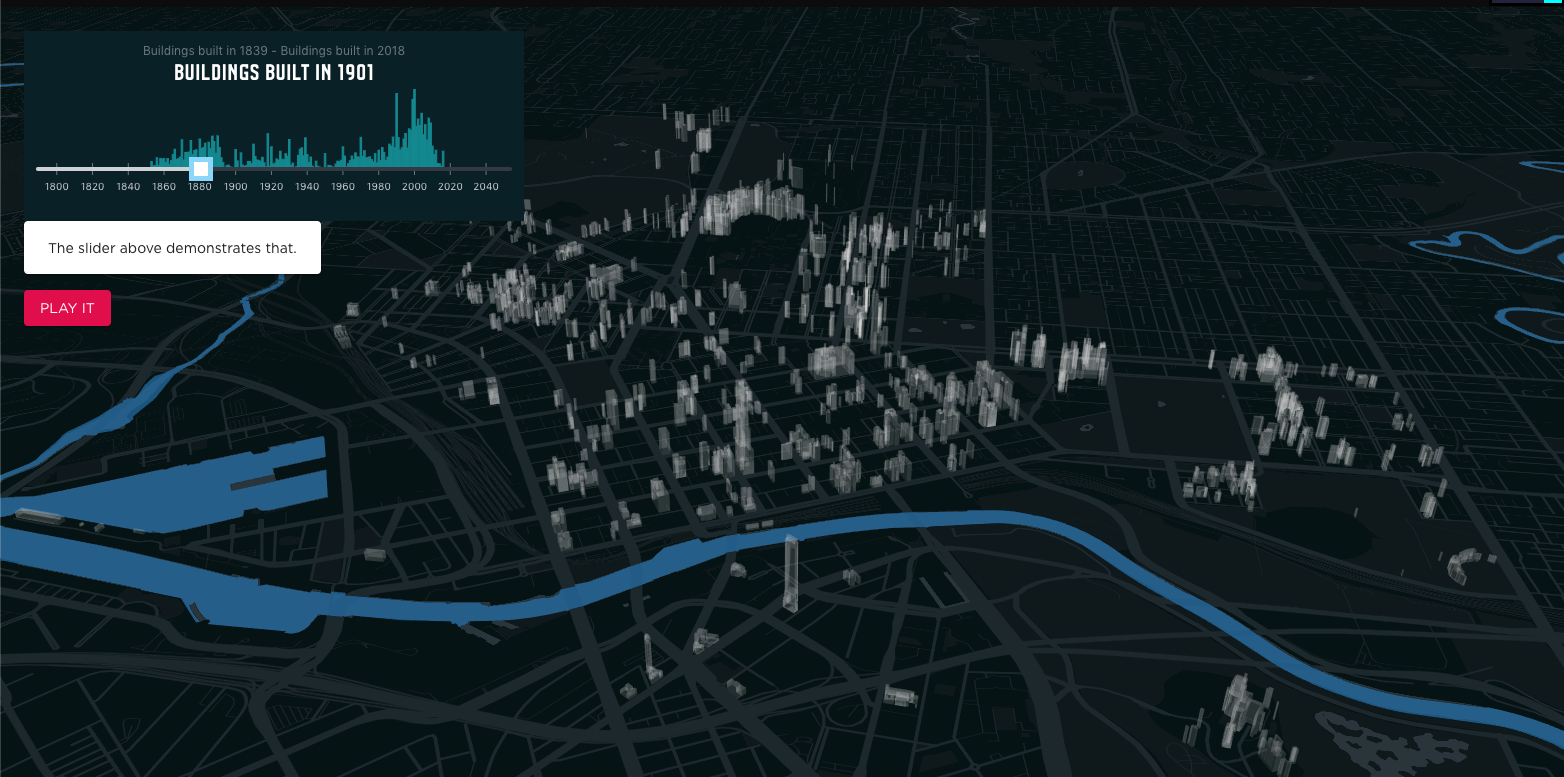
I've tried a few approaches to this and can't seem to get any good performance. For reference, my data sits in a redux store.
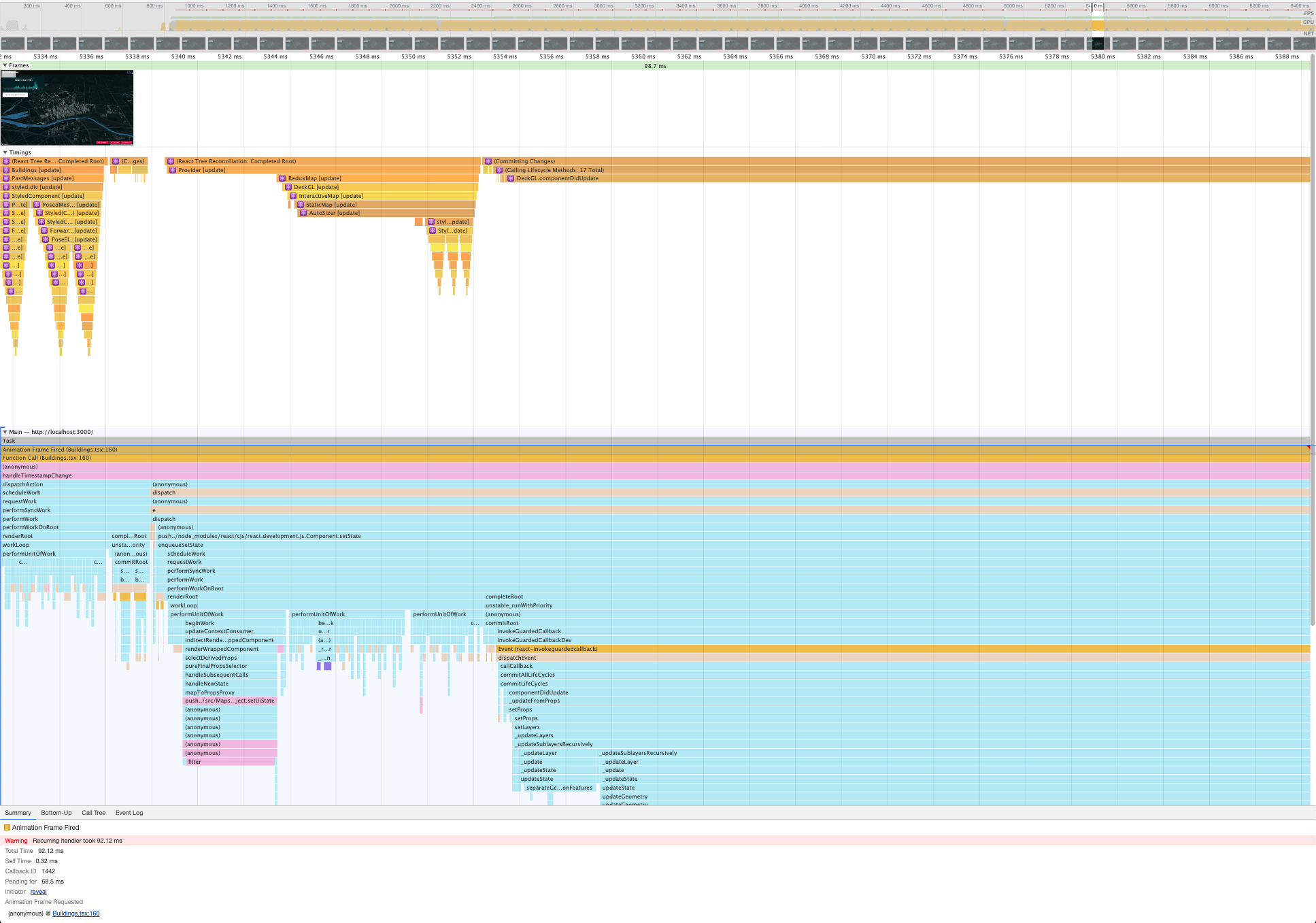
Approach 1: memoize and build layers on the fly.
The data sits in redux, and on each render is passed to a memoized selector that filters data and generates the Deck.gl layers on the fly.
render -> map layers from redux -> filter data -> produce deck.gl layer
Here's a profile of that happening:
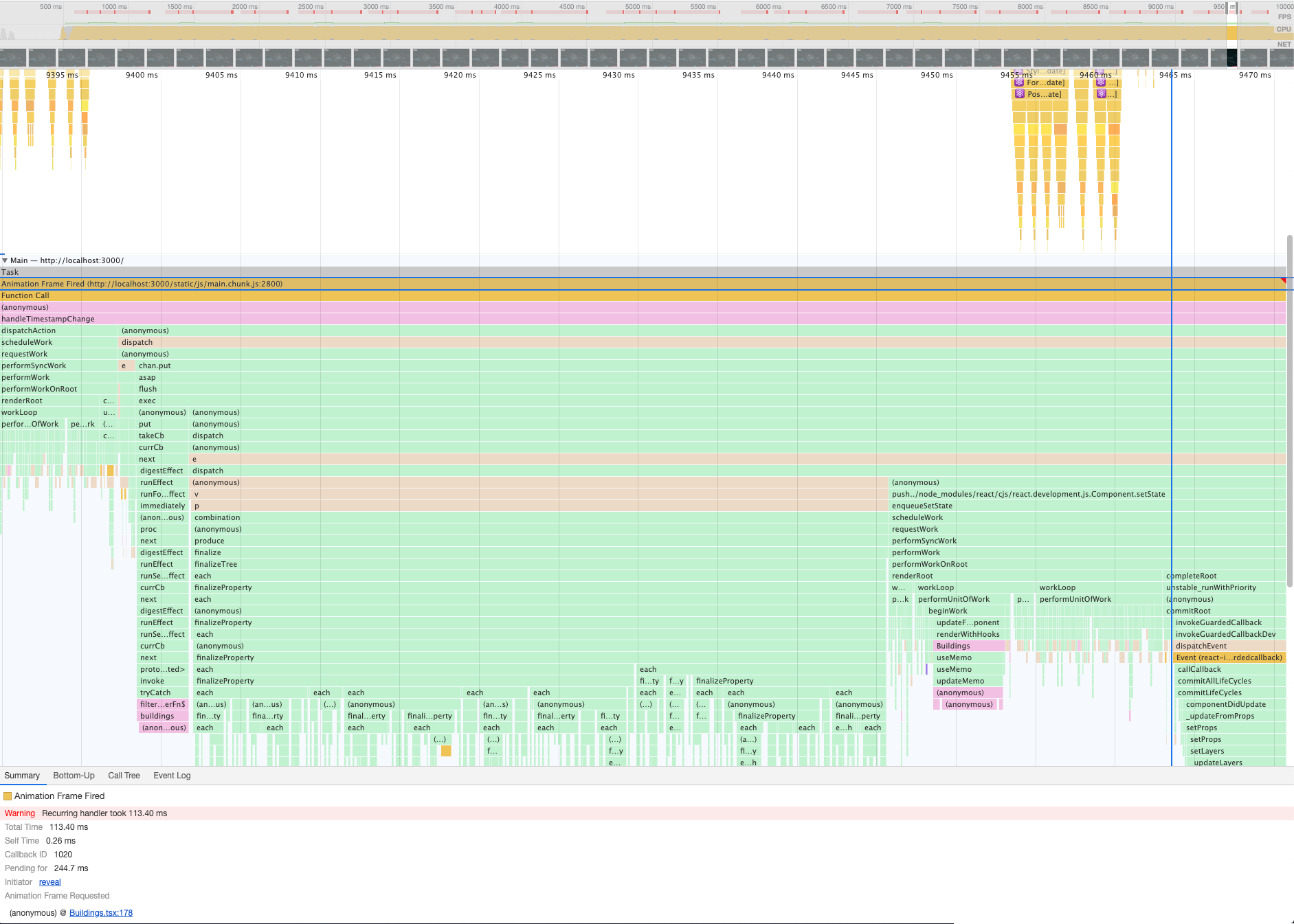
Approach 2: filter data only when filter values update and keep that in the store
When a filter value changes, i.e. year in this case, run a redux saga that updates a subset of the data that always stays in the store. Use a similar, simplified memoized selector to generate the layers
render -> map layers in redux -> produce deck.gl layer
Interestingly, this approach had poorer performance. Here's a breakdown of my profiling, and it's clear that the filtering into redux is causing the problem;
So my questions:
- Am I experiencing these performance issues because the entire layer is re-rendering?
- What is the recommended way to filter and render data frequency and on the fly?
- What are the best practices to store data and layers in redux? I can't store any accessors because functions are not serialisable. This means my filtering functions and data accessors are stored elsewhere, which smells.
 mayteio
All 3 comments
@mayteio I can't answer your question about redux, as for deck.gl side, there are some suggestions.
- Only update layer's data when necessary, the polygon tessellation is pretty heavy
- Keep the layer id the same, otherwise even the data is not changed, the layer is still created from scratch.
- based on the above two, in your case, maybe you can use a multi polygon layers to hold all the data, each layer has a specific year range, in the polygon layer which crosses the limit boundary, you define the getPolygon API to filter the polygon objects, so you won't tessellation all the polygons all the time.
for example:
getPolygon: d => { if (d.year > 2000) return d.contour; return [];}
- you can also create a custom layer to do the filter in shader side, and set the year limit as uniform, then you only need create layers and update data one time.
 jianhuang01
on 6 May 2019
jianhuang01
on 6 May 2019
@mayteio Several ideas:
- You should definitely avoid changing the
dataprop. In this particular use case, I recommend switching building color to transparent to hide them:
const currentYear = 1901;

new GeoJsonLayer({
  ...
  parameters: {
    depthMask: false  // https://github.com/uber/deck.gl/issues/3049
  },

  getFillColor: f => f.properties.year === currentYear ? BUILDING_COLOR : TRANSPARENT_COLOR,
  updateTriggers: {
    getFillColor: currentYear
  }
})
Building new layer instances on the fly has no perf impact, explained here. In your second approach, it's likely that the data prop changed shallowly somewhere unnecessary. Processing polygons is especially expensive, since we need to normalize and then tesselate them. Updating attributes in-place will be a lot faster.
- Regarding storing layers in Redux, you can create some sort of utilities to reconstruct the accessors from serializable data. Something like this:
// Redux
const GeoJsonProps = {
  getFillColor: {
    key: 'year',
    values: {1901: [128, 128, 128], default: [0, 0, 0, 0]
  }
};

// App
new GeoJsonLayer({
  ...
  getFillColor: mapPropertyToValue(GeoJsonProps.getFillColor),
  updateTriggers: {
    getFillColor: GeoJsonProps.getFillColor
  }
})

function mapPropertyToValue(config) {
  return f => {
    const prop = f.properties[config.key];
    return f.values[prop] || f.values.default;
  }
}
 Pessimistress
on 7 May 2019
Pessimistress
on 7 May 2019
Thank you greatly @Pessimistress and @jianhuang01 - all those options are great. I have decided to go with an abstraction of @Pessimistress's solution. For anyone who finds this in the future, I store a filters array against the layer in redux:
layer[]: {
...,
filters: [{ key: 'myKey', value: 0.0001, condition: "gt" }, ...],
...
}
then in my layer creator (I am using a memoised redux selector), I loop through them similar to the proposed mapPropertyToValue:
layers.map(layer => {
      ...
      const updateTriggers = {};
      const layerOptions = {...}
      if (filters && filters.length > 0) {
        updateTriggers.getFillColor = [];
        for (let n = 0; n < filters.length; n++) {
          const { key, value } = filters[n];
          updateTriggers.getFillColor.push([key, value]);
        }

        layerOptions.getFillColor = d => {
          for (let n = 0; n < filters.length; n++) {
            const { key, value, condition } = filters[n];
            if (!comparators[condition](d.properties[key], value)) {
              return [0, 0, 0, 0];
            }
          }
          return [255,255,255,255];
        };
      }
   ...
   return new GeoJsonLayer(layerOptions)
}
compared using a super simple comparator object:
const comparators = {
  eq: (a, b) => a === b, // equals
  gt: (a, b) => a > b, // greater-than
  lt: (a, b) => a < b, // less-than
  bt: (a, [b, c]) => a > b && a < c // between
};
Related issues
 FilipHusnjak
·
3Comments
FilipHusnjak
·
3Comments
 jfuehner
·
3Comments
jfuehner
·
3Comments
 RELNO
·
4Comments
jianhuang01
·
3Comments
RELNO
·
4Comments
jianhuang01
·
3Comments
 euzu
·
3Comments
euzu
·
3Comments
Most helpful comment
@mayteio Several ideas:
dataprop. In this particular use case, I recommend switching building color to transparent to hide them:Building new layer instances on the fly has no perf impact, explained here. In your second approach, it's likely that the
dataprop changed shallowly somewhere unnecessary. Processing polygons is especially expensive, since we need to normalize and then tesselate them. Updating attributes in-place will be a lot faster.