Dash-to-panel: Activities and Date are visible on lock screen (GNOME 3.36)
tested on: gnome-shell-3.35.91-1.fc33
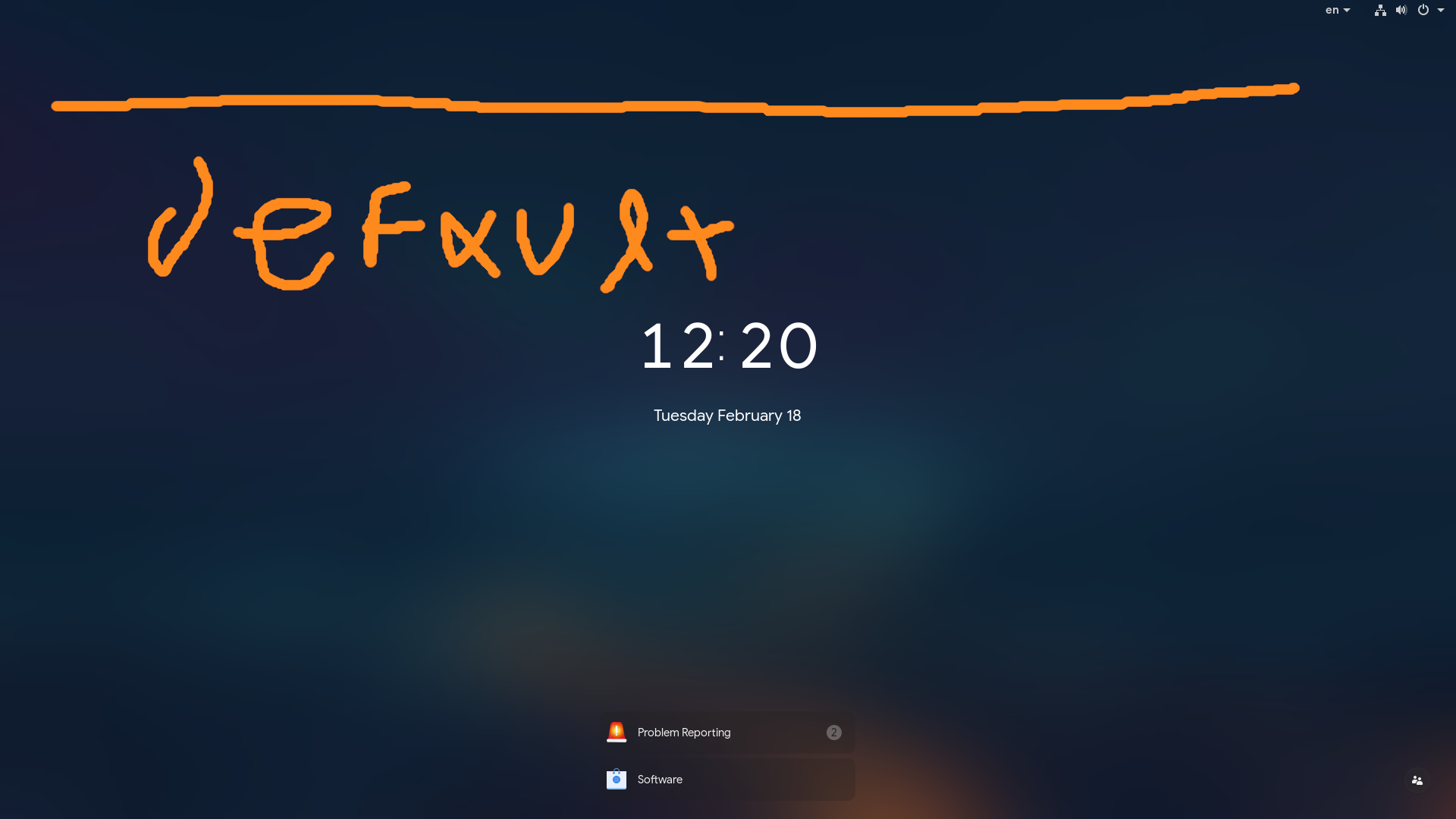
without Dash to Panel the top bar on lock shows only the indicators on right:
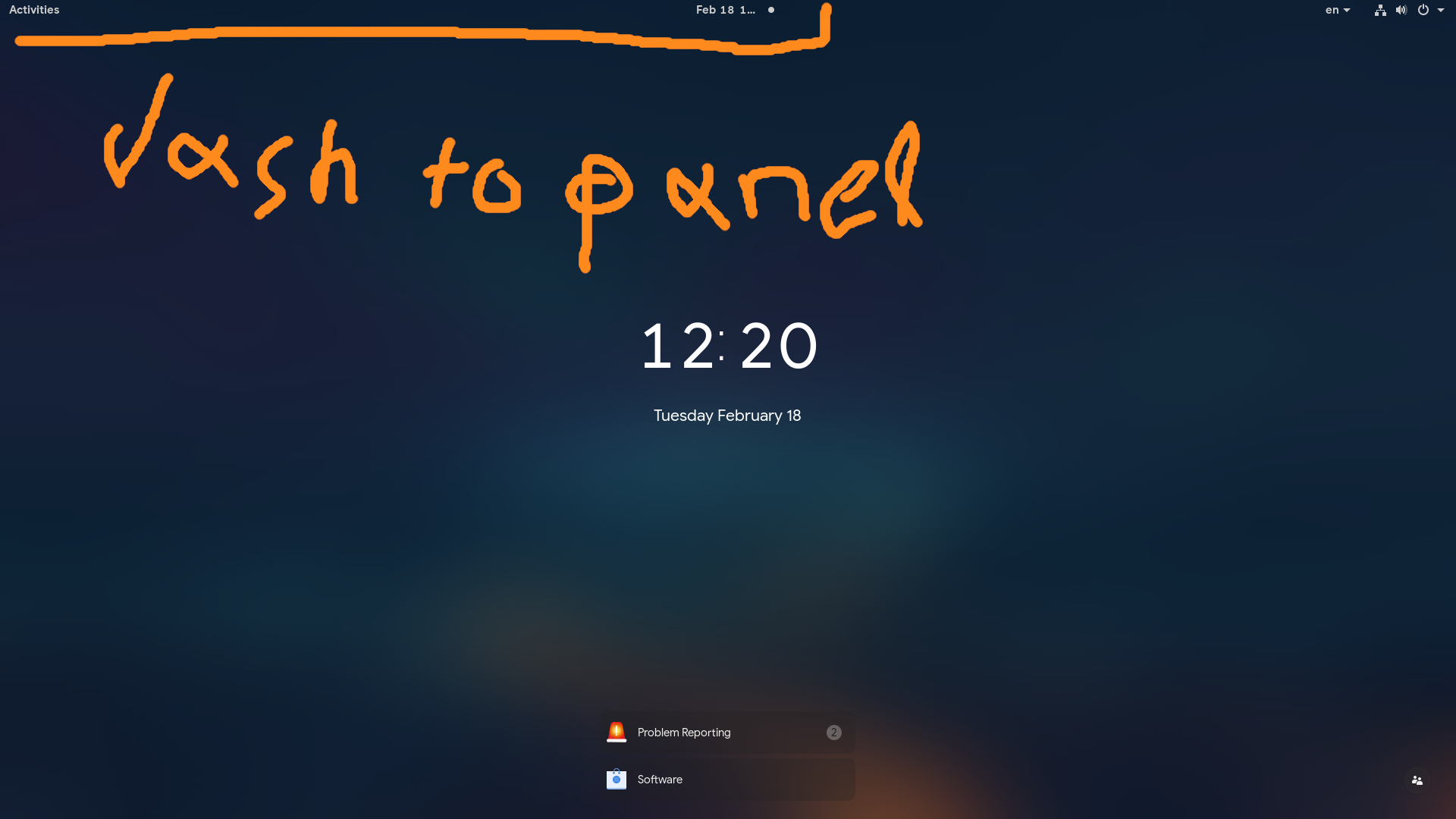
with Dash to Panel enabled we also get activities and date:
 alex285
All 11 comments
Thanks alex285! Any idea when this new lock screen is going live on Rawhide? Maybe it's time I look into how to run gnome/mutter from master. Any links or tips?
 charlesg99
on 18 Feb 2020
charlesg99
on 18 Feb 2020
it is already on Rawhide: gnome-shell-3.35.91-1.fc33 but sometimes the packages have some delay to get into the repos so you can grub them directly from koji (i think i re-share that)
[koji]
name=Koji $basearch
baseurl=https://kojipkgs.fedoraproject.org/repos/rawhide/latest/$basearch/
enabled=1
#metadata_expire=60m
gpgcheck=0
Does the settings window (right click on panel -> dash to panel settings) open up for you guys? Not sure if there's another 3.36 issue here or if it's something on my end. I installed from master and did a pref reset beforehand. Also no error log output whatsoever, it just doesn't open...
 jgillich
on 29 Feb 2020
jgillich
on 29 Feb 2020
@jgillich that was a bug on Shell and happens to all extensions, but it is fixed on master; but on master DtP it is again broken.. argh :/
alex285
on 1 Mar 2020
@charlesg99 3.35.92 is now available on Rawhide (at least on Koji) if you want to test!!
alex285
on 2 Mar 2020
Hey alex285, now it should be working on 3.35.92. I still have to check for the lock screen though. Thanks!
charlesg99
on 3 Mar 2020
Looks like there was a race condition with the lock screen activation hiding the activities/clock and the extension disable restoring them to their original state. Maybe it's always been there and the new login UI/animation changes just caused it to show up now.
Can you test my change out?
Looks like the 3.36 release is coming up in a few days (March 11) so I'd like to get in the e.g.o. review queue asap. Everything good on your end for a release, @charlesg99?
 jderose9
on 7 Mar 2020
jderose9
on 7 Mar 2020
Hey Jason! Crazy timing, I was about to push a fix for this as well :) Yours is simpler and it works on my end :tada:
All good for the next release!
charlesg99
on 8 Mar 2020
Guess I was wrong about 3.36 release date. It was just released :)
jderose9
on 8 Mar 2020
Huh! Guess they've decided to tag it earlier than expected!
charlesg99
on 8 Mar 2020
Thanks so much for the speedy review, @andyholmes!
jderose9
on 9 Mar 2020
Related issues
 MicleBrick
·
6Comments
MicleBrick
·
6Comments
 andrewgazelka
·
6Comments
andrewgazelka
·
6Comments
 BetaConnector
·
5Comments
alex285
·
6Comments
BetaConnector
·
5Comments
alex285
·
6Comments
 jamesiri
·
4Comments
jamesiri
·
4Comments
Most helpful comment
Thanks so much for the speedy review, @andyholmes!