Dash-to-panel: Missing date and time from the panel
Things to do first
- Confirm that the problem persists when Dash-to-Panel is the only enabled extension. To do so, disable every other extension, then restart gnome-shell by running the
rcommand from the prompt that appears when pressing Alt+F2 on an X.org session, or by logging out/in on a Wayland session. - Look for Dash-to-Panel errors in your log. To do so, run the
journalctl /usr/bin/gnome-shell -f -o cat &command and reproduce the problem. - Search existing opened and closed issues to see if the problem has already been reported.
Confirm I restarted gnome-shell, disabled all other extensions, and this is what is in the logs when the extension is enabled.
clutter_actor_remove_child: assertion 'child->priv->parent == self' failed
clutter_actor_add_child: assertion 'child->priv->parent == NULL' failed
Window manager warning: Overwriting existing binding of keysym ff52 with keysym ff52 (keycode 6f).
Window manager warning: Overwriting existing binding of keysym ff54 with keysym ff54 (keycode 74).
Window manager warning: Overwriting existing binding of keysym ff54 with keysym ff54 (keycode 74).
Window manager warning: Overwriting existing binding of keysym ff52 with keysym ff52 (keycode 6f).
Describe the bug
A clear and concise description of what the problem is, any steps to reproduce, and what you expected to happen instead.
Date and time missing from the panel. If I disable the panel it reappears but defeats the purpose of the extension.
Linux distribution and version
Ubuntu 18.04, Fedora 31, Manjaro 19.02, Arch, Debian 10.3, openSUSE Leap 15.1, etc.
Debian 10
GNOME Shell version
Run gnome-shell --version from the command line to get this
3.30.2
Dash-to-Panel version
This can be seen in the Dash-to-Panel Settings in the About tab.
38
Where was Dash-to-Panel installed from?
The GNOME extensions website, GNOME Software store, your distribution's package manager, pre-installed with the distribution, directly from github, etc.
GNOME extension website
Screenshots / Video captures
If applicable, add screenshots or a link to a video capture to help explain your problem.
Settings for your extension
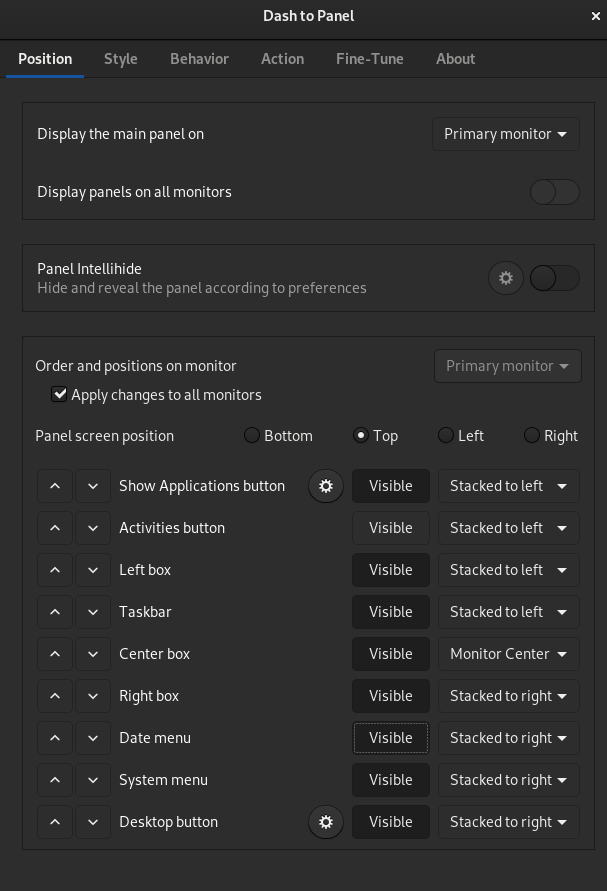
Panel when extension enabled

Panel when extension is disabled

Panel when other extensions enabled show that there is space for the date and time but it just isn't being rendered

Additional Info
 jamesiri
All 4 comments
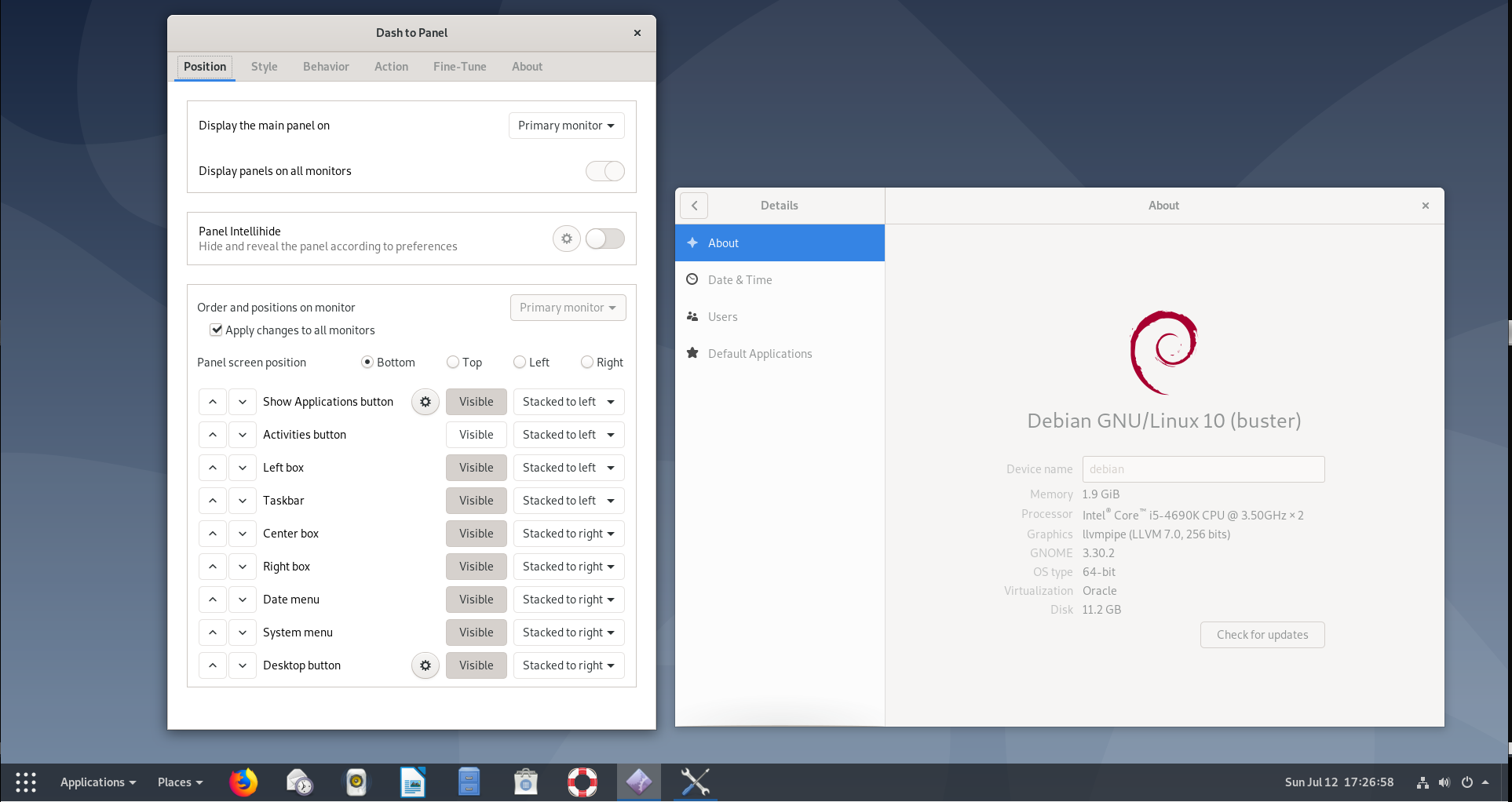
Hello jamesiri, gonna need more info as I can't reproduce the issue so far (X.org and Wayland) on an up to date Debian 10. What other extensions do you have enabled? Anything else particular about your setup? Which theme is that? Could you share your dash to panel settings using the About tab?
Here is mine:
Thanks!
 charlesg99
on 12 Jul 2020
charlesg99
on 12 Jul 2020
Thank you for the prompt response!
I disabled all the other extensions before sending you the above data to ensure that there weren't any other conflicts and the issue persisted. Here is my about page, my dash to panel settings, and my theme settings.
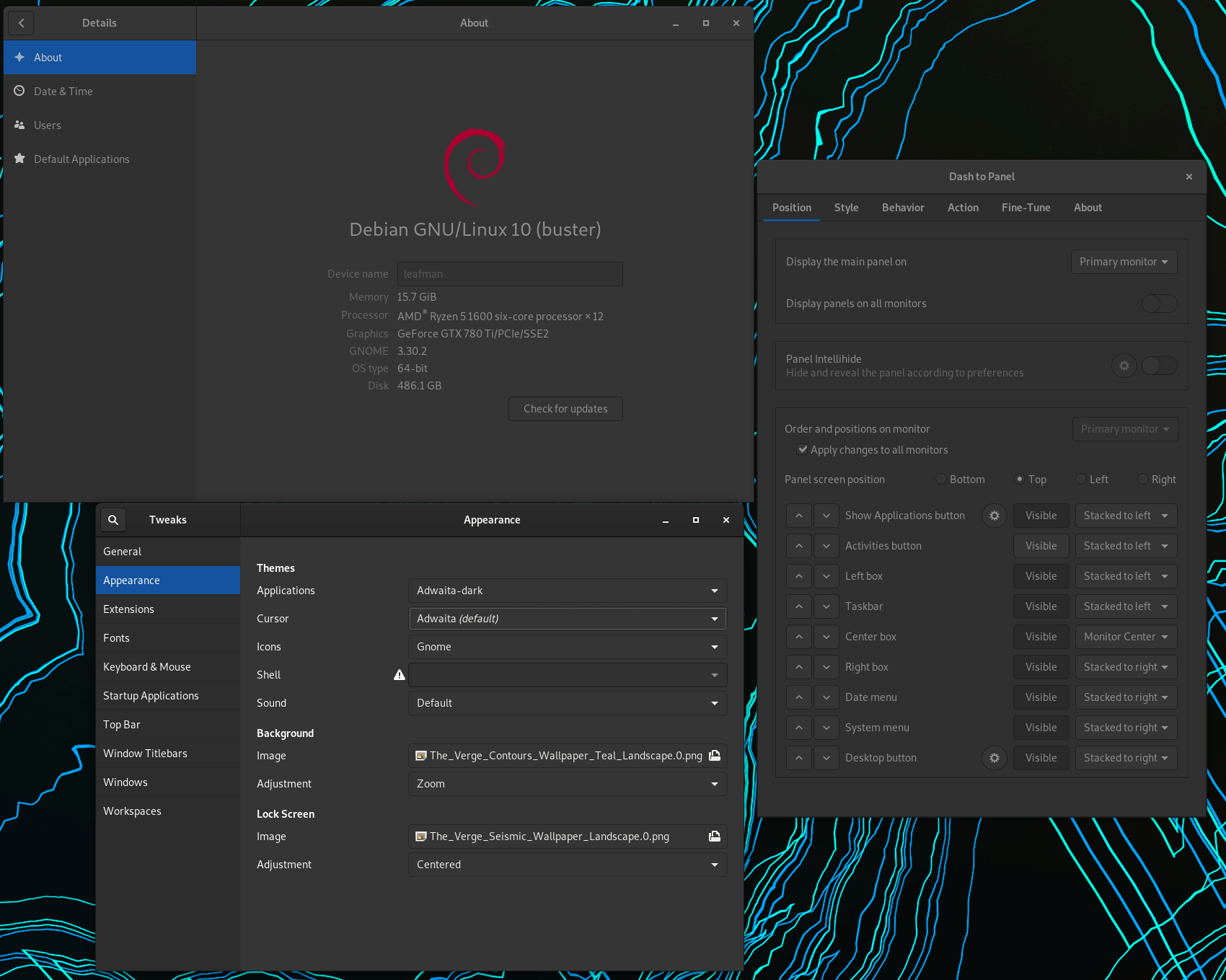
I am not doing anything special and running mostly system defaults. I am happy to pull up specific logs for you if they are helpful, just let me know.
jamesiri
on 13 Jul 2020
Ok I think I see why now, you're using the Gnome classic session where the clock is in the rightBox instead of the centerBox in a normal Gnome session. We normally don't support the classic session, but since the fix was simple I added it to the master branch. Please install from Github until we can release a maintenance version. Thanks!
charlesg99
on 13 Jul 2020
Ah, that was it! Thank you so much and marking as resolved.
jamesiri
on 13 Jul 2020
Related issues
 alex285
·
6Comments
alex285
·
6Comments
 ningacoding
·
6Comments
ningacoding
·
6Comments
 amivaleo
·
5Comments
amivaleo
·
5Comments
 andrewgazelka
·
6Comments
andrewgazelka
·
6Comments
 sbadux
·
6Comments
sbadux
·
6Comments
Most helpful comment
Ok I think I see why now, you're using the Gnome classic session where the clock is in the rightBox instead of the centerBox in a normal Gnome session. We normally don't support the classic session, but since the fix was simple I added it to the master branch. Please install from Github until we can release a maintenance version. Thanks!