Dash-to-dock: Transparency not complete - bug
I did disabled all extensions on gnome-shell and even so, dash to dock didn't completely transparent.
If I use the "Ubuntu Dock" native extension this bug doesn't happen.
Note: my ubuntu 20.04 was upgradable from ubuntu 18.04. Possibly some cache/config that comes from causing this bug.
See images on attachments.

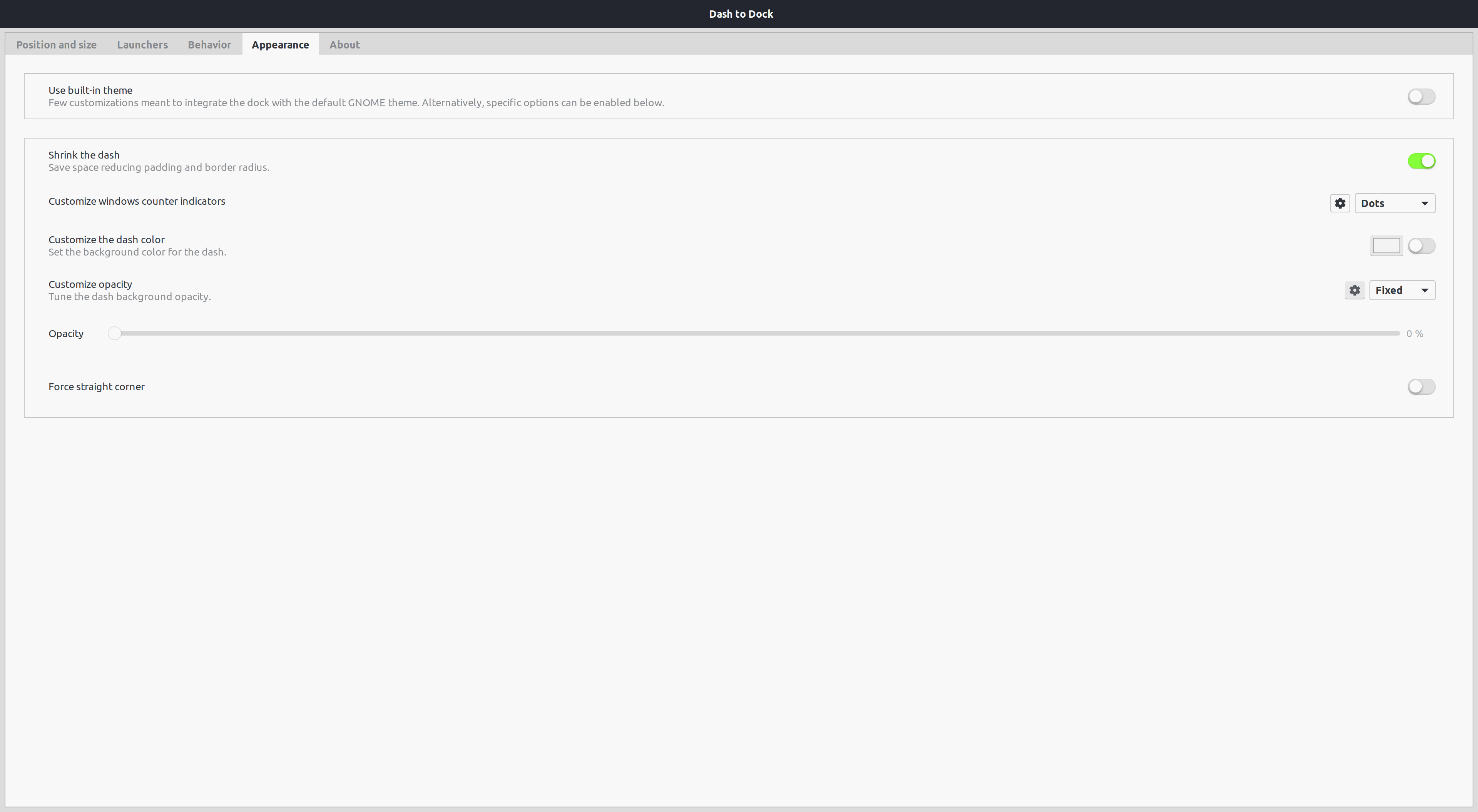
Versions:
Dash To Dock 69
Gnome Shell 3.36.3
Ubuntu 20.04.1 LTS
 kauanmocelin
All 3 comments
Issue solved
The 1px border is due to the option shrink the dash under the appearance tab.
Easy fix
Don't shrink the dash
More complex (but still super easy) fix
Edit the 4th line in ~/.local/share/gnome-shell/extensions/[email protected]/stylesheet.css from border:1px; to border:0px.
That way you can both shrink the dash and remove the border
(It was really triggering me too so I searched a bit ahah)
Hope this helped @kauanmocelin ^^
 noahdigesu
on 1 Nov 2020
noahdigesu
on 1 Nov 2020
I edited the CSS file removing the border and it works! Thanks @noahdigesu!
Now would be nice if it this bug is corrected on source code :)
kauanmocelin
on 1 Nov 2020
I edited the CSS file removing the border and it works! Thanks @noahdigesu!
Now would be nice if it this bug is corrected on source code :)
sure no worries!!! :))
noahdigesu
on 2 Nov 2020
Related issues
 NikSays
·
5Comments
NikSays
·
5Comments
 omi10859
·
3Comments
omi10859
·
3Comments
 Feichtmeier
·
4Comments
Feichtmeier
·
4Comments
 bheerssen
·
6Comments
bheerssen
·
6Comments
 nana-4
·
3Comments
nana-4
·
3Comments
Most helpful comment
I edited the CSS file removing the border and it works! Thanks @noahdigesu!
Now would be nice if it this bug is corrected on source code :)