Select one ... (check one with "x")
[x] bug
[ ] feature request
[x] enhancement
Expected behavior
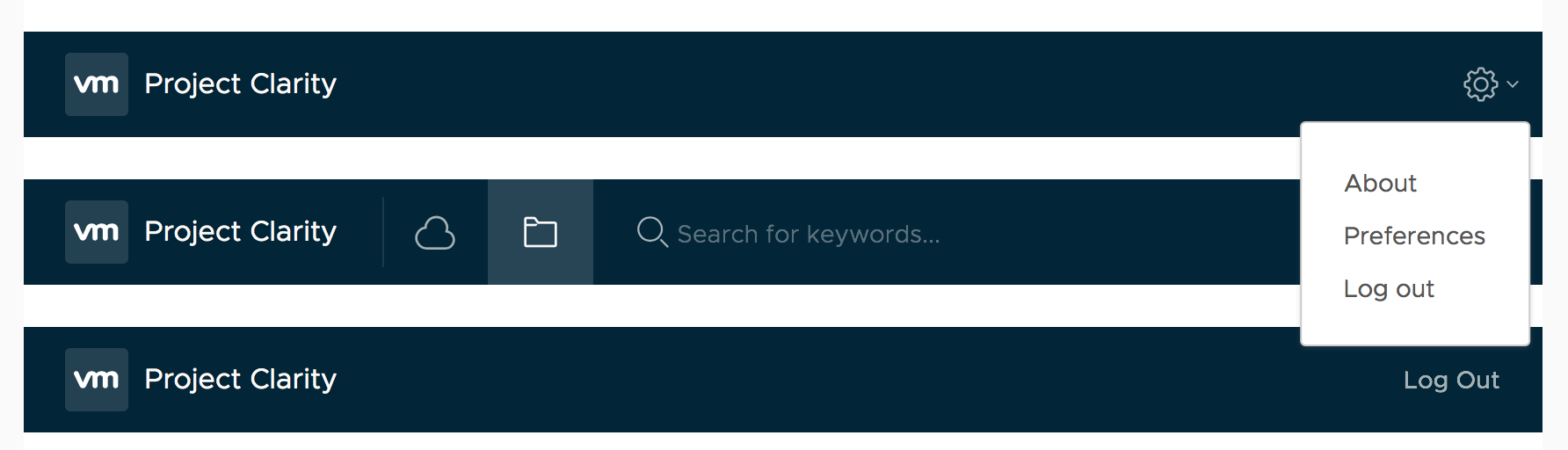
Right header dropdown should be aligned aligned properly, like this:
Actual behavior
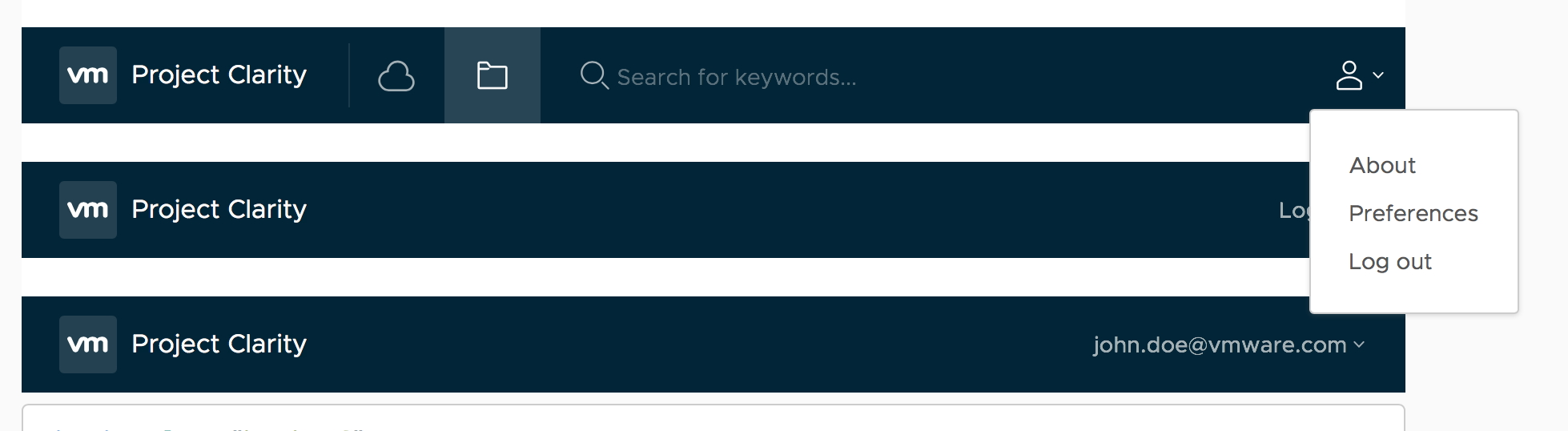
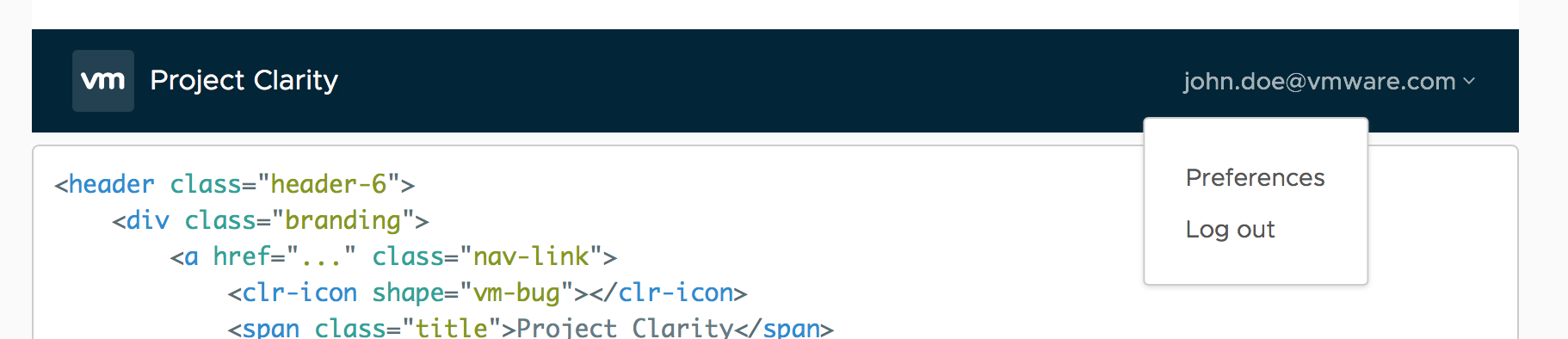
Reproduction of behavior
- Include a link to the reproduction scenario you created by forking one of the Clarity Plunker Templates:
Environment details
Angular version: 2.0.X
Clarity version: https://vmware.github.io/clarity/ so I guess 0.10.0
OS and version: macOS Sierra 10.12.6
Browser: Tested on Chrome 60, Safari 11
 gperdomor
All 3 comments
@gperdomor: Thanks for raising this issue. This looks like an error in the documentation and not actually with the component. We will get this fixed as soon as possible.
 adityarb88
on 14 Aug 2017
adityarb88
on 14 Aug 2017
Just adding this in case you haven't noticed and someone else is struggling: In the docs for a clr-dropdown example in the header:
<clr-dropdown [clrMenuPosition]="'bottom-right'"> ... </clr-dropdown>
Seems that the property clrMenuPosition was removed. Instead, <clr-dropdown-menu> has now the property clrPosition.
 ninodinatale
on 15 Aug 2017
ninodinatale
on 15 Aug 2017
Hi there 👋, this is an automated message. To help Clarity keep track of discussions, we automatically lock closed issues after 14 days. Please look for another open issue or open a new issue with updated details and reference this one as necessary.
![github-actions[bot] picture](https://avatars.githubusercontent.com/in/15368?v=4&s=40) github-actions[bot]
on 15 Oct 2020
github-actions[bot]
on 15 Oct 2020
Related issues
 Vad1mo
·
3Comments
Vad1mo
·
3Comments
 yandong01
·
3Comments
yandong01
·
3Comments
 thojo
·
3Comments
thojo
·
3Comments
 elesueur
·
3Comments
elesueur
·
3Comments
 beaker1977
·
3Comments
beaker1977
·
3Comments
Most helpful comment
Just adding this in case you haven't noticed and someone else is struggling: In the docs for a clr-dropdown example in the header:
<clr-dropdown [clrMenuPosition]="'bottom-right'"> ... </clr-dropdown>Seems that the property
clrMenuPositionwas removed. Instead,<clr-dropdown-menu>has now the propertyclrPosition.