Caseflow: Streamline case search ux
https://github.com/department-of-veterans-affairs/caseflow/pull/6932 "Fix case search access control" inspired a couple of conversations about simplifying how users experience search in Queue as well as how things are organized on the back end.
Photos from conversation:
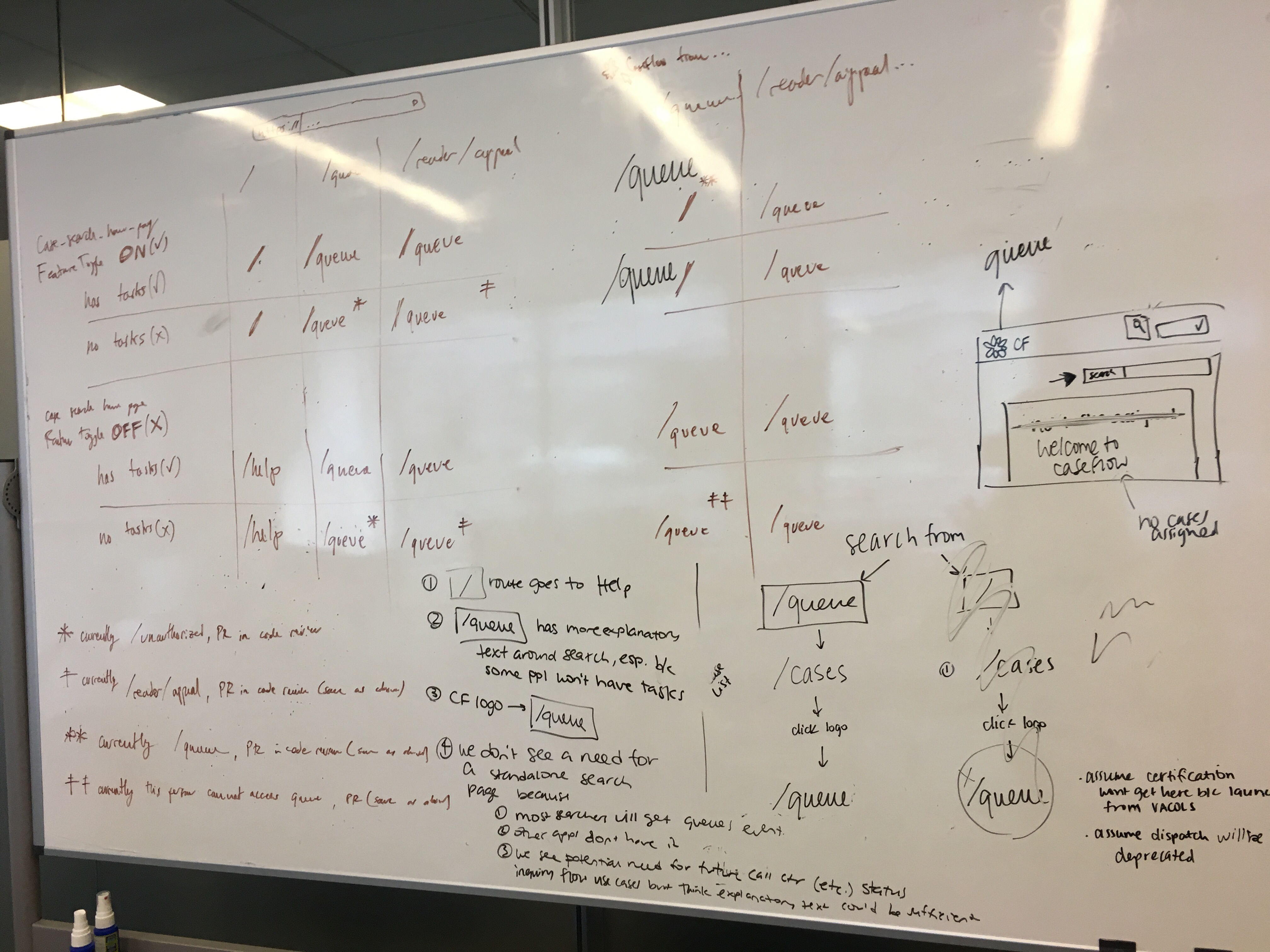
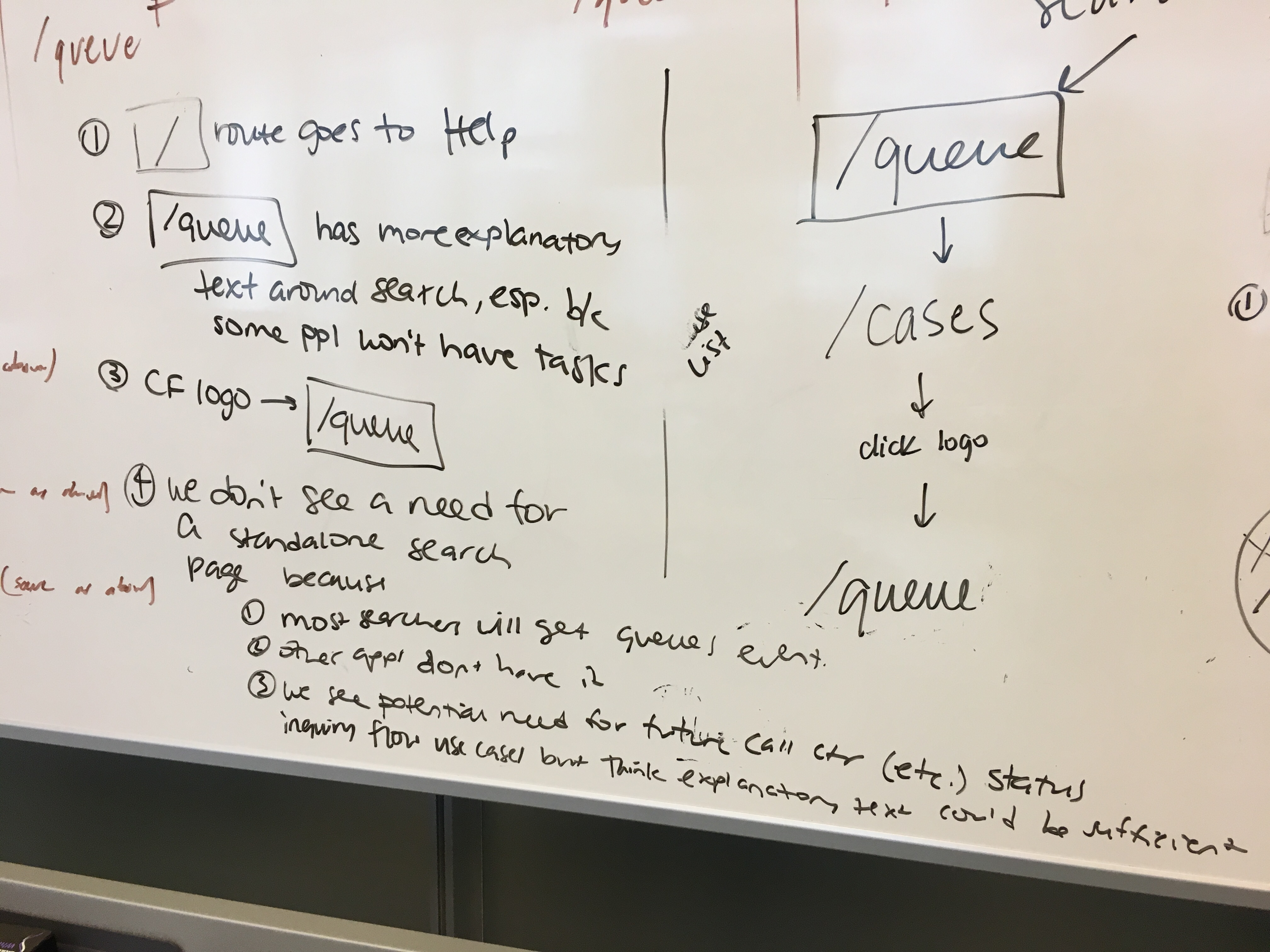
See mural also for reference.
AC
- search should appear on case details using "view all cases" style expand/hide functionality (on both case details and table view) with additional explanatory text
- search should appear on table view for
- queue/reader user who has cases
- queue/reader user who doesn't have cases at a given point
- search/reader user who doesn't have cases
 mkhandekar
All 18 comments
On Friday, @lowellrex and I checked in with my sketches that meets the AC that were described above, But we decided that it would be much simpler if case search lived on it's own page vs as a accordian style interaction like "view all cases".
Here is where we are at this point:
User clicks on Search cases icon in the header
Slightly adjusted content in the instructions, to clarify you can enter veteran ID and claims folder number.
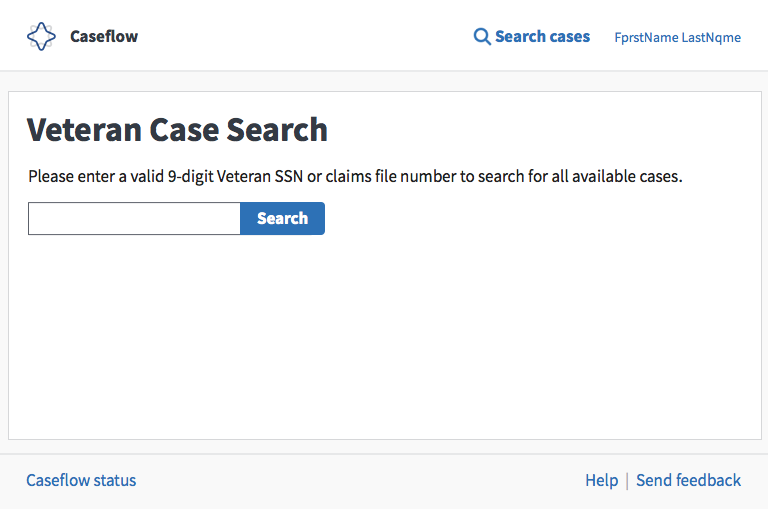
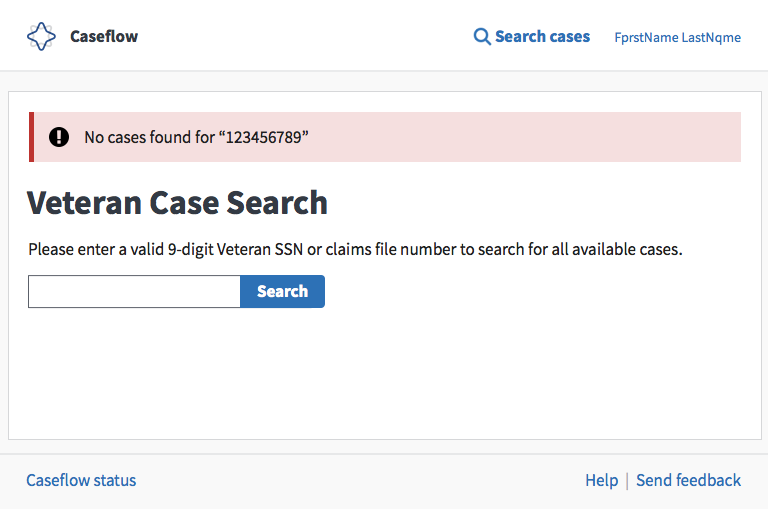
Inline error: if user clicks search button without entering any text
Previously this was a page error but this is a form validation error so let's use our existing styles for form validation!
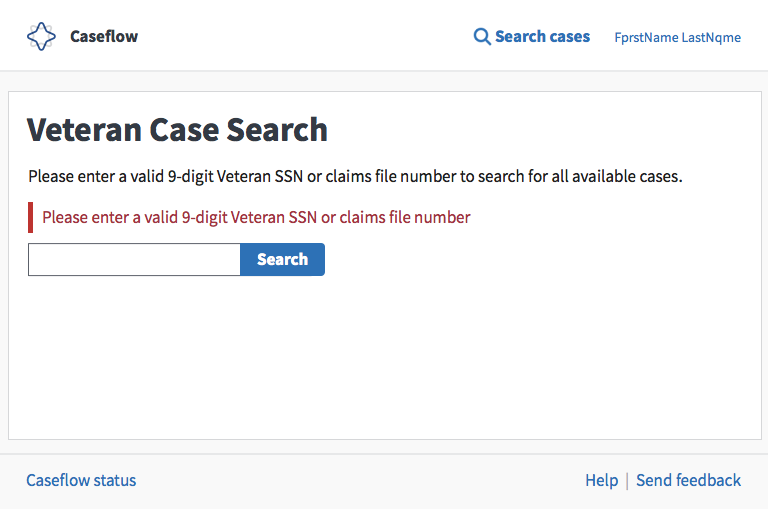
Inline error: if user clicks search button without entering any text
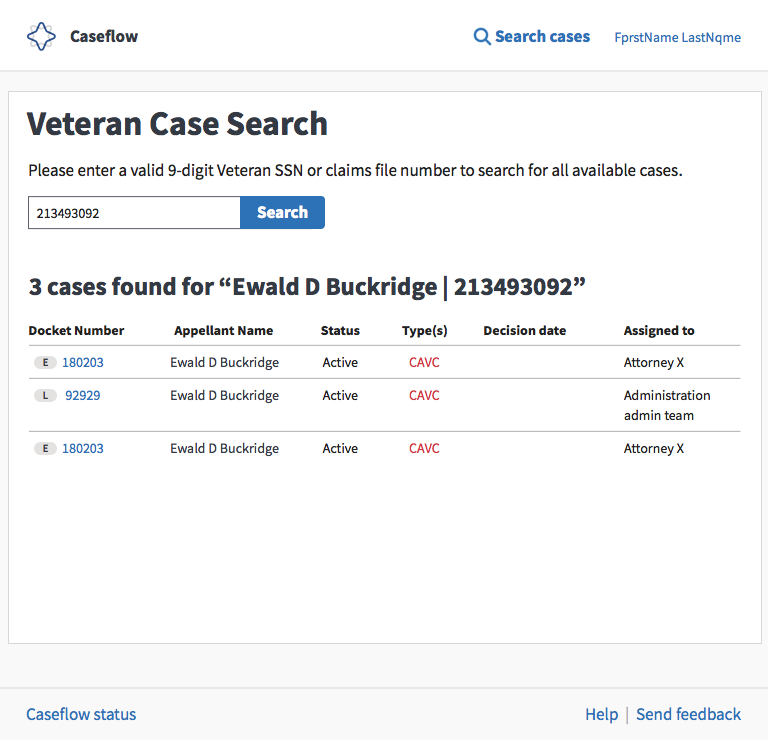
Cases found!
Only changes here are that the docket number include our new lane icons.
@lowellrex can you let @laurjpeterson, @sneha-pai @amprokop know your thinking around moving the search icon to the header?
cc: @allyceh
mkhandekar
on 25 Sep 2018
I think moving the search icon to the header is totally doable! I foresee it linking to the case search page which would replace the search bar that currently appears on some pages. This would let us retain the search results and get back to them after we navigate into a case details page (for instance) simply by clicking the case search icon.
 lowellrex
on 25 Sep 2018
lowellrex
on 25 Sep 2018
Tagging @Chingujo @sharonwarner @MeredithStewart @oscarAtNava because they had questions about search and Hearing Schedule last week.
@lowellrex - how does this affect our discussion around all searching starting at /queue? if the search bar is at the top and the user doesn't have any cases assigned, they will just see a blank page when they log into Caseflow, I think?
This is what a user with case_search_homepage and no cases assigned sees when she goes to /, /queue, and /reader/appeal.
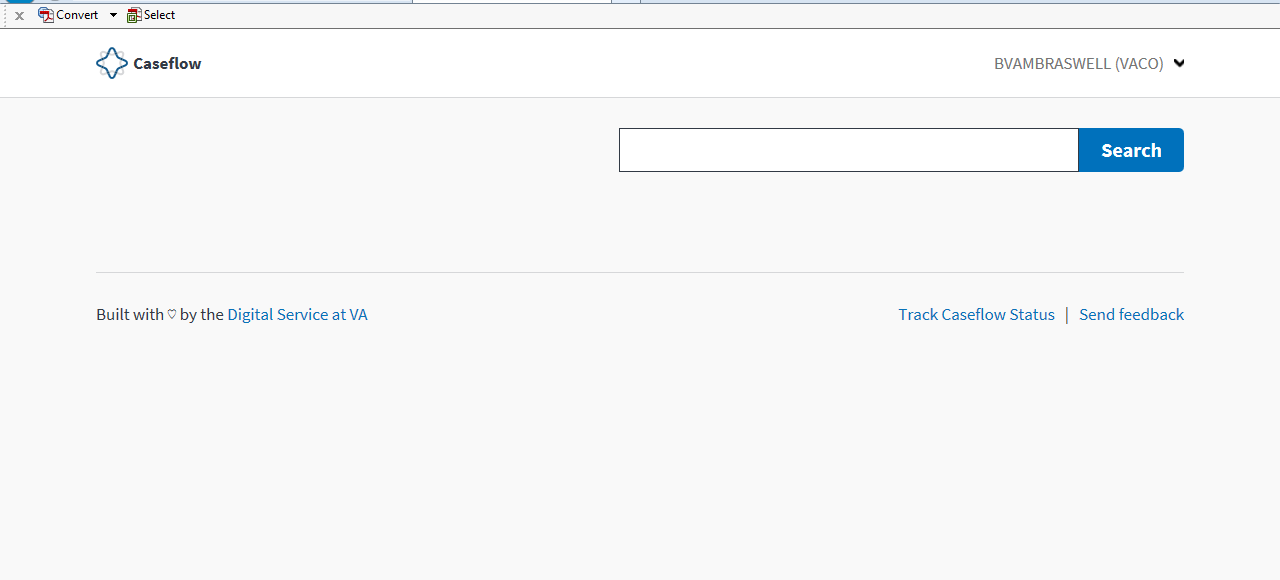
With the proposed change, I'm assuming a user without cases assigned would see a blank screen under this header. Am I understanding this correctly?

 laurjpeterson
on 25 Sep 2018
laurjpeterson
on 25 Sep 2018
@lowellrex How might the header work for other products? Would they have to adopt this too, or do we/they have some flexibility in terms of showing search icon in header in some places and not in others?
mkhandekar
on 25 Sep 2018
@laurjpeterson when you say "users who don't have cases assigned", do you mean
- a Queue user who have finished all their work, or
- We could show the empty table with a congratulatory note, and some info on when / by whom to expect more tasks.
- a Search/Reader user who doesn't have cases?
- We could the the Search home page
mkhandekar
on 25 Sep 2018
@laurjpeterson You're understanding is 100% correct. A user without cases assigned would see a blank screen beneath the header.
@mkhandekar This would be an opt-in change. Other products would have to specifically add the case search icon to the header.
lowellrex
on 25 Sep 2018
thanks @lowellrex. i'm ok with this change if we have something under the header helping a user without cases assigned know what to do next, like search for a case. @mkhandekar - do you have ideas on this copy?
laurjpeterson
on 25 Sep 2018
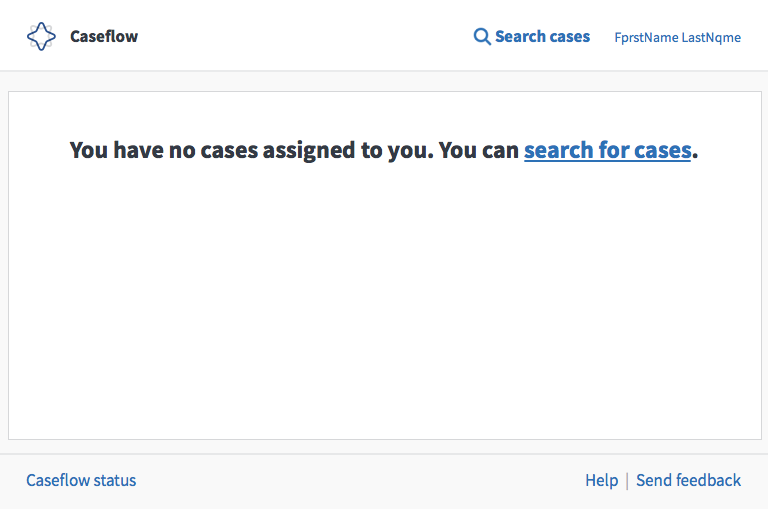
Generic copy:
- "You have no cases assigned to you. You can [search for cases]." [link to search home page]
- "You can [search for cases]." [link to search home page]
mkhandekar
on 25 Sep 2018
I like option 1!
laurjpeterson
on 25 Sep 2018
Perhaps something like this?
mkhandekar
on 27 Sep 2018
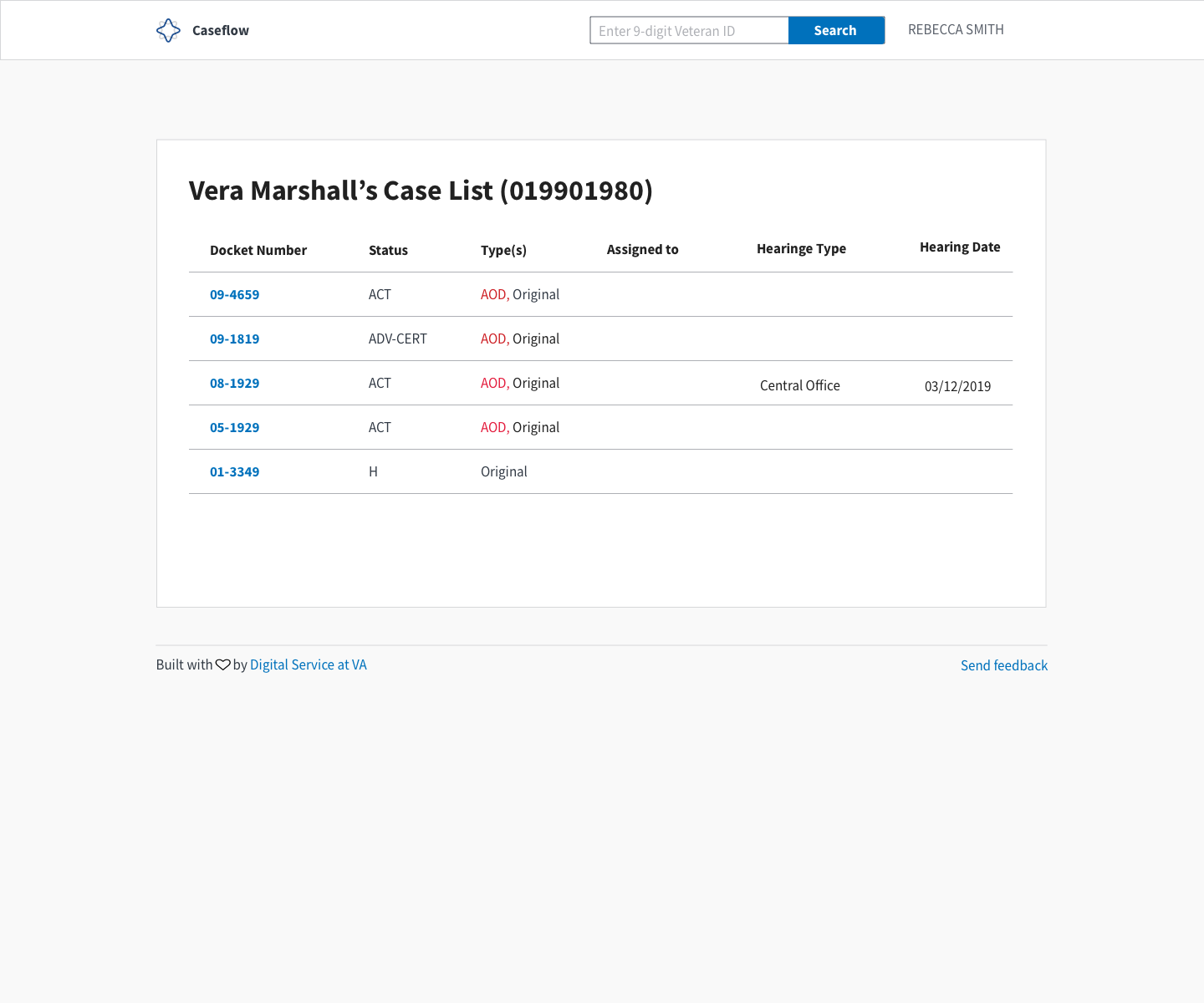
Hello! Upon request adding the mock and some context for hearing search (@mkhandekar and @MeredithStewart)
Mural
The mural summarizes a lot of it.
Potential Hearing Search
Hearing coordinators need a way to search for individual veterans and if they are multiple appeals associated with a Veteran, which ones need a hearing scheduled and which ones are already scheduled.
One proposed options was to add "hearing type" and "hearing date." If hearing needs to be scheduled, type is there but date is blank. If scheduled, then both are filled.
Implementation
_Proposed implementation we were thinking. However, adjustable and, if possible, would be happy to and much appreciate the collab to see if we can add hearing specific data.
Phase 1: Implement Queue Search as is
- Since we know that it is being changed, we wanted to wait and get the most up to date version.
Phase 2: Hearing modifications
- Implement some way to identify per above mock.
User story/use case
What we are trying to solve are uses cases when they have to look up individual veterans within the schedule to accommodate changes or answer urgent scheduling requests. The volume we found to be about 30 a week per coordinator with an expectation of it rising when they are the ones scheduling as RO's field most of these at a regional level.
 Chingujo
on 28 Sep 2018
Chingujo
on 28 Sep 2018
Thanks @Chingujo!
Open conversations for @sneha-pai and team to have:
- Discuss Hearing Schedule team's needs re: Search.
- What information is needed for HS users?
- Can we hone down on the essential columns and display the same results for Queue and Hearing Schedule users, to ensure as consistent of a user experience as possible?
- If honing down is not possible, what should be done in way of permissions for different sets of users view different search results?
- Discuss Reader user needs, in the same way.
- What about other teams?
(Temporary) documentation lives in Nuclino. This is part of an effort to write the Caseflow product story, and will be moved / adapted to wherever the Queue design team decides.
mkhandekar
on 9 Oct 2018
Attempt at mapping the requirements for searching for appeals we have so far. Could each product async edit this comment so we can add to and clarify this list? This is more of a requirements confirmation request than a design request.
- Hearing Schedule - @Chingujo, @MeredithStewart
- Intake - @shanear
- Queue - @laurjpeterson, @sneha-pai
Assumption: Hearing Prep and Reader do not need different search results. They are used by judges and attorneys, just like queue, so we've captured their requirements in the queue column.
The elements in bold exist in the case search component today.
Product -->
Data element v | Queue (appeals) | Hearing Schedule (appeals) | Intake (supplemental claims, higher level reviews)
---|---|---|---|
Docket number | yes | yes | N/A, However we'd want EP code (i.e. 030, 031, 040)
Appellant name | yes | yes | yes
Appeal type (AOD, CAVC) | yes | yes | N/A
Current appeal status (active, history) | yes
but we may be able to change these. not relevant for AMA appeals? | yes | yes (EP status)
Decision date| yes | N/A | yes
Currently assigned to | yes | if it's only people, then not needed currently at this time; if location (34, 57, 38, etc.) based then yes | no
Hearing type | no, but could be helpful | yes (displayed as icon or column) | no
Hearing date | no, but could be helpful | no | no
RO? | ? | yes | no
Hearing disposition? | no, but could be helpful | no | no
Review option (SC, HLR, appeal) | | | yes
Business line? | |maybe? might be useful to identify paper case | yes
Observations and notes
- I think judges and attorneys could potentially agree/appreciate seeing some of the hearing related requirements
- I wonder if we could remove Currently assigned to column when we have more detailed information about where a case is in Case timeline. Asking the user to click into the case instead of getting that information in the table.
- I think it's beneficial when users see that a case is
Assigned to you, though. Could this be indicated in a different way, without taking up a column?
- I think it's beneficial when users see that a case is
- Perhaps we could remove the Current appeal status column, or somehow combine it with the Decision date column.
- An appeal in history status has a decision date.
- This could then make room for hearing related information in the size we have available
laurjpeterson
on 10 Oct 2018
@shanear, cc: @carolaponce
- who is the audience for EP code? would these be VBMS users? (just for my understanding)
- what are the possible statuses for EPs?
@MeredithStewart, cc: @Chingujo
- what are your thoughts on RO, hearing disposition, review option, and business line?
laurjpeterson
on 18 Oct 2018
@laurjpeterson -- @Chingujo and I took a look from the perspective of hearings and made edits above. We have a question -- is search currently being envisioned as global (same for all apps) or local? We can touch base during Monday sync if that works.
 MeredithStewart
on 18 Oct 2018
MeredithStewart
on 18 Oct 2018
@MeredithStewart @Chingujo - thank you!
Some of my goals for mapping requirements across hearing schedule, intake, and queue:
- Document overlaps among product search result requirements so we could evaluate the possibility that we could come up with global search results. (No decision here yet, because this would be a decision that included all parties Intake, Hearings, Queue)
- Incorporate supplemental claims and higher level reviews into search results.
- First, evaluate whether SCs and HLRs should be separate from appeals, depending on the data elements users need to see about them and how different they are from appeals.
- Validate queue's current search results fields. I think there could be good reasons our users would benefit from seeing the data hearing schedule would like to put in its search results (hearing date, type, etc.) if it fits from a design perspective
BVA Intake team (Ivy's team) and Jennifer Jessup have asked for the ability to search for appeals in Caseflow so we've asked the Caseflow Intake team to add the search link to their nav bar - https://github.com/department-of-veterans-affairs/caseflow/issues/7437. They are going to use exactly what we have now without any changes (until we know if something should change due to SCs and HLRs).
I know hearing schedule has already built (or is in the process of building) its search results - let me know if there's anything that you think is blocking you here!
laurjpeterson
on 19 Oct 2018
Reviewed with @sneha-pai 10/23 - plan to explore 2 views: (1) SCs/HLRs/appeals in one table and (2) two separate tables, one with appeals and one with SCs/HLRs (VBA stuff)
laurjpeterson
on 23 Oct 2018
Closing this github issue in favor of:
- Incorporate hearing info in case search #7718
- Case search / Case list | Add Higher Level Reviews and Supplemental Claims #6710
where work will continue
laurjpeterson
on 5 Nov 2018
Related issues
 gnakm
·
5Comments
gnakm
·
5Comments
 lomky
·
3Comments
lomky
·
3Comments
laurjpeterson
·
5Comments
laurjpeterson
·
4Comments
lomky
·
3Comments
lomky
·
3Comments
laurjpeterson
·
5Comments
laurjpeterson
·
4Comments