Caseflow: Queue task details | Appellant tab
When an attorney has selected a task to work on, they want to see data about the appellant, so they can get required context to write a decision.
Acceptance Criteria
- Appellant tab contains Appellant name in parentheses
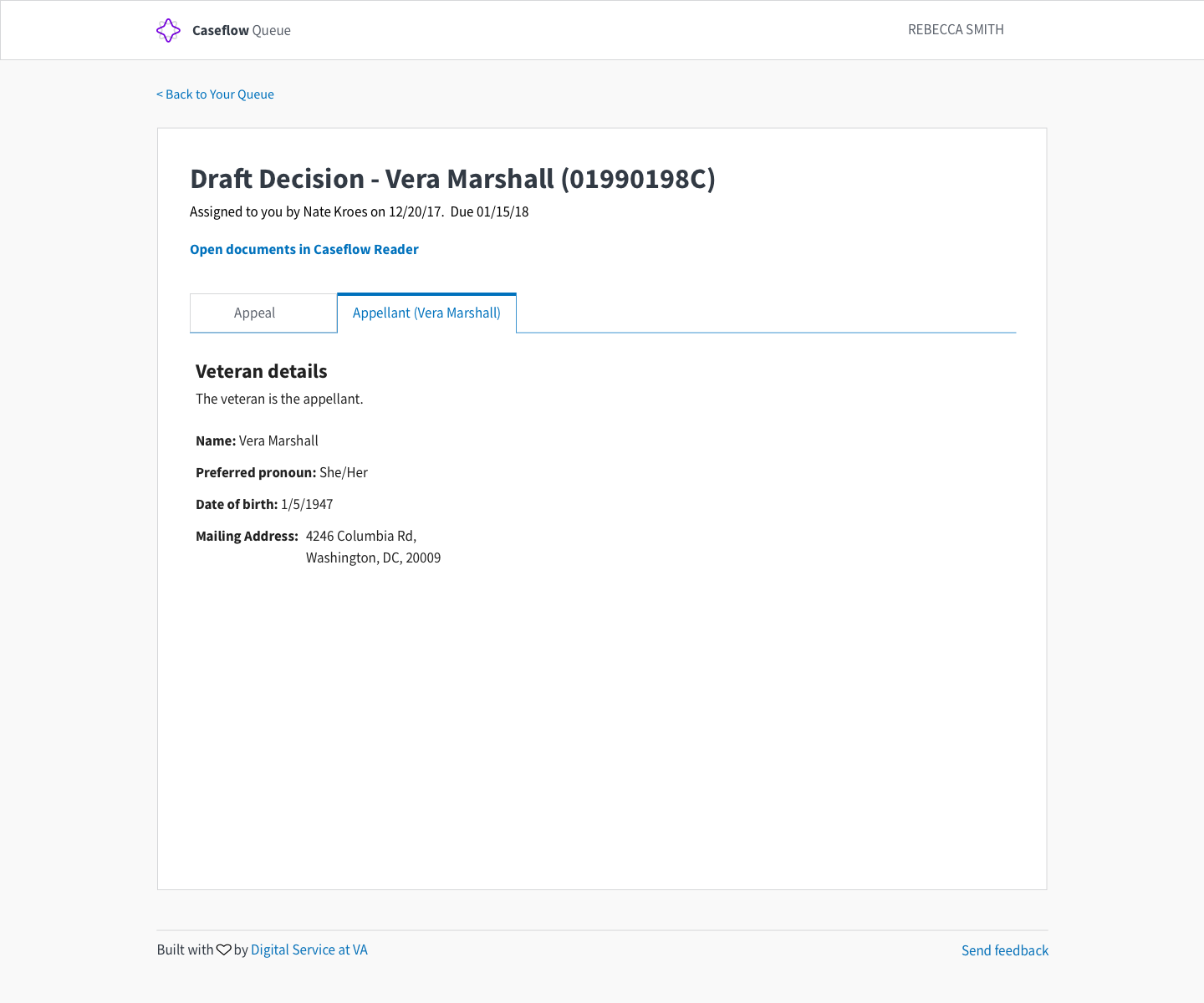
If the Veteran is the appellant:
- Appellant tab contains 'Veteran details' section that contains:
- Copy to explain whether the Veteran is the appellant
- Veteran name
- Veteran preferred pronoun
- Veteran date of birth
- Veteran mailing address
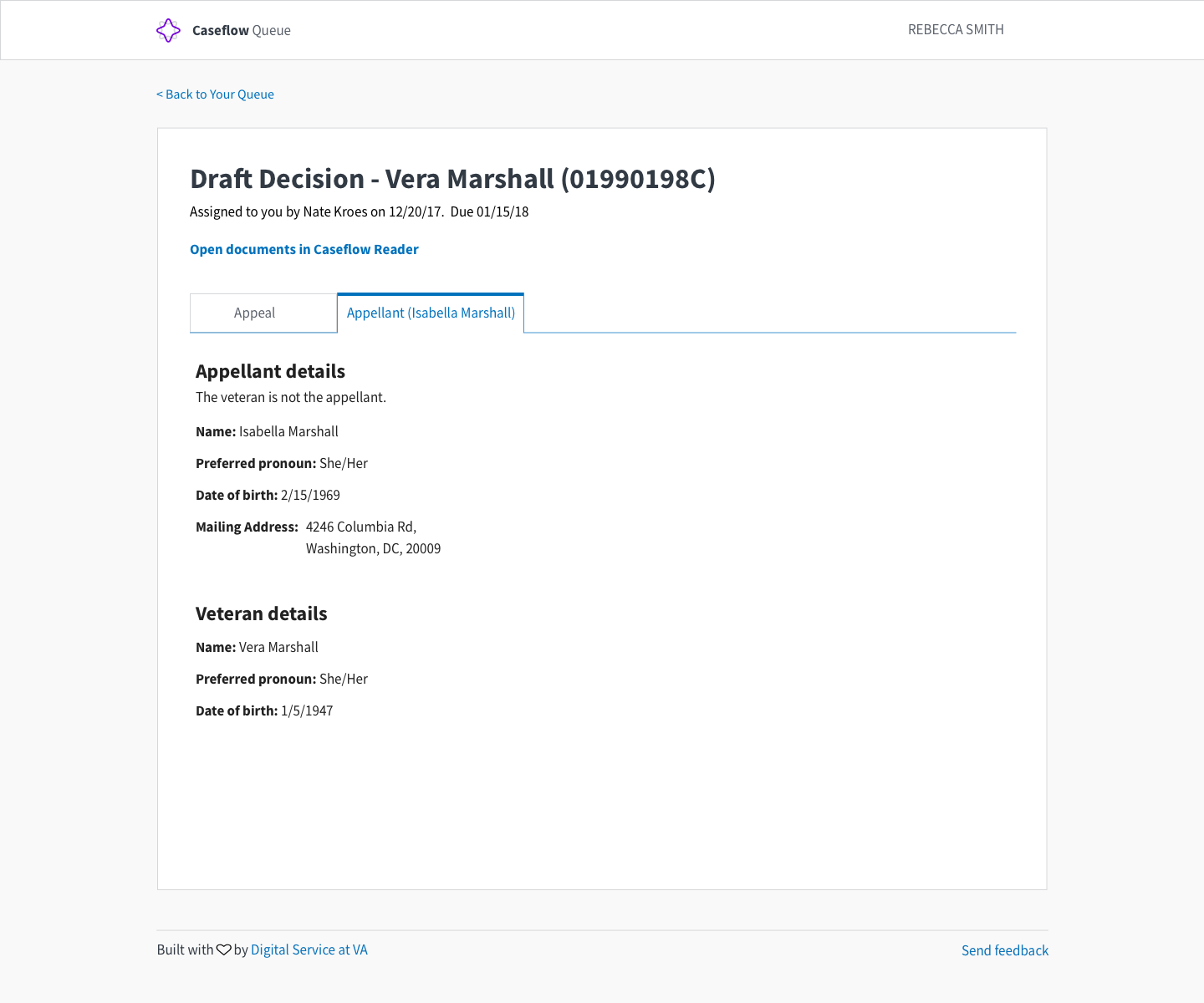
If the Veteran is not the appellant, contains an 'Appellant details' section, then a 'Veteran details' section, that contains:
- Appellant details:
- Copy to explain whether the Veteran is the appellant
- Appellant name
- Appellant preferred pronoun
- Appellant date of birth (?)
- Appellant mailing address
- Veteran details:
- Veteran name
- Veteran preferred pronoun
- Veteran date of birth (?)
Design
Appellant Details Tab (Where veteran is the appellant)
Appellant Details Tab (Where veteran is NOT the appellant)
Components utilized
Caseflow Navigation Bar
Tab Component (No Icons)
Colors utilized:
$color-base
$color-gray-lighter
$color-primary
$color-white
 laurjpeterson
All 4 comments
It looks like there're a couple fields missing when the veteran is not the appellant:
- Gender (preferred pronoun)
- DOB
@amprokop @laurjpeterson
Update:
Alex informed me VACOLS doesn't track those fields for appellants, so I'll remove them. There is an appellant_relationship field we can display. Thoughts @shellicious @sneha-pai @laurjpeterson ?
 dannysellers
on 5 Feb 2018
dannysellers
on 5 Feb 2018
@dannysellers appellant relationship seems useful. what are the options listed there?
cc: @shellicious @sneha-pai
laurjpeterson
on 5 Feb 2018
@laurjpeterson I'm not sure all the possible options (data comes from VACOLS), but fake data includes values like 'Parent', 'Child', 'Daughter', 'Brother', or 'Fancy Man' 😄
dannysellers
on 5 Feb 2018
@laurjpeterson @dannysellers
Let's display appellant relationship (when available) after Appellant name
 sneha-pai
on 5 Feb 2018
sneha-pai
on 5 Feb 2018
Related issues
 pkarman
·
5Comments
pkarman
·
5Comments
 araposo-tistatech
·
5Comments
laurjpeterson
·
5Comments
araposo-tistatech
·
5Comments
laurjpeterson
·
5Comments
 lomky
·
3Comments
lomky
·
3Comments
 leikkisa
·
4Comments
leikkisa
·
4Comments
Most helpful comment
@laurjpeterson @dannysellers
Let's display appellant relationship (when available) after Appellant name