Caseflow: Attorney check out | Enter issue dispositions
When an attorney is checking out a draft decision, they need to update each issue disposition on the appeal, so that the judge knows the appeals draft outcome.
Acceptance Criteria
- [ ] Verify that there are the following table headers: "Issues", "Actions", "Dispositions" in bold
- [ ] Verify that the issue display under the issues header in the following hierarchy:
- Program
- Issue
- Levels 1-3 (i.e. 5237 - Lumbosacral or cervical strain
- Notes (if there)
- [ ] Verify that underneath the "Action" label there is a link that says "Edit issue" that opens the "Edit issue" page
- [ ] Verify that underneath the "Dispositions" label there is a dropdown labeled "Select Disposition"
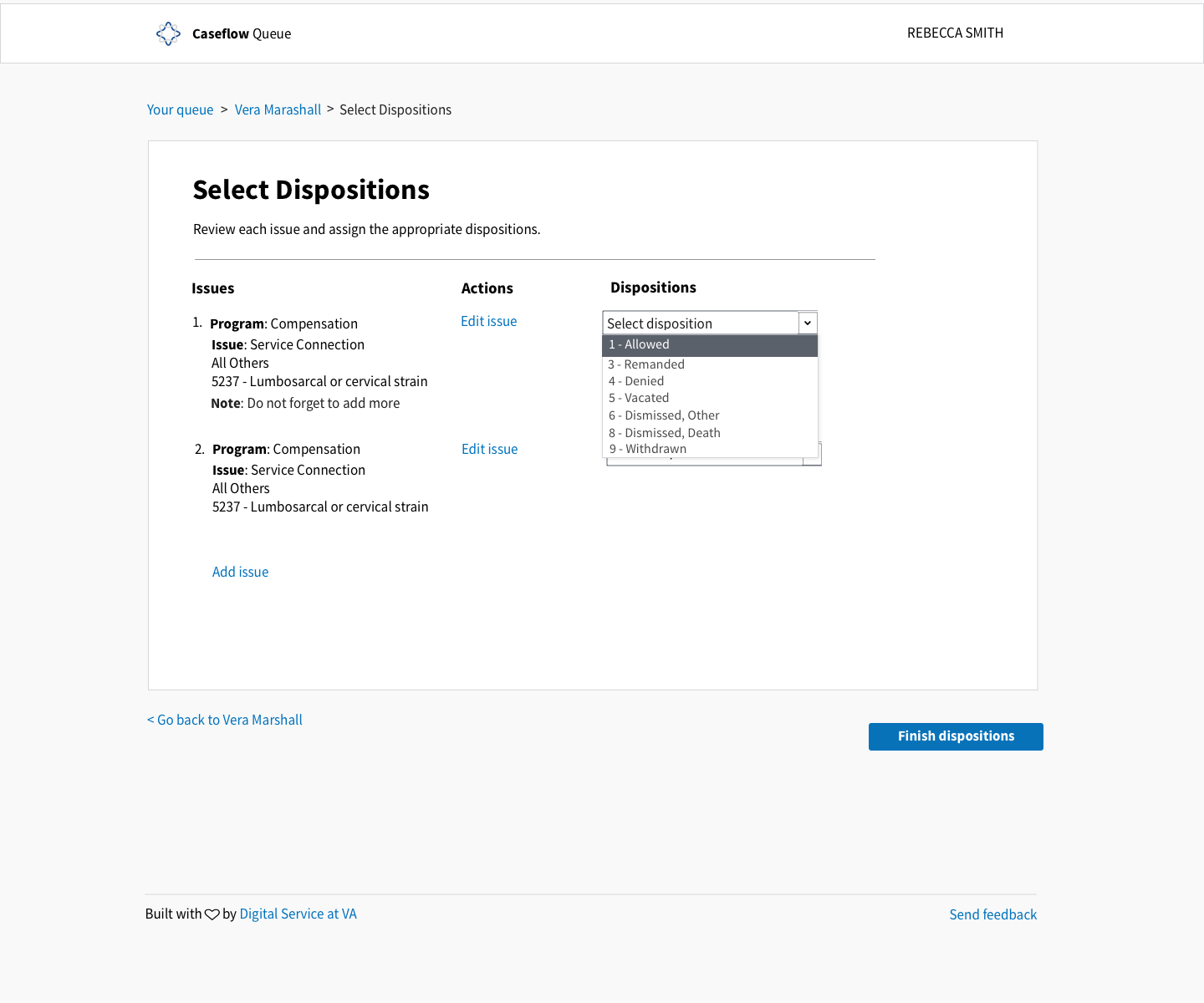
- Attorney can select a disposition for each issue:
- "1" => "Allowed",
- "3" => "Remanded",
- "4" => "Denied",
- "5" => "Vacated",
- "6" => "Dismissed, Other",
- "8" => "Dismissed, Death",
- "9" => "Withdrawn",
- Issue dispositions update in VACOLS
- Attorney can select a disposition for each issue:
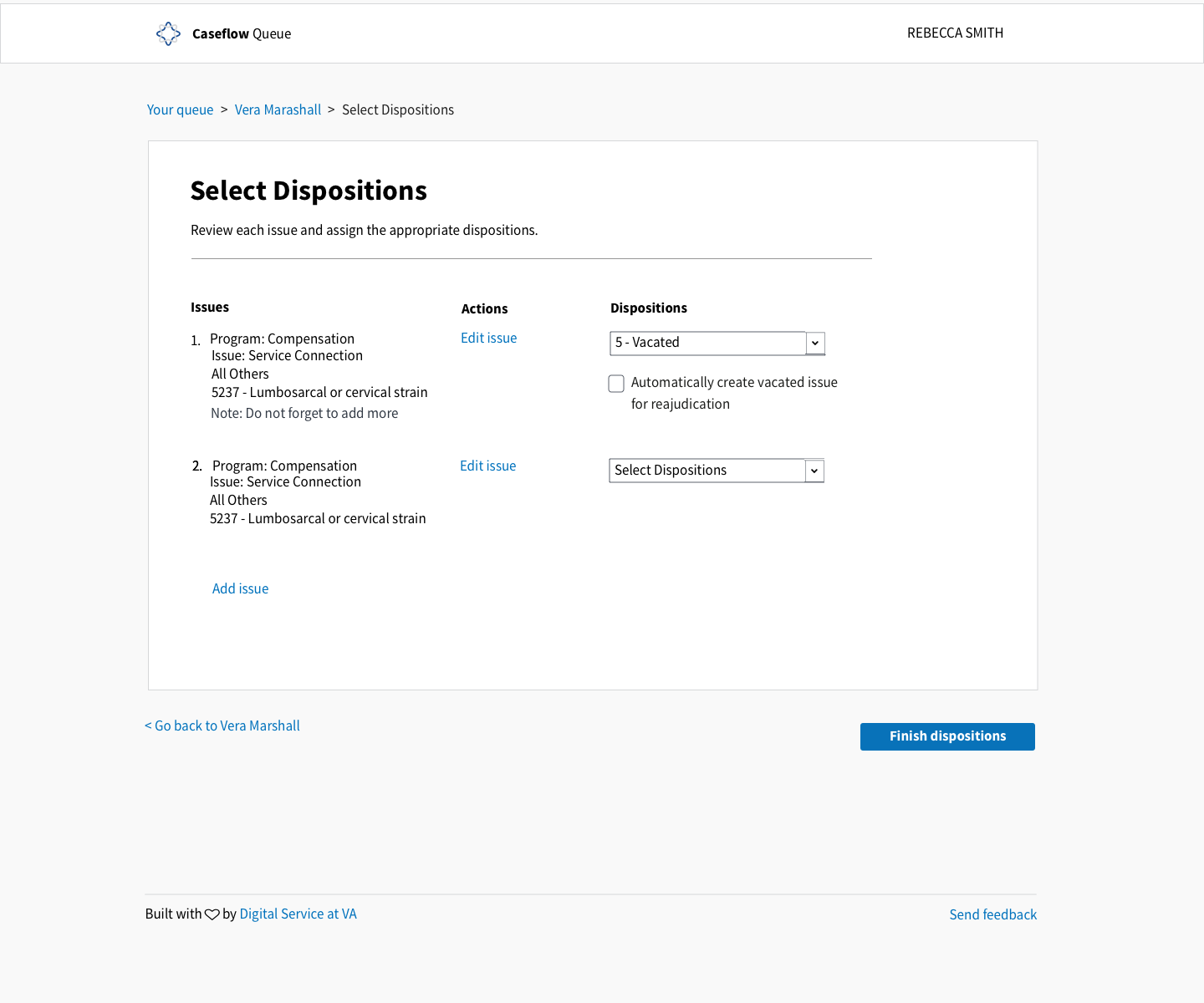
- [ ] If attorney selects 'Vacated', another check box appears with copy "Vacate and readjudicate this issue. Automatically duplicate vacated issue."
- [ ] If attorney selects that checkbox, verify that the issue is duplicated in VACOLS
- From Jed: "If an attorney selects disposition 5-Vacate the prompt above displays, if they answer ‘Yes’ it will duplicate the vacated issue with a null disposition."
- [ ] Verify that at the end of the last issue there is a link called "Add issue" that opens the "Add issue" page
- [ ] Verify that at the bottom left of the app canvas there is a link that navigates the user back a page with the following format < Go back to [page title of previous page]
- [ ] Verify that there is a button to the bottom right of the App Canvas that says "Finish dispositions"
- [ ] Verify that the user cannot advance to the next screen unless all issues have dispositions filled out.
Style guide components (top to bottom)
- Header
- App Canvas
- Table (w/o lines)
- Dropdown
- Primary button
- Footer
Mocks and Specs
Title: Header
Body styling: Body
Spacing should following existing Queue specs for table and ticket
Default
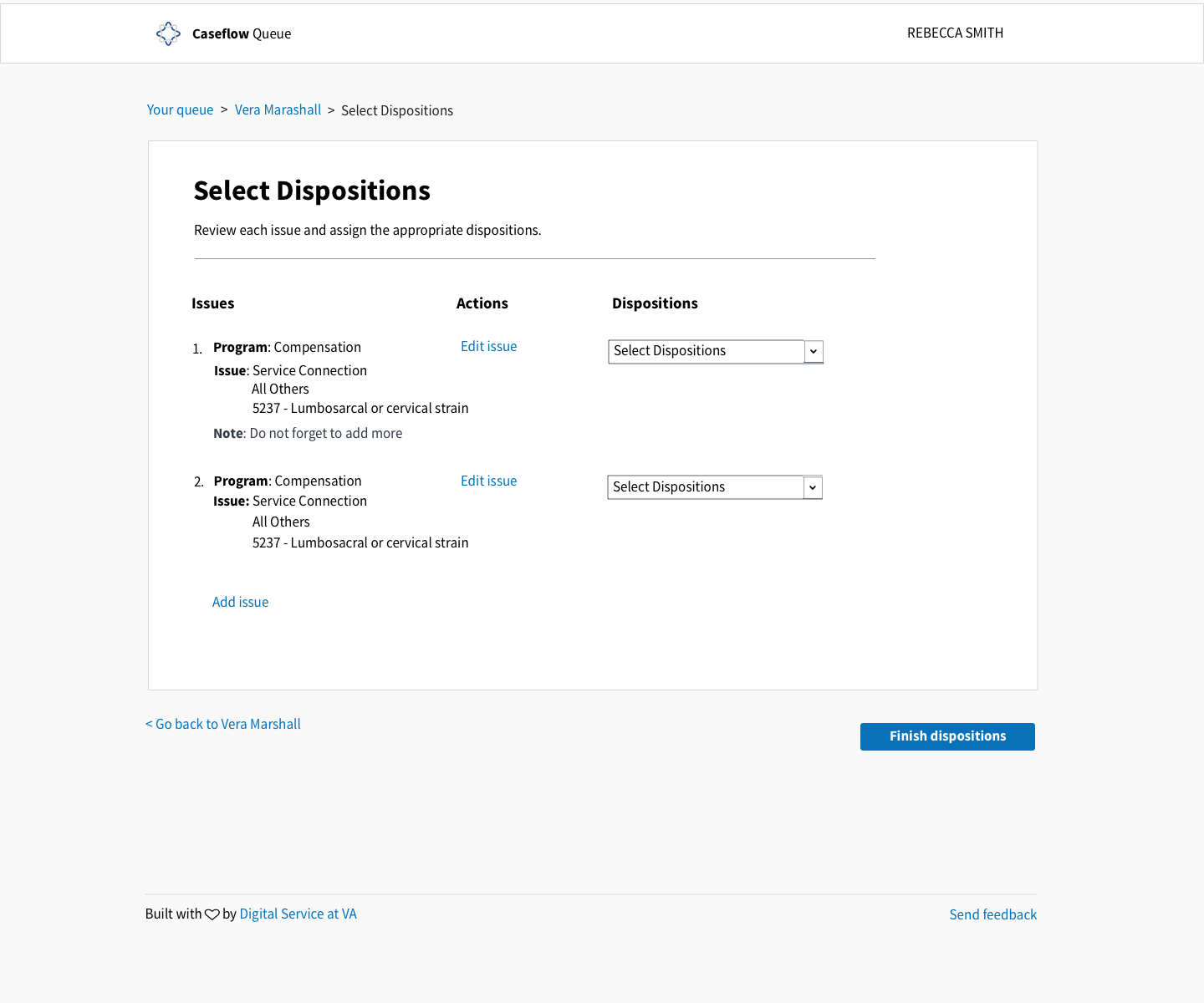
Default if choosing from the drop down
_If Review Draft Decision was selected there is no point in sending them back to the ticket view. Wasn't sure if this was clear in the mocks, so adding a specific placeholder for it_
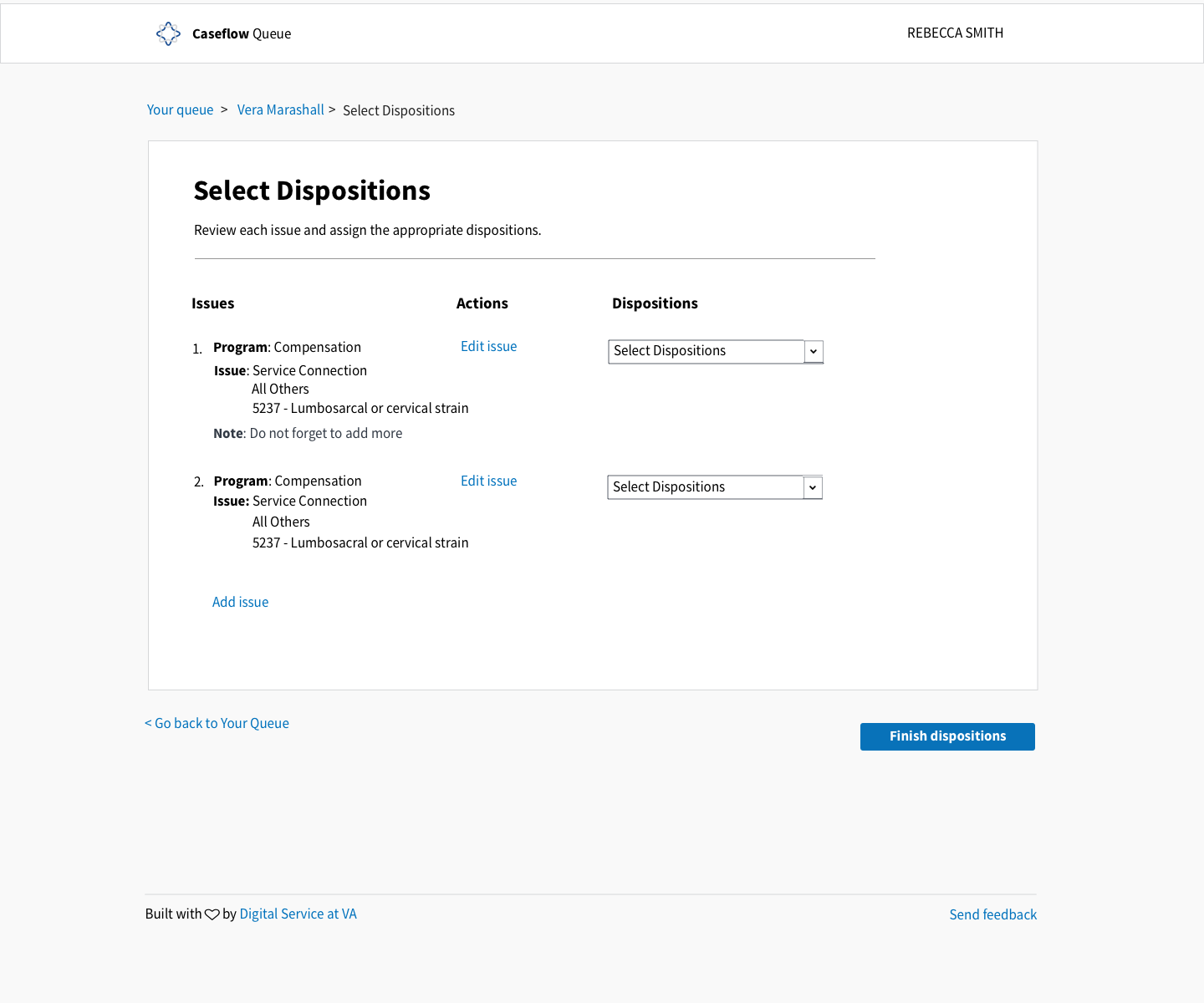
Dropdown
Vacate disposition selected
Related issues
4472 Edit Issue
4477 Add Issue
 laurjpeterson
All 7 comments
A.C. details added and mock uploaded
 Chingujo
on 29 Jan 2018
Chingujo
on 29 Jan 2018
@Chingujo made some updates. I think we need better copy for the vacate box - let me know what you think.
laurjpeterson
on 5 Feb 2018
Going to add a few tweaks here after testing the live version.
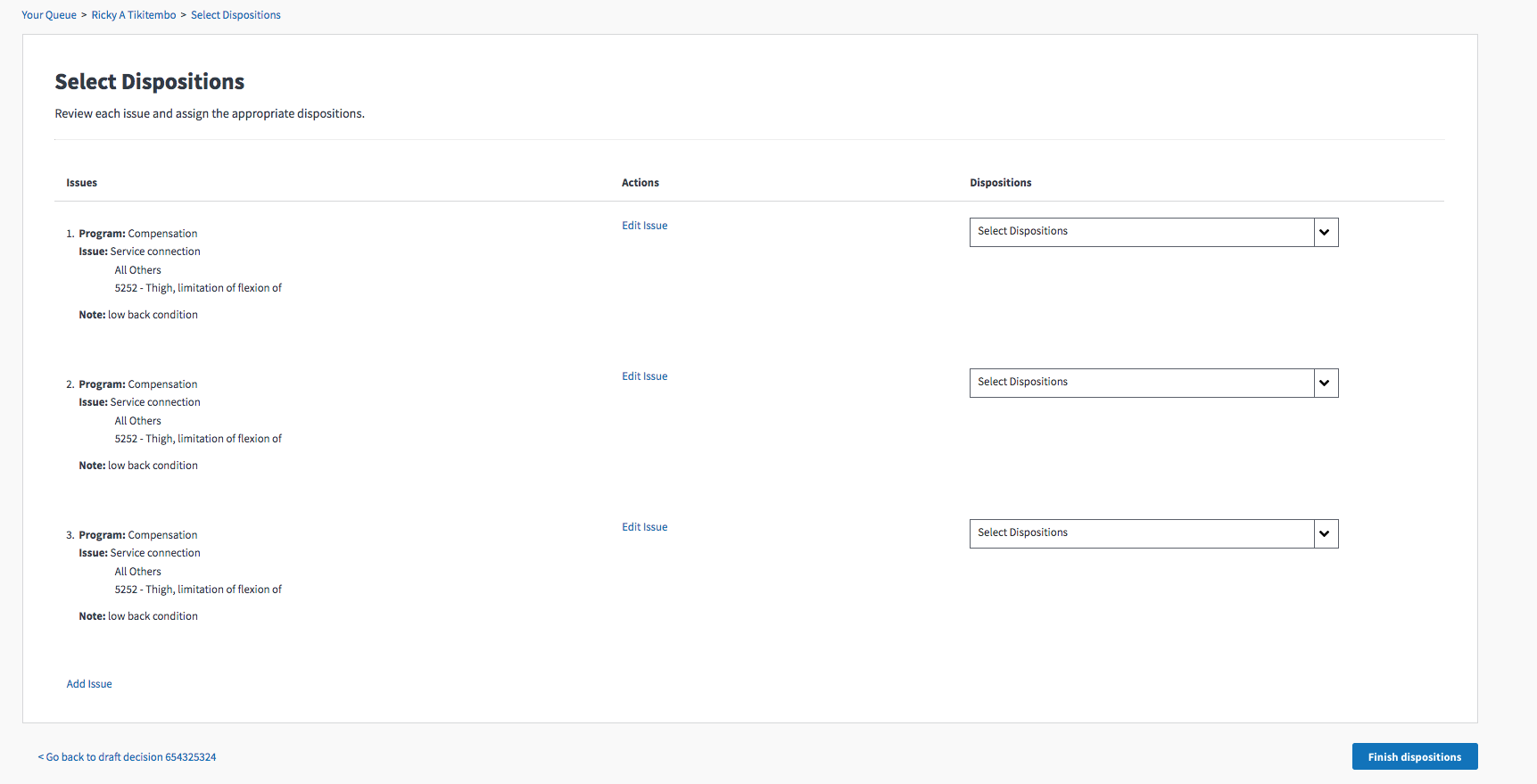
- The AC said the default dropdown text should be "Select Dispositions". Each dropdown selects only one disposition. I've adjusted the AC to say "Select Disposition" for the default dropdown text.
- There is a seperator line between the table header and rows in the live site that isn't in the mocks. Let's take that out.
- Program, Issue, and Note are all bolded in the live site and not in the mocks
- The diagnostic codes for each issue are pushed right, all lines of the issue should be even (confirm with @Chingujo on this)
- The bottom right test currently says "Go back to draft decision 457893453"— @Chingujo to revisit this
 amprokop
on 14 Mar 2018
amprokop
on 14 Mar 2018
Some navigation tweaks:
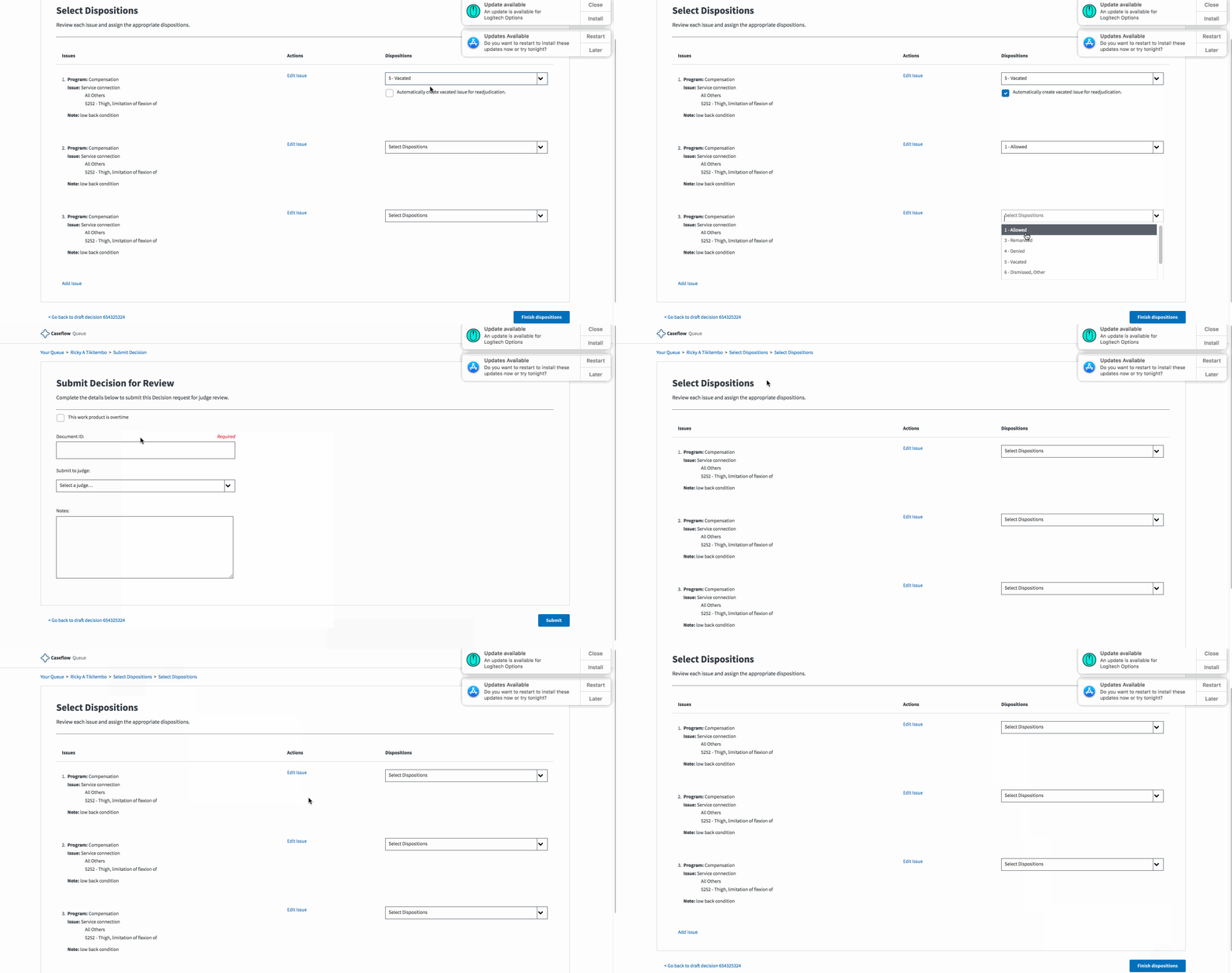
- When navigating forward and backward in the flow, the top breadcrumbs are duplicated
- When using the browser back button, disposition values are not saved in React state (this may have not been implemented yet, sorry if this is just forthcoming and not a bug!)
amprokop
on 14 Mar 2018
@dannysellers @amprokop
The mocks and ac are updated with the following changes:
- [x] "Go back to draft decision" has been replaced with "Go back to [Veteran name] following the
- < Back to Vera Marshall (22222222)
- [x] The bolding and the indent right on the diagnostic is correct see Displaying Issues
Chingujo
on 14 Mar 2018
Phillip and Alex—I added these changes to #4847, gonna close this issue 👍
 dannysellers
on 23 Mar 2018
dannysellers
on 23 Mar 2018
Note: We were asked to remove disposition 6 "Dismissed, Other".
laurjpeterson
on 18 Sep 2018
Related issues
laurjpeterson
·
4Comments
 lowellrex
·
5Comments
laurjpeterson
·
5Comments
lowellrex
·
5Comments
laurjpeterson
·
5Comments
 lomaxap
·
3Comments
laurjpeterson
·
4Comments
lomaxap
·
3Comments
laurjpeterson
·
4Comments