Caseflow: Queue task details | Appeal tab
When an attorney has selected a task to work on, they want to see data about the appeal, so they can get required context to write a decision.
Acceptance Criteria
- Appeal tab contains two sections: Appeal Summary and Issues
- Appeal Summary section in Appeal tab contains the following data (see mocks for more detail)
- Appeal type (same options as Queue table)
- Power of Attorney
- Hearing preference
- Hearing held date (only if hearing held)
- Judge at hearing (only if hearing held)
- Regional office
- Issues section contains issue details as outlined below. Include Program, Issue Levels 1-3, and Notes
Mocks
Appeal Details Tab (Default tab on page load)
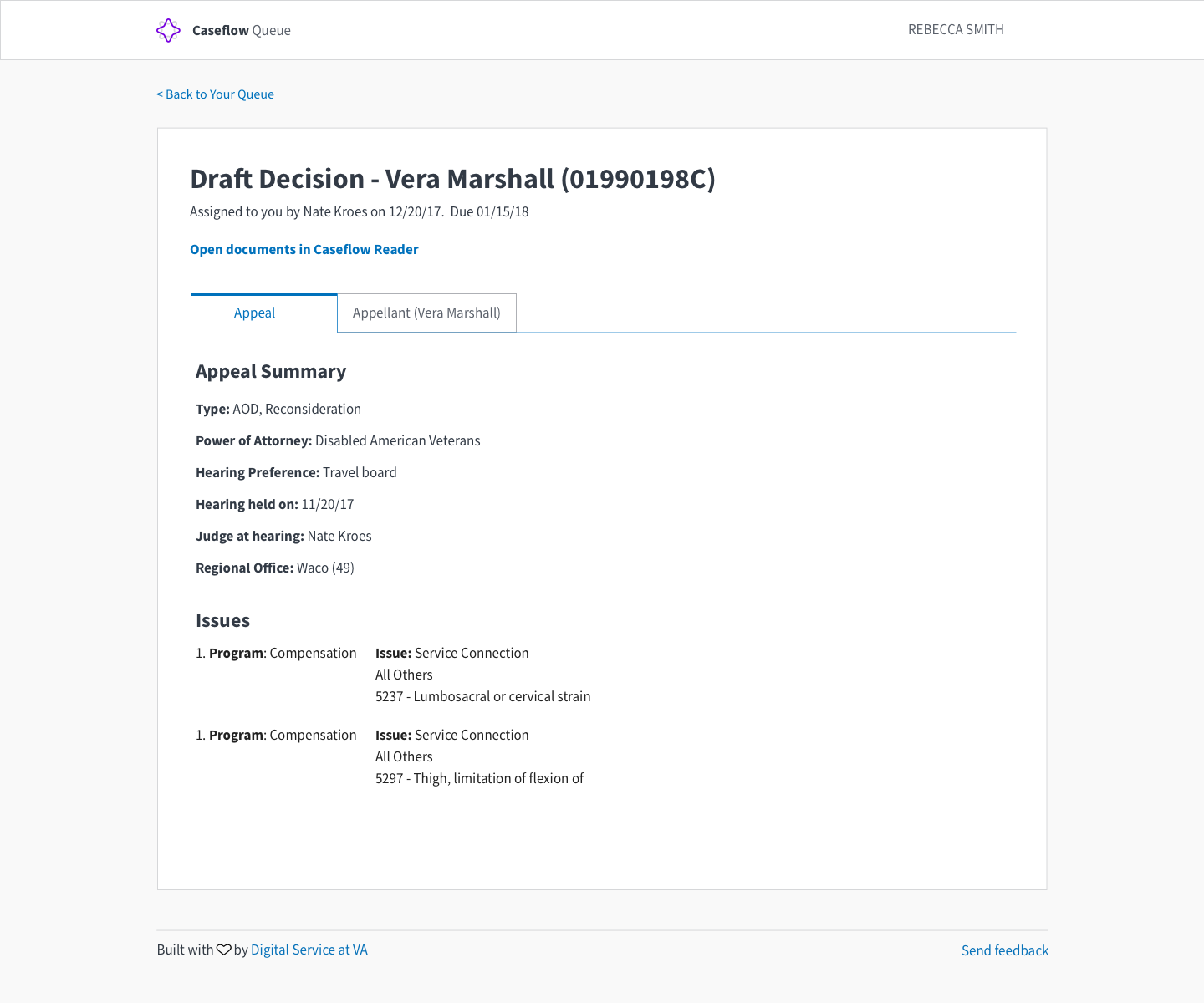
Components utilized
Caseflow Navigation Bar
Tab Component (No Icons)
Colors utilized:
$color-base
$color-gray-lighter
$color-primary
$color-white
 laurjpeterson
All 4 comments
@laurjpeterson What should the Notes field look like / where should it go? Should it just be a third column next to Issue (under Issues)?
 dannysellers
on 5 Feb 2018
dannysellers
on 5 Feb 2018
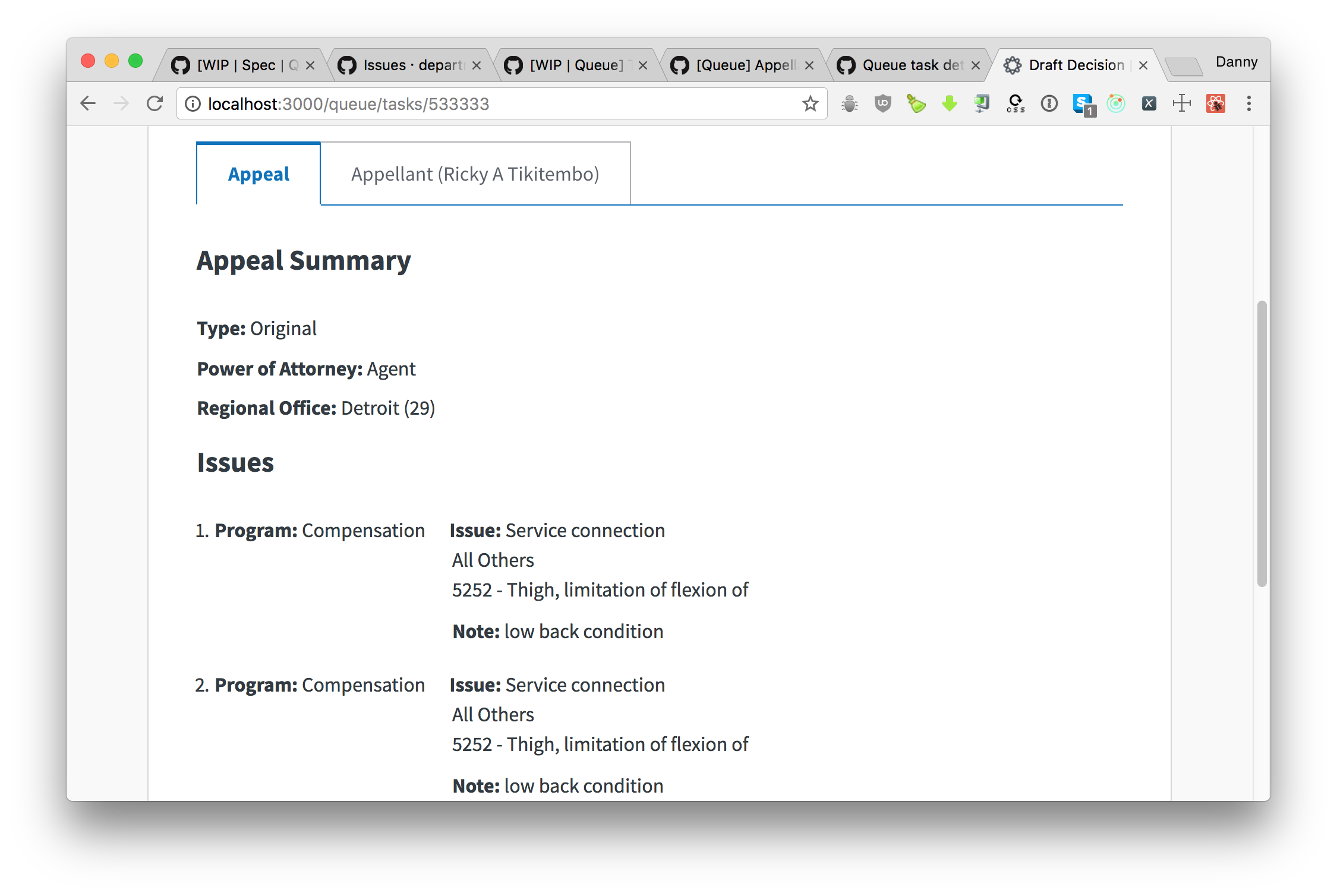
@dannysellers, for now it can appear like this (only if a note is present). If a note is not present, please do not display a label.
5327 - Lumbosacral or cervical strain
Note: #STRING
@laurjpeterson
 sneha-pai
on 5 Feb 2018
sneha-pai
on 5 Feb 2018
👍2
@laurjpeterson @sneha-pai updated screenshot
dannysellers
on 5 Feb 2018
👍1
@dannysellers looks good!
laurjpeterson
on 6 Feb 2018
Was this page helpful?
0 / 5 - 0 ratings
Related issues
 lomky
·
5Comments
lomky
·
3Comments
laurjpeterson
·
4Comments
lomky
·
5Comments
lomky
·
3Comments
laurjpeterson
·
4Comments
 gnakm
·
5Comments
gnakm
·
5Comments
 hschallhorn
·
5Comments
hschallhorn
·
5Comments
Most helpful comment
@dannysellers, for now it can appear like this (only if a note is present). If a note is not present, please do not display a label.
5327 - Lumbosacral or cervical strain
Note: #STRING
@laurjpeterson