Caseflow: Create UI for marking users inactive
Spun out of #11631. Team admins need a way to mark users inactive so they do not have tasks assigned to them.
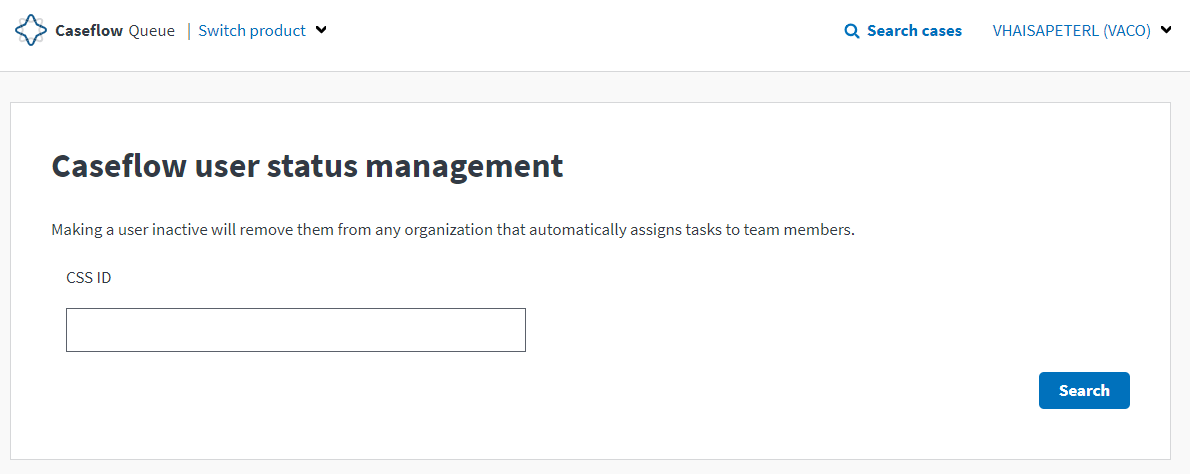
Create a new endpoint to manage all users. Users who can access this endpoint should be limited to members of the BVA admin team. Add option in users_controller to fetch all users (this should include users of all statuses). Add endpoint to users_controller (not within organizations/users_controller) to update the status and status_updated_at columns for that user. Add front end page that displays all users and their status. Add a button, confirmation, and success alert that hits the update user's status endpoint.
 hschallhorn
All 5 comments
1 |
2 |
3 | |
5 | ||||||||
8 | |||
Involves a lot of F/E and B/E changes.
5.
Look for ways to break this into multiple PRs. If any additional work appears, raise flag early! 🎏
 kevmo
on 3 Oct 2019
kevmo
on 3 Oct 2019
@stwards11 This is going live today and has a release notes tag!
hschallhorn
on 10 Oct 2019
@laurjpeterson Should have some screens on the PR (#12312). In demo, login as TEAM_ADMIN and click the main dropdown to get to "Caseflow user management"
hschallhorn
on 21 Oct 2019
 laurjpeterson
on 21 Oct 2019
laurjpeterson
on 21 Oct 2019
Thanks @hschallhorn!
laurjpeterson
on 21 Oct 2019
Related issues
 amprokop
·
6Comments
hschallhorn
·
4Comments
amprokop
·
6Comments
hschallhorn
·
4Comments
 lowellrex
·
5Comments
lowellrex
·
5Comments
 marvokdolor-gov
·
3Comments
lowellrex
·
6Comments
marvokdolor-gov
·
3Comments
lowellrex
·
6Comments