Botframework-composer: Cannot build composer from source
I tried this : https://docs.microsoft.com/en-us/composer/install-composer#build-composer-from-source
But got problems when run yarn at terminal in ...\BotFramework-Composer\Composer
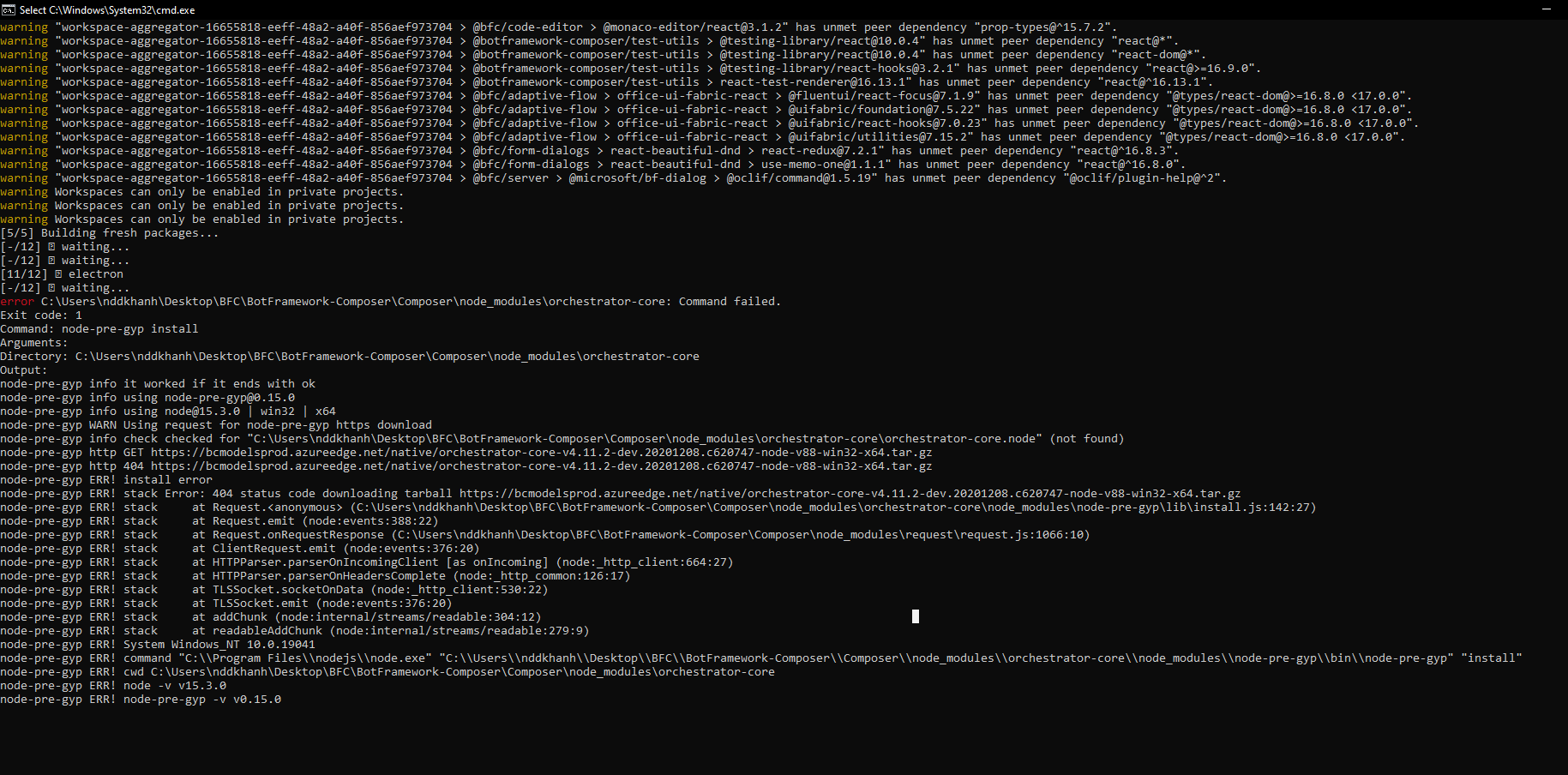
It didn't run anymore...
Then , I tried other way with running yarn install && yarn build

Version
Browser
- [ ] Electron distribution
- [ ] Chrome
- [ ] Safari
- [ ] Firefox
- [ ] Edge
OS
- [ ] macOS
- [ ] Windows
- [ ] Ubuntu
To Reproduce
Steps to reproduce the behavior:
- Go to '...'
- Click on '....'
- Scroll down to '....'
- See error
Expected behavior
Screenshots
Additional context
 Khanh-Ngy
All 4 comments
@Khanh-Ngy What version of Node and what operating system are you using? I ran into a similar issue when I was using Node v15. Reverting to Node v14 resolved the issue.
 tdurnford
on 4 Jan 2021
tdurnford
on 4 Jan 2021
Hi @Khanh-Ngy , reinforcing what @tdurnford said, right now we only support compiling and running on LTS versions of Node (v10, v12, v14 are ok). Can you revert to an LTS version and try compiling again?
 taicchoumsft
on 4 Jan 2021
taicchoumsft
on 4 Jan 2021
@taicchoumsft thanks for the clarification.
In the Install Bot Framework Composer article we:
- Updated the wording of the Node.js versions to: Use the latest LTS 14.x or 12.x release line.
- Added the supported OS link in the prerequisite section of building Composer from source.
The fixing PR has been merged to master and the content will go live soon.
 zxyanliu
on 4 Jan 2021
zxyanliu
on 4 Jan 2021
@Khanh-Ngy What version of Node and what operating system are you using? I ran into a similar issue when I was using Node v15. Reverting to Node v14 resolved the issue.
So many tks bro !!
I changed node version 15 to 14 && it worked fine <3
Khanh-Ngy
on 5 Jan 2021
Related issues
 gbelenky
·
22Comments
gbelenky
·
22Comments
 kalebk
·
16Comments
kalebk
·
16Comments
 stephanbisser
·
21Comments
stephanbisser
·
21Comments
 saikumaru
·
18Comments
saikumaru
·
18Comments
 arafattehsin
·
15Comments
arafattehsin
·
15Comments
Most helpful comment
Hi @Khanh-Ngy , reinforcing what @tdurnford said, right now we only support compiling and running on LTS versions of Node (v10, v12, v14 are ok). Can you revert to an LTS version and try compiling again?