Botframework-composer: Cannot start Composer 1.2.1 desktop version
Describe the bug
Cannot start Composer
Version
BotFramework-Composer-1.2.1-windows-setup.exe
Browser
- [x] Electron distribution
- [ ] Chrome
- [ ] Safari
- [ ] Firefox
- [ ] Edge
OS
- [ ] macOS
- [x] Windows
- [ ] Ubuntu
To Reproduce
Steps to reproduce the behavior:
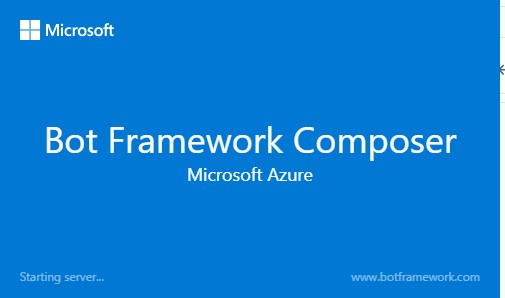
Start Composer and see the frozen Welcome screen
Expected behavior
Composer started after the Welcome screen, the Welcome screen disappears
Screenshots
Additional context
 gbelenky
All 22 comments
tagging https://github.com/microsoft/BotFramework-Composer/pull/5068 to see if this is related at all
 cwhitten
on 3 Dec 2020
cwhitten
on 3 Dec 2020
tagging #5068 to see if this is related at all
No, this is is not related to the orchestrator, but to the md5 package issue maybe.
 boydc2014
on 4 Dec 2020
boydc2014
on 4 Dec 2020
Hi @gbelenky, could you try to use cmd to open your installed composer that has such issue. Follow below steps:
- Open cmd and go to your composer installed folder. Usually the folder locates here if you don't change it C:\Users{your user name}\AppData\Local\Programs\Bot Framework Composer.
- In cmd, type
"Bot Framework Composer.exe"to launch composer - You will see the exception in the cmd window. Below screenshot is a successful launch example.
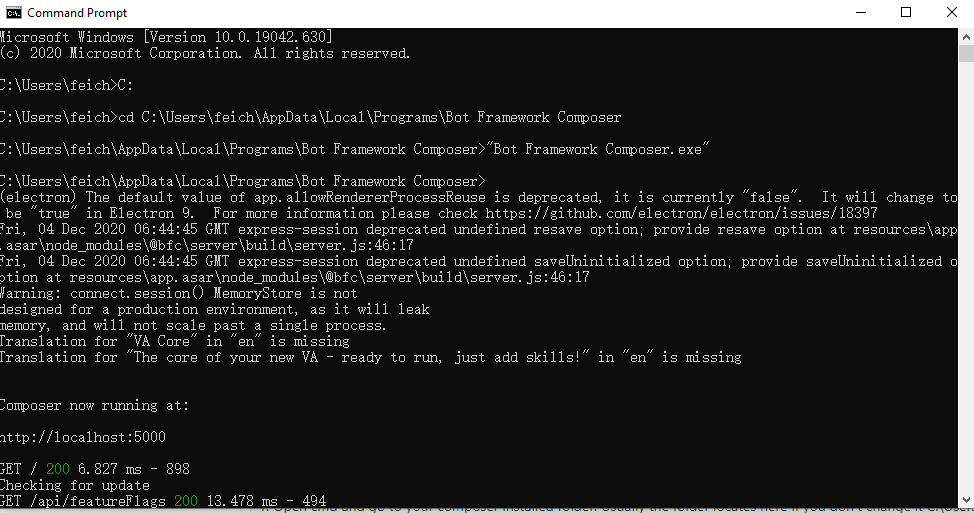
Could you please try above steps and paste the exception information here for us to investigate.
Thank you.
 feich-ms
on 4 Dec 2020
feich-ms
on 4 Dec 2020
adding screenshot

and log C:\Program Files\Bot Framework Composer>
(electron) The default value of app.allowRendererProcessReuse is deprecated, it is currently "false". It will change to be "true" in Electron 9. For more information please check https://github.com/electron/electron/issues/18397
(node:11720) UnhandledPromiseRejectionWarning: SyntaxError: Unexpected token (node:11720) UnhandledPromiseRejectionWarning: SyntaxError: Unexpected token (node:11720) UnhandledPromiseRejectionWarning: Unhandled promise rejection. This error originated either by throwing inside of an async function without a catch block, or by rejecting a promise which was not handled with .catch(). (rejection id: 1)
(node:11720) UnhandledPromiseRejectionWarning: Unhandled promise rejection. This error originated either by throwing inside of an async function without a catch block, or by rejecting a promise which was not handled with .catch(). (rejection id: 1)
(node:11720) [DEP0018] DeprecationWarning: Unhandled promise rejections are deprecated. In the future, promise rejections that are not handled will terminate the Node.js process with a non-zero exit code.
(node:11720) [DEP0018] DeprecationWarning: Unhandled promise rejections are deprecated. In the future, promise rejections that are not handled will terminate the Node.js process with a non-zero exit code.
gbelenky
on 4 Dec 2020
@gbelenky thanks for the message. Are these all the messages the exception throws? Can we get more logs?
Besides, could you try to reinstall the 1.2.1 composer downloaded from here https://github.com/microsoft/BotFramework-Composer/releases/tag/v1.2.1 to see if it works. I installed this version and all work as exptected.
feich-ms
on 4 Dec 2020
@feich-ms - yes, that's it. I just re-installed the Composer. The same experience

gbelenky
on 4 Dec 2020
@feich-ms - how can I get more verbose logging data?
gbelenky
on 4 Dec 2020
@boydc2014 @cwhitten do you have more insights about how to get more logs?
feich-ms
on 4 Dec 2020
@gbelenky @feich-ms
in the shell, set the following environment variable:
DEBUG=composer*
On windows/cmd this should be: SET DEBUG=composer*
cwhitten
on 4 Dec 2020
this is what I see (skipping my env variables)
2020-12-04T15:33:49.444Z composer:electron production environment detected.
2020-12-04T15:33:49.454Z composer:electron Run completed
2020-12-04T15:33:49.505Z composer:electron App ready
2020-12-04T15:33:49.505Z composer:electron Loading latest known locale
2020-12-04T15:33:49.510Z composer:electron:electron-window Raw screen dimensions: 1040 x 1920
2020-12-04T15:33:49.510Z composer:electron:electron-window Electron window dimensions: 936 x 1248
(electron) The default value of app.allowRendererProcessReuse is deprecated, it is currently "false". It will change to be "true" in Electron 9. For more information please check https://github.com/electron/electron/issues/18397
2020-12-04T15:33:49.541Z composer:electron:electron-window Rendered Electron window dimensions: [ 1248, 936 ]
2020-12-04T15:33:49.981Z composer:electron Creating app data directory...
2020-12-04T15:33:49.982Z composer:electron creating composer app data path at: C:\Users\gbelenky\AppData\Roaming\BotFrameworkComposer
2020-12-04T15:33:49.984Z composer:electron creating local bot runtime publish path: C:\Users\gbelenky\AppData\Roaming\BotFrameworkComposer\hostedBots
2020-12-04T15:33:49.987Z composer:electron Created app data directory.
2020-12-04T15:33:49.987Z composer:electron Starting server...
2020-12-04T15:33:52.339Z composer App Settings: {
botAdminEndpoint: 'http://localhost:3979',
botEndpoint: 'http://localhost:3979',
botsFolder: 'C:\Users\gbelenky',
runtimeFrameworkVersion: 'netcoreapp3.1',
appDataPath: 'C:\Users\gbelenky\AppData\Roaming\BotFrameworkComposer\data.json',
platform: 'win32',
diskNames: [ 'C:/' ]
}
(node:2652) UnhandledPromiseRejectionWarning: SyntaxError: Unexpected token (node:2652) UnhandledPromiseRejectionWarning: SyntaxError: Unexpected token (node:2652) UnhandledPromiseRejectionWarning: Unhandled promise rejection. This error originated either by throwing inside of an async function without a catch block, or by rejecting a promise which was not handled with .catch(). (rejection id: 1)
(node:2652) UnhandledPromiseRejectionWarning: Unhandled promise rejection. This error originated either by throwing inside of an async function without a catch block, or by rejecting a promise which was not handled with .catch(). (rejection id: 1)
(node:2652) [DEP0018] DeprecationWarning: Unhandled promise rejections are deprecated. In the future, promise rejections that are not handled will terminate the Node.js process with a non-zero exit code.
(node:2652) [DEP0018] DeprecationWarning: Unhandled promise rejections are deprecated. In the future, promise rejections that are not handled will terminate the Node.js process with a non-zero exit code.
gbelenky
on 4 Dec 2020
I checked my logs of successful launch(See below), it seems above exception was thrown from here composer:electron-auth-provider Initialized because this message was not logged above. We will find some guys who are familar with this area to investigate it. Will keep it posted when there are any findings. Thanks for your patience.
...(skipped)
2020-12-07T06:02:27.494Z composer:electron Starting server...
2020-12-07T06:02:29.545Z composer App Settings: {
botAdminEndpoint: 'http://localhost:3979',
botEndpoint: 'http://localhost:3979',
botsFolder: 'C:\Users\feich',
runtimeFrameworkVersion: 'netcoreapp3.1',
appDataPath: 'C:\Users\feich\AppData\Roaming\BotFrameworkComposer\data.json',
platform: 'win32',
diskNames: [ 'C:/', 'D:/' ]
}
2020-12-07T06:02:29.961Z composer:electron-auth-provider Initialized.
2020-12-07T06:02:29.962Z composer:auth-service Initialized in Electron context.
2020-12-07T06:02:29.964Z composer:auth-service Production environment detected. Generating CSRF token.
...(skipped)
feich-ms
on 7 Dec 2020
I went through the code and the exception should be thrown when getting the OneAuth token. @gbelenky have you ever set any azure authoring stuff for composer before installing 1.2.1 version? If so, It would be helpful for us investigation if you have another machine or VM that is not setting any composer auth staff before to double confirm the launch failure. Thank you very much.
feich-ms
on 7 Dec 2020
Hello @feich-ms ! Yes, I probably did. How do I solve the issue for this PC?
Thanks!
gbelenky
on 8 Dec 2020
@luhan2017 I don't have enough experience to figure out the fix here. Could you guide this issue to someone who is familar with the Electron auth part?
BTW, @gbelenky is it possible to be related with your route just like you mentioned here https://github.com/microsoft/BotFramework-Composer/issues/4458#issuecomment-741008617
feich-ms
on 9 Dec 2020
@gbelenky, have you ever followed this README https://github.com/microsoft/BotFramework-Composer/blob/main/Composer/packages/electron-server/AUTH.md to configure the auth? If so, could you try to uninstall these installation? Besides, could you also try another machine or another WIFI route? Sorry for the inconvenience.
feich-ms
on 9 Dec 2020
@feich-ms - I set the variables as described in the article above, but was not able to find the installOneAuth.js on my machine. Where do I find it?
I also tried other WIFIs and it did not work.
gbelenky
on 9 Dec 2020
@tonyanziano , could you please help take a look.
 luhan2017
on 10 Dec 2020
luhan2017
on 10 Dec 2020
The auth readme is only intended for local development of Composer, it is irrelevant to the production version of Composer. You do not need to run the installOneAuth.js script.
It is odd that we see the exception before we see the composer:electron-auth-provider Initialized. entry, however, this does not mean that the exception happened within that code path (which is just initializing a class with a config object), as the exception could have happened at any point in between printing out the app settings and initializing that class.
It seems strange to me that there is no stack trace or file name within the exception message that is in your logs @gbelenky . It is very hard to diagnose the issue without knowing where the error originated from. All we know right now is that it happens at some point during the startup process.
For now, could you please try the latest Composer nightly build here and let me know if you still see the same issue?
If you do, we can try to debug the issue further.
 tonyanziano
on 10 Dec 2020
tonyanziano
on 10 Dec 2020
@tonyanziano - no change after installing the nightly build

gbelenky
on 11 Dec 2020
Ok, if you're around next week I'd be happy to jump on a call and take a shot at debugging this.
tonyanziano
on 11 Dec 2020
After hopping on a call and debugging with @gbelenky , we figured out that there is an exception being thrown when Composer tries to read the JSON store (data.json).
Here is the exception:
SyntaxError: Unexpected token in JSON at position 0 at JSON.parse (<anonymous>) at JsonStore.readStore (C:\Users\gbelenky\AppData\Local\Programs\Bot Framework Composer\resources\app.asar\node_modules\@bfc\server\build\store\store.js:67:26) at JsonStore.get (C:\Users\gbelenky\AppData\Local\Programs\Bot Framework Composer\resources\app.asar\node_modules\@bfc\server\build\store\store.js:37:14) at ExtensionManagerImp.<anonymous> (C:\Users\gbelenky\AppData\Local\Programs\Bot Framework Composer\resources\app.asar\node_modules\@bfc\server\build\services\extensionManager.js:84:40) at Generator.next (<anonymous>) at fulfilled (C:\Users\gbelenky\AppData\Local\Programs\Bot Framework Composer\resources\app.asar\node_modules\tslib\tslib.js:111:62)
We checked the data.json file and it looks to be valid JSON. My hunch is that at some point, when we are writing the JSON to disk, it is prepending a byte order mark (BOM) to the front of the JSON file, which is causing JSON.parse() to throw. We faced a similar problem in the Emulator at one point.
tonyanziano
on 16 Dec 2020
Turns out that it was a malformed extensions.json file in the %APPDATA%/Roaming/BotFrameworkComposer/ app data folder.
Adding valid JSON to this file -- {} -- fixed the issue and @gbelenky is now able to start Composer.
We should consider writing some documentation on how to completely wipe the Composer installation to troubleshoot these issues.
tonyanziano
on 17 Dec 2020
Related issues
 jakeatmsft
·
21Comments
jakeatmsft
·
21Comments
 cxbuilders
·
15Comments
cxbuilders
·
15Comments
 stephanbisser
·
21Comments
stephanbisser
·
21Comments
 hraz-msft
·
21Comments
hraz-msft
·
21Comments
 philip-mc
·
14Comments
philip-mc
·
14Comments
Most helpful comment
After hopping on a call and debugging with @gbelenky , we figured out that there is an exception being thrown when Composer tries to read the JSON store (
data.json).Here is the exception:
We checked the
data.jsonfile and it looks to be valid JSON. My hunch is that at some point, when we are writing the JSON to disk, it is prepending a byte order mark (BOM) to the front of the JSON file, which is causingJSON.parse()to throw. We faced a similar problem in the Emulator at one point.