Botframework-composer: Problem publishing
Describe the bug
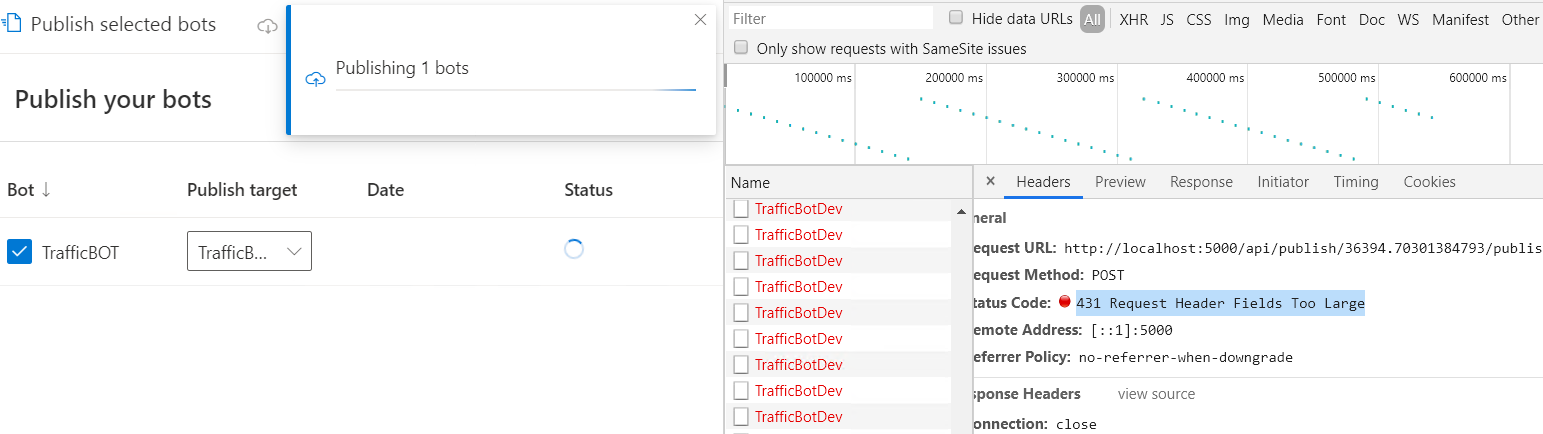
Unable to publish bot to azure using bot composer. It spins indefinitely with no status update and no error in the application... There is only an error in the console.. HTTP status code 431 Request Header Fields Too Large.
I tried using newer nightly build.. but I am also unable to uninstall bot composer.. When I launch the uninstaller it comes with NSIS error
Version
Bot composer V 1.3
Browser
- [ ] Electron distribution
- [x] Chrome
- [ ] Safari
- [ ] Firefox
- [ ] Edge
OS
- [ ] macOS
- [x] Windows
- [ ] Ubuntu
To Reproduce
Steps to reproduce the behavior:
- Go to Publish menu within Bot Framework Composer
- Click on Publish Bot
- Bot is never published
- Error is in the console in developer tools
Expected behavior
Expected the bot to be published as an azure web app
Screenshots

Additional context
 kalebk
All 16 comments
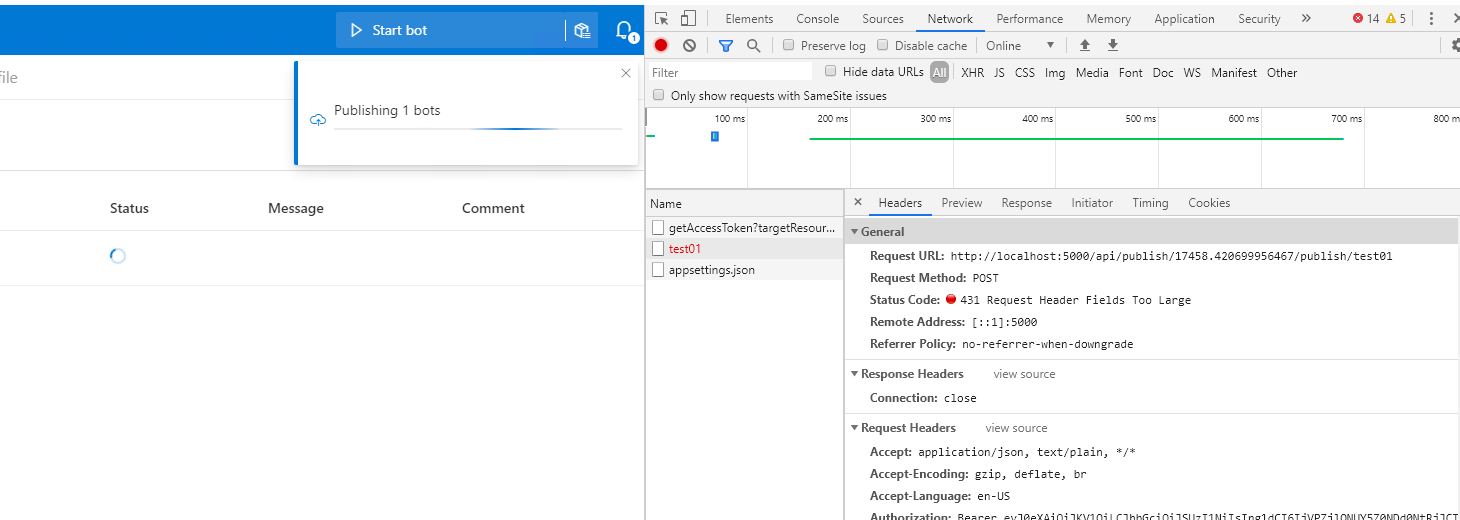
Watching this. New to Bots and the Composer application. I'm receiving same problem, and now looking for a way to downgrade if possible. After many attempts for trying to figure out what I did wrong, I'm seeing this 431 err too.
 ryan-daly-AgFCS
on 8 Jan 2021
ryan-daly-AgFCS
on 8 Jan 2021
Managed to downgrade to 1.2.1 and can successfully publish to Azure. Unfortunate as I really like the features and organization of 1.3 (plus documentation is updated for it too).
ryan-daly-AgFCS
on 9 Jan 2021
https://github.com/microsoft/BotFramework-Composer/issues/5335 got fixed. @ryan-daly-AgFCS you can try out latest nightly.
 hibrenda
on 11 Jan 2021
hibrenda
on 11 Jan 2021
Thanks @hibrenda - I gave that a try, but I'm still receiving the 431 error, then subsequent 404. Composer doesn't update to indicate it is accepted for publishing like 1.2.1 does. It essentially just sits there spinning, and never finishes.

ryan-daly-AgFCS
on 11 Jan 2021
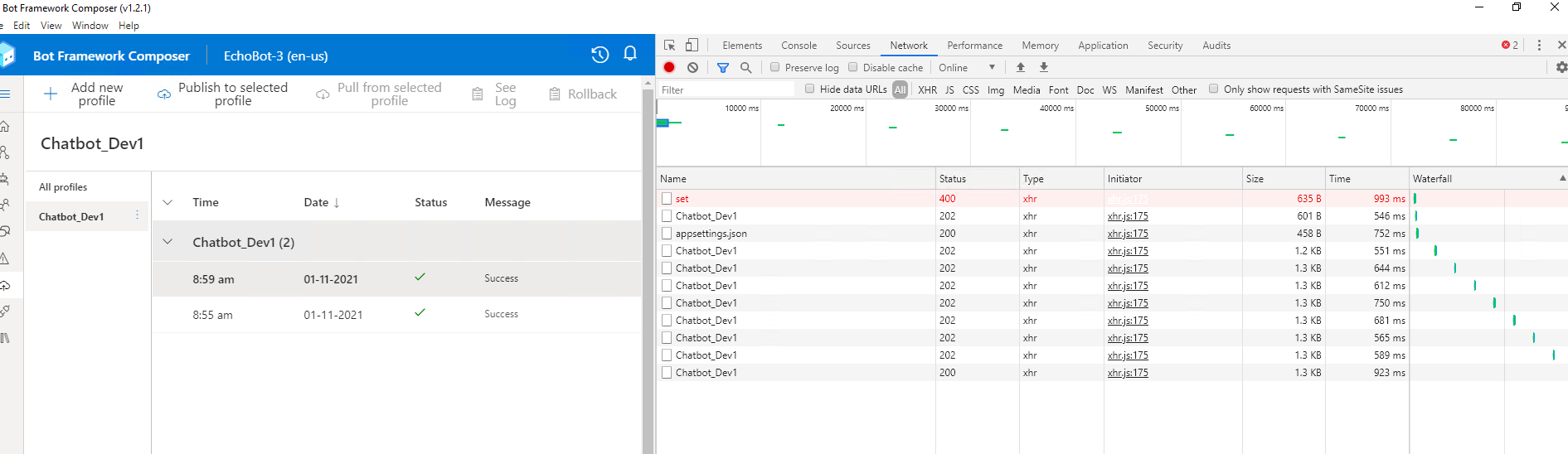
Here is the results when I uninstalled the nightly, then reinstalled 1.2.1 on the same bot files:
ryan-daly-AgFCS
on 11 Jan 2021
@hibrenda @luhan2017 Could you follow up please?
 GeoffCoxMSFT
on 12 Jan 2021
GeoffCoxMSFT
on 12 Jan 2021
We have a similar issue here. FYI.
https://github.com/MicrosoftDocs/composer-docs/issues/73#issuecomment-758924520
 zxyanliu
on 12 Jan 2021
zxyanliu
on 12 Jan 2021
Yes I also tried installing latest nightly and still received the same 431 and 404 errors..
kalebk
on 12 Jan 2021
It seems like the accessToken is too large to set in the http header, @kalebk could you give us your arm token(even an expired one is ok) for testing, so that we can see how large it would be?
 VanyLaw
on 13 Jan 2021
VanyLaw
on 13 Jan 2021
And there is another issue. frontend should show error when accept 431 or 404 instead of loading, @alanlong9278 could you help to take a look?
VanyLaw
on 13 Jan 2021
I don't have access to get it quickly right now, but I see in a previous message that I sent my teammate that it's 9,538 characters. I can try to provide tomorrow if needed
kalebk
on 13 Jan 2021
Sure, I will cover 202, 200, 404, 431, 500 http status in frontend in #5375
 alanlong9278
on 14 Jan 2021
alanlong9278
on 14 Jan 2021
You closed the issue but I still see the error on the nightly build df53a98

 tiagonmas
on 20 Jan 2021
tiagonmas
on 20 Jan 2021
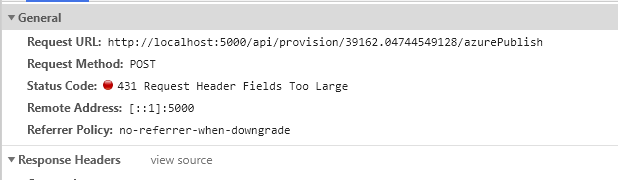
Still getting HTTP 431 when publishing
tiagonmas
on 20 Jan 2021
@tiagonmas we just found the change on this PR will not take effect in electron app. could you try to set this environment variable before start the nightly composer build, and try again?
NODE_OPTIONS="--max-http-header-size=16000"
 luhan2017
on 21 Jan 2021
luhan2017
on 21 Jan 2021
@luhan2017 it worked with that setting! :)
tiagonmas
on 21 Jan 2021
Related issues
 hraz-msft
·
21Comments
hraz-msft
·
21Comments
 yochay
·
15Comments
yochay
·
15Comments
 Samirun
·
13Comments
Samirun
·
13Comments
 Laxmi30
·
16Comments
Laxmi30
·
16Comments
 saikumaru
·
18Comments
saikumaru
·
18Comments