Botframework-composer: Can't publish my bot to azure

Hi, I have a trouble with deploy bot.
- First I tried
node provisionComposer --subscriptionId=free-trial-subscriptionid --name=test1 --appPassword=password
also do like below way.
node provisionComposer.js --subscriptionId=free-trial-subscription_id --name=resource_group_name --appPassword=over16characters
The Login page do appeared but error occured like above picture

- for debug this error,
I just check some err message appeared inprovisionComposer.js

I just change the code
message: err.body.message to message: err
- Then I research for this error,
Error: {"odata.error":{"code":"Authentication_Unauthorized","message":{"lang":"en","value":"User was not found."},"requestId":"b527bd0d-dee0-4643-bfaf-b0902dacee99","date":"2020-06-04T05:47:06"}}
** Provision failed **
and I found this page . https://github.com/Azure/migAz/issues/201, and
https://docs.microsoft.com/en-us/azure/cost-management-billing/manage/add-change-subscription-administrator
I try to apply above context, So i add my email as owner in Access Control page


So please help me to fix this error.
Thank you!
By the way, is there any way to connect this bot-frame-work-composer maded chatbot with local sql or mongodb??
Any comments would be really appreciated.
Thanks
 sujeongHeo
All 15 comments
@sujeongHeo , thanks for reporting this issue. It seems you can't create an app registration under that tenant id. could you please try this?
- https://ms.portal.azure.com/#blade/Microsoft_AAD_IAM/ActiveDirectoryMenuBlade/Properties, query this url you will see a Directory ID folder, copy the id.
- add this "--tenantId TheCopiedID" when you call provisionComposer.js
Please let me know if that still not works.
 luhan2017
on 4 Jun 2020
luhan2017
on 4 Jun 2020
@luhan2017
thank you for your helpful reply.
Unfortunately it still doesn't work.
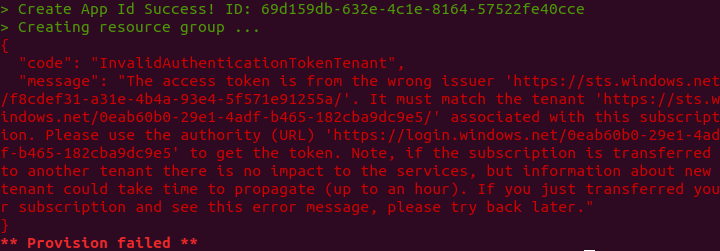
Isn't there any other way?
Thanks
sujeongHeo
on 4 Jun 2020
@sujeongHeo ,It seems you have successfully created the app id this time, but you failed in Great resource group step.
Could please try this:
Get the directory id at your subscription page, can then pass it as a param for --tenantId
For example, in this case, you should use microsoft.onmicrosoft.com
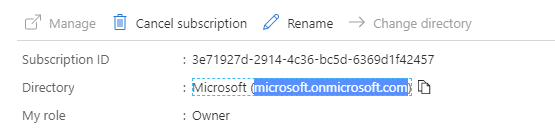
luhan2017
on 4 Jun 2020
@luhan2017
thank you for your reply,
for which page can I see directory-id?
I again visit the first url that you mentioned, https://ms.portal.azure.com/#blade/Microsoft_AAD_IAM/ActiveDirectoryMenuBlade/Properties
but I can't find the letter 'microsoft.microsoft.com'
Regards,
Sujeong
 odkDev
on 4 Jun 2020
odkDev
on 4 Jun 2020
@odkDev @sujeongHeo are you the same person :)
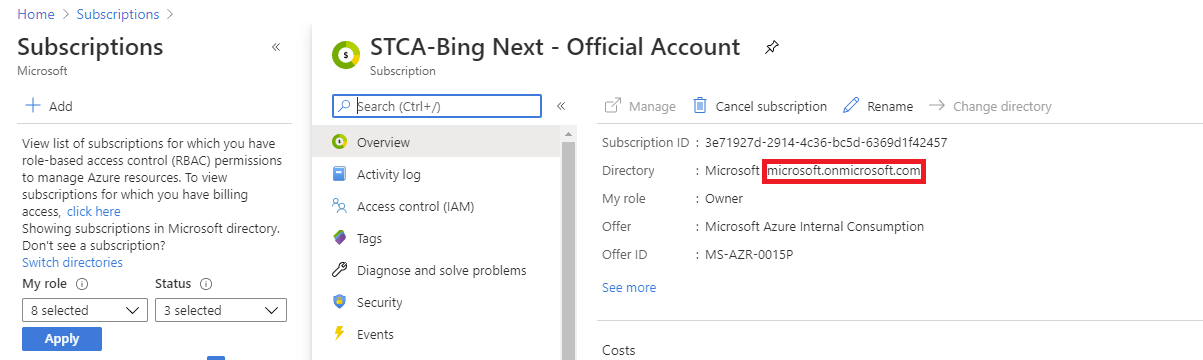
It's in your subscription's home page, see below as an example:
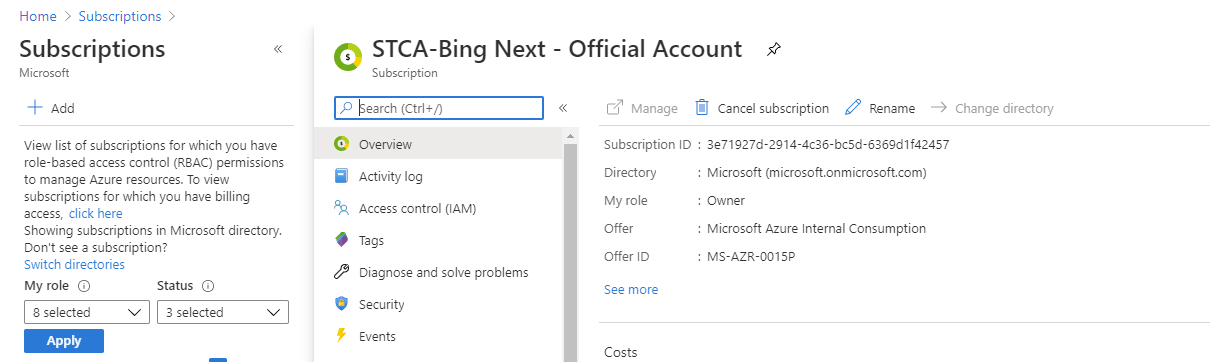
luhan2017
on 5 Jun 2020
Yeah, the same person:)
Well I tried that way but also not worked on me..
the command line i tried is below two things
node provisionComposer.js --subscriptionId=here_i_put_that_subscription_id --name=test1 --appPassword=password_over_16_cahracters --tenantId=here_also_i_put_the_subscription_id
And then it gave me a error.

So I tried this way too. (Actually i already had been tried yesterday)
node provisionComposer.js --subscriptionId=here_i_put_that_subscription_id --name=test1 --appPassword=password_over_16_cahracters
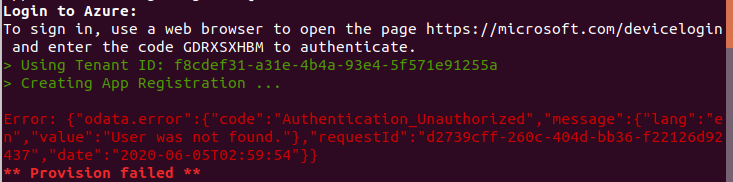
It's really grateful to @luhan2017 for help me.
Regards,
sujeong heo
sujeongHeo
on 5 Jun 2020
@sujeongHeo , could you try this:
node provisionComposer.js --subscriptionId=here_i_put_that_subscription_id --name=test1 --appPassword=password_over_16_cahracters --tenantId=The_tenantID_under_your_subscription
You can go to azure portal.
Select the subscription.
You can see the tenantID in the main page.
Note, the ID is "microsoft.onmicrosoft.com"
luhan2017
on 5 Jun 2020
Ok, I tried But not success,,
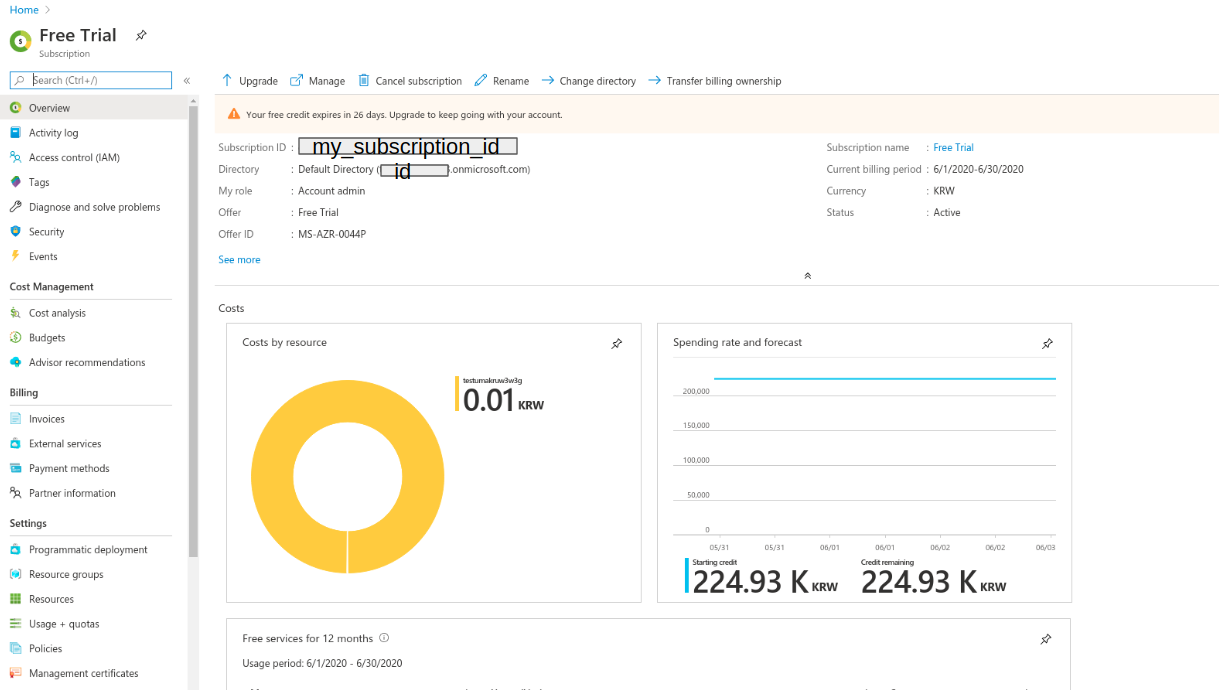
Here is my azure portal subscription page, Though i scrolled down, i can't find the 'tenantId'
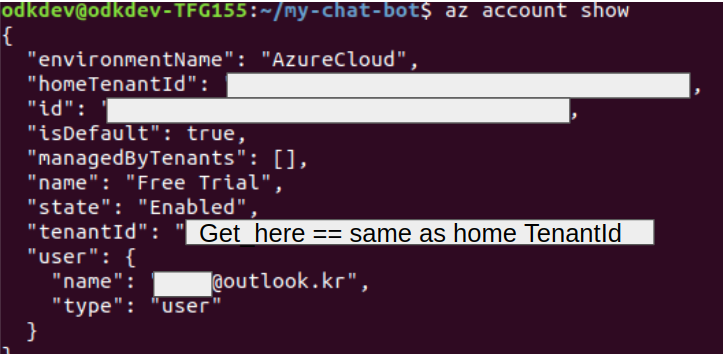
So i get tenantId in command line like this.
Then I typed like this,
node provisionComposer.js --subscriptionId=my_subscription_id --name=test1 --appPassword=pwd_over_16_characters --tenantId=here_i_add
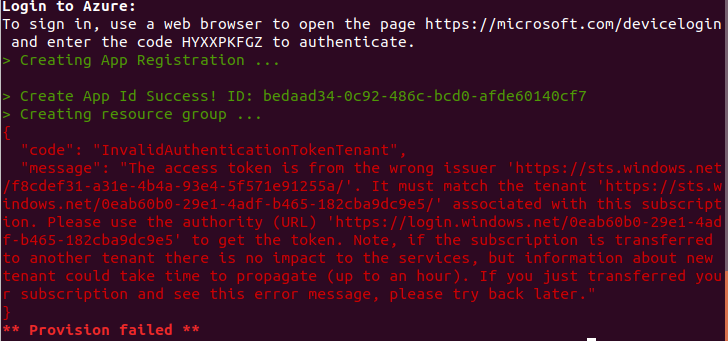
But it throw me an error. Provision failed
Thanks @luhan2017 ,
Regards,
sujeong
sujeongHeo
on 5 Jun 2020
@sujeongHeo , the tenant id under your subscription should be just the
Directory: Default Directory(YOURTENENTID)
luhan2017
on 5 Jun 2020
@luhan2017 Thanks, I'll try and let you know!
sujeongHeo
on 5 Jun 2020
@luhan2017
I really appreciate your reply, It looks like it's working!

Though it takes a little time for deploy, but i believe it works.
If other problem occurs, then i'll ask you again.
Thanks!
Regards,
sujeong
sujeongHeo
on 5 Jun 2020
@sujeongHeo , Great, thank you very much for working with me resolve this issue patiently.
@zidaneymar , thanks to Sujeong, I found that we can improve our way of getting tenantid.
We can use this API: https://docs.microsoft.com/en-us/rest/api/resources/subscriptions/get
This is to get the tenantId of the subscription.
luhan2017
on 5 Jun 2020
Hi,
@luhan2017
Well I failed once,
The error says i already registered bot.
but this is my first time to deploying bot.
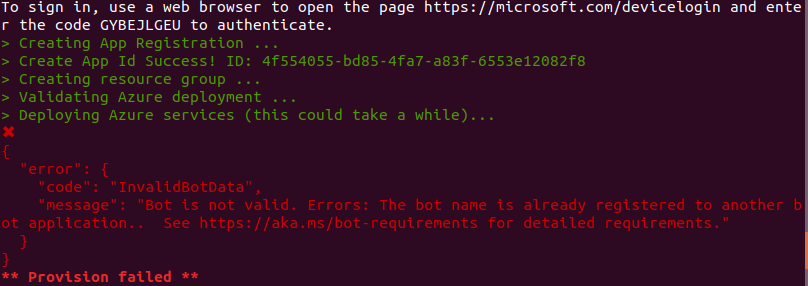
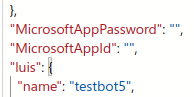
so i' change the name of luis app name and redeploy now
Regards,
sujeong
sujeongHeo
on 5 Jun 2020
@sujeongHeo it seems you have a bot created before duplicated with this one. could you change the name and try again?
luhan2017
on 5 Jun 2020
I finally success deploy bot :)

Thank you so much, we've worked it out!
Regards,
sujeong
sujeongHeo
on 5 Jun 2020
Related issues
sujeongHeo
·
24Comments
 gbelenky
·
22Comments
gbelenky
·
22Comments
 arafattehsin
·
15Comments
arafattehsin
·
15Comments
 yochay
·
15Comments
yochay
·
15Comments
 rudrasingh21
·
34Comments
rudrasingh21
·
34Comments