Blenderproc: Problems with physics_positioning example
Hi,
when I run the physics_positioning example:
python3 run.py examples/physics_positioning/config.yaml examples/physics_positioning/active.obj examples/physics_positioning/passive.obj examples/physics_positioning/output
and then the Hdf5 visualization script:
python3 scripts/visHdf5Files.py examples/physics_positioning/output/0.hdf5
this is the resulting image:
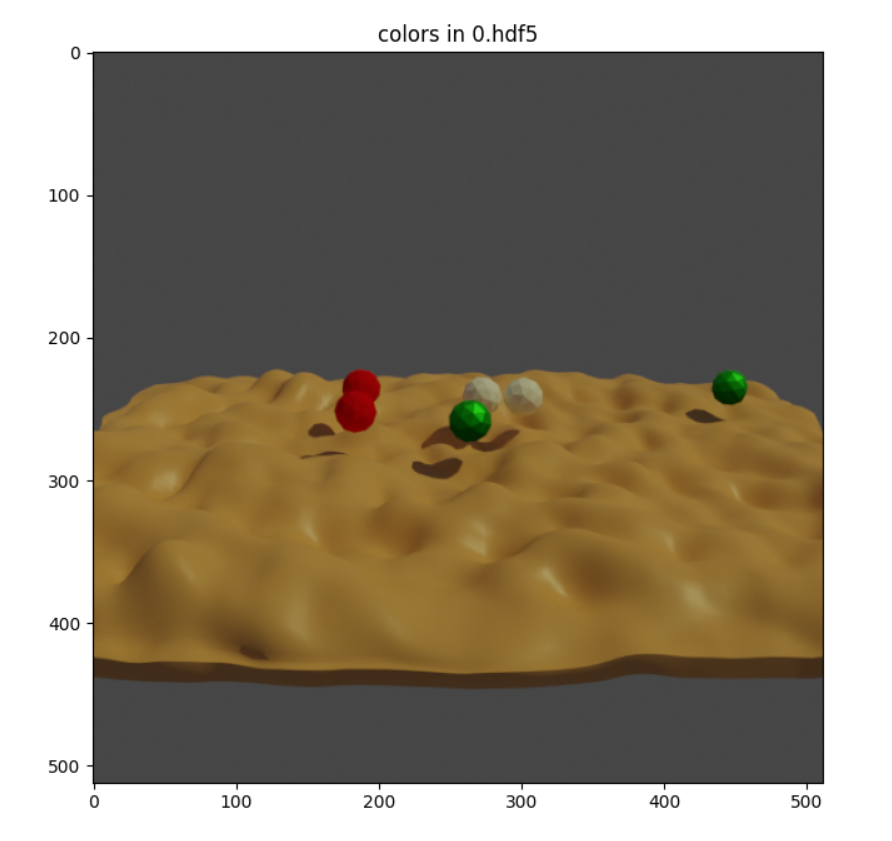
I have tried to increase the simulation time, but the spheres just never fall.
The console output first reads the following error:
Error! Unsupported graphics card or driver.
A graphics card and driver with support for OpenGL 3.3 or higher is required.
but then starts running all the modules normally, bakes the simulation and saves the Hdf5 file in the output folder.
I am using Blender 2.91.0 on Ubuntu 20.04 on WSL 2, which only supports OpenGL 1.4. But I thought this would not be a problem because I normally do not need to use the GUI.
Does the physics simulation need to use a higher version of OpenGL? All the other examples that I have tried give me the expected output.
What else might be wrong?
 atirehgram
All 2 comments
Hey @atirehgram,
apparently this example is not fully up-to-date. A while ago the default collision shape has changed to CONVEX_HULL, which here causes the balls to not fall into the valleys.
To change the collision shape you just need to adapt the configuration of the PhysicsPositioning module:
{
      "module": "object.PhysicsPositioning",
      "config": {
        "min_simulation_time": 4,
        "max_simulation_time": 20,
        "check_object_interval": 1,
        "collision_shape": "MESH" # <-- here
      }
},
Keep in mind that using the mesh collision shape in more complex examples can cause performance and glitch issues
 cornerfarmer
on 5 Feb 2021
cornerfarmer
on 5 Feb 2021
This solved the problem. Thank you!
atirehgram
on 6 Feb 2021
Related issues
 Xiaflowers
·
3Comments
Xiaflowers
·
3Comments
 hummat
·
5Comments
hummat
·
5Comments
 matemato
·
4Comments
matemato
·
4Comments
 manuelli
·
3Comments
manuelli
·
3Comments
 soans1994
·
5Comments
soans1994
·
5Comments
Most helpful comment
Hey @atirehgram,
apparently this example is not fully up-to-date. A while ago the default collision shape has changed to CONVEX_HULL, which here causes the balls to not fall into the valleys.
To change the collision shape you just need to adapt the configuration of the PhysicsPositioning module:
Keep in mind that using the mesh collision shape in more complex examples can cause performance and glitch issues