Bforartists: Vertex Paint, Grease Pencil Draw, Texture Paint Mode - Tool Header UX - Expose colour swap and secondary colour
Request
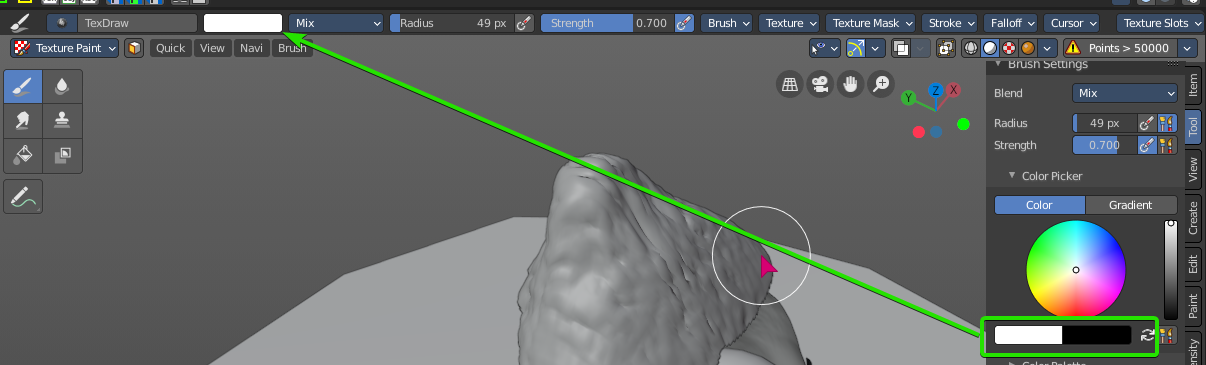
Right now, to do a quick colour switch and select the secondary colour, and also to set the colour of the secondary, you need the properties shelf open, making the header brush settings redundant when it comes to colour. Ideally you could use the property shelf for other view settings or addon settings and stick to the header for the brush settings, but now you need both open to effectively paint with two colours creating a lot of unused clutter and double entries just to paint colours.
In other painting software exposes a button to swap and both colours in the header, and this is extremely handy.

_taken from Krita_
Task
- Investigate if possible
- Check how to streamline the UI to not clutter more than two or three icon widths, right now the colour tab is usually 4 icons wide.
- Implement the mockup
Mockup of suggestion:

Here is a rough mockup, but basically expose the two colours with the colour pickers dropdowns and the swap colour button, just like the property shelf.
 Draise14
All 14 comments
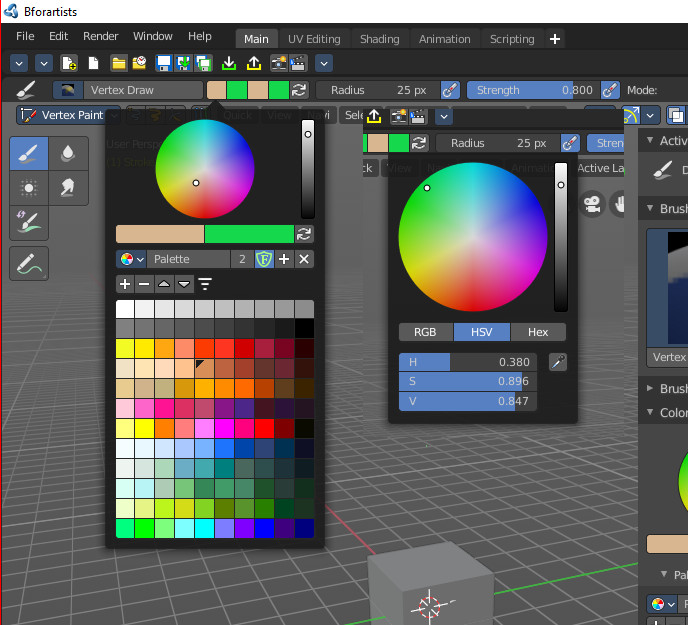
Draise, have you actually clicked at the color field once? It exposes the whole color panel, Where you can pick the palette, and swap the colors.
I could just implement the two color props and the toggle. But then you just get the normal color dialog, without the palette.
Or we have in the first color the palette. And in the second color just the color wheel.
Or we just implement the second color switch.
Or we leave it as is ^^
 ReinerBforartists
on 11 Dec 2020
ReinerBforartists
on 11 Dec 2020
Draise, have you actually clicked at the color field once? It exposes the whole color panel, Where you can pick the palette, and swap the colors.
Vertex Paint Mode:
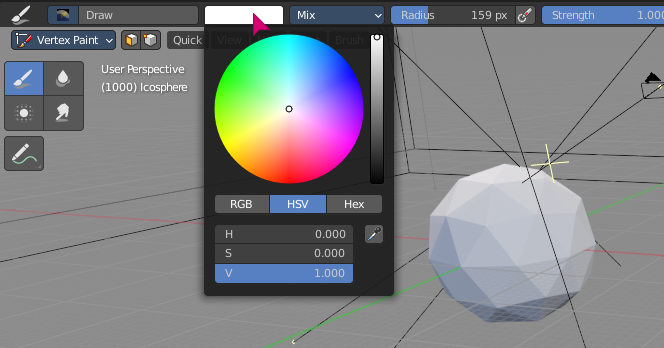
Yes, that is how I do my screen captures. The default colour from the header does the colour wheel only, no palettes, swap or dual colour or more. Unless there is a new dev build that has fixed this automatically, I only get the colour wheel, one colour, and no swap button.
Screen Capture:
Texture Paint Mode:
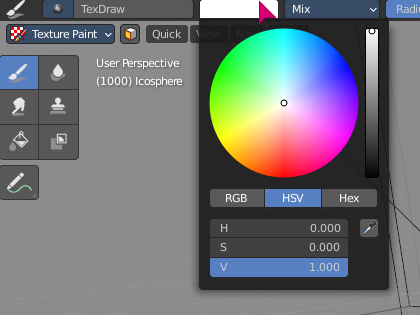
Same state.
What has been implemented so far?
This task is to show two colours and the swap button in the header. There is another task to discuss what to show when you click on a colour here: #2058 as a separate task delinked from this one.
Draise14
on 11 Dec 2020
I've updated the description, maybe this is why the confusion.
This one is to expose 2 colours and the swap in the header only.
Dropdown consistency and design is separate in #2058. What happens when you select/click a colour can be discussed in the other task, it already has a mockup and different feature request.
Draise14
on 11 Dec 2020
Now i am REALLY confused :D
ReinerBforartists
on 11 Dec 2020
Now i am REALLY confused :D
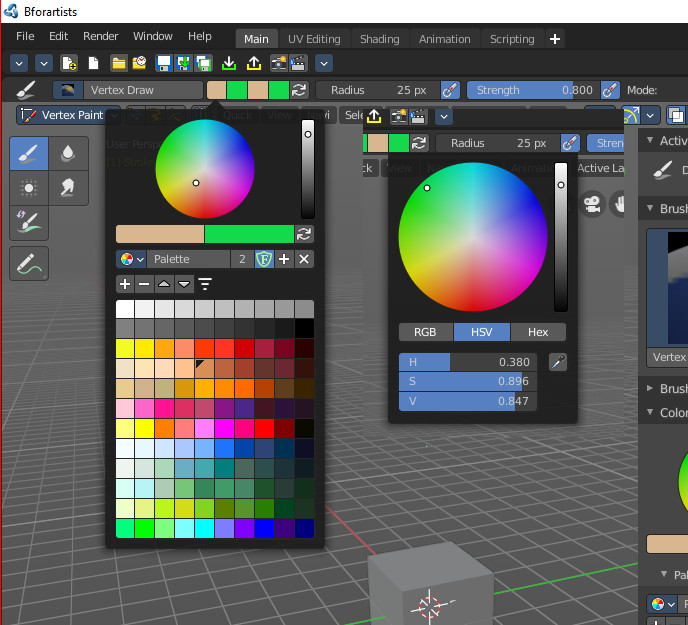
This image is aweseome, would be great to use.. but neither the official nor dev builds have this. It is currently ONLY one colour and colour wheel when you click on that one colour.
Draise14
on 11 Dec 2020
Okay, then let's use the simple color picker for the second color. That's what i wanted to know :)
ReinerBforartists
on 11 Dec 2020
Ah, this is always different solved, dependant in what mode and with what object -.-
ReinerBforartists
on 11 Dec 2020
Geez, how unintuitive can you make the grease pencil drawing. I need to go to OBJECT mode to see what vertex color i DRAW in DRAW mode. In draw mode it just shows the material color. How can you even paint with that? And when i select another object then the colors turns into the material colors again -.-
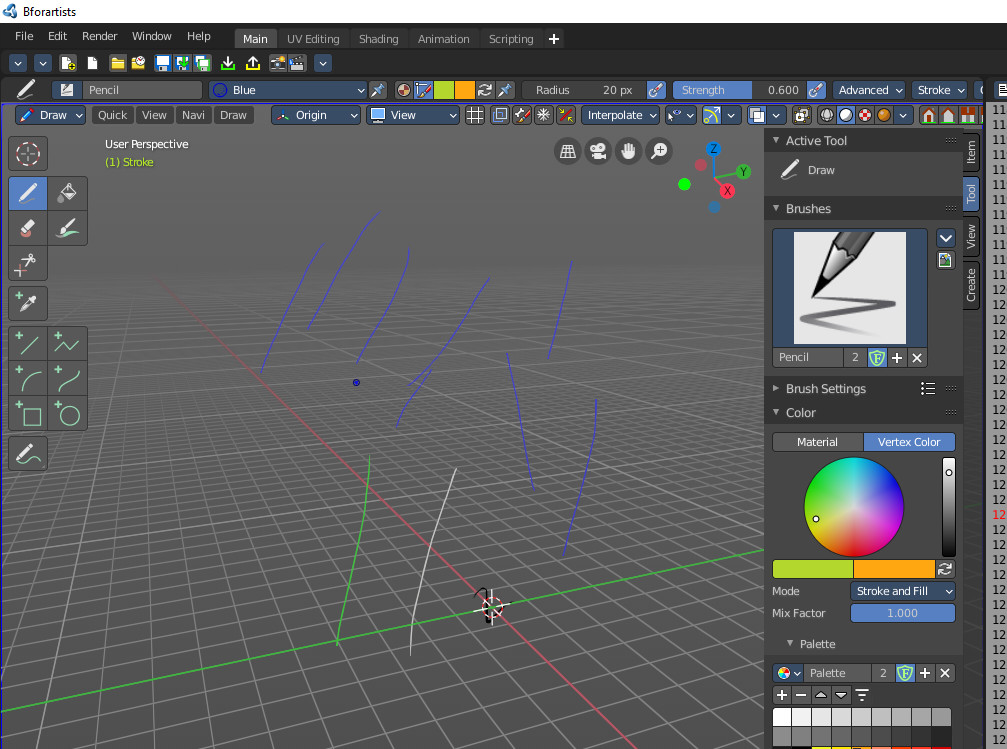
Anyways, this is how it looks with a grease pencil object in draw mode now.
Continuing with the mesh object modes and panels now. But i fear the worst. I remember that this color picker is a C prop ...
ReinerBforartists
on 11 Dec 2020
The dual colour is looking nice. But yes, the workflow for the GP is really not thought out well, I think you're supposed to draw not in Workbench but in the rendered or lookdev mode.
Draise14
on 11 Dec 2020
Just found out how to show the vertex color in the viewport in object mode too. You need to be in Viewport Shading Material. Another riddle solved ^^
ReinerBforartists
on 11 Dec 2020
Just found out how to show the vertex color in the viewport in object mode too. You need to be in Viewport Shading Material. Another riddle solved ^^
These things really need optimization.. where if you click it, it should just.. work.. toggle to the right mode, chain the operators a bit for a nicer UX. I can imagine many artists kinda go.. this is "broken".. Maybe this could be another task.
Draise14
on 11 Dec 2020
Yes. Definitely. But they still change ways too much at the grease pencil. And when we start to implement our own changes then we are always at fixing this. And it is code wise implemented in a way that makes me cry anyways. Which leads me to the rest of this task.
Bad news for the mesh and similar object types. It is an so called unified panel. Which in Blender case just means the bits are cluttered across several files and classes, and everything is somehow connected to each other. Hard to access, even harder to change.
So for now just the grease pencil has this solution implemented. No idea if i can manage to modify the rest.
ReinerBforartists
on 11 Dec 2020
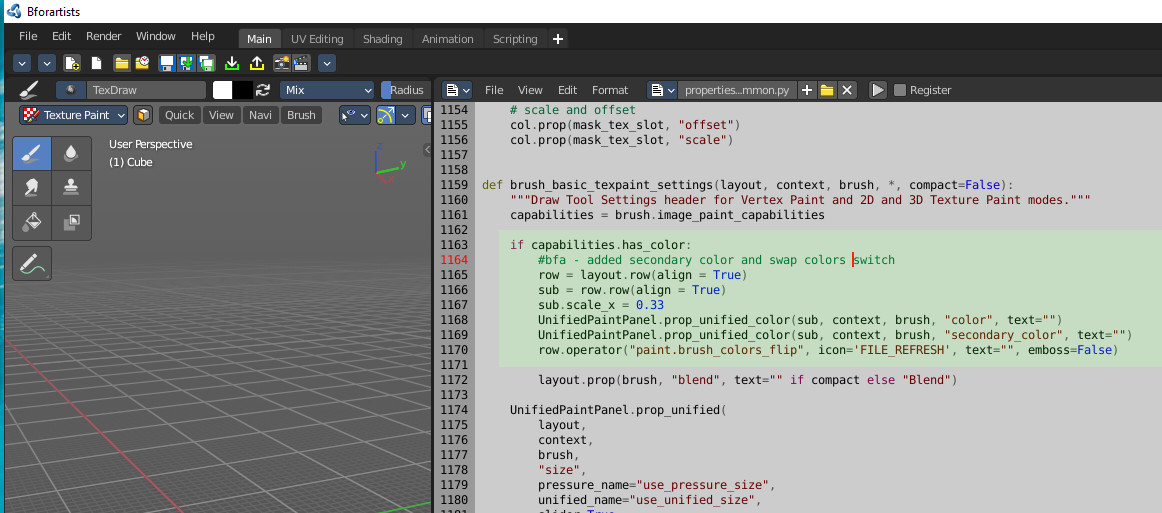
Was quite a hunt, but Gotcha!
Fixed in master
ReinerBforartists
on 12 Dec 2020
Oooooohhhh yeaaaaaaah!!!
Draise14
on 12 Dec 2020
Related issues
Draise14
·
6Comments
Draise14
·
5Comments
ReinerBforartists
·
8Comments
 CyberFoxHax
·
6Comments
ReinerBforartists
·
4Comments
CyberFoxHax
·
6Comments
ReinerBforartists
·
4Comments