Bforartists: Export Dialogue Improvement
Not sure what it's internal name is. But the export options is in the lower right corner and the actual export button on the right side of the monitor. (Unless you doubleclick a file).
An easy solution would be to shrink the entire UI.
A longer solution would be to rearrange the UI. Leaving the save button somewhere in the bottom so it creates a natural top to bottom flow.
(also the fbx export options jumps up and down in a strange way when used)
 CyberFoxHax
All 6 comments
Hi CyberFoxHax,
Thanks for your suggestions. It's actually not this easy. The im- and export settings are extra, and exists in every addon for the file formats. For FBX it's so much different settings that you need to divide it. And that's where things starts to jump around, when you switch to the different chapters.
We can't shrink the im and export dialog neither. It's not a popup like for other software. It is an editor type like all the other editor types too. And implemented in a very special way.
We will have a look what we can improve here. But please don't expect fast results. This issue has low priority.
 ReinerBforartists
on 4 Jun 2019
ReinerBforartists
on 4 Jun 2019
Hm, C code. I hate it :'3
EDIT, the editor for the file browser does not pop up, but open as a layout, full screen. The preferences opens as a popup. So this would be the first thing to check.
ReinerBforartists
on 6 Jul 2019
Blender has started a branch to redesign the file browser. So i guess it's wiser to wait a bit longer. Especially since my tries to find out how the file browser code is connected wasn't really successful so far ...
ReinerBforartists
on 23 Jul 2019
Good work. I agree it's wiser to wait and see what happens to canon.
CyberFoxHax
on 25 Jul 2019
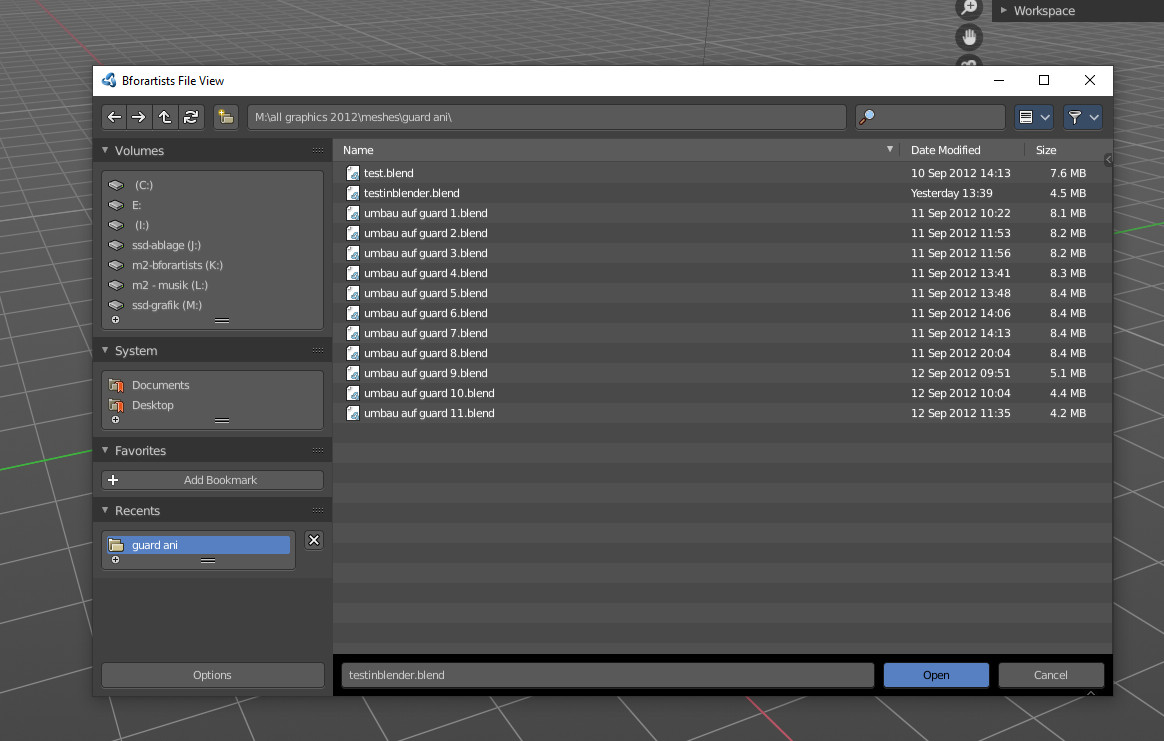
Blender 2.81 comes with a new file dialog.
We might improve the one or another thing at it. But first we have to evaluate what exactly if even. And we better wait a bit longer. They have removed the buttons to increment the file name. Maybe they add them back at one point.
ReinerBforartists
on 12 Sep 2019
Honestly, the Blender devs did a pretty good job here with the redesign. There is nothing left to improve from my angle of view.
So closing.
ReinerBforartists
on 19 Oct 2019
Related issues
ReinerBforartists
·
4Comments
 iyadahmed
·
6Comments
iyadahmed
·
8Comments
ReinerBforartists
·
6Comments
ReinerBforartists
·
8Comments
iyadahmed
·
6Comments
iyadahmed
·
8Comments
ReinerBforartists
·
6Comments
ReinerBforartists
·
8Comments
Most helpful comment
Hm, C code. I hate it :'3
EDIT, the editor for the file browser does not pop up, but open as a layout, full screen. The preferences opens as a popup. So this would be the first thing to check.