Bforartists: Black colored icons at mouse over in the header dropdown boxes
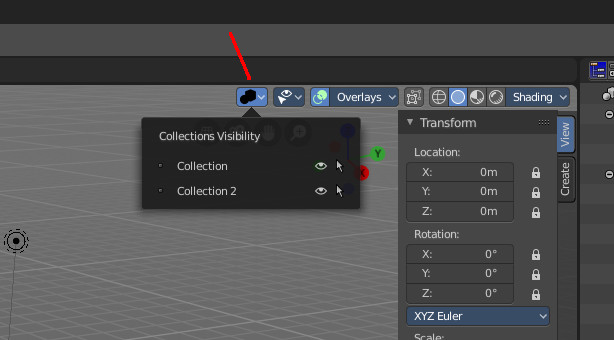
The recoloring code of Blender is a theming nightmare. We have yet another theming problem with black icons at mouse over.
 ReinerBforartists
All 4 comments
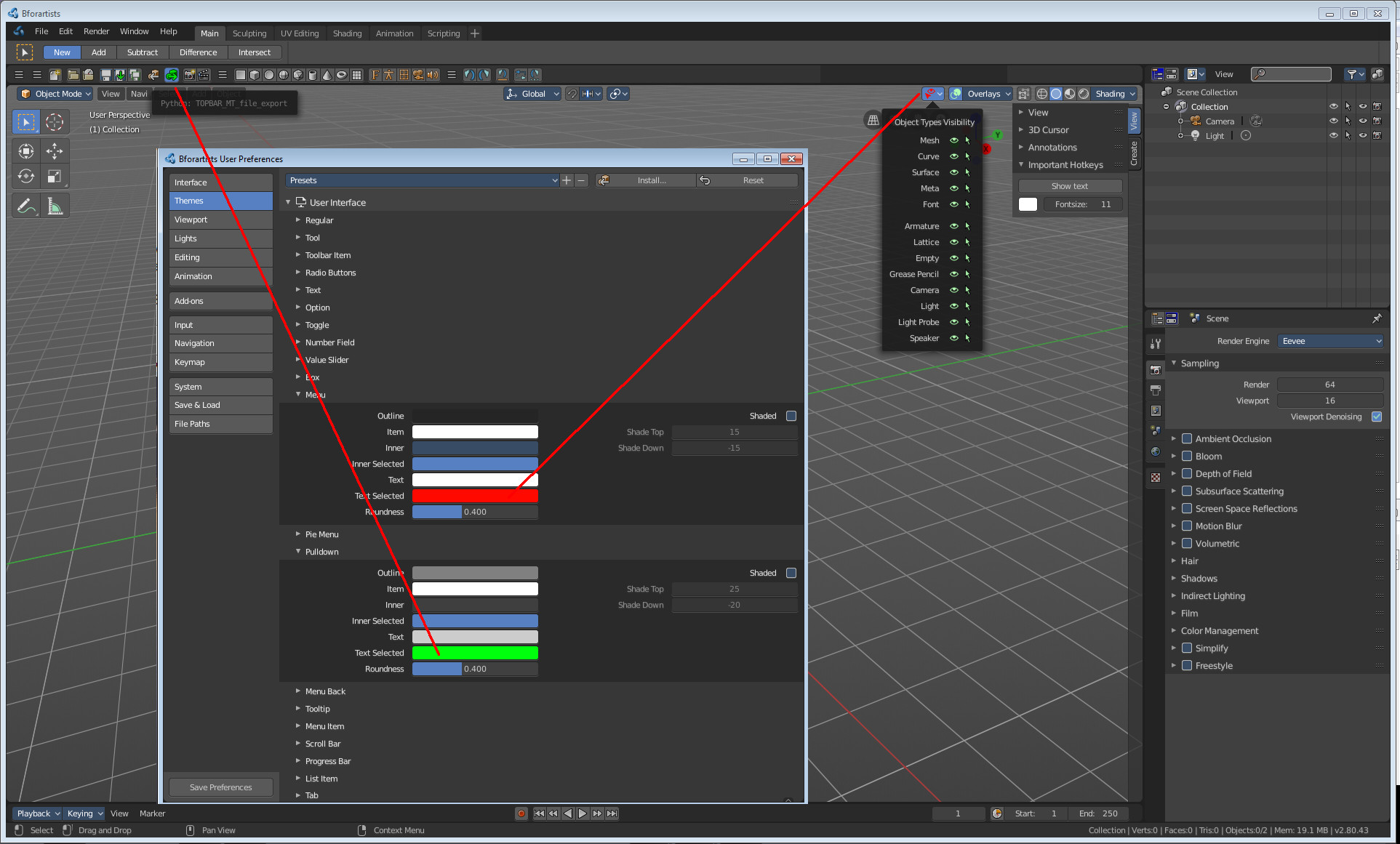
This is a much more general problem than thought. It's coloring the icons at all that is a issue here. In Blender 2.79 the icons did not receive any coloring from the theme at all. Just the text was colored. And this strikes back here.
I have to dive into the C code here. Maybe we find a solution to exclude the coloring of the icons again. Fingers crossed that i find the bit here, and that removing it doesn't make things even worse.
ReinerBforartists
on 6 Feb 2019
Okay, the simplest way is to change the definition of the icons. Normal icons are affected by coloring. But there is also
ifndef DEF_ICON_COLLECTION
define DEF_ICON_COLLECTION DEF_ICON
endif
ifndef DEF_ICON_OBJECT
define DEF_ICON_OBJECT DEF_ICON
endif
ifndef DEF_ICON_OBJECT_DATA
define DEF_ICON_OBJECT_DATA DEF_ICON
endif
ifndef DEF_ICON_MODIFIER
define DEF_ICON_MODIFIER DEF_ICON
endif
ifndef DEF_ICON_SHADING
define DEF_ICON_SHADING DEF_ICON
endif
ifndef DEF_ICON_COLOR
define DEF_ICON_COLOR DEF_ICON
endif
And they all gets treaten different in different situations.
We need to check here anyways. Currently all our icons are all DEF_ICON. And this icon type gets colored. The for us interesting type is DEF_ICON_COLOR. Going through UI_icons.h now ...
ReinerBforartists
on 6 Feb 2019
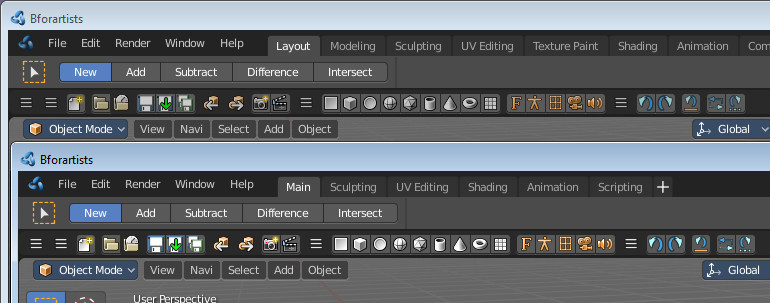
This also fixes the brightness issue. Above, the old icons with DEF_ICON, below icons with DEF_ICON_COLOR. Searching for the brightness issue. I think Draise had reported it.
ReinerBforartists
on 6 Feb 2019
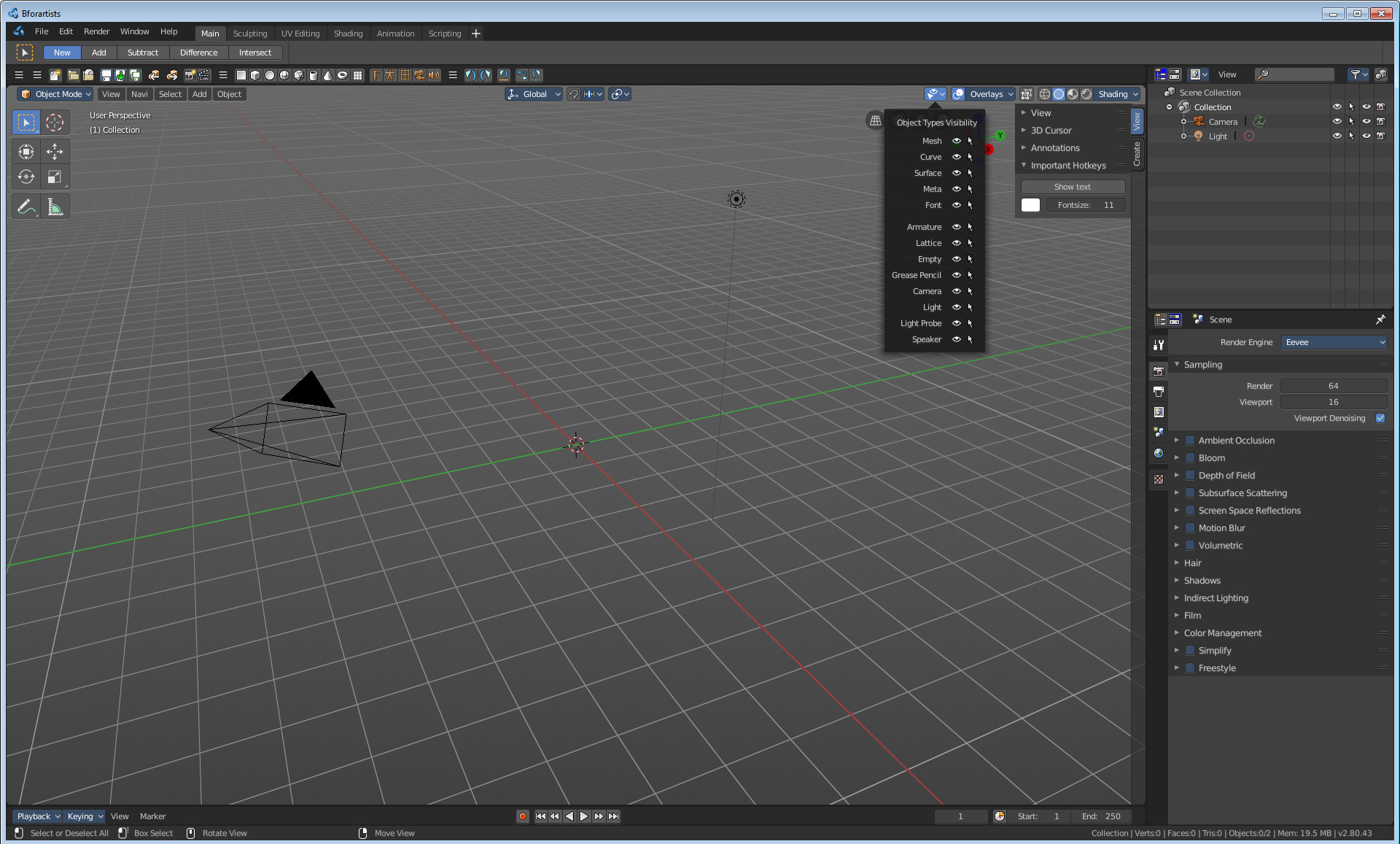
Fixed in master
Much better now.
ReinerBforartists
on 7 Feb 2019
Related issues
 Draise14
·
6Comments
Draise14
·
6Comments
 iyadahmed
·
7Comments
Draise14
·
5Comments
iyadahmed
·
7Comments
Draise14
·
5Comments
 Neshiah474
·
3Comments
iyadahmed
·
6Comments
Neshiah474
·
3Comments
iyadahmed
·
6Comments