Bforartists: 3D View - Hotkey only Operator - Transform Axis Target on lights has no UI entry
Issue
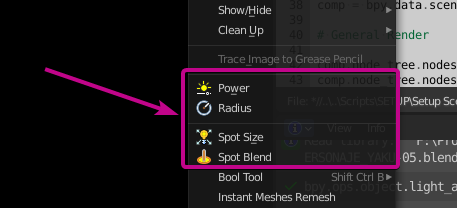
The SHIT+T operator "transform Axis to Target" when selecting a light has no UI entry, not in the Right Click specials menu nor in the light context sensitive menu. it's a hotkey only operator.
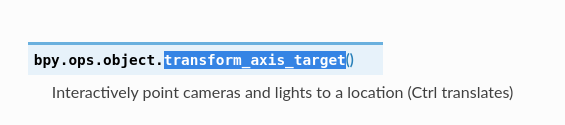
bpy.ops.object.transform_axis_target()
Task
Needs an icon
Needs to be placed both in the context based light selection operators and double right click Specials menu
 Draise14
All 21 comments
I can have a look, but as far as i remember it's a mouse operator.
 ReinerBforartists
on 22 Oct 2020
ReinerBforartists
on 22 Oct 2020
Even so.. never knew it existed. Could we still add it to the UI so it's easier to manage it's hotkey and know that the feature exists? With a tooltip to say it's an under mouse operation.
Maybe we can show these kinds of mouse only operators in the UI with the tooltip and a little asterisk in the name saying it's there to know it exists, learn about it, understand it - but it's use is hotkey recommended.
Like this:
Transform Axis to Target*
_I literally have used Blender and sometimes BFA for years before finding out the hotkey exclusive operators - and one of the reasons I use BFA is because you've added many to the UI again._
Draise14
on 22 Oct 2020
As told, i can have a look. But no promises.
I have a section for the hotkey only functionality in every editor chapter in the first chapter of it. And i think this entry is listed there. If not then we need to add it there.
ReinerBforartists
on 22 Oct 2020
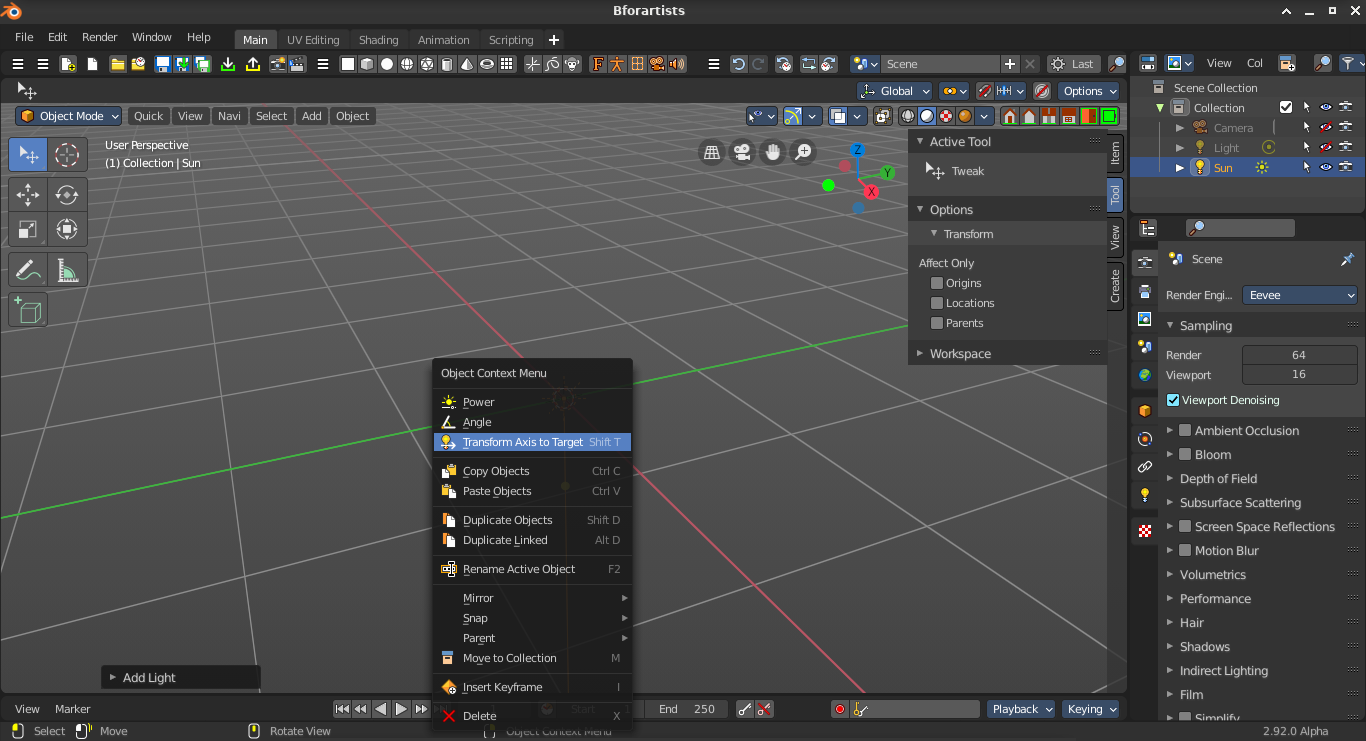
Hm, the context menu is mouse position dependant. Here we could definitely add the operator.
ReinerBforartists
on 26 Oct 2020
Now what to do with the regular UI entry. The object menu would be a place for it, when a lamp of the correct type is selected. We would need to add a hint towards hotkey only functionality then.
ReinerBforartists
on 26 Oct 2020
hmmm, should we edit the hint message?
we actually should because it says it works for cameras too, but it seems it deosn't
 iyadahmed
on 26 Oct 2020
iyadahmed
on 26 Oct 2020
Hm hm hm, never tested with a camera object. But yeah, does not work.
The functionality would be of interest for the camera too though. That's the point where one would have to start some investigation in the Blender manual ^^
ReinerBforartists
on 26 Oct 2020
indeed, the camera doesn't seem to work
maybe I should check the source of the operator
iyadahmed
on 26 Oct 2020
hmmm

iyadahmed
on 26 Oct 2020
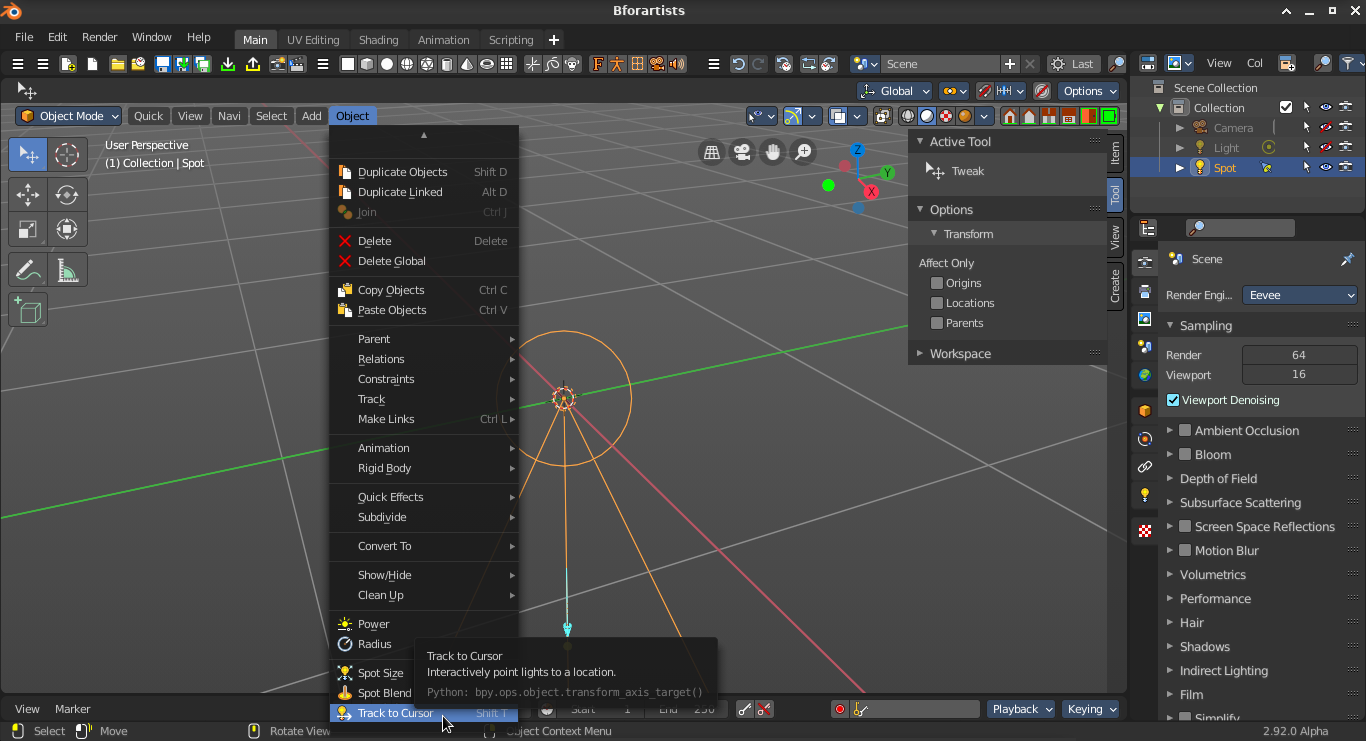
found a nicer name for the menu entry
iyadahmed
on 26 Oct 2020
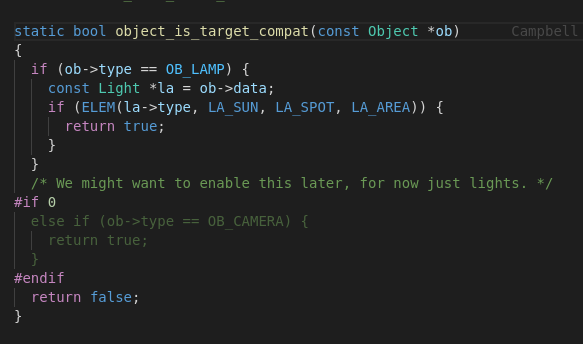
also this explains why it works only for these light types
and clearly doesn't work for cameras
source/blender/editors/object/object_transform.c
iyadahmed
on 26 Oct 2020
I have somehow the feeling that this operator is deprecated. It does not appear in the operators list. And it is buggy -.-
Hm. the new name is a bit misleading. It is meant to point a light towards an object. You need to shift select the object, then the light. That the functionality is a bit awkwards is typical Blender design ^^
ReinerBforartists
on 26 Oct 2020
Ah, there it is. Good catch. So scratch the camera from the tooltip.
We should also add a note how to use this tool. Something like this:
Select object, hold down shift, select camera, perform tool.
ReinerBforartists
on 26 Oct 2020
great, will add the note to the hint while at it
iyadahmed
on 26 Oct 2020
One of those rare cases where it makes sense to expand the original issue ...
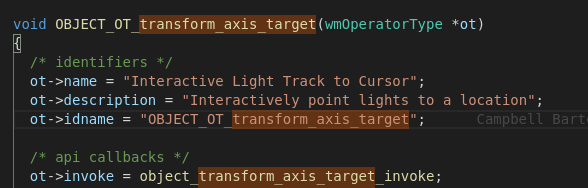
Still think about the tool name here. What about Light track to ? Or light transform to. Or simply use the original Blender operator name. Either way, the cursor is not involved.
ReinerBforartists
on 26 Oct 2020
agree, the name came from the name property of the operator, indeed "cursor" might be misleading, it refers to the mouse cursor instead
iyadahmed
on 26 Oct 2020
Yeah it points to the mouse. But through the target object. Makes it difficult to choose a good name here :)
ReinerBforartists
on 26 Oct 2020
Ah, you have removed the ctrl part from the tooltip. But i think this part is vital. With holding down ctrl too you can move the light and it still tries to point towards the target object. I would suggest to add this part back. It works, just tested ..
So much to consider here ^^
ReinerBforartists
on 26 Oct 2020
indeed, so tooltip needs to change again
Ah, there it is. Good catch. So scratch the camera from the tooltip.
We should also add a note how to use this tool. Something like this:
Select object, hold down shift, select camera, perform tool.
btw should I enable the camera to be target-able?, I couldn't get it to work without enabling it
iyadahmed
on 26 Oct 2020
No. As told, i think this operator is simply deprecated. It has a lousy usability anyways.
ReinerBforartists
on 26 Oct 2020
ok will edit back the tooltip
iyadahmed
on 26 Oct 2020
Related issues
iyadahmed
·
7Comments
ReinerBforartists
·
5Comments
Draise14
·
5Comments
Draise14
·
6Comments
 Neshiah474
·
3Comments
Neshiah474
·
3Comments
Most helpful comment
also this explains why it works only for these light types

and clearly doesn't work for cameras
source/blender/editors/object/object_transform.c