Azurestorageexplorer: Azure Storage Explorer Stuck at loading when installed with scoop
Storage Explorer Version: 1.14.2
Build Number: 20200715.2
Platform/OS: Windows 10
Architecture: ia32
Regression From: -
Bug Description
Azure Storage Explorer loads forever. Easy to reproduce this one.
Steps to Reproduce
- Install scoop.
scoop install storageexplorer
Expected Experience
The app should start, when running from: C:\Users\username\scoop\apps\storageexplorer\current\StorageExplorer.exe
(This is where the Start Menu shortcut points to)
It however does work when started from C:\Users\username\scoop\apps\storageexplorer\1.14.2\StorageExplorer.exe instead.
See: https://github.com/microsoft/AzureStorageExplorer/issues/578#issuecomment-663035885
Actual Experience
The app is stuck at:
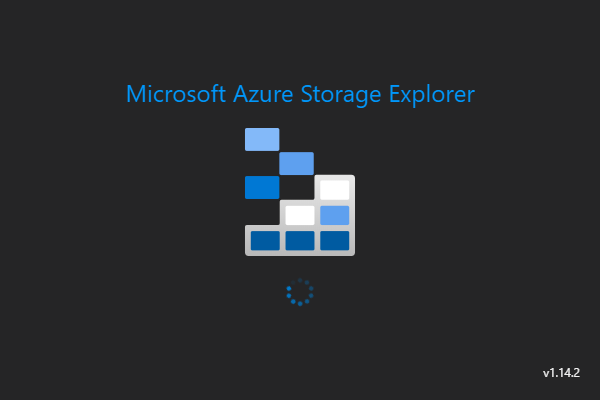
 gldraphael
All 2 comments
Hey @gldraphael, I just looked into this and I think the root cause is that the .exe is being launched from a folder which is a symlink on Windows. This scenario broke because of a fix we made for a security issue. We'll look into seeing how we can fix this side effect though.
 MRayermannMSFT
on 6 Aug 2020
MRayermannMSFT
on 6 Aug 2020
We have merged a fix for this issue for our 1.15.0 release. Unfortunately we don't manage the Storage Explorer bits on scoop so you may need to wait for someone to upload it so you can upgrade.
 JasonYeMSFT
on 14 Aug 2020
JasonYeMSFT
on 14 Aug 2020
Related issues
 eosho
·
3Comments
eosho
·
3Comments
 alaendle
·
5Comments
alaendle
·
5Comments
 niklas-e
·
4Comments
niklas-e
·
4Comments
 CurtMiller66
·
6Comments
CurtMiller66
·
6Comments
 jorgklein
·
4Comments
jorgklein
·
4Comments
Most helpful comment
Hey @gldraphael, I just looked into this and I think the root cause is that the .exe is being launched from a folder which is a symlink on Windows. This scenario broke because of a fix we made for a security issue. We'll look into seeing how we can fix this side effect though.