Azurestorageexplorer: Support HTTPS Emulator Endpoints
Is your feature request related to a problem? Please describe.
Yes, I'm running Azurite under HTTPS and cannot connect to it via Storage Explorer without HTTP to HTTPS redirects. Azurite doesn't officially support HTTPS, but we have devs that are asking for it.
Describe the solution you'd like
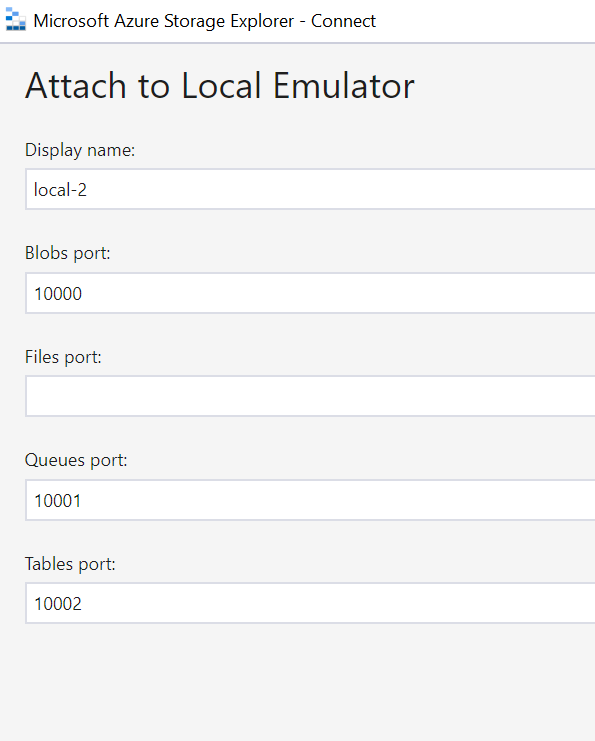
Allow us to specify HTTP or HTTPS in the attach to local emulator screen.
Describe alternatives you've considered
Reverse proxy to redirect HTTP to HTTPS, but that's more work than should be required.
Additional context
Add option to select HTTPS here:
 jongio
All 13 comments
Thanks for requesting the feature. Out of curiosity, can you share with us the steps to enable Azurite to work with HTTPS? It would be very helpful if we can learn how to do that for testing when we work on this feature request.
 JasonYeMSFT
on 5 Feb 2020
JasonYeMSFT
on 5 Feb 2020
As a stopgap to help customers use Azurite with HTTPS today. I posted a blog on how to use an HTTPS-HTTP reverse proxy in this blog post: https://blog.jongallant.com/2020/02/azurite-https-defaultazurecredential/
jongio
on 6 Feb 2020
Related customer request for Azurite HTTPS https://github.com/Azure/Azurite/issues/38
jongio
on 7 Feb 2020
User voice HTTPS request: https://feedback.azure.com/forums/217298-storage/suggestions/10221816-add-support-for-https-endpoints-to-azure-storage-e
jongio
on 7 Feb 2020
Putting this in 1.14.0, pending built-in support for this being added to Azurite.
 MRayermannMSFT
on 10 Feb 2020
MRayermannMSFT
on 10 Feb 2020
@MRayermannMSFT - By what date does Azurite need to support HTTPS in order for this to make it into 1.14?
jongio
on 10 Feb 2020
Early Q2 CY2020
 jinglouMSFT
on 10 Feb 2020
jinglouMSFT
on 10 Feb 2020
Issue is still open on Azurite. Will get to this once they support it natively.
MRayermannMSFT
on 13 Apr 2020
HTTPS/Azurite work is currently being implemented. Current POR is to release this month. I'll let you know when that happens.
jongio
on 13 Apr 2020
HTTPS now supported in Azurite 3.7.0. https://www.npmjs.com/package/azurite/v/3.7.0
jongio
on 17 Apr 2020
While testing this out with HTTPS Azurite connection string, I discovered that Storage Explorer doesn't support certs that have a self signed cert in the chain. See details here: https://github.com/Azure/Azurite/issues/430
I would like to discuss options - as the Azurite certs will most likely be generated with local CA, such as mkcert or dotnet dev-certs.
The only way around this, that I could find, it to set the following env var, which obviously isn't secure
set NODE_TLS_REJECT_UNAUTHORIZED=0
jongio
on 17 Apr 2020
@jongio we actually do support self signed certs! Go to Edit -> SSL Certificates -> Import Certificates
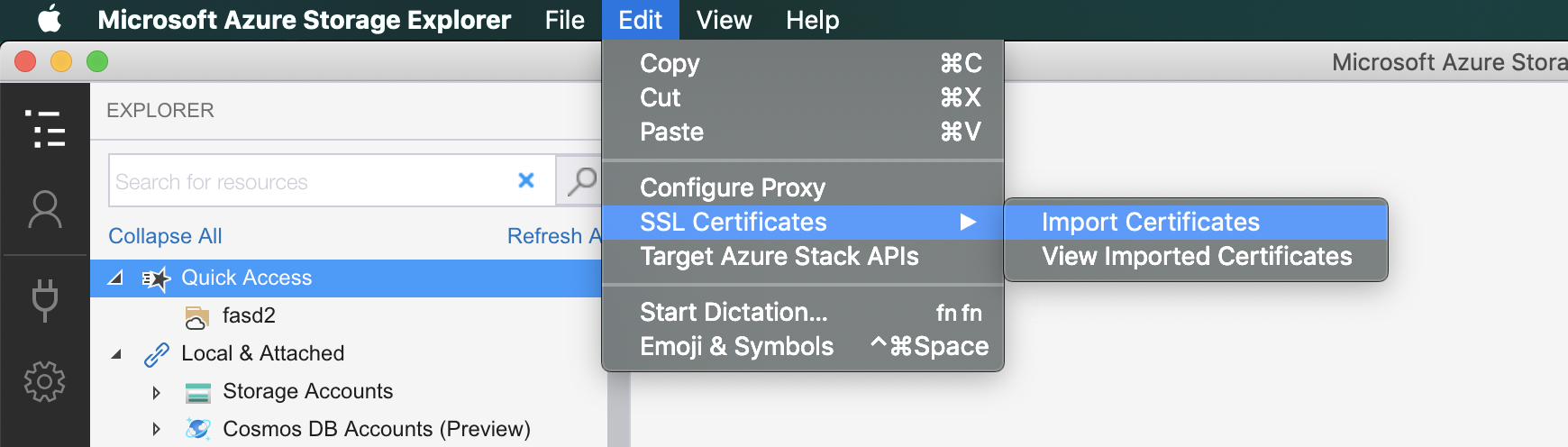
Your cert will need to be Base-64 encoded X.509 (.cer).
MRayermannMSFT
on 20 Apr 2020
I was able to get it to work by importing the rootCA.pem file found in mkcert -CAROOT. Thank you.
I will update the Azurite docs to indicate this feature.
I created a new issue to suggest adding the import cert feature info to the dialog: #2852
Let's use this issue to track adding HTTPS support to the emulator add dialog:
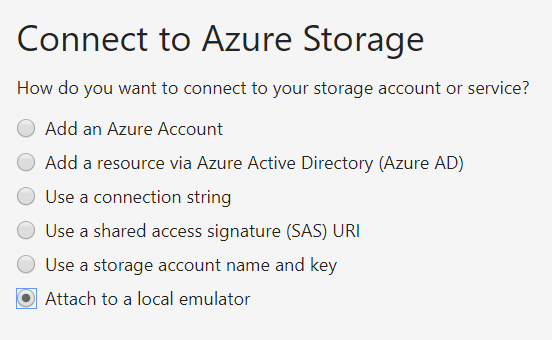
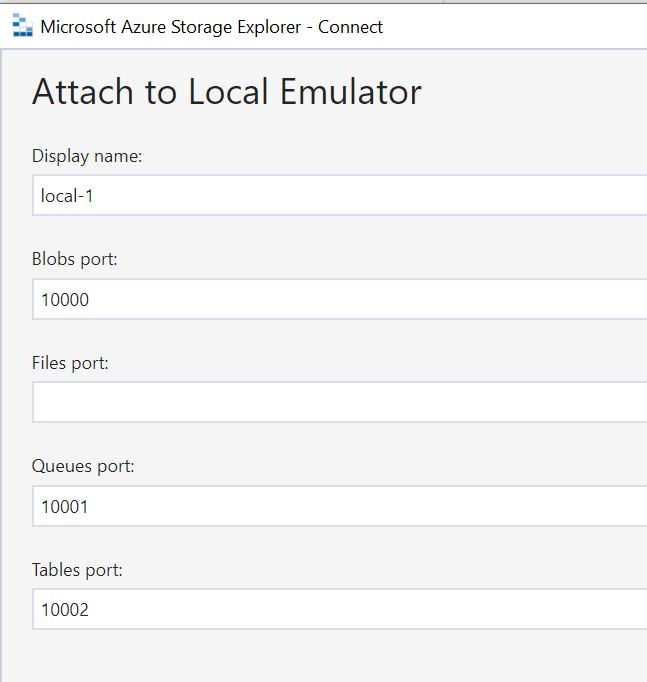
That way I don't have to use connection string.
Also, if the user selects "HTTPS" - it would be great if you could prompt them to let them know they should import their SSL cert.
Thanks,
Jon
jongio
on 20 Apr 2020
Related issues
 sholman
·
3Comments
sholman
·
3Comments
 niklas-e
·
4Comments
niklas-e
·
4Comments
 timoklimmer
·
6Comments
timoklimmer
·
6Comments
 CurtMiller66
·
6Comments
CurtMiller66
·
6Comments
 cbailiss
·
6Comments
cbailiss
·
6Comments
Most helpful comment
@jongio we actually do support self signed certs! Go to Edit -> SSL Certificates -> Import Certificates
Your cert will need to be Base-64 encoded X.509 (.cer).