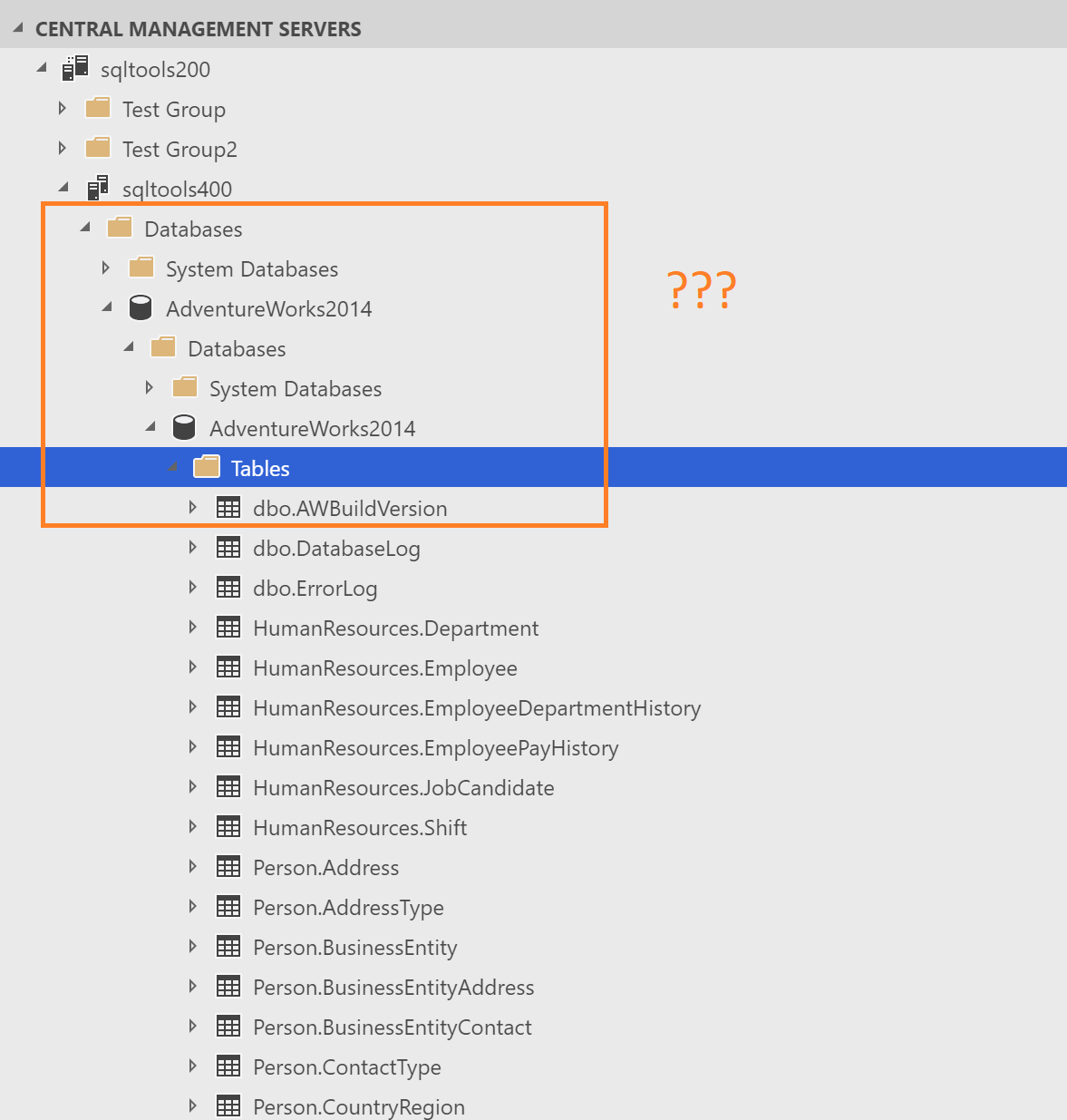
Azuredatastudio: CMS tree is showing Database nodes twice
- Azure Data Studio Version:
master
Steps to Reproduce:
- Add a CMS server and browse through the tree
Expected: The Database folder is only list once
Actual: The Database folder is nested under database nodes
 kburtram
All 5 comments
@Charles-Gagnon @abist I'm guess is this related to the change to no longer distinguish between Database and Server connections in OE.
kburtram
on 10 Jul 2019
Yeah - the whole thing seems to be scoped to the Server level. There's the Security and Server Objects folders as well. I bet this is because of my change to default connections to be server-scoped for user DBs instead of DB scoped.
 Charles-Gagnon
on 10 Jul 2019
Charles-Gagnon
on 10 Jul 2019
Beat me to it =)
Charles-Gagnon
on 10 Jul 2019
Probably we can live with this for July and work through a fix from August. I don't think it's a good idea to touch that part of the code at this point, IMO.
kburtram
on 10 Jul 2019
Verified that this is no longer an issue after reverting the server-scoped connection changes.
Charles-Gagnon
on 4 Sep 2019
Related issues
 mayurrumal1
·
3Comments
mayurrumal1
·
3Comments
 Ungerfall
·
3Comments
Ungerfall
·
3Comments
 carloscfcortez
·
3Comments
carloscfcortez
·
3Comments
 haydnlj
·
3Comments
haydnlj
·
3Comments
 blackTay
·
3Comments
blackTay
·
3Comments
Most helpful comment
Probably we can live with this for July and work through a fix from August. I don't think it's a good idea to touch that part of the code at this point, IMO.