Azuredatastudio: Auto Connection
Issue Type: Feature Request
When you have only 1 or even 1 active SQL connection, CTRL+N should auto connect to this for the new query (for default database). Currently you have to select the server from the tree, otherwise no connection is established adding extra steps and delays.
Azure Data Studio version: azuredatastudio 1.13.1 (d08d07fe39c7fe74f9265db02cb963c38d048299, 2019-11-14T23:08:09.800Z)
OS version: Windows_NT x64 10.0.17763
 haydnlj
All 3 comments
I think it could use the selected database in "SERVERS explorer" to create the right SQL connection. Same as using right button -> new query
 fravelgue
on 29 Jan 2020
fravelgue
on 29 Jan 2020
@fravelgue That'll be the behavior in the next release (it's currently active in the latest insiders builds). If you have a active focus in a connected editor it'll use that connection - otherwise it'll use the currently selected server from the Servers treeview.
What @haydnlj is suggesting is slightly different - in that case he's suggesting that it use the connection even if there isn't one specifically selected in the tree as long as there's only one connection. That functionality doesn't exist currently but I've put it in the backlog of feature improvements to look at in the future.
 Charles-Gagnon
on 29 Jan 2020
Charles-Gagnon
on 29 Jan 2020
I would like a related suggestion:
Scenario:
I have two servers (one localhost for development, one on my server).
I have a query that I use very often (and it's nice ADS always load with that query on screen, even if I hadn't save it.)
Now, I'm in this screen:

When I press the execute query keyboard shortcut (in my case, [Ctrl]+[E]), it could use the VSCode default selection tool to ask me where I want to connect, since I'm disconnected:
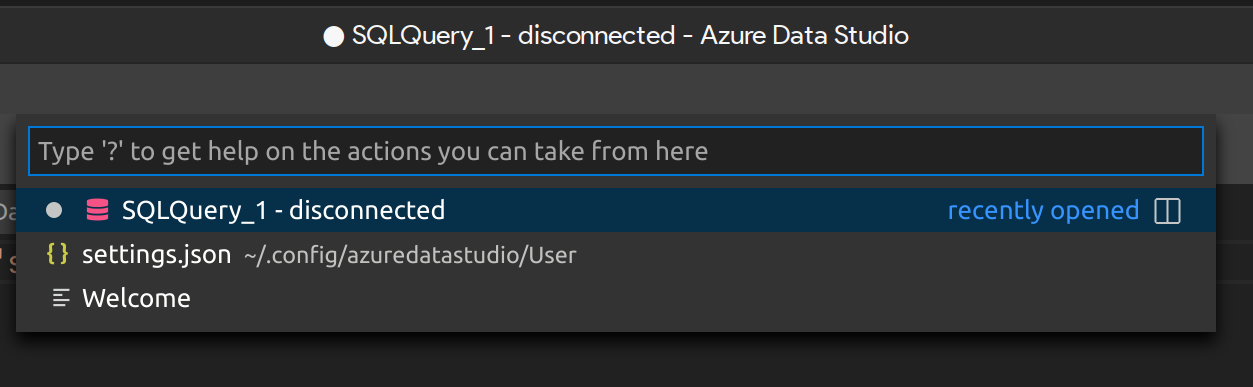
(Of course, imagine those options being the servers that are configurated in the Servers tree (and a nice last option: "Connect to new server")).
To put a nice cherry in this cake, we could pinpoint or order this list (so, it would be simple as [Ctrl]+[E], [Down], [Enter] and done, the query is run on the first server on the list (which is my development server because I set the order to 0 or set it as pinned and is the first one on the window))
One nice exemple of this is this clipboard cycler from ubuntu:
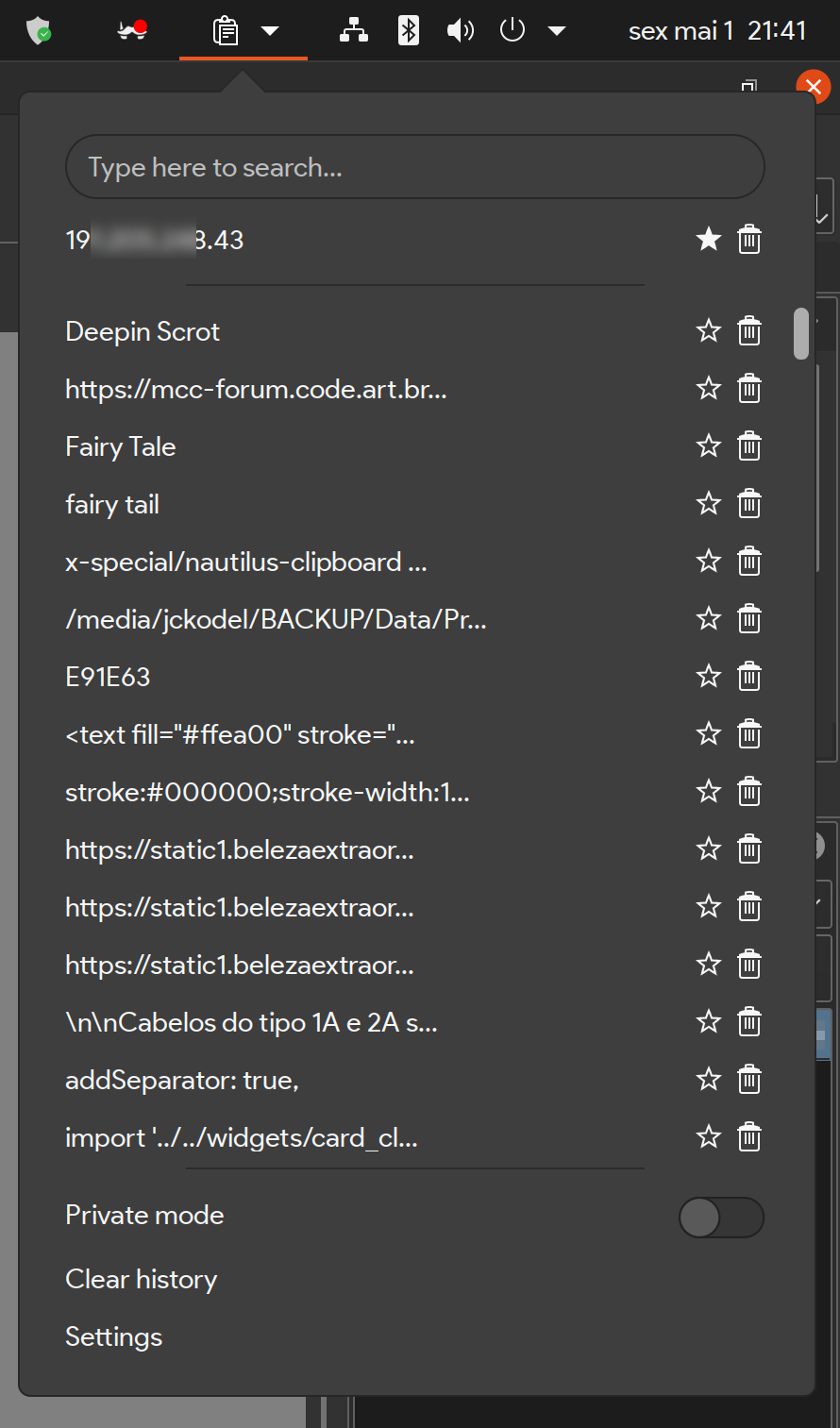
I can pinpoint each entry using the ⭐ button, so they are pinned and appear first.
 JCKodel
on 2 May 2020
JCKodel
on 2 May 2020
Related issues
 stevenreddie
·
3Comments
stevenreddie
·
3Comments
 kburtram
·
3Comments
kburtram
·
3Comments
 squillace
·
3Comments
squillace
·
3Comments
 mayurrumal1
·
3Comments
mayurrumal1
·
3Comments
 MsSQLGirl
·
3Comments
MsSQLGirl
·
3Comments
Most helpful comment
@fravelgue That'll be the behavior in the next release (it's currently active in the latest insiders builds). If you have a active focus in a connected editor it'll use that connection - otherwise it'll use the currently selected server from the Servers treeview.
What @haydnlj is suggesting is slightly different - in that case he's suggesting that it use the connection even if there isn't one specifically selected in the tree as long as there's only one connection. That functionality doesn't exist currently but I've put it in the backlog of feature improvements to look at in the future.