Azuredatastudio: connection window bug after reopening notebook
When opening a previously saved notebook, it is impossilbe to connect to a postgres server: all saved and recent connections appear to be empty and under "connection type", only "Microsft SQL Server" and not "Postgres" is in the drop down menu.
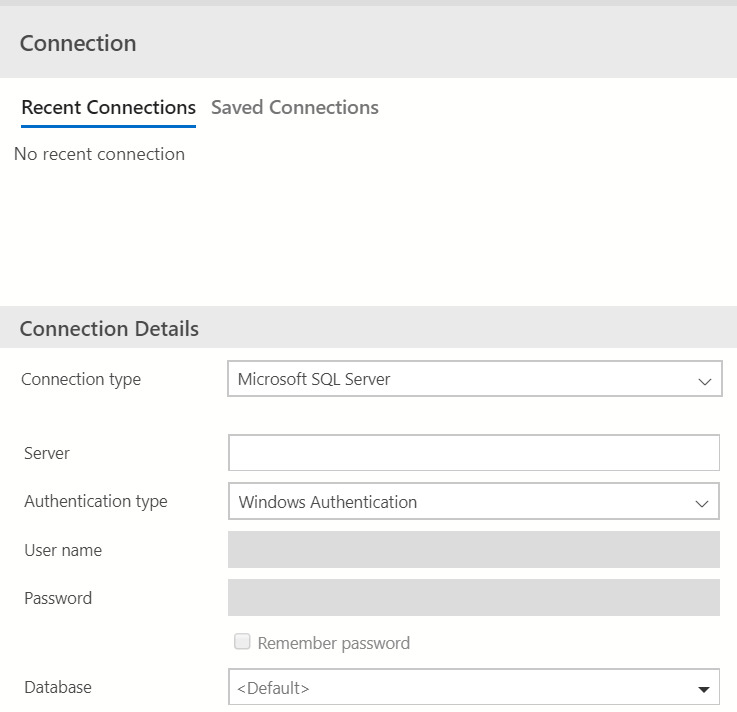
Work around: save the notebook as a new file with a new name. Then a recent / new postgres connection can be selected
Azure Data Studio Version: 1.16.1
PostgreSQL extension: 0.2.5
Steps to Reproduce:
- Open a saved notebook. This one should have been previously connected to a postgres server.
- Attach to > Change Connection. The Connection window should open.
- Voilà: all recent / saved connections appear to be empty. The "Connection Type" dropdown contains only "Microsoft SQL Server".
 blackTay
All 3 comments
Thanks for submitting this issue. Please also check if it is already covered by an existing one, like:
![adsbot[bot] picture](https://avatars.githubusercontent.com/in/25741?v=4&s=40) adsbot[bot]
on 22 Apr 2020
adsbot[bot]
on 22 Apr 2020
Thanks for submitting this issue. Please also check if it is already covered by an existing one, like:
* [Setting to choose between Recent and Saved connections (#1246)](https://www.github.com/microsoft/azuredatastudio/issues/1246)
No. This is a bug.
blackTay
on 22 Apr 2020
I believe I have been hitting the same issue described here. It is very confusing.
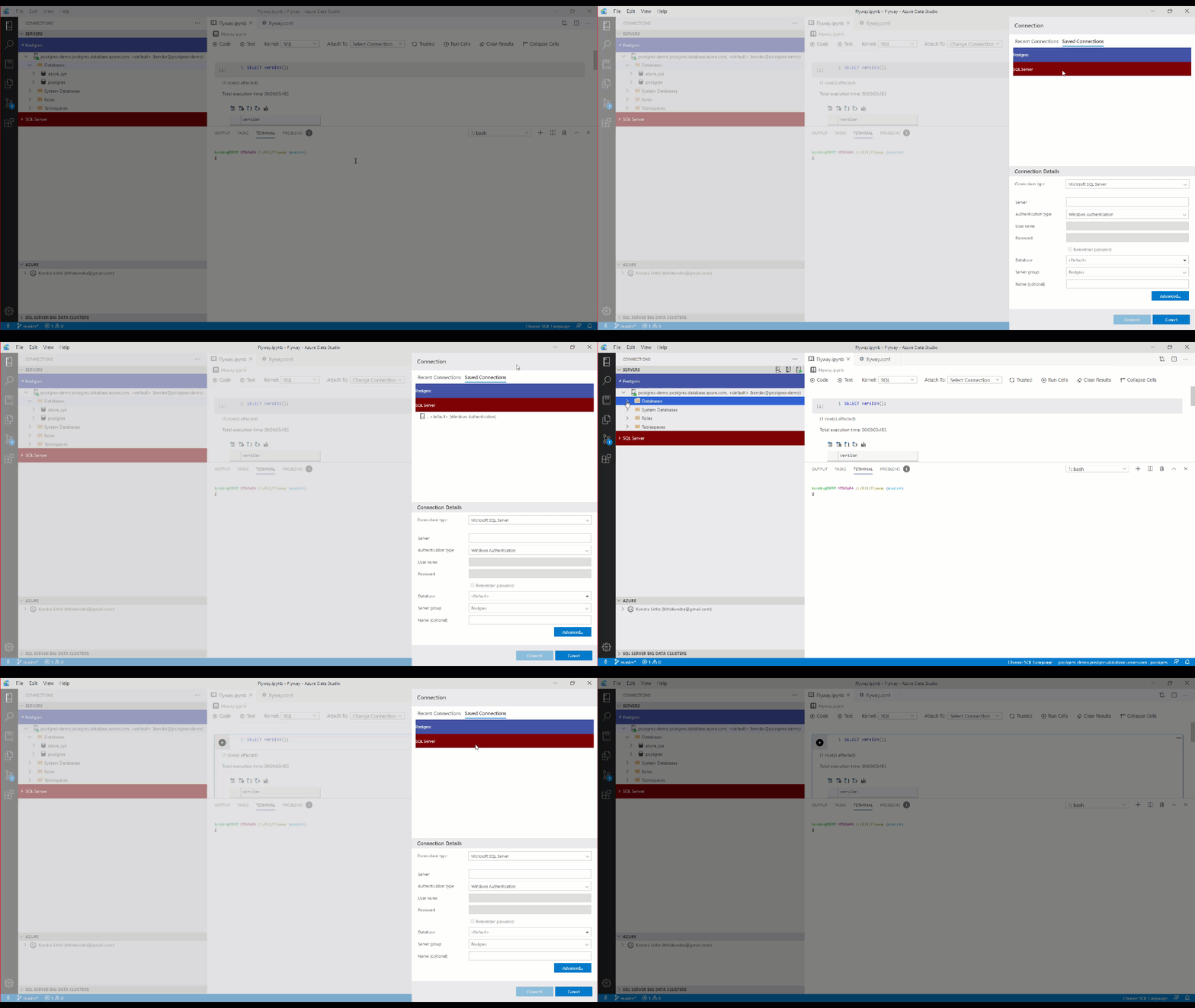
 LitKnd
on 24 Apr 2020
LitKnd
on 24 Apr 2020
Related issues
 ottadvantage
·
3Comments
ottadvantage
·
3Comments
 kburtram
·
3Comments
kburtram
·
3Comments
kburtram
·
3Comments
kburtram
·
3Comments
 mayurrumal1
·
3Comments
mayurrumal1
·
3Comments
 MsSQLGirl
·
3Comments
MsSQLGirl
·
3Comments