Azuredatastudio: Azure explorer node spins forever when credentials are expired
- Azure Data Studio Version: 1.15.0
Steps to Reproduce:
- Add Azure accounts and let the credentials expire
- Expand one of the subscription nodes
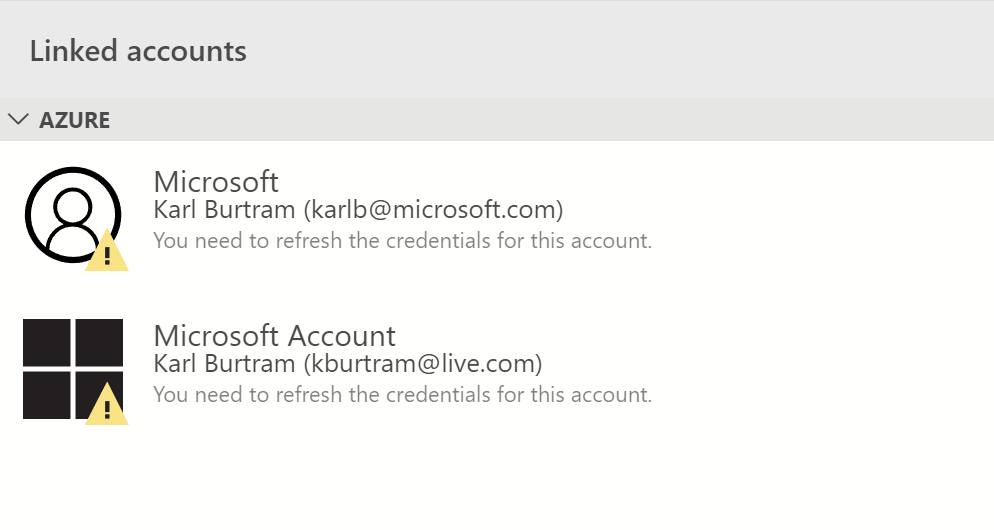
Expected: Error message that credentials need to refreshed and perhaps the Account dialog should be displayed
Actual: The node spins forever with no error message.
Azure explorer looks like this
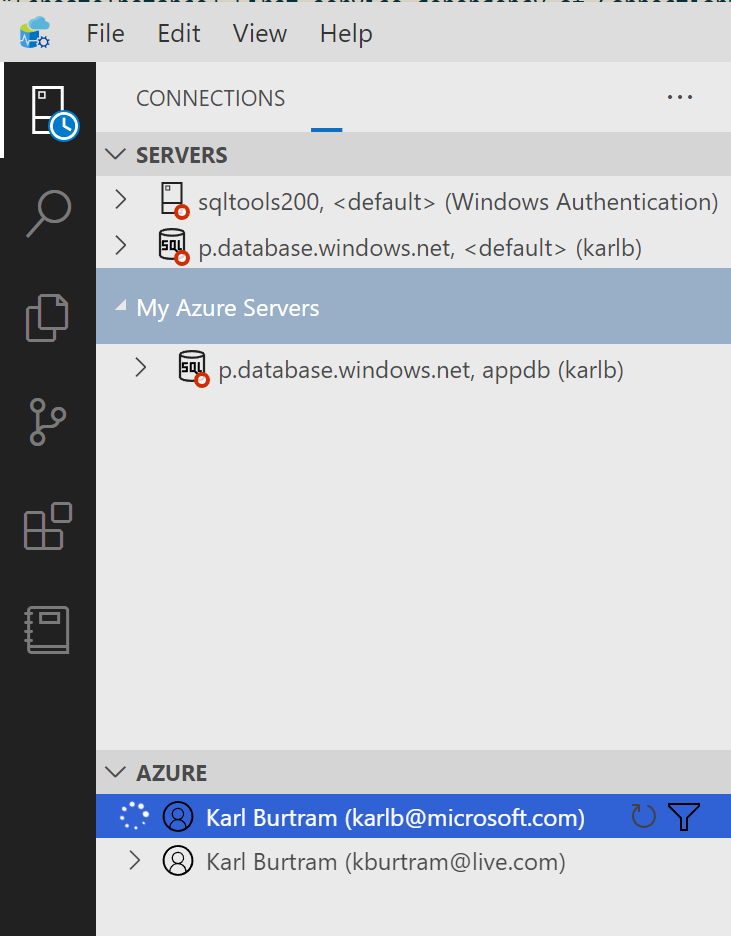
Accounts are expired
 kburtram
All 3 comments
@aaomidi This might be fixed now with the work you're doing right now, is that correct?
 abist
on 18 Mar 2020
abist
on 18 Mar 2020
Yeah this is fixed with the new azure auth.
 aaomidi
on 18 Mar 2020
aaomidi
on 18 Mar 2020
👍1
@aaomidi Should this issue be closed then?
abist
on 18 Mar 2020
👍1
Was this page helpful?
0 / 5 - 0 ratings
Related issues
 haydnlj
·
3Comments
haydnlj
·
3Comments
 blackTay
·
3Comments
blackTay
·
3Comments
 kfrajtak
·
3Comments
kfrajtak
·
3Comments
 RobLW
·
3Comments
RobLW
·
3Comments
 squillace
·
3Comments
squillace
·
3Comments