Azuredatastudio: Can no longer export results to Excel, csv, or json
So prior to the new update SQL Ops Studio this was working, after the new update today, all this functionality is lost,
I can attempt to export the file to say excel or csv, but when you go look for it nothing was written, no file anywhere ,
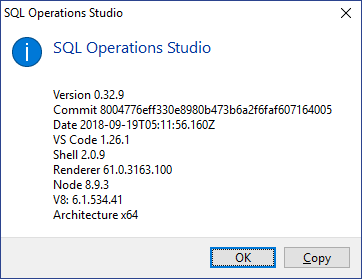
- SQL Operations Studio Version:
Steps to Reproduce:
 dbarob
All 8 comments
Same here, on build 0.32.8: it must be noted that, if a single row has been selected, the export succeeds.
Fortunately the previous build (0.32.7) was available to download and works properly, so I'm just avoiding updates at the moment.
 pmanna
on 31 Aug 2018
pmanna
on 31 Aug 2018
looks like if you select all the records right click and export it works, still looking at the new features list.
dbarob
on 31 Aug 2018
@abist could you please take a look and see what happened her with the Export change in 0.32.8?
 kburtram
on 31 Aug 2018
kburtram
on 31 Aug 2018
@dbarob @pmanna Can you elaborate the steps to reproduce this issue? Are you directly clicking on the "Export to ..." buttons or Selecting a subset of the grid and right clicking to export into some file?
 abist
on 31 Aug 2018
abist
on 31 Aug 2018
If you do not select lines/records in the resultset,
(i.e. you want to export all lines) then the export fails.
work-around: in result set right-click, select-all, export as csv/json/excel
 GDmac
on 3 Sep 2018
GDmac
on 3 Sep 2018
@GDmac - what he said
dbarob
on 3 Sep 2018
This is now fixed in the new release. I'm going to close this issue, please feel free to reopen it if you see it again!
abist
on 7 Sep 2018
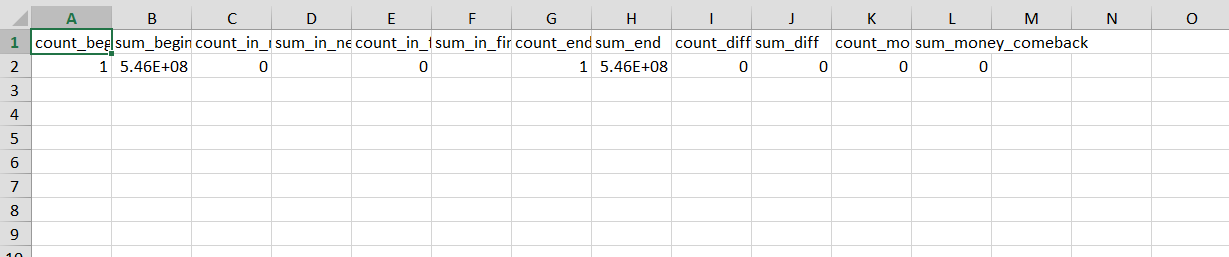
Problem with export to Excel.
- If you try to export the result to Excel after it is received, all the rows will be exported.
- But if you have selected any rows or all of them - you cant roll back rows selecting and your export will be contains only first row.
Example for reproduce:
- Execute some query where response have several rows
- Select all rows in the result panel:

- Export data to Excel
The result has just first row
 uniqalex
on 20 Sep 2018
uniqalex
on 20 Sep 2018
Related issues
 capnsue
·
48Comments
capnsue
·
48Comments
 nnnax
·
29Comments
nnnax
·
29Comments
 joshbooker
·
34Comments
joshbooker
·
34Comments
 jakodev
·
26Comments
jakodev
·
26Comments
 fabich
·
30Comments
fabich
·
30Comments
Most helpful comment
If you do not select lines/records in the resultset,
(i.e. you want to export all lines) then the export fails.
work-around: in result set right-click, select-all, export as csv/json/excel