Azuredatastudio: Setting sql.intelliSense.lowerCaseSuggestions to true has no effect
- SQL Operations Studio Version: sqlops 0.23.6 (8a3011756318a2ded1e6e84332230a2b2bf9c544, 2017-11-06T21:51:43.232Z)
- OS Version: Windows_NT x64 10.0.16299 / Ubuntu 17.10
Steps to Reproduce:
- Open User settings
- Insert the following line:
"sql.intelliSense.lowerCaseSuggestions": true - Start typing
selectin an open file
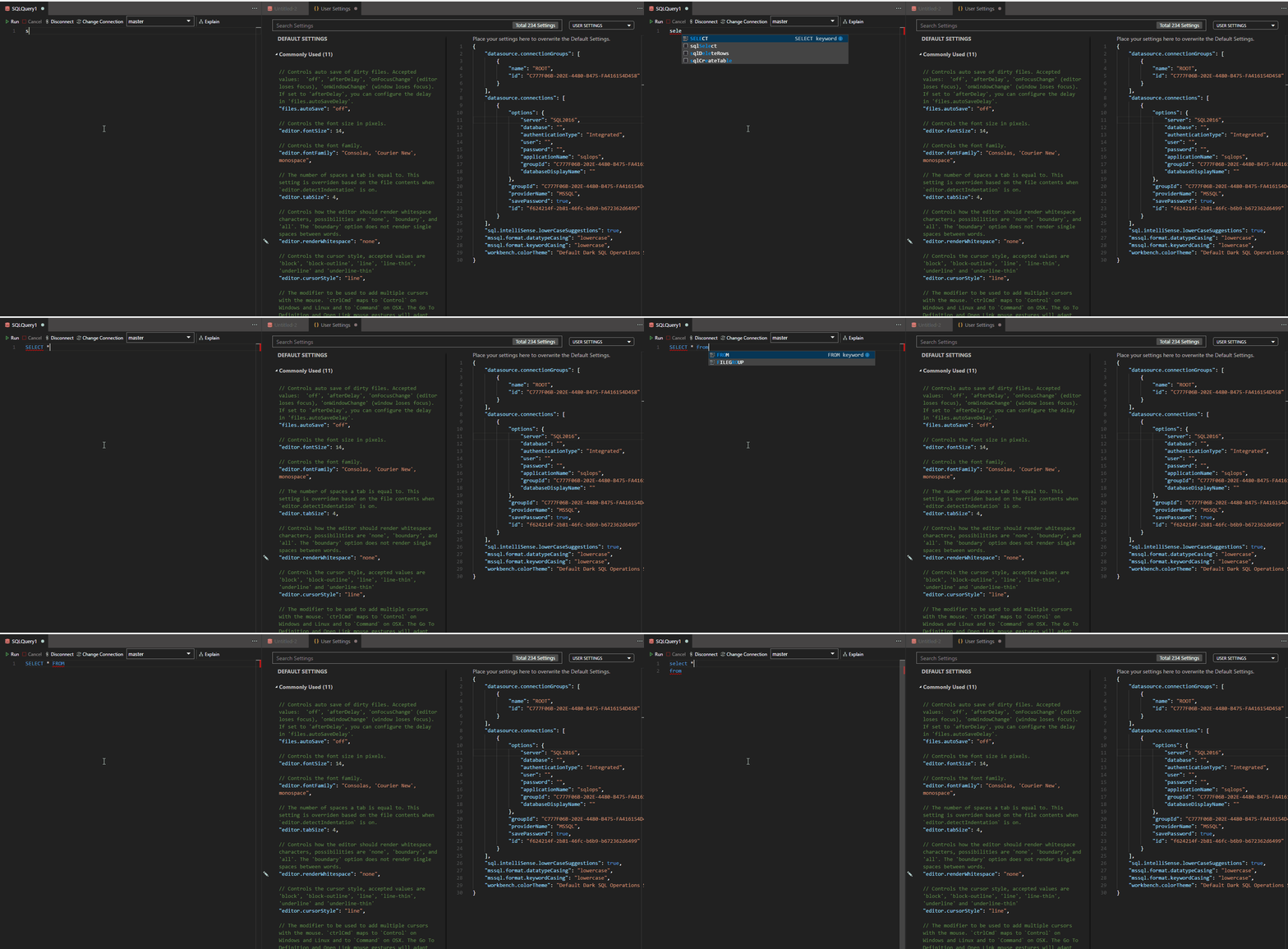
As the title says, setting the sql.intelliSense.lowerCaseSuggestions to true doesn't have any effect, I still get UPPERCASE IntelliSense.
Using the Format Document does make everything lowercase.
Here is a GIF demonstrating the issue (The settings are unsaved because I removed the SQL server password while recording):
 szszoke
👍3
All 2 comments
@szabolcsx this is a bug in the settings metadata. The setting name is actually mssql.intelliSense.lowerCaseSuggestions. We'll fix this in the next release.
 kburtram
on 29 Nov 2017
kburtram
on 29 Nov 2017
👍2
@kburtram thanks for the update! I updated my settings and now it works.
szszoke
on 29 Nov 2017
Was this page helpful?
0 / 5 - 0 ratings
Related issues
 blackTay
·
3Comments
blackTay
·
3Comments
 jsmith8858
·
3Comments
jsmith8858
·
3Comments
 Ungerfall
·
3Comments
Ungerfall
·
3Comments
 haydnlj
·
3Comments
haydnlj
·
3Comments
 carloscfcortez
·
3Comments
carloscfcortez
·
3Comments
Most helpful comment
@szabolcsx this is a bug in the settings metadata. The setting name is actually
mssql.intelliSense.lowerCaseSuggestions. We'll fix this in the next release.