Armory: Faces Not Triangulated on Export
(drag & drop zipped .blend file here)
I am working on an arch viz project, and when I cut a hole in the roof of the structure, it does not show in the armory player. The hole was cut with a boolean --- the cutter is hovering above the model in the .blend file
Roof After Boolean.zip
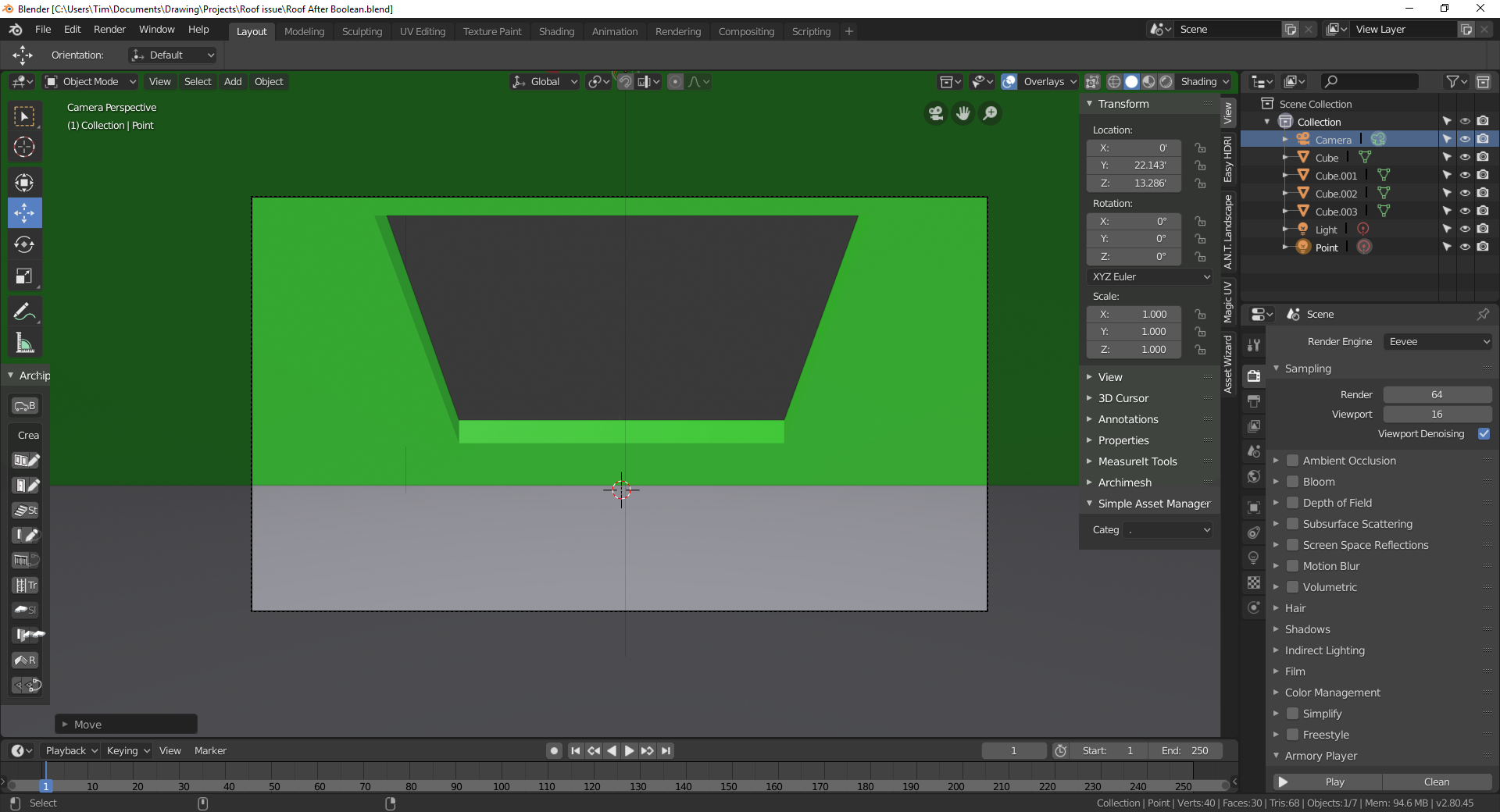
This is the workspace view
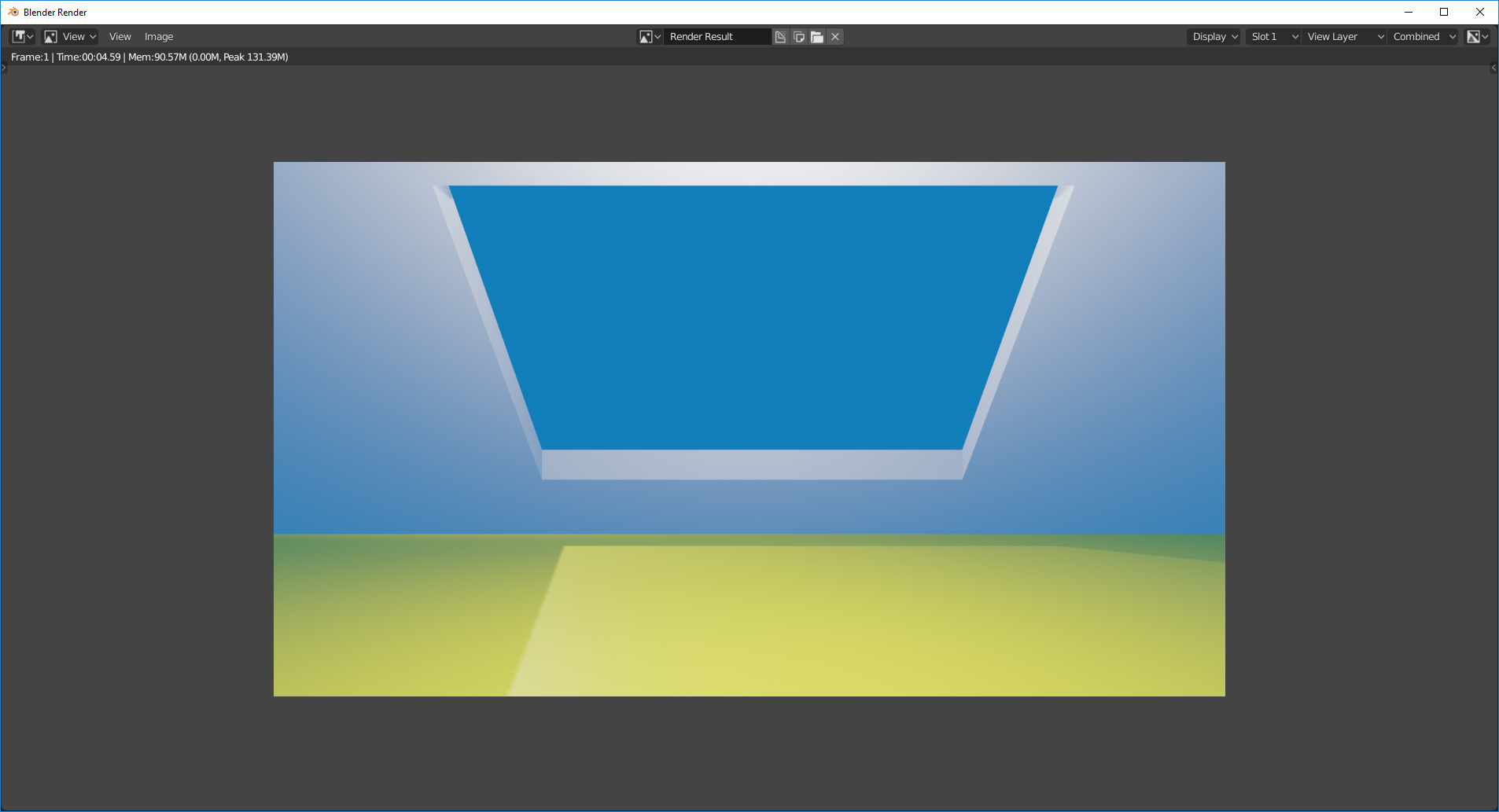
This is a quick EEVEE render of it
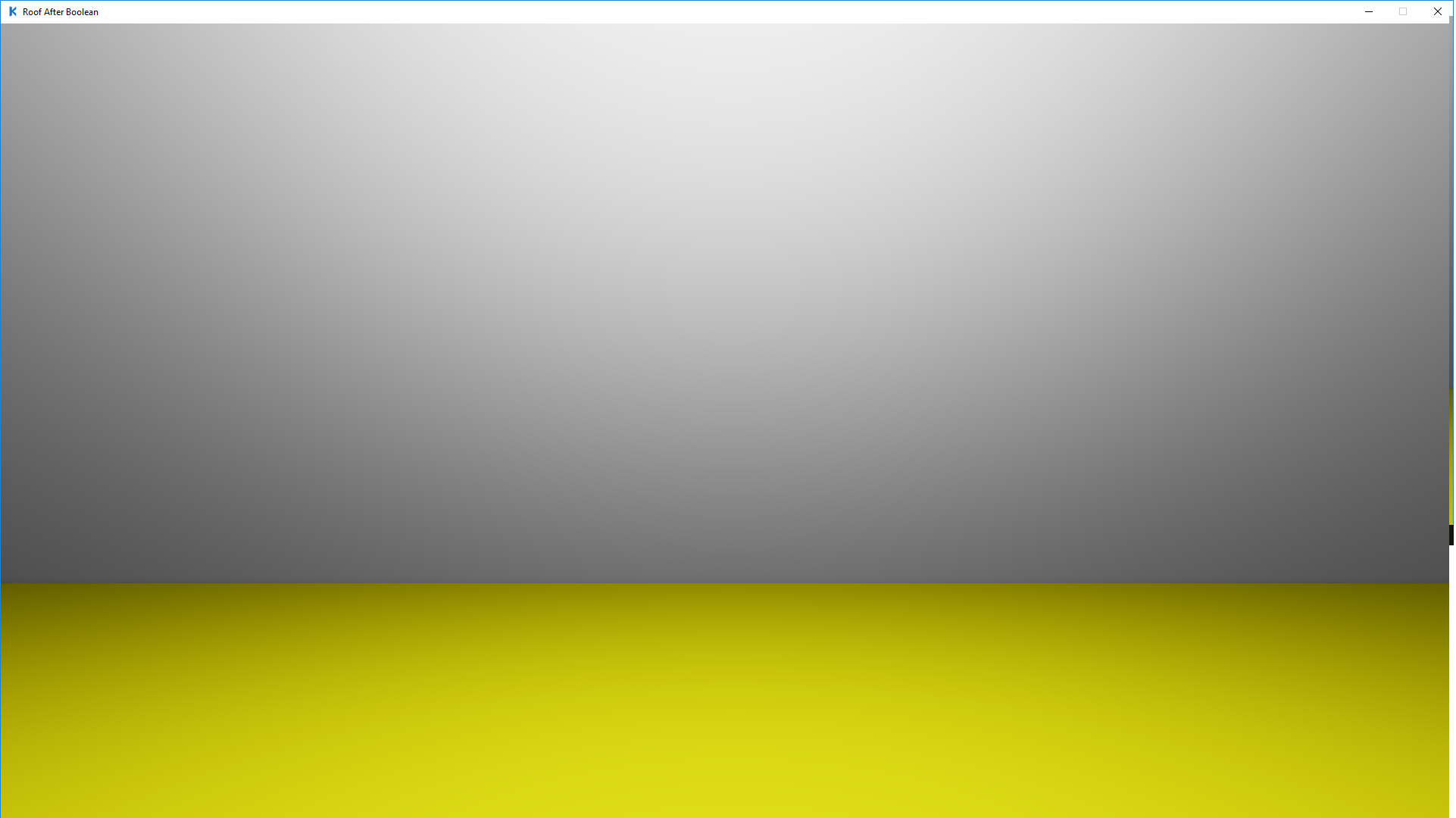
Finally is a screenshot of the Armory Player
The exact same thing happens when the hole is cut with a set of loops.
I'd be glad to submit anything else that is needed as well -- please let me know
Tim
 taholmes160
All 13 comments
As mentioned on this forum post this was just an issue with Armory not liking Ngons being used. When the mesh was triangulated, it works fine.
That said, if Blender can handle ngons and Armory can't, then we should really automatically apply a triangulate modifier to all ngons in a scene before compiling to fix these kinds of bugs.
 Bugsbane
on 11 Mar 2019
Bugsbane
on 11 Mar 2019
I'm pretty sure that Armory is supposed to triangulate the faces automatically on export, so I think this still counts as a bug, but we should rename the issue something like "Faces not triangulated on export".
 zicklag
on 11 Mar 2019
zicklag
on 11 Mar 2019
Is that something the system will handle, or do I need to rename it?
Tim
On Mon, Mar 11, 2019 at 12:28 PM Zicklag notifications@github.com wrote:
I'm pretty sure that Armory is supposed to triangulate the faces
automatically on export, so I think this still counts as a bug, but we
should rename the issue something like "Faces not triangulated on export".—
You are receiving this because you authored the thread.
Reply to this email directly, view it on GitHub
https://github.com/armory3d/armory/issues/1215#issuecomment-471614916,
or mute the thread
https://github.com/notifications/unsubscribe-auth/AXiok6QYBvpkr0waDNvlrntFCbFhCwQ1ks5vVoQUgaJpZM4bnY5q
.
taholmes160
on 11 Mar 2019
@taholmes160 You'll need to rename it.
zicklag
on 11 Mar 2019
Done
taholmes160
on 11 Mar 2019
@luboslenco Where is this automatic triangulate on export code? I would like to check it out and see if i can fix it
 BlackGoku36
on 14 Mar 2019
BlackGoku36
on 14 Mar 2019
@BlackGoku36 sounds good, the export code is located at:
https://github.com/armory3d/armory/blob/master/blender/arm/exporter.py#L952
Maybe helpful related issues:
https://github.com/armory3d/armory/issues/1148 https://github.com/armory3d/armory/issues/855
 luboslenco
on 14 Mar 2019
luboslenco
on 14 Mar 2019
 XQDD
on 14 Mar 2019
XQDD
on 14 Mar 2019
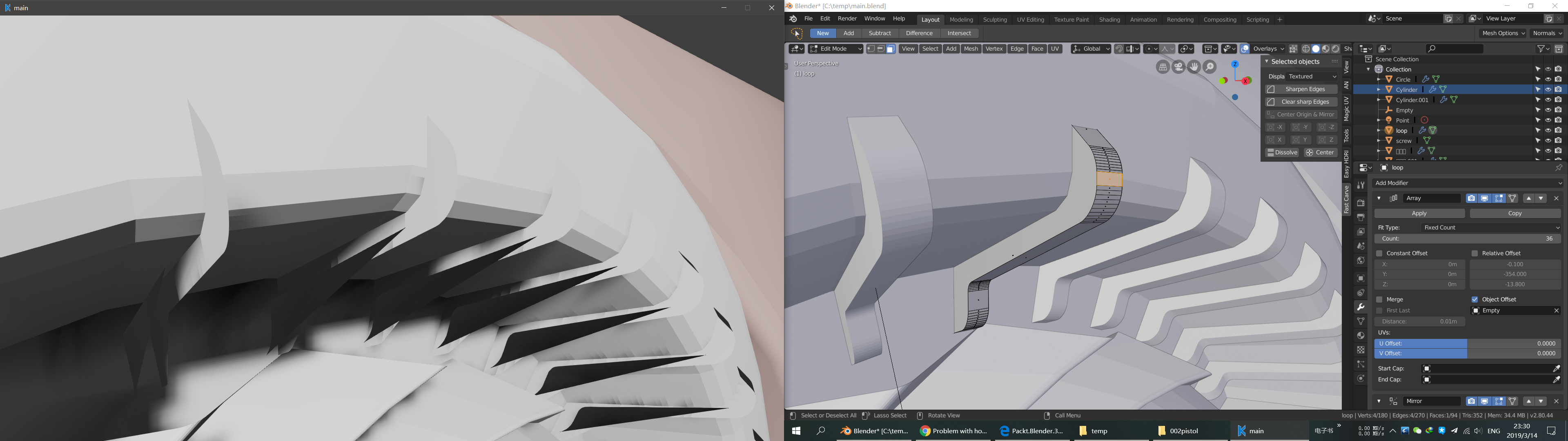
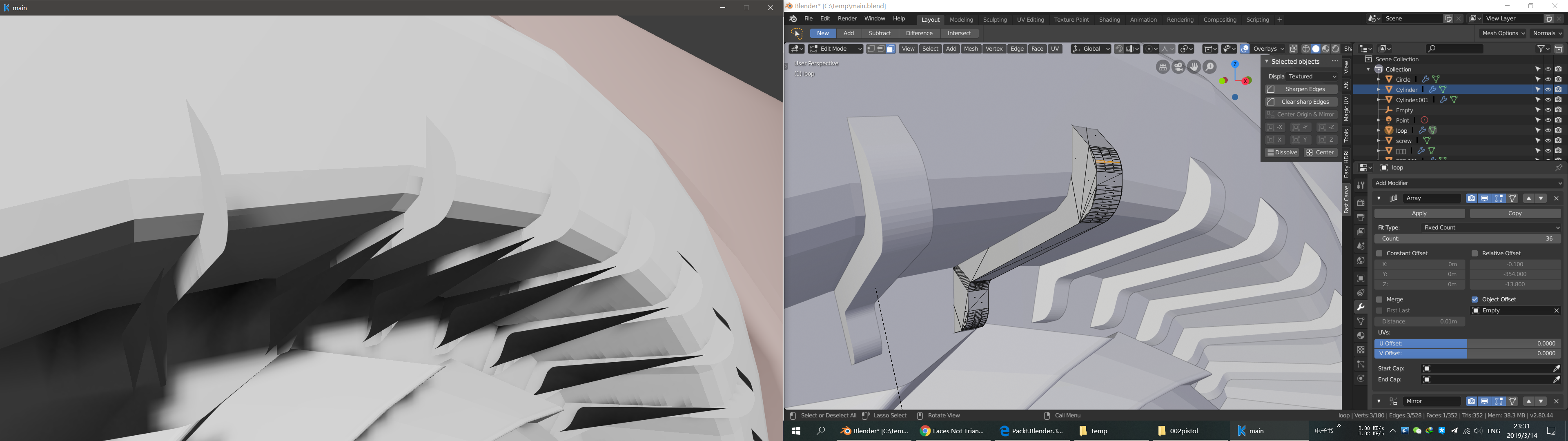
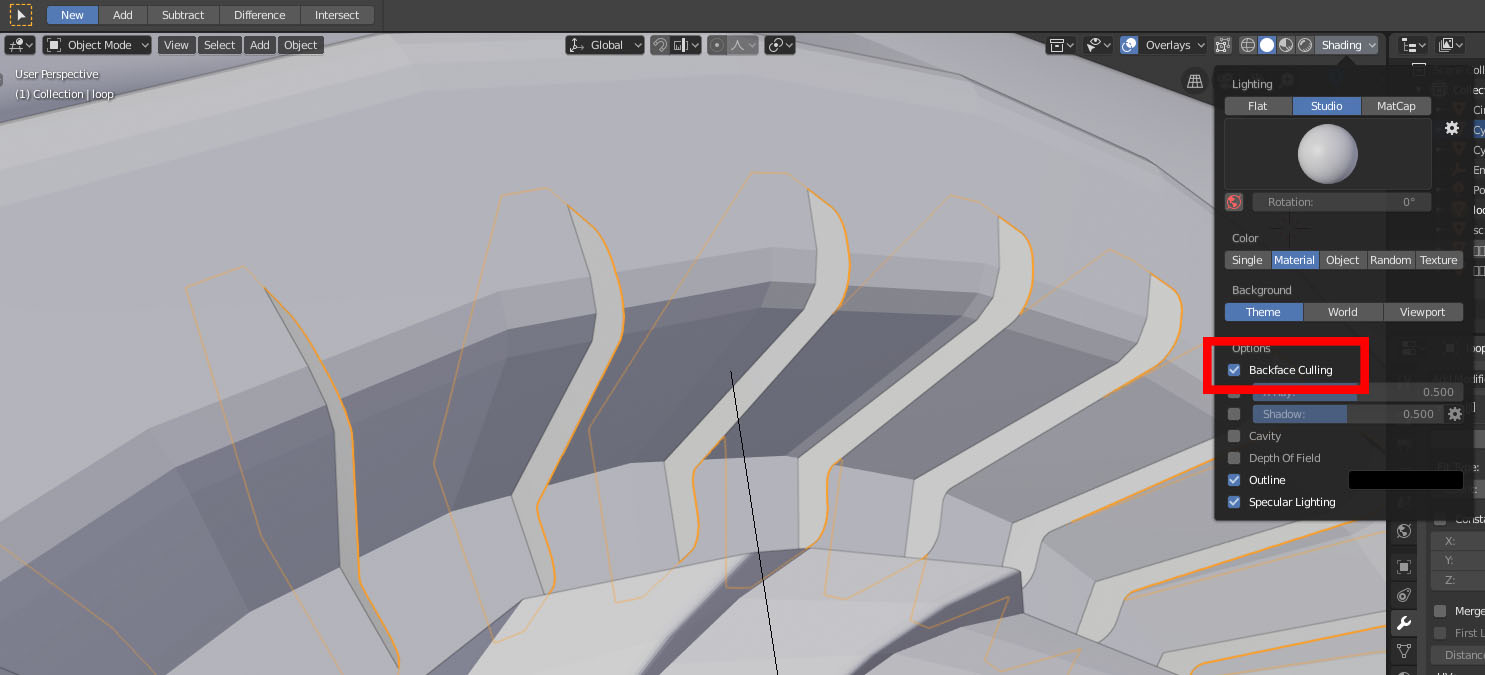
Your issue appears to be caused by inconsistent normals. You can enable backface culling in Blender to get the same result (or disable it for Armory in Armory Render Path but that will introduce performance hit).
luboslenco
on 14 Mar 2019
I think there should be a FAQ to explain some common mistakes...
XQDD
on 14 Mar 2019
@XQDD Maybe you should start the doc. :smiley: I think that it isn't a bad idea. This is definitely something I would have liked to known about. Either an FAQ or a Tips & Tricks type document.
The docs repo is here if you are interested.
zicklag
on 14 Mar 2019
No problem, and when I'm free I will do this
XQDD
on 15 Mar 2019
luboslenco
on 2 Oct 2019
Related issues
 knowledgenude
·
3Comments
knowledgenude
·
3Comments
 donalffons
·
4Comments
donalffons
·
4Comments
 HeadClot
·
3Comments
HeadClot
·
3Comments
 mushroomeo
·
4Comments
mushroomeo
·
4Comments
 Amir-Arsalan
·
4Comments
Amir-Arsalan
·
4Comments
Most helpful comment
No problem, and when I'm free I will do this