Armory: Black screen on android, Armory 0.6b
I'm building app using latest Armory3d version from repository.
When I run any app on Android 8.1.0 (phone TA-1047) it shows only black screen.
I've debugged it and Armory3d fails to show materials properly.
I've made app and manually loaded mesh with material into app.
And it worked, mesh did show.
So problem is either in exporting or displaying blender materials.
 html
html
All 5 comments
I'm debugging case and more accurate reason is shaders.
Setting proper shaders for material makes object visible.
Default shaders don't work.
html
on 26 Jan 2019
Did you try adding a Mobile render path preset:
http://forums.armory3d.org/t/apk-compiling-for-android-armory06-beta-win64/2506/2?u=zicklag
 zicklag
on 26 Jan 2019
zicklag
on 26 Jan 2019
Thanks that makes things little better, but cube has really bad form and color

html
on 27 Jan 2019
Found workaround to render app on android. It renders not in the best way but shows meshes and colors properly.
// Imports needed
import iron.RenderPath;
import armory.renderpath.Inc;

// Put this inside some trait to run at initialization
notifyOnInit(function() {
        var path = new RenderPath();
        path.commands = function() {
            path.setTarget("");
            path.clearTarget(0xFF87CEEB, 1.0); // Color to clear
            path.drawMeshes("mesh");
            Inc.bindShadowMap();
        };
        RenderPath.setActive(path);
});
This is mobile version
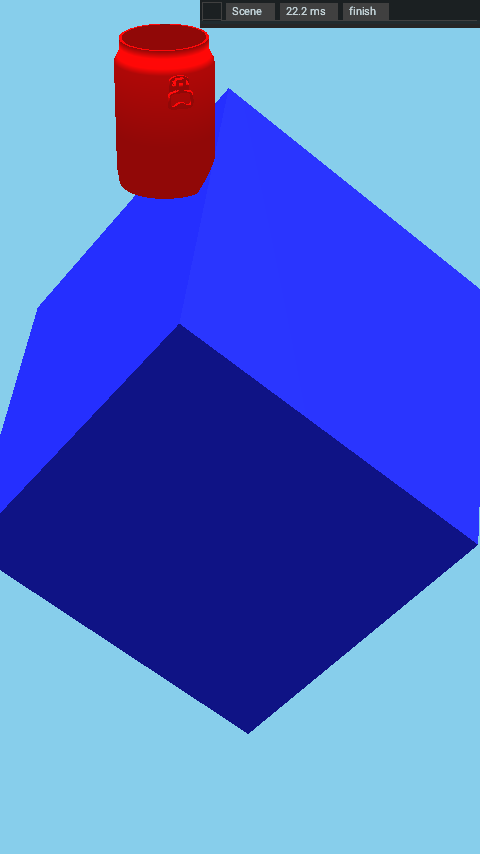
and this is desktop version without custom render path
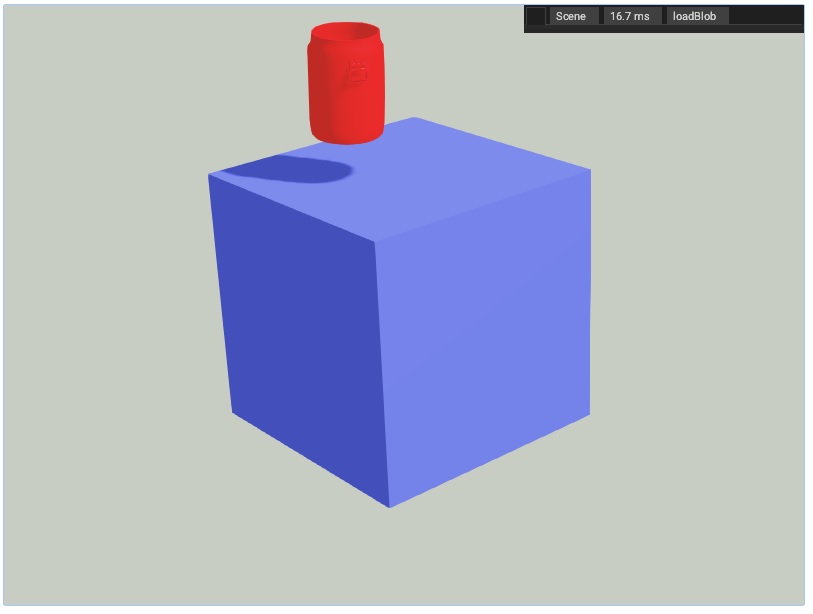
html
on 28 Jan 2019
I got proper rendering using mobile preset. It did not apply for the first time for some reason.
html
on 30 Jan 2019
Related issues
 donalffons
·
4Comments
donalffons
·
4Comments
 HeadClot
·
4Comments
HeadClot
·
4Comments
 Amir-Arsalan
·
4Comments
Amir-Arsalan
·
4Comments
 e1e5en-gd
·
3Comments
e1e5en-gd
·
3Comments
e1e5en-gd
·
3Comments
e1e5en-gd
·
3Comments
Most helpful comment
I got proper rendering using mobile preset. It did not apply for the first time for some reason.