Armory: Krom (Windows) - Canvas doesn't work
Description
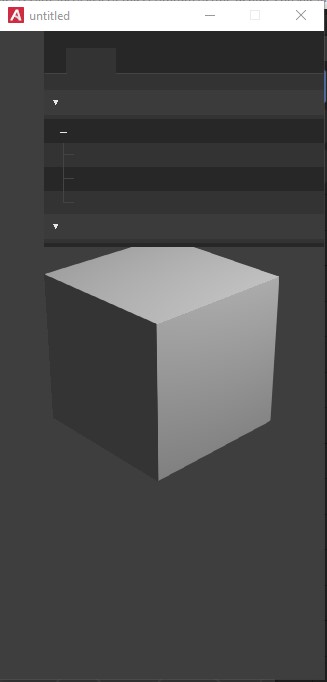
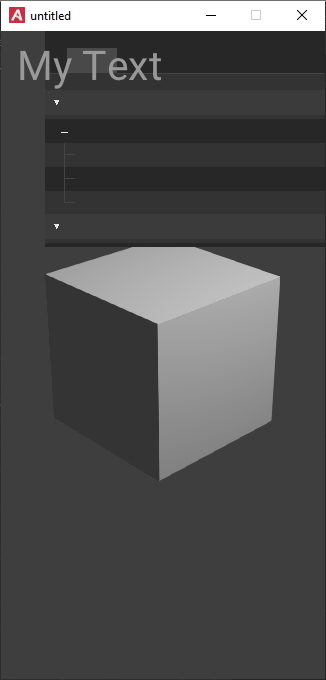
Added _UI_ in both cases.
_Canvas_ doesn't work
Problems:
- _Debug Console_ does not work, sometimes it is displayed, but in most cases there is simply no text;
- if added to the _UI_, then it is not displayed, and sometimes the application crashes at startup (there is no error in the console).
Clear doesn't help.
I also experimented: it looks like the problem is in Krom, tk. everything works fine in the browser.
When trying to _Clean_ up a project, sometimes I get the message:
_Armory Warning: Some files in the build folder are locked_
Perhaps this is my PC's problem.
To Reproduce
- In a new project, enable _Debug Console_.
- To have more instability, add _UI_ and bind to the scene.
System
Blender: 2.83.5
Armory: git commits 5bf0044 (from 18 Sep)
OS: Win 10
Test File
debug_console.zip
debug_console_ui.zip
 e1e5en-gd
All 3 comments
I have the same problem with Koui, so its not a particular issue with Zui. This might be related to the latest update of Kha/Krom for the ArmSDK.
@luboslenco Maybe Krom needs to be updated as well? I'm not sure how much work this is.
 MoritzBrueckner
on 21 Sep 2020
MoritzBrueckner
on 21 Sep 2020
Looks like this is fixed in the latest SDK to me, at least on Windows :) @e1e5en-gd can you confirm this?
MoritzBrueckner
on 1 Oct 2020
Working =)
e1e5en-gd
on 1 Oct 2020
Related issues
 luboslenco
·
3Comments
luboslenco
·
3Comments
 SeleDreams
·
3Comments
SeleDreams
·
3Comments
 HeadClot
·
4Comments
HeadClot
·
4Comments
 knowledgenude
·
3Comments
knowledgenude
·
3Comments
 Amir-Arsalan
·
4Comments
Amir-Arsalan
·
4Comments