App: Warning: Address not saved by seed phrase
Hi,
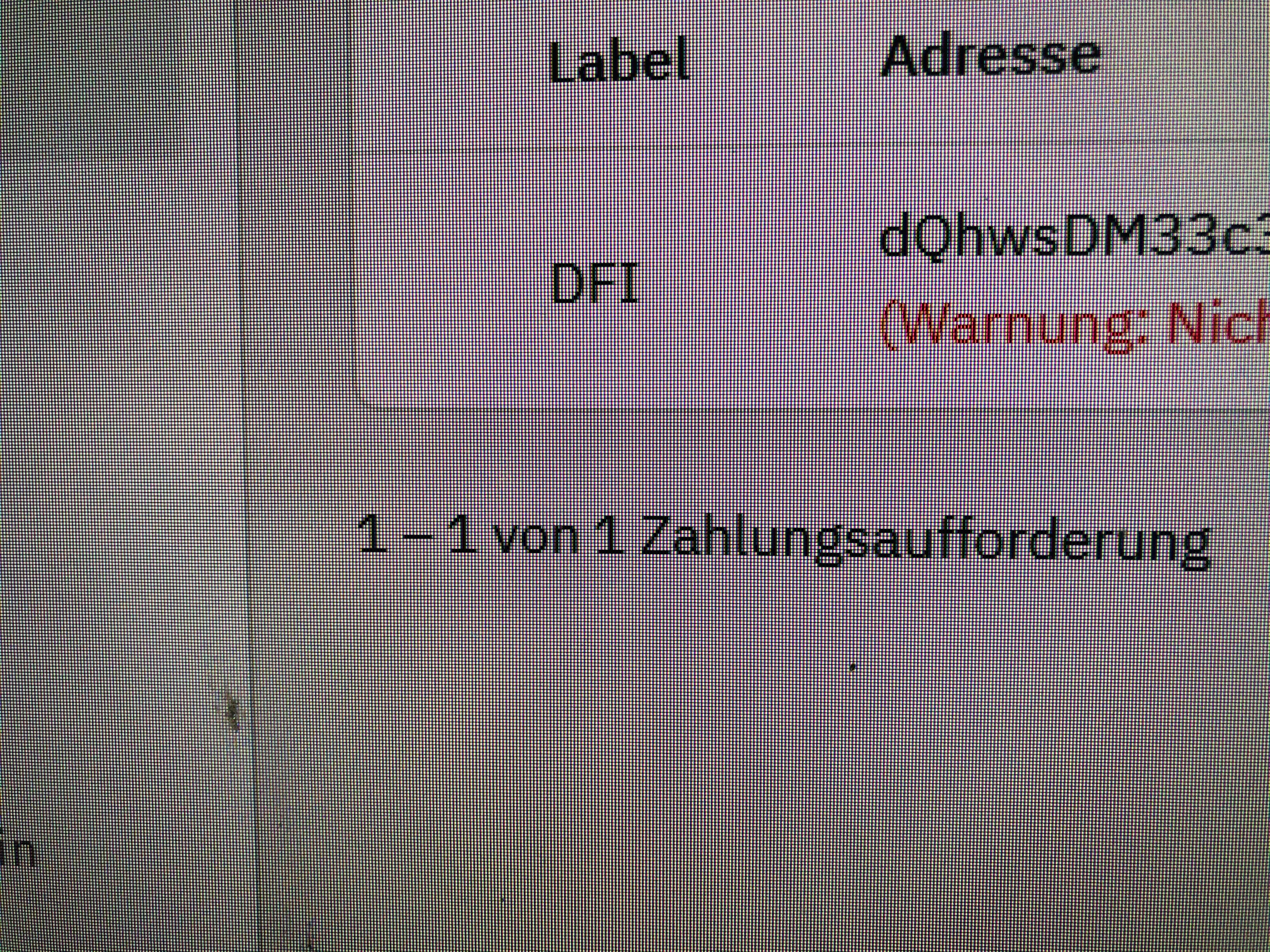
I did the seed phrase but wallet address did not shown up.
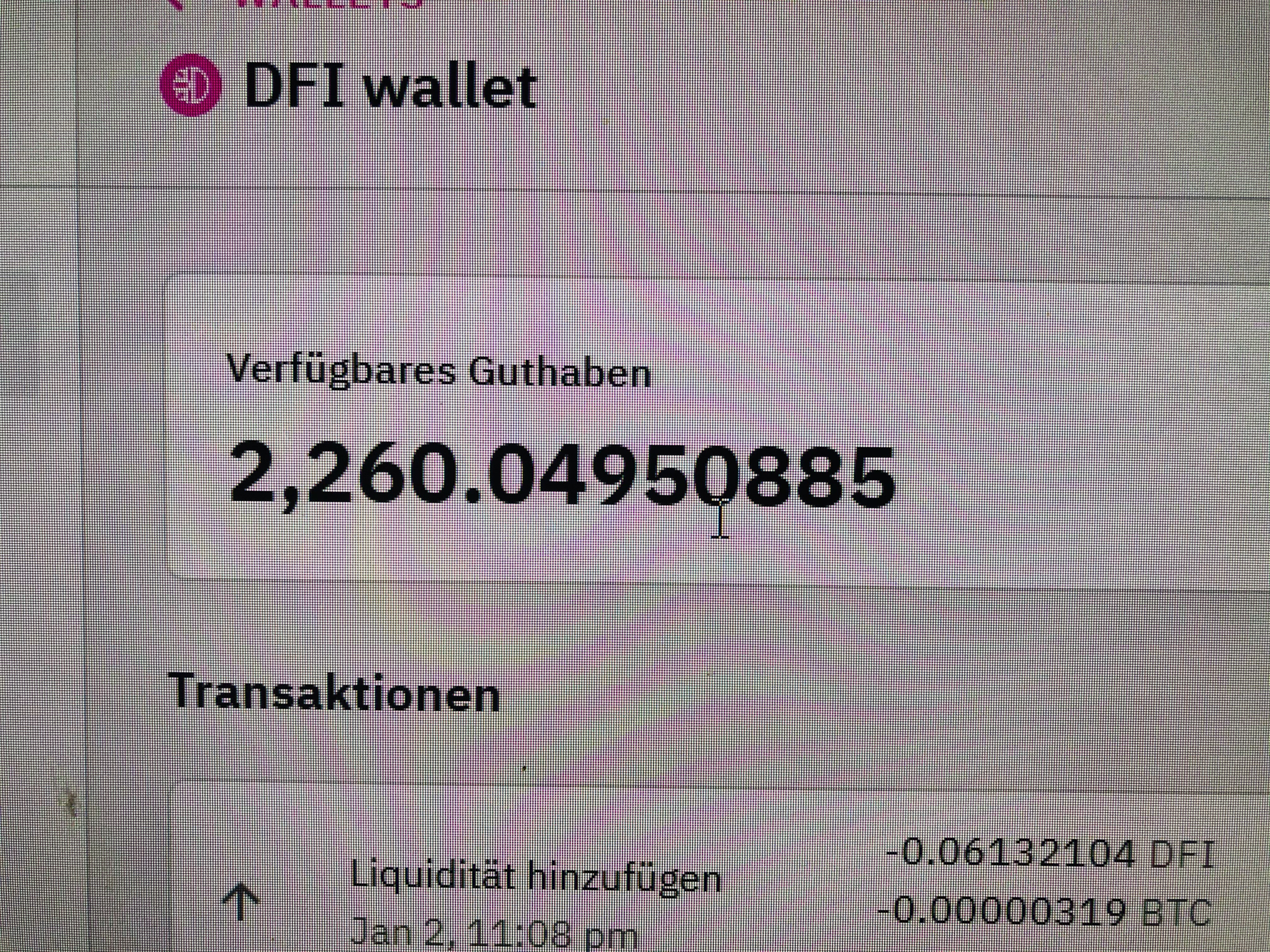
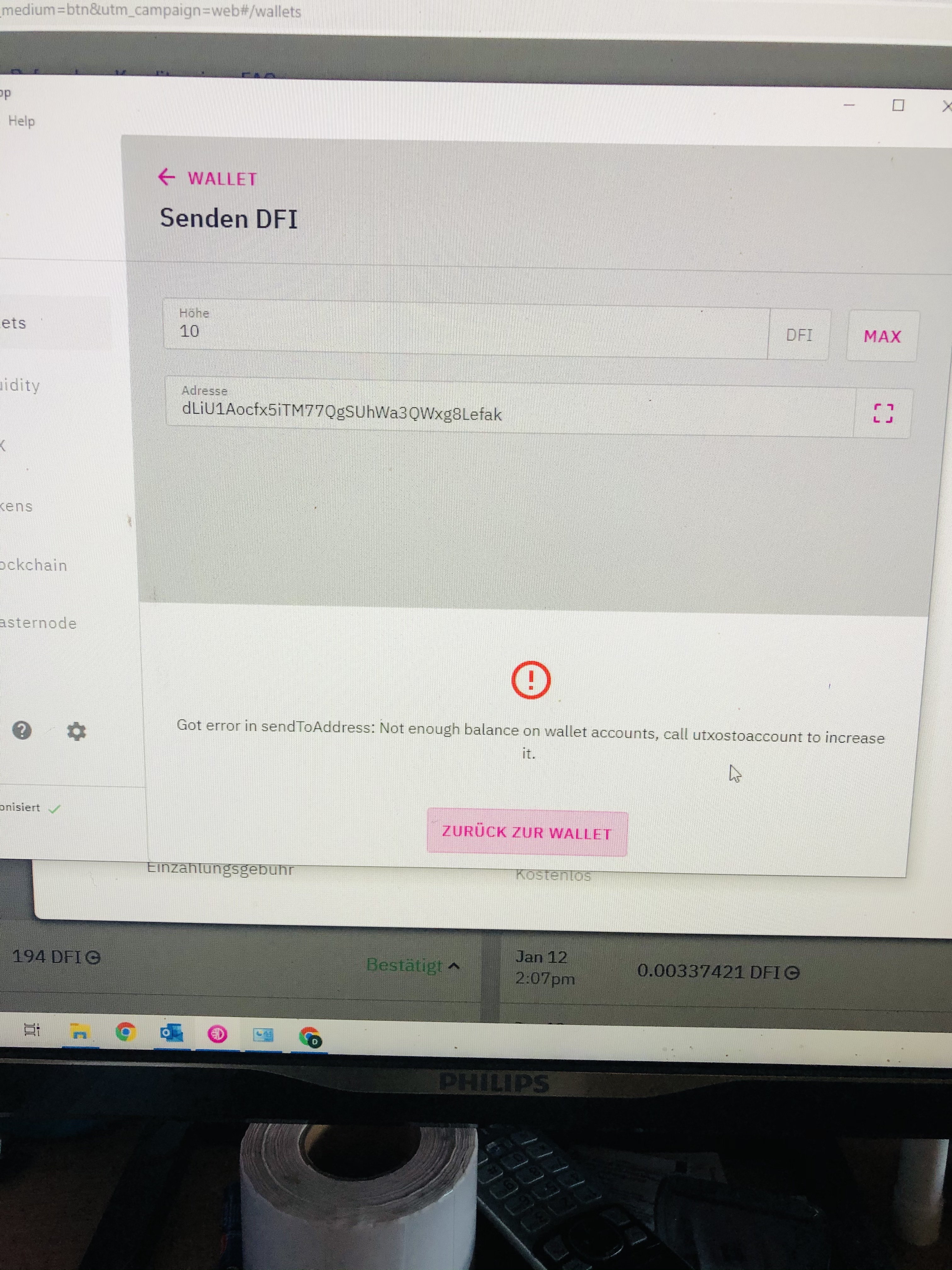
I create an new one with the (warning not secured by seed phrase) and wanted to send my funds but it shows not enough balance
 Di-rt
Di-rt
All 49 comments
Di-rt
on 12 Jan 2021
Di-rt
on 12 Jan 2021
Di-rt
on 12 Jan 2021
It also don't let me make an backup when I will do the backup no txt file shows up
Di-rt
on 12 Jan 2021
Di-rt
on 12 Jan 2021
Hi again @Di-rt , following from what you mentioned in https://github.com/DeFiCh/app/issues/220, what you suggested might be worth a shot, do understand that it’s your responsibility to keep yours funds safe.
Reminder to do backup wallet & save your mnemonic seed. In the event that you need to Restore Wallet via mnemonic seed and some random bug occurs, you could then import backup to get back to where you left off.
So you can your backup wallet but the file is empty?
The team is still investigating this Warning: Address not saved by seed phrase issue. Thank you for your understanding.
 izzycsy
on 12 Jan 2021
izzycsy
on 12 Jan 2021
Hi,
I did not have a backup file.
I only have the seed phrase. The addresses show up with the command in the cli listaccounts but the owner is empty.
This addresses can't be selected in the wallet.
I have some funds in liquidity mining and these can't be removed as well.
Yeah I now that it is my responsibility to keep the keys, so I did.
The backup file was not created by the app so like I can't do a backup I tried several times.
I hope there will be a solution soon since more people have this issue.
Thank you for your time and work.
Di-rt
on 13 Jan 2021
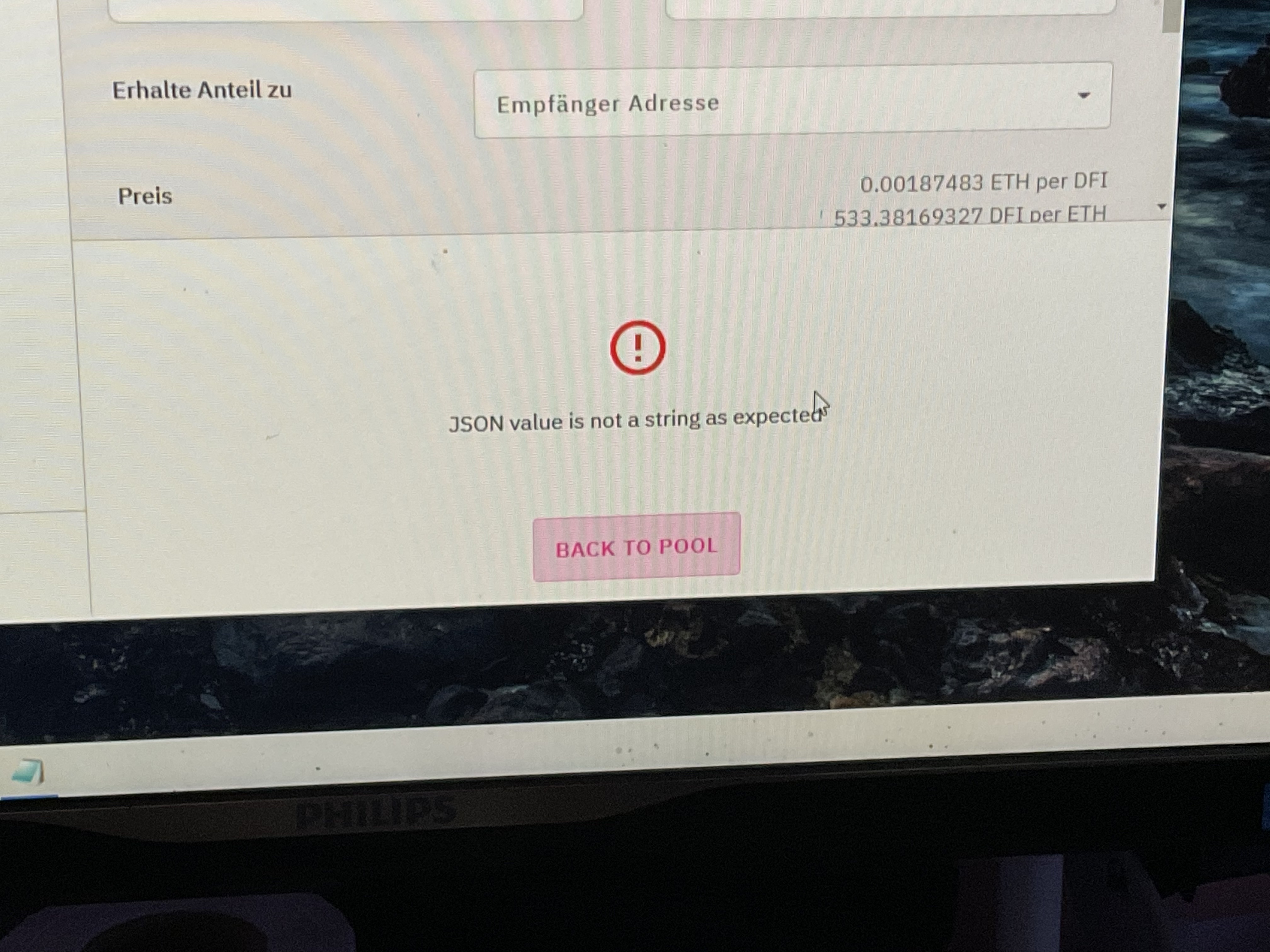
This shows up when I want to increase liquidity
Di-rt
on 13 Jan 2021
Hi @Di-rt , thanks for the update, the team is investigating this issue. Thank you.
izzycsy
on 13 Jan 2021
To users who are facing this issue, please backup wallet to ensure the safety of your tokens https://www.reddit.com/r/defiblockchain/comments/kwdd6n/backup_wallet_to_ensure_the_safety_of_your_tokens/.
izzycsy
on 13 Jan 2021
Hi @Di-rt , update v2.1.7 is out https://defichain.com/downloads/.
Do give a thumbs up to this comment if your issue has been resolved, otherwise, kindly provide new information (include screenshots) and your app logs. Thank you.
izzycsy
on 13 Jan 2021
Ok thank you. I don't know If this matters but the wallet is encrypted maybe it matters to investigate this.
Di-rt
on 13 Jan 2021
I love you guys. With the update I was able to transfer all funds
Di-rt
on 13 Jan 2021
Hi @Di-rt , fantastic news. I'll keep this issue open for now in case other users face the same issue. Thank you for the update.
izzycsy
on 14 Jan 2021
Where can I make a donation for the team or foundation in DFI
Di-rt
on 14 Jan 2021
Hi @Di-rt , I'm not the right person to answer that question, perhaps you may go to DeFiChain Telegram (EN): https://t.me/defiblockchain and DM the Community Manager @fabioandreatta to enquire. Thank you for the thought.
izzycsy
on 14 Jan 2021
Hi @izzycsy , I have a problem since yesterday: yesterday I have seen that my (old) address in the app I wanted to send DFI to was labelled with the "warning: not saved by seed phrase". As I did not want to send new DFI and BTC to that unsecured address, I created a new one. I sent an amount of DFI and BTC to it (from Cake). The BTC are stored under this address, the DFI are stored under another address in my wallet now...
Trying to solve the "seed phrase" problem I have reset the App and imported my backup.
Now, all balances are back again, BUT now the new address has this seed phrase warning. The "old" adress seems to be protected by the seed phrase again as it should be...
Beside that, adding liquidity is impossible with a txn-mempool-conflict (code 18) --> I mentioned it in issue #378
It would be great having a fix for that :)
You all are doing a fantastic job here - please go on like that :)
 jung-eto
on 26 Jan 2021
jung-eto
on 26 Jan 2021
@izzycsy
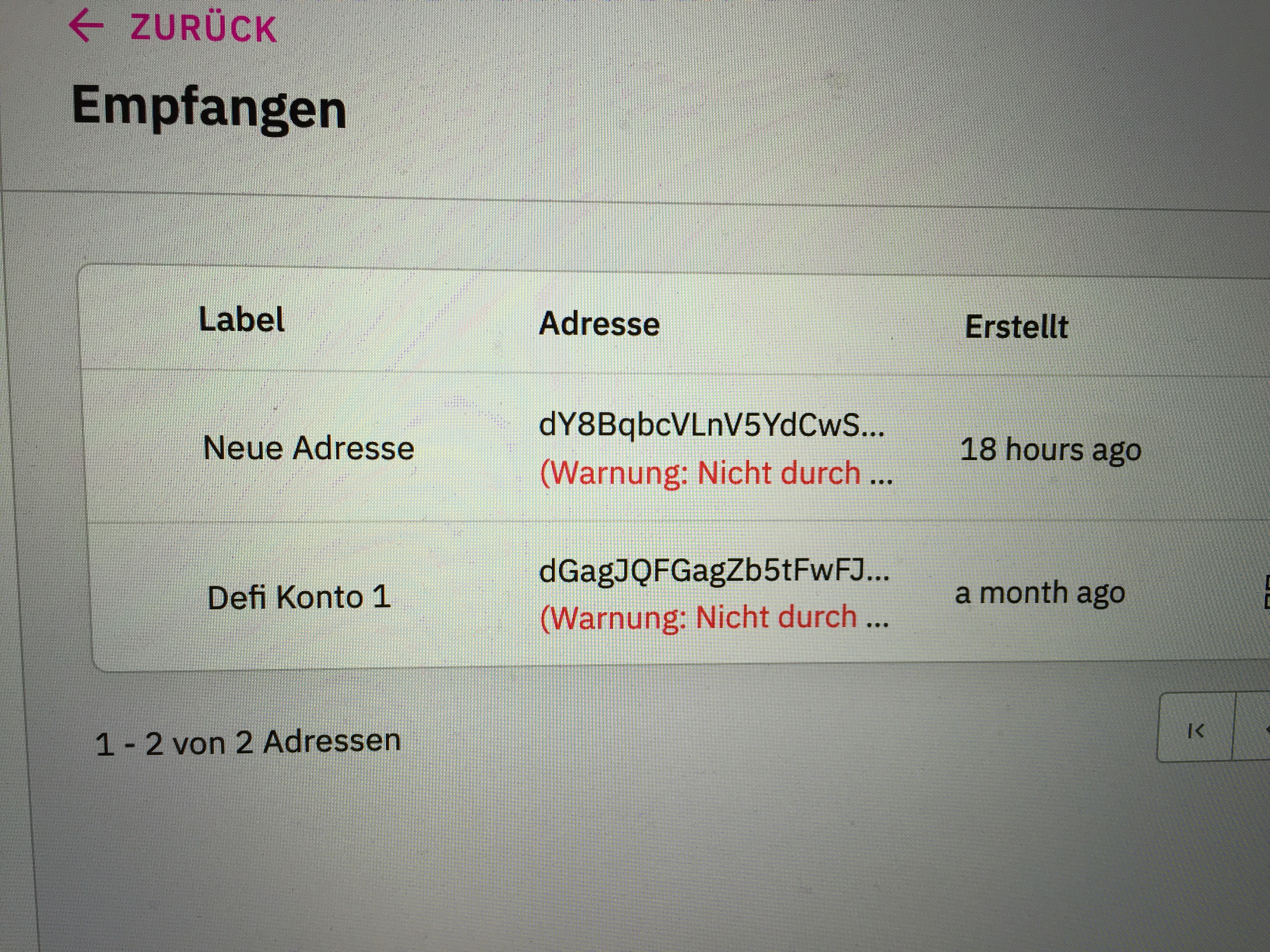
after updating to version 2.1.13, both addresses, the new and the old are no longer protected...
jung-eto
on 26 Jan 2021
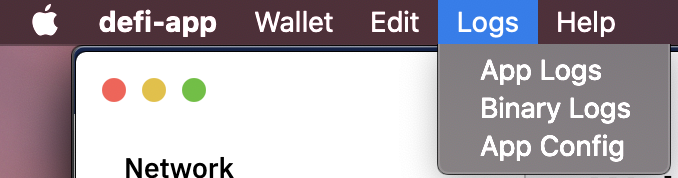
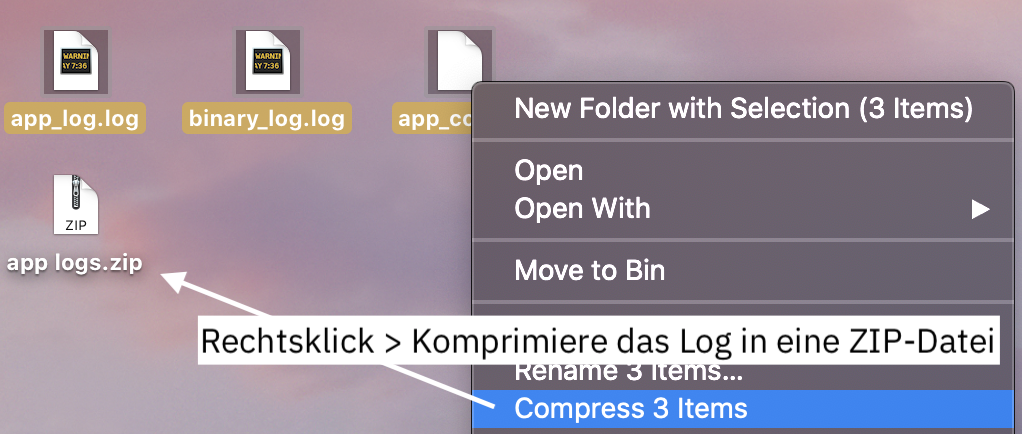
Hi @jung-eto , thanks for your feedback, could you kindly send your logs please? It seems like the addresses is not secured by seed phrase, I would suggest:
- save the address externally (eg. copy & paste in Notes)
- do backup wallet often
You should be able to continue using the features. Alternatively, please wait till this issue is fixed. Thank you for your understanding.
izzycsy
on 29 Jan 2021
Hi @jung-eto , regarding txn-mempool-conflict (code18) , it could be that you've too little utxoDFI balance (min. 1DFI) — which is required to perform swap and other functions. I understand that you've DFI but have you tried the method of sending yourself 1 DFI?
Basically DFI exist in 2 forms; utxoDFI and accountDFI. utxoDFI is used to pay for transactions fees while rewards received are in accountDFI. You can freely convert between the 2 anytime — at a 1:1 ratio. To convert accountDFI to utxoDFI, the simplest way is to send DFI from your receive address A to your receive address A, the app will automatically convert for you.
After trying, could you provide the output of the following:
getbalance — utxoDFI
gettokenbalances — accountDFI
In the mean time, please send your app logs so that the team can investigate.
izzycsy
on 29 Jan 2021
@izzycsy can you tell me how to remove all personal/critical data from the log files? They are shared public and at the moment I do not know how remove things to share it with you safely...
thanks for your help!
jung-eto
on 29 Jan 2021
Hi @jung-eto , on v2.1.13 there's no confidential information inside the logs, it's to help provide insights to the bug that you're facing, if you're still uncomfortable then kindly wait for a fix. There's an update that's going to be released today, hopefully it resolves your issue.
izzycsy
on 29 Jan 2021
Hi @izzycsy , thank you for helping me :) Here are the logs.
Additional information: As I wrote I have set up a new seed two days ago. Before I did that I deleted the folders "Defi" and "defi-app" in the directory library > Application support.
But in the new logfiles there are still information from the old wallet to be found...
In the meantime my new wallet also shows the warning.
jung-eto
on 29 Jan 2021
Hi @izzycsy , I just installed v2.1.14 but the issue still exists.
many many thanks to the whole team that the unlock = backup works again!
jung-eto
on 29 Jan 2021
Hi @jung-eto , thank you logs well received. Please give the time time to investigate the issue. Regarding the issue txn-mempool-conflict (Code 18), we can further discuss on the problem there. We would like to keep same issues in one thread. Btw, update v2.1.15 is out, could you to try and update first, and re-send me your logs? Thank you.
izzycsy
on 30 Jan 2021
Hi @izzycsy , I just updated to v2.1.15, shut down the app, reopened it and created the log files.
The txn-mempool-conflict does not longer persists since I updated to v2.1.14 a few days ago.
Here are the new logs:
App logs.zip
jung-eto
on 31 Jan 2021
Hi @izzycsy
I am facing the same issue "Warning: Not saved by seed phrase" in my wallet.
Please find here the details:
*Current DeFi App Version: 2.1.15
*Previous DeFi App Version: n/a
*Operating System (OS): macOS 10.15.7
* Screenshot:
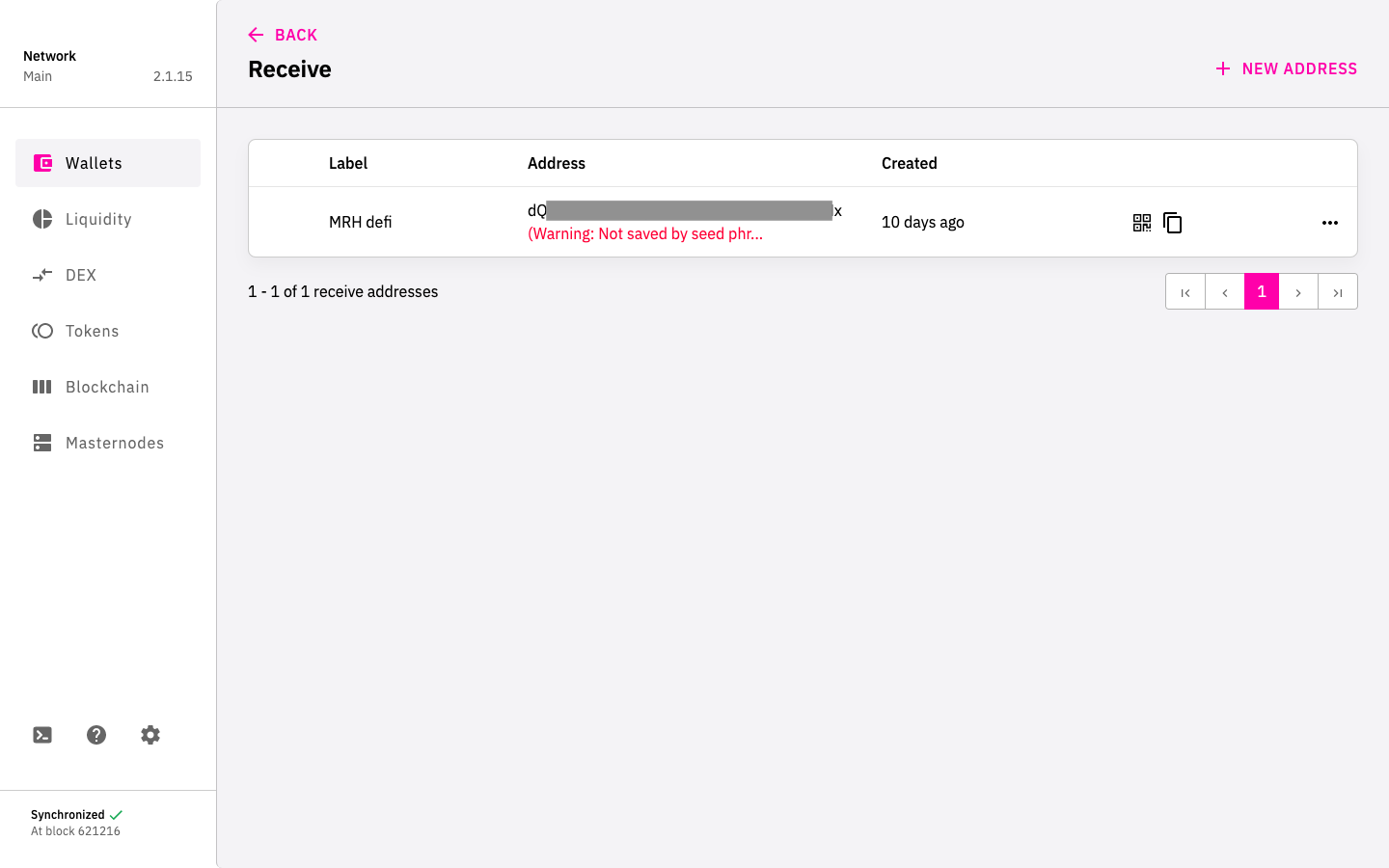
Actual Behavior:
- Open the app
- Go to wallet page
- Click on DFI
- Click on RECEIVE
--> WARNING: Not saved by seed phrase
is showing under existing address.
Expected Behavior:
No Warning message and existing address to be saved by seed phrase.
App log / binary log / app config:
app logs_2021-02-04.zip
Will it be fine to proceed with the existing address while doing regular BACKUP files manually?
Thank you.
Best, Markus
 MRHMuc
on 4 Feb 2021
MRHMuc
on 4 Feb 2021
Hi @MRHMuc , thanks for your feedback. Yes, you can continue to use the other functions even with that error. And yes, it's good practice to backup wallet. Logs well received, please give us time to investigate this issue.
izzycsy
on 5 Feb 2021
Hello @izzycsy
Are my liquidity mining tokens are stored in the address that is not saved by the seed or are the liquidity mining tokens stored in the wallet?
I care about my tokens that I can't recover them via seed.
Kind regards
 OtenMoten
on 10 Feb 2021
OtenMoten
on 10 Feb 2021
Hi @jung-eto @MRHMuc , the workaround for this error is to create a new address and transfer funds to that address. You can continue using the functions, kindly keep a copy of your wallet.dat and note down your addresses (so you can still use them by copy & paste).
I understand that it may be a bit tedious but somehow the wallet is not registering your address with your seed. Personally, I face this issue and I created a new address and transferred everything to the new one. I still have access to the addresses that are not saved by seed because I keep a copy of them on my Notes.
Hope this helps.
izzycsy
on 10 Feb 2021
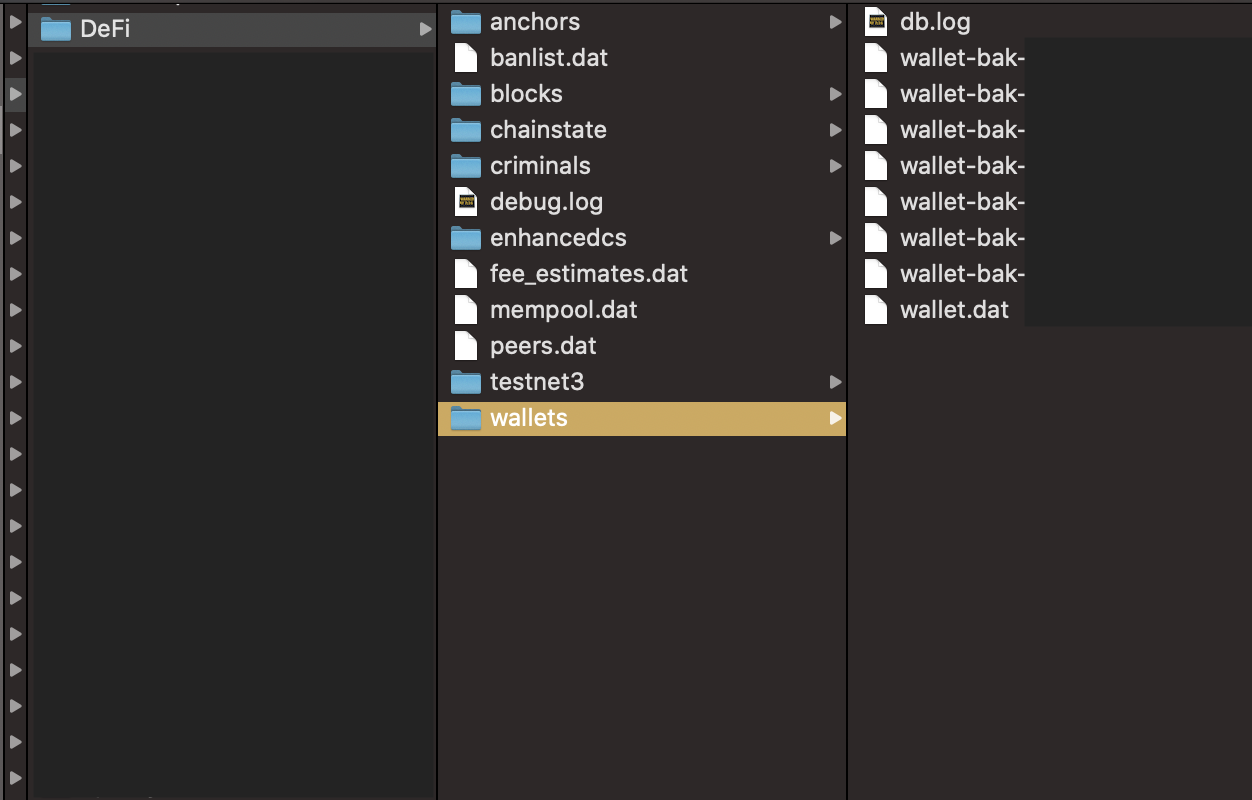
Hi @OtenMoten , your addresses are stored in the seed and the tokens are stored in the addresses. If you face the same issue as @MRHMuc , kindly follow the steps above. These are the locations for your wallet.dat files — do not delete them, keep it safe.
Windows — C:
\Users\<username>\AppData\Roaming\DeFi Blockchain\wallets/wallet.dat
Mac — Go to Folder:
/Users/<username>/Library/Application Support/DeFi/wallets/wallet.dat
Linux:
/home/<username>/.defi/wallets/wallet.dat
izzycsy
on 10 Feb 2021
This issue is not yet resolved in v2.1.17, unfortunately for us users that face this Warning, we'll have to create a new address or manually copy & paste if we want to continue using it the same address.
izzycsy
on 10 Feb 2021
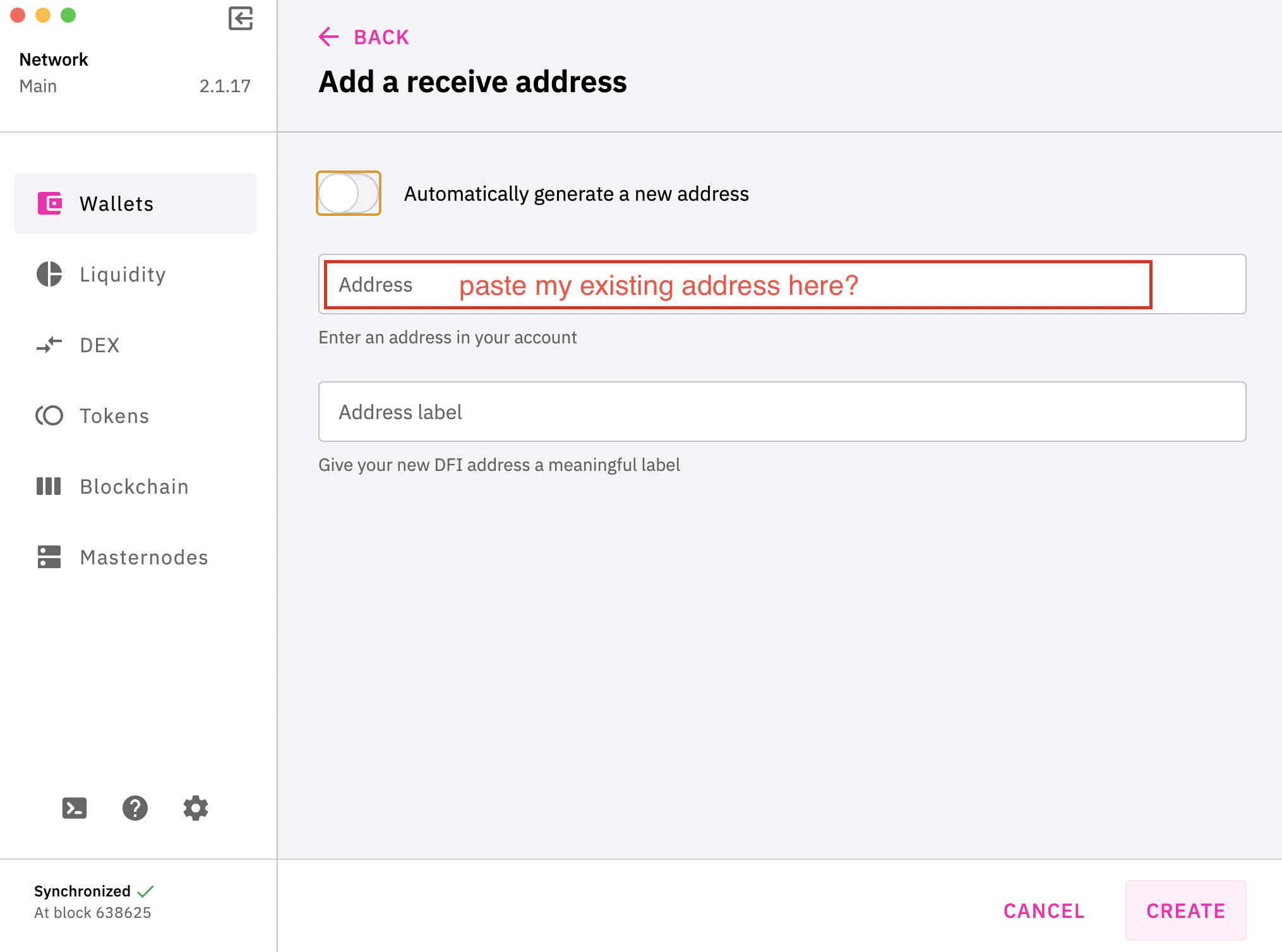
Hi @izzycsy , do you mean with "copy & paste" copy my existing address and paste it manually in the "Address" field?
jung-eto
on 12 Feb 2021
Hi @jung-eto , you can try and add back your old address, does it work? It did not for me, but I've a copy of all old addresses — so do you. For me I used option 1 and created a new address > transferred all the funds to it.
If you still want to see and use your existing addresses then you'll have to try and the wallet.dat method.
izzycsy
on 12 Feb 2021
Hi @izzycsy , maybe I will give it another try. Can you tell me the console commands for transferring the funds to it?
Reason for my "maybe": in the past I have done this before: created a new address and transferred all the funds to it. At the beginning, the new address showed up no warning.
After a few days, the new address was no longer saved by seed phrase (warning showed up), but the old (now empty) address was again protected by the seed (warning disappeared).
So I didn't do this workaround for the time being, because it didn't help.
The wallet.dat method is also impossible for me (I answered you in issue #489 )
jung-eto
on 12 Feb 2021
Hi @jung-eto , understood. Not transfer via console, but transfer using the app.
1. Create a new address
2. Send all tokens to new address
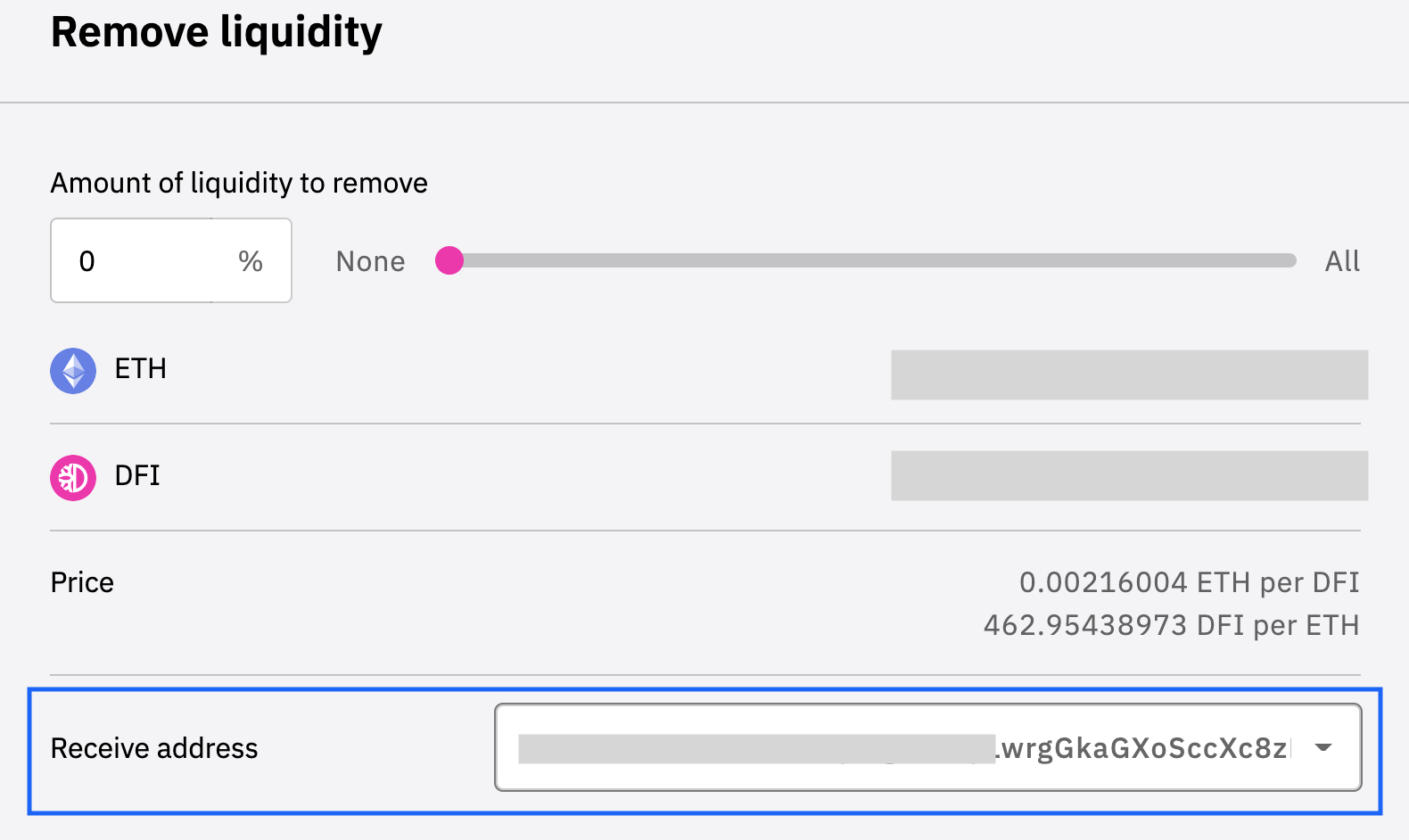
3. If you want to remove liquidity for eg, ensure that it’s to the new address
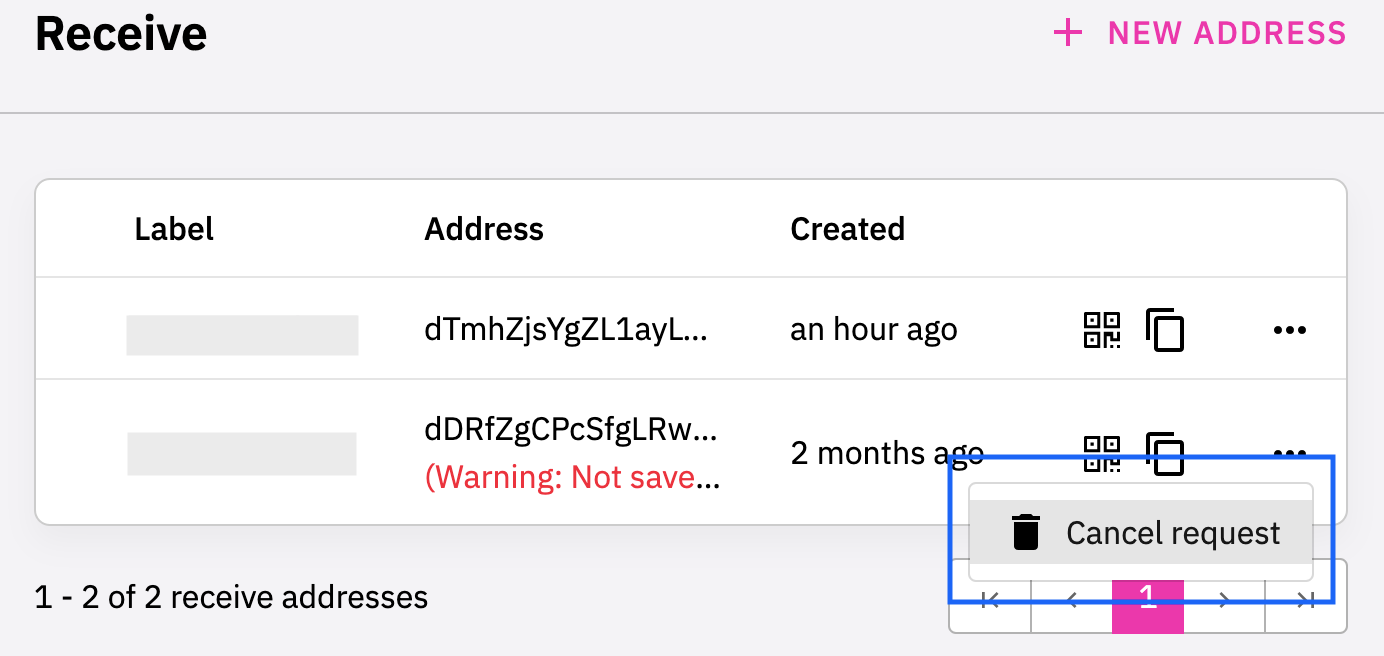
4. You may leave existing address (marked with Warning: Not saved by seed phrase) as it is in app or Cancel request
izzycsy
on 12 Feb 2021
Hi dear community
I face the same issue with the warning. However, I did a restore by seed on another computer and everything showed up correctly (even the adresses). It was a clean computer where DeFi App has never been installed before. Do you have the same behaviour or are the funds and addresses not recreated by restoring the seed?
Since I am able to restore, I guess it is only a "display" error in the app. I'd like to not store my unencrypted wallet.dat.
Thanks for sharing your situation, if you ever restored via the seed.
Thank you and have a lovely day
 wyssen
on 17 Feb 2021
wyssen
on 17 Feb 2021
Hi dear community
I face the same issue with the warning. However, I did a restore by seed on another computer and everything showed up correctly (even the adresses). It was a clean computer where DeFi App has never been installed before. Do you have the same behaviour or are the funds and addresses not recreated by restoring the seed?
Since I am able to restore, I guess it is only a "display" error in the app. I'd like to not store my unencrypted wallet.dat.
Thanks for sharing your situation, if you ever restored via the seed.
Thank you and have a lovely day
Hello Sir,
good to know! I was to lazy to try this.
You can use this guide to securely encrypt your DEFI desktop wallet.
OtenMoten
on 17 Feb 2021
Hi @izzycsy , I try to act very safely with that issue and my assets. I have done the following: two days ago I have created a new address to see if the "seed phrase warning" occures again. It did not. Now I have sent 5 DFI to the new address via the App to see if it works. The app says it worked, the hash is confirmed when looking into the transaction explorer (see hash 590555e90bd06501d333677017a08342d6d6acba54154fe7dc30ac7ab3a96bc2).
BUT: if I enter "listaccounts {} false false true" in the console, the new address does not show up at all. getaccount "new address" says [].
Normally, my new created address should show up in both commands!?
"Getaddressinfo" says "ismine": true,
and
"labels": [
{
"name": "Neue Adresse",
"purpose": "receive"
}
Can you give an advice how to proceed? I do not want to send all my coins to an address that is sved by the seed but that I can´t read out with the console...;)
Thank you so much and have a great day!
Hi @izzycsy again, I forgot to attach the latest app logs earlier. Here they are:
App_Logs.zip
jung-eto
on 17 Feb 2021
Hi @jung-eto , can you show me the output of getaddressinfoyour address, you can edit the output follow the example below:
getaddressinfo dTmhZjsUofZL1ayLwrgGkASBSccXc8zR123
{
  "address": "dTmhZjsUofZL1ayLwrgGkASBSccXc8zR123",
  "scriptPubKey": "XX",
  "ismine": true,
  "solvable": true,
  "desc": "XX",
  "iswatchonly": false,
  "isscript": true,
  "iswitness": false,
  "script": "XX",
  "hex": "0014887533c3f1ac9335ff8a87989db621b686d92868e3",
  "pubkey": "XX",
  "embedded": {
    "isscript": false,
    "iswitness": true,
    "witness_version": 0,
    "witness_program": "XX",
    "pubkey": "XX",
    "address": "XX",
    "scriptPubKey": "XX"
  },
  "label": "my address A",
  "ischange": false,
  "timestamp": 1612350006,
  "hdkeypath": "XX'",
  "hdseedid": "0e0f2a07d7d2aba81c7d7c29406c2c28a24147032",
  "hdmasterfingerprint": "XX",
  "labels": [
    {
      "name": "my address A",
      "purpose": "receive"
    }
  ]
}
Hi @izzycsy , thank you for your fast reply!
Here is the output of getaddressinfo "my address"
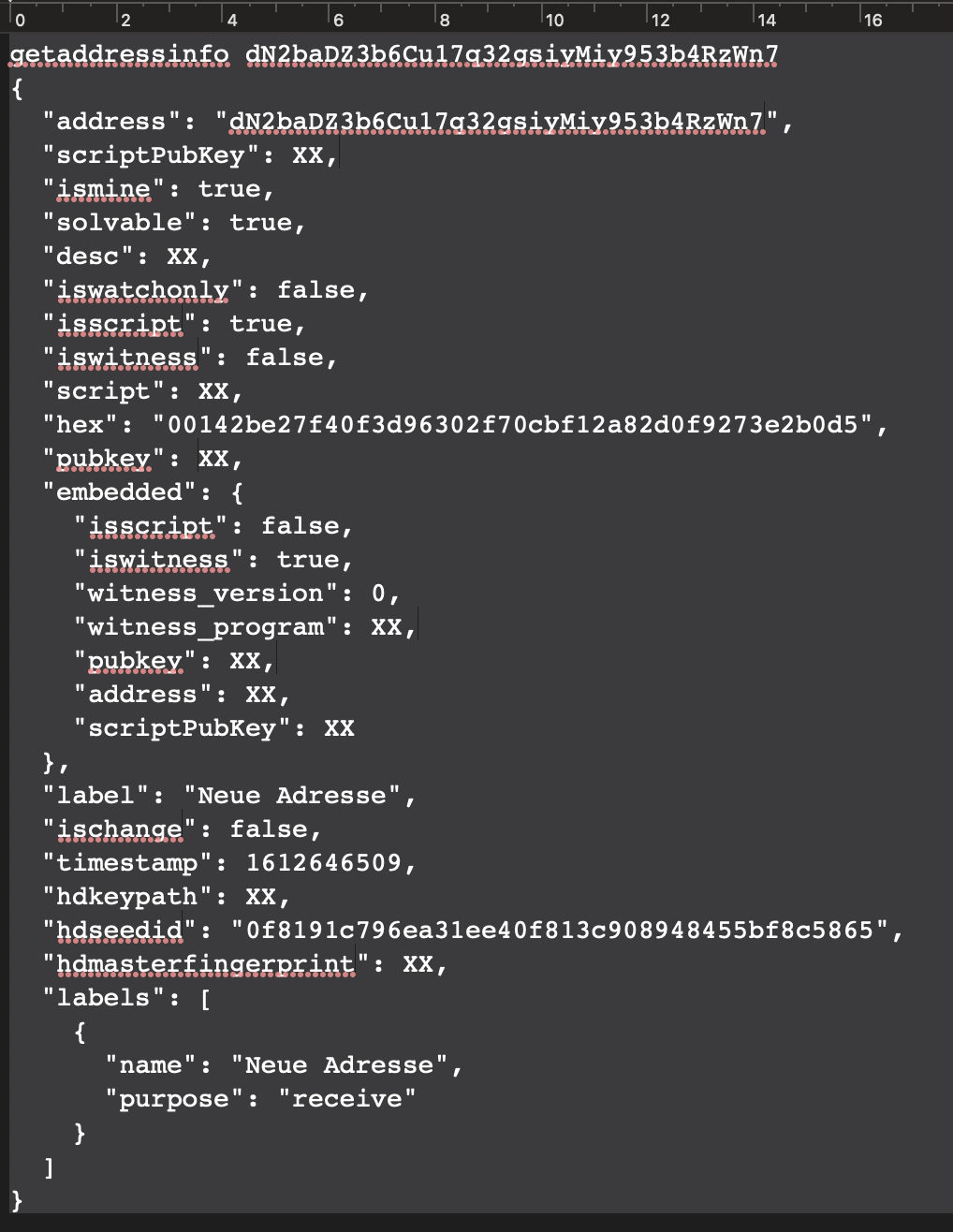
Thank you for investigating and have a great weekend :)
jung-eto
on 19 Feb 2021
I also have this issue. Is there a fix yet?
 bjnewton
on 19 Feb 2021
bjnewton
on 19 Feb 2021
Not at the moment...
If you are facing the same issue(s) I would ask you to also post your app logs and a meaningful description here. That would help the developing team to analyse and hopefully fix the issue with a wider data basis
jung-eto
on 20 Feb 2021
Hi @jung-eto , thanks for the output, it seems that your new address is good to go. You can proceed to transfer your funds to that account.
You can get information about the command by typing via CLI help listaccounts. In summary of my understanding of listaccounts {} true true true:
1st true: asm, hex, type, address, amount
2nd true: key, owner, amount
3rd true: isMine only
Personally I use listaccounts {} false false true to ensure that the address that I created is mine and that my funds are in the specified address. Althought I managed to transfer most of my funds, the minor downside is that some funds were left in my old addresses (which had Warning: address not saved by seed phrase) and I could not transfer it — I guess it's unfortunate that we're facing this error but I also think it's part and parcel of a decentralised system.
I'm willing to let the funds in the old address remain there. I'm using my newly created address now, and I do not face the issue anymore and can continue to use the app as per normal. Ultimately it's up to you, but this is my personal workaround on the matter.
izzycsy
on 20 Feb 2021
Hi @bjnewton , if you're facing the exact same issue, please refer to the comments above for the workaround. I'm not sure if this issue can be fixed, as the app thinks that our addresses are not linked to the seed. The team is working on updating the app such that this error does not occur again.
Another workaround that a user did was to install the wallet on another desktop. @jung-eto and I only have 1 PC, so we've decided to create a new address instead and transfer everything there via the app — basically send to self. Decision is yours. I do advice that you keep a copy of your current addresses in your notes just in case the next time you open the app and the addresses are not displayed. If you've a copy of it at least you still can copy & paste to use it. Thank you for your understanding.
izzycsy
on 20 Feb 2021
Hi @izzycsy ,
you wrote: "Personally I use listaccounts {} false false true to ensure that the address that I created is mine and that my funds are in the specified address."
So do I.
I have two addresses in my wallet:
dMmkaz9vPhLnqYmsjAqhPqStKdA6vscrMw
--> "original" address that was created automatically while setting up the new walletdN2baDZ3b6Cu17q32gsiyMiy953b4RzWn7
--> "new address" which I created manually and to which I sent 5 DFI as a test
When using listaccounts {} false false true, only the following shows up:
listaccounts {} false false true
[
{
"key": "XX",
"owner": "dMmkaz9vPhLnqYmsjAqhPqStKdA6vscrMw",
"amount": "XX@DFI"
},
{
"key": "XX",
"owner": "dMmkaz9vPhLnqYmsjAqhPqStKdA6vscrMw",
"amount": "XX@BTC"
},
{
"key": "XX",
"owner": "dMmkaz9vPhLnqYmsjAqhPqStKdA6vscrMw",
"amount": "XX@BTC-DFI"
}
]
Nevertheless the "new address" is not listed in listaccounts {} false false true. At least the 5 DFI I sent there as a test should show up on the new address here.
Using the help says "Returns information about all accounts on chain"

That is why I believe there is something wrong and I should not use the "new address". I am with you, tolerating to have minor downside in leaving small amounts of funds on insecure addresses (this is why I have made a "test transaction" of 5 DFI to the "new address").
But if an address is not listed in the corresponding command at all, then I don't think it is safe...but I am not a programmer.
It would be great if you could discuss this again in the team, since a lot of user trust depends on being able to view the addresses created.
jung-eto
on 20 Feb 2021
Hi @izzycsy ,
I just found out something:
listaccounts {} false false true only shows address information when DFI Token, (in my case) BTC or BTC-DFI are on the address.
In my test it seems that I have sent DFI Coins to that address.
So I think everything works fine, I have transferred my funds to the new address as I found out that there must be Token on the address to get information from listaccounts...
jung-eto
on 21 Feb 2021
Hi @jung-eto , thanks for sharing the information! The team is working on improving the app, there's currently no fix for this error yet as the mnemonic seed somehow does not register the existing addresses, and we're the only ones who seem to be facing this issue. However, moving forward in the upcoming release, we'll be introducing _wallet passphrase_ (optional), and the utilisation of wallet.dat. Please keep your wallet.dat file safe. Hence, this error should not occur anymore. Apart from safe-keeping wallet.dat, I keep a copy of my addresses in my Notes too. With this, I'll be closing this issue. Thank you for your understanding and patience on this issue!
izzycsy
on 22 Feb 2021
Hi @izzycsy , well noted and already implemented for some time to keep wallet.dat at a safe place and write down the addresses.
I have read in the german Telegram DefiChain group that some other members are also facing our problem but not everybody is willing to investigate it or participate here in github.
You are all doing a great job here and you need valuable user input to get better.
Thank you too for your patience with me and keep up the good work :)
jung-eto
on 23 Feb 2021
Related issues
 jleidinger
·
6Comments
jleidinger
·
6Comments
 RobinTorque
·
8Comments
RobinTorque
·
8Comments
 gabriello79
·
4Comments
gabriello79
·
4Comments
 lraphael
·
10Comments
lraphael
·
10Comments
 diegorodriguezv
·
9Comments
diegorodriguezv
·
9Comments