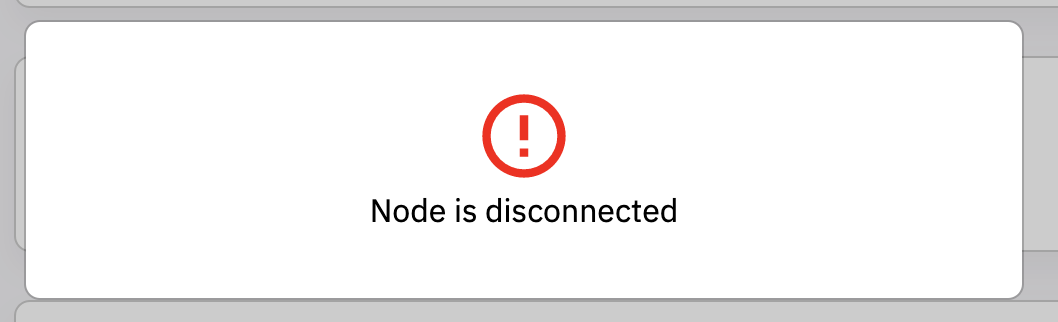
App: Import Wallet.dat > Node is disconnected
DeFi app V2.3.0
Error message shown on the display:
Unable to start blockchain
Displayed error message in the debug.log file:
Wallet.dat corrupt, salvage failed
I moved the Wallet.dat file and restarted the computer. After that, the app worked. When I try to import the Wallet.dat file, the programme crashes and I get the error message "Node is disconnected". After that I restart the app and get the same error message as above again.
Unable to start blockchain
Attached are all the documents. Log data and also the Wallet.dat file.
 RobinTorque
All 8 comments
Same here. After the 2.3.0 upgrade (on macos Big Sur) I'm unable to successfully restore my wallet.
 q20
on 1 Mar 2021
q20
on 1 Mar 2021
Hi @RobinTorque , thanks for your feedback, please give us time to investigate. Did you move the wallet.dat file while the app was running? If yes, make sure app is not running, move it back and open app. See if it runs. Node will become disconnected if the wallet.dat file is move / renamed. If you want to move / rename the file, you'll have to create a new wallet.dat while on your original wallet.dat.
Hi @q20 , thanks for your feedback, can you send your app logs please? As your user flow might be different from RobinTorque's, so I need more information to understand your issue.
 izzycsy
on 1 Mar 2021
izzycsy
on 1 Mar 2021
I resolved my issue myself; selecting my backed-up wallet when restoring causes the app to point _to_ the wallet.dat file, not import it. As my wallet.dat backup was on read-only storage, using that as an active wallet was an issue.
Simply copying wallet.dat to another folder on my Mac and restoring from that location worked.
Might I suggest your restore process instead copies the wallet.dat file to the %appdata% or Application Support folder? Seems that would make most sense, don't you think? The process is named "restore wallet", not "open wallet".
; )
q20
on 2 Mar 2021
Hi @q20 , thanks for your feedback, good to know that you manage to Restore your wallet via wallet.dat. The wallet.dat files are crucial hence kept in a hidden folder so only the user himself can access it. There are events where user decides to delete & reinstall the app and/or proceed to delete files they're unfamiliar with. This mitigates the issue of them losing their wallet.dat — serves as a backup for these kind of case scenario. Of course we can't cover all 100% scenarios but the team decided that this the the best solution thus far. I understand it's a bit tedious to find it, but from now on, you can save it in a more accessible folder. Thank you for your understanding.
izzycsy
on 3 Mar 2021
Hi @RobinTorque @q20 , update v2.3.1 is out. Do give a thumbs up to this comment if your issue has been resolved, otherwise, please leave a comment with new information (include screenshots) and app logs. Thank you.
izzycsy
on 11 Mar 2021
As I was able to resolve my issue myself, I will be unable to comment on whether the 2.3.1 update coulda/shoulda/woulda help. ; )
q20
on 11 Mar 2021
Hi @izzycsy
For me this problem has been solved. I have created an error correction for the other people in the wiki.
RobinTorque
on 11 Mar 2021
Hi @RobinTorque , noted with thanks. The team will continue to investigate this issue, I'll close this issue in the mean time.
izzycsy
on 14 Mar 2021
Related issues
RobinTorque
·
3Comments
RobinTorque
·
6Comments
 Kolibri1990
·
10Comments
Kolibri1990
·
10Comments
 gabriello79
·
4Comments
gabriello79
·
4Comments
 dell1503
·
7Comments
dell1503
·
7Comments