App: Linux: Snapshot in wrong directory after download
Actual behavior:
After using the sync with snapshot feature and downloading the snapshot file the synchronization starts at 0%.
Expected behavior:
The synchronization should start at 95+%
How to reproduce it (as minimally and precisely as possible):
- Delete the contents of ~/.defi/enhancedcs/ (or otherwise corrupt the database somehow)
- Start the app
- Use snaphot sync
- Wait for file download and extraction
- Synchronization will start back at 0%
What are your environment parameters?
- DeFi Wallet Version: 2.3.5
- Operating System (OS): Ubuntu 19.10
– Current free storage capacity: 200GB
Anything else we need to know?
The problem seems to be that:
- The snapshot file is downloaded to ~/snapshot (instead of ~/.defi/snapshot)
- The contents are extracted to ~ instead of ~/.defi
 diegorodriguezv
All 9 comments
Update. If I simply extract the snapshot to ~/.defi and open the app it will start synchronizing at 98.2%.
diegorodriguezv
on 18 May 2021
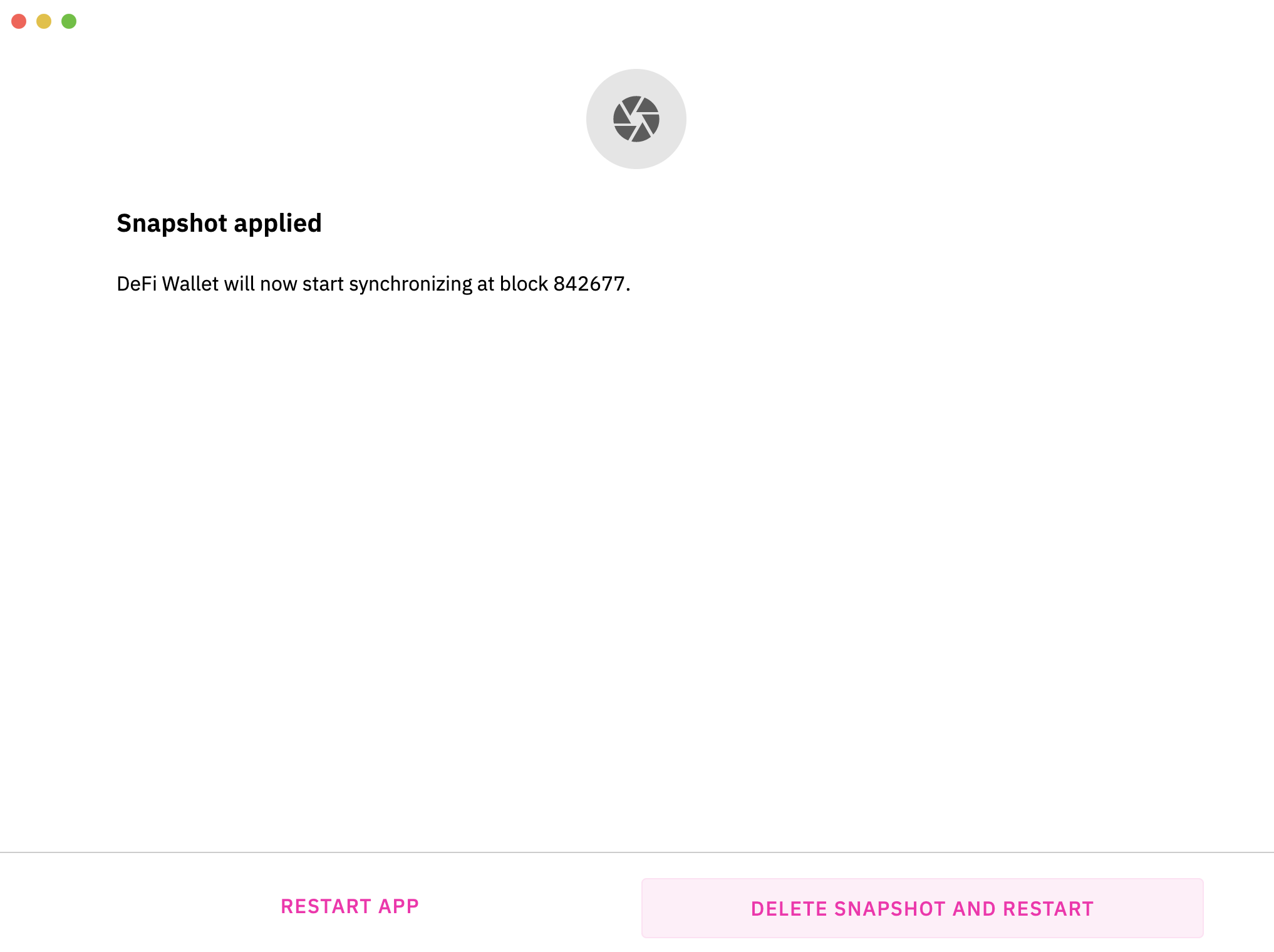
Hi @diegorodriguezv , in v2.3.5, after snapshot has been successfully extracted in-app, the app should prompt you with the option to delete.
What's your current directory file route for snapshot?
 izzycsy
on 19 May 2021
izzycsy
on 19 May 2021
Yes, the snapshot will download at main directory "/home/......./snapshot" instead "/home/........./.defi/snapshot"
And the content are are extracted to "/home/......./" instead of "/home/......./.defi"
 angelocastiglione
on 19 May 2021
angelocastiglione
on 19 May 2021
Hi @diegorodriguezv , in v2.3.5, after snapshot has been successfully extracted in-app, the app should prompt you with the option to delete.
What's your current directory file route for snapshot?
I didn't delete the snapshot file. Clicked "restart app" and it started back at 0%.
The snapshot is correctly downloaded at ~/snapshot. I verified and the contents are ok.
Yes, the snapshot will download at main directory "/home/......./snapshot" instead "/home/........./.defi/snapshot"
And the content are are extracted to "/home/......./" instead of "/home/......./.defi"
That's where I think the problem lies. I could see that there were 3 new folders at ~:
- enchancedcs
- chainstate
- blocks
But the app was not using them and started back at 0%. I quit the App and manually extracted the snapshot file to ~/.defi and it overwrote those 3 folders. After starting the App again it started at 98%.
diegorodriguezv
on 19 May 2021
Guys i found it, you just have to open the CLI, and manually add nodes for the blockchain to sync to them
just run these commands:
addnode 45.157.177.82:8555 add
addnode 24.134.79.25:8555 add
addnode 77.56.65.5:855 add
addnode 85.214.55.116:855 add
do not worry about the answer "null", if you type them twice it should answer "node already added"
then type getconnectioncount to see to how many nodes you are connected
here is a list of some public nodes you can connect to
http://cmk.mydeficha.in/mydefichain/check_mk/dashboard.py?name=dfi_fullnodes_public
 yungmann
on 20 May 2021
yungmann
on 20 May 2021
@yungmann Wrong issue. :)
diegorodriguezv
on 20 May 2021
I didn't delete the snapshot file. Clicked "restart app" and it started back at 0%.
The snapshot is correctly downloaded at ~/snapshot. I verified and the contents are ok.Yes, the snapshot will download at main directory "/home/......./snapshot" instead "/home/........./.defi/snapshot"
And the content are are extracted to "/home/......./" instead of "/home/......./.defi"That's where I think the problem lies. I could see that there were 3 new folders at ~:
- enchancedcs
- chainstate
- blocks
But the app was not using them and started back at 0%. I quit the App and manually extracted the snapshot file to ~/.defi and it overwrote those 3 folders. After starting the App again it started at 98%.
——————————————————————————
For Linux users who are facing this issue, kindly refer to @diegorodriguezv 's comment. Here's how to manually replace the contents from the downloaded Snapshot.
– After Snapshot is applied > click RESTART APP.
– If after restarting app, and it synchronisation starts again at 0%, proceed with the following:
- Ensure app is not running
- Go to your Defi folder [
/Users/<username>/Library/Application Support/Defi], inside you'll see the following folders:
enchancedcs
chainstate
blocks
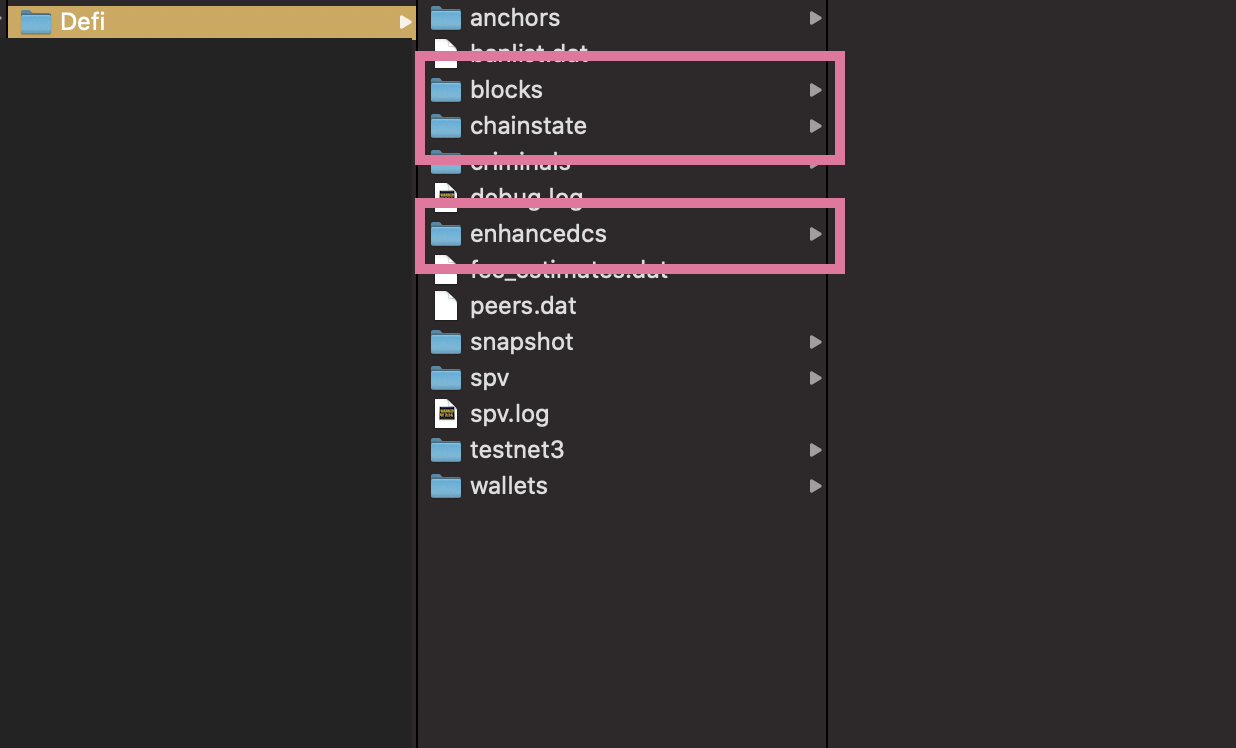
- Drag and replace the folders you downloaded from
Snapshotand overwrite the 3 respective folders - Launch your app > Sync should start at 98%
izzycsy
on 20 May 2021
Hi, will have a fix for this on the next update. I have put a comment here - https://github.com/DeFiCh/app/issues/744#issuecomment-844851118
 thedoublejay
on 21 May 2021
thedoublejay
on 21 May 2021
Hi @diegorodriguezv @angelocastiglione @yungmann , regarding the issue Linux: Snapshot not extracting in the right place#744, we can further discuss on the issue there. We would like to keep same issues in one thread. We'll update when the team has a fix ready. Thank you.
izzycsy
on 25 May 2021
Related issues
 RobinTorque
·
7Comments
RobinTorque
·
7Comments
 wyssen
·
4Comments
wyssen
·
4Comments
 Kolibri1990
·
10Comments
Kolibri1990
·
10Comments
 LuisAsano
·
9Comments
LuisAsano
·
9Comments
 John-Gee
·
5Comments
John-Gee
·
5Comments