App: Message "Corrupted block database detected" after every restart
Hi, I have installed defi wallet version 2.1.3 on Ubuntu 18.04. I already created a wallet and started some liquidity mining. Generally everything works fine but I get an error message "Corrupted block database detected" an every restart.
After restarting the app starts syncing from Block 0 what takes some minutes. After the complete sync everything is fine.
I guess its also not intended that the app synchronizes completely after every restart. I would expect the sync only the missing blocks in my database. (It looks like the similar issue: https://github.com/DeFiCh/app/issues/106)
Btw. the app consumes around 4-5GB ram, I guess this could also be optimized in the future?
Thanks

 marathom
All 30 comments
Hello,
I have the same problem running on Windows 10. Every time I open the DefApp I get "Corrupt block database detected. Please restart with reindex..."). It was running without a problem previously, but a couple of days ago the issue occurred the first time. Since then it occurs every time I open the App. I also tried to uninstall, delete all App folders and reinstall, but I get the same problem again (also without restoring my wallet). For me the reindexing take some hours, probably because I'm running the App on an older PC with only 4 GB Ram available. Any suggestions for a fix?
 UserMaxL
on 18 Dec 2020
UserMaxL
on 18 Dec 2020
Hi UserMaxL,
my assumption is in fact that the issue has something to do with RAM. As I already noticed the app is very memory consuming (4-5GB). I also noticed, when you close the app, the process consumes even more memory for some seconds (more than 6GB) before dying. I am also very close to the limit of my PC RAM, so maybe this issue occurs if the app runs out of memory.
Hopefully the DefiChain experts will help us soon.
marathom
on 18 Dec 2020
Yes, I'm running the App on two PCs and on one I have the reindex issue on the other McAfee seems to block App (can't see wallets anymore) :-D Also looking at the telegram groups it seems the reindex issue occurs more often...It's strange it did run without a problem before and suddenly every time when opening the App I have the reindex issue
UserMaxL
on 18 Dec 2020
Hi, I followed some advise from the telegram group and it seems choosing the Re-Index Option in the App settings fixed the issue. (but took very long).
UserMaxL
on 19 Dec 2020
Yes re-indexing always helps, but it's not the solution.
Some investigation confirmed my assumption that it is memory issue. The last error in my debug.log is "Error: Out of memory. Terminating." while dumping mempool. But I think it is not normal that the app consumes another 4GB while terminating additionally to the 5GB during running. That is more than 9GB in total.
At defichain.com you can read memory requirement is 2GB, so definitely something should be optimized.
marathom
on 19 Dec 2020
Hi @marathom @UserMaxL , thanks for your feedback. I agree the app should not be constantly restarting, please give us time to investigate this issue.
 izzycsy
on 21 Dec 2020
izzycsy
on 21 Dec 2020
Hi, I increased my swap file to 8GB (I have 12GB RAM), now the mempool dump finished properly (but also with a lot of memory consumption). Now restart works without re-indexing, but after start a huge amount of memory (about 11GB) is consumed. After finishing sync the memory goes back to normal.
Now every restart works properly also with a "normal" memory consumption. Seems like when the app manages the mempool dump once correctly, the issue is gone
marathom
on 21 Dec 2020
Hi @marathom @UserMaxL , appreciate the discussion, could you send your app logs please? The team needs to further investigate this.
izzycsy
on 23 Dec 2020
Hi Bella, unfortunately the logs were shortened, so the previous error messages are gone. The only associated error message I detected was "Error: Out of memory. Terminating."
As I already mentioned, this issue is only a one-time issue during the very first synchronization (and could be reproduced easily). After this first complete blockchain sync, when terminating, the app (the process "defi-init") wants to dump the mempool. But this dump consumes a huge amount of memory. When the memory runs out, the database corrupts somehow and the app must restart with the re-indexing always. But if the operating system (in my case Ubuntu 18.04) has enough memory to manage the correct mempool dump, the issue disappears. Now my app is running smoothly.
marathom
on 23 Dec 2020
Hi @marathom , thanks for the reply, the team is currently investigating this issue. Glad that your app is running smoothly!
izzycsy
on 23 Dec 2020
Hi Team,
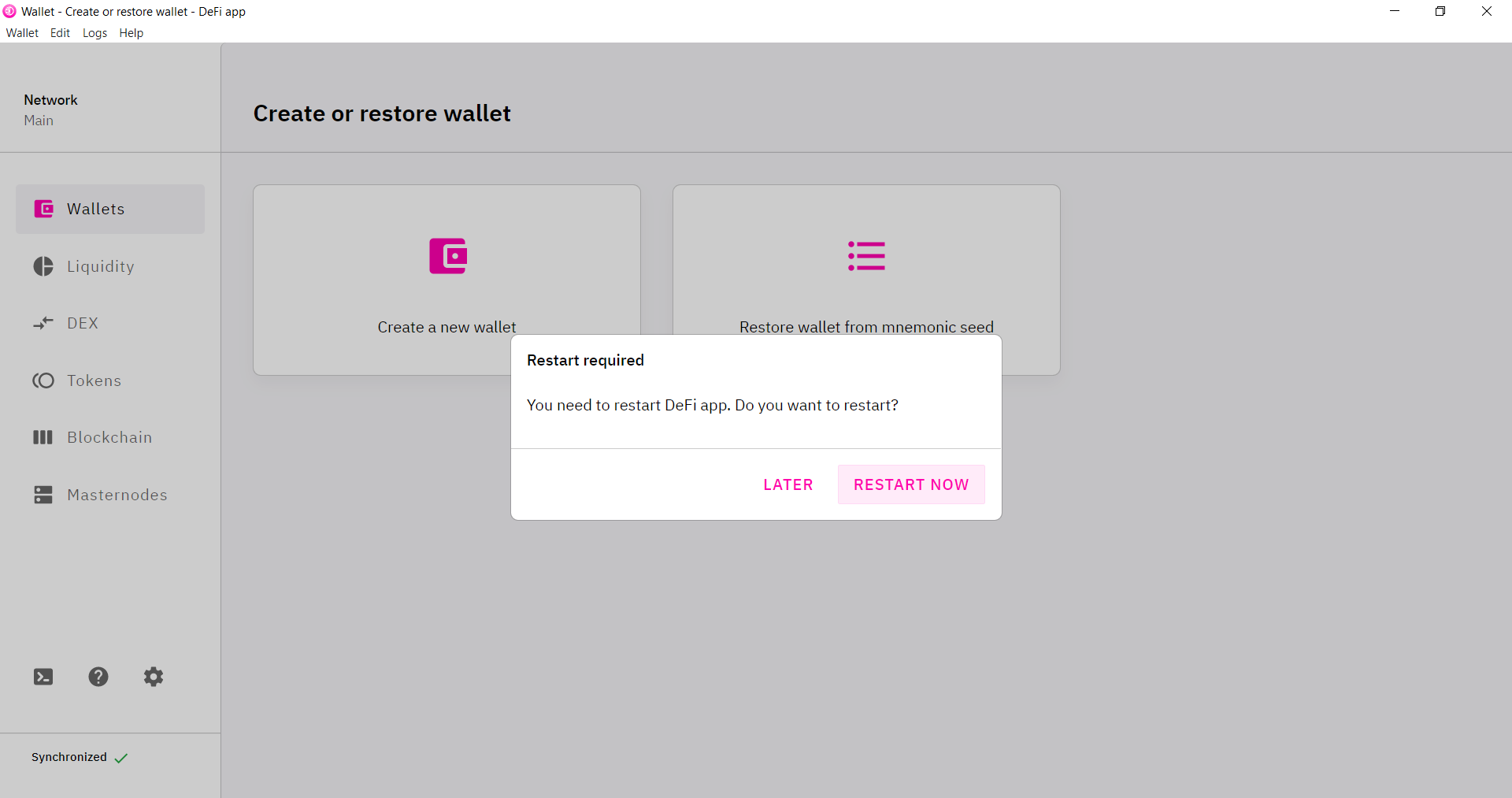
I got a similar issue with the 2.1.4 Version now. I could use functions like DEX or LM but it does not show my balance and the app reindexes every time I open. It also does not allow me to import a wallet. Whenever I want to load the back up it restarts the app. What could I do ? Thanks in advance
 lukefue
on 26 Dec 2020
lukefue
on 26 Dec 2020
Hi @lukefue
maybe its also a memory issue on your machine. The app must have the chance to dump the mempool one time, that it does when you close the app. But this consumes a lot of memory (more than 10GB RAM on my machine). If the memory runs out, the dump fails and the app has to be re-indexed after restart. So try to increase your memory or at least your swap file, maybe this helps
marathom
on 26 Dec 2020
Okay yeah it worked briefly, thank you. I was able to put in my 24 words and I got an old account back. but somehow funds from LM are missing. I think I only wrote down the word seed of the first wallet but my funds might be on a different one. However I made frequent back ups that were suggested, can I also restore an old wallet with one of those backups? with the extended private masterkey?
Really appriciate your help thank you @marathom
lukefue
on 26 Dec 2020
@lukefue Sorry but I don't have experience in wallet backup. Maybe you should contact official support.
marathom
on 26 Dec 2020
@izzycsy Here are the app logs, I hope it works like that, I did not had to zip them, because it is a text document. I also think that might be the reason why importing the back up does not work. Those are also text documents. What type is the back up supposed to be?
`
lukefue
on 30 Dec 2020
@lukefue , thanks for your feedback. Yes, for wallet backup it is .txt format. I'd like to understand your issue further. You mentioned that when you wanted to import a wallet backup, the app restarts, what was the error? Do you have a screenshot?
It's a good habit to create wallet backup, however I'm unsure if I can help you much if you lost your mnemonic seed, it's crucial that you keep it safe 😣
izzycsy
on 30 Dec 2020
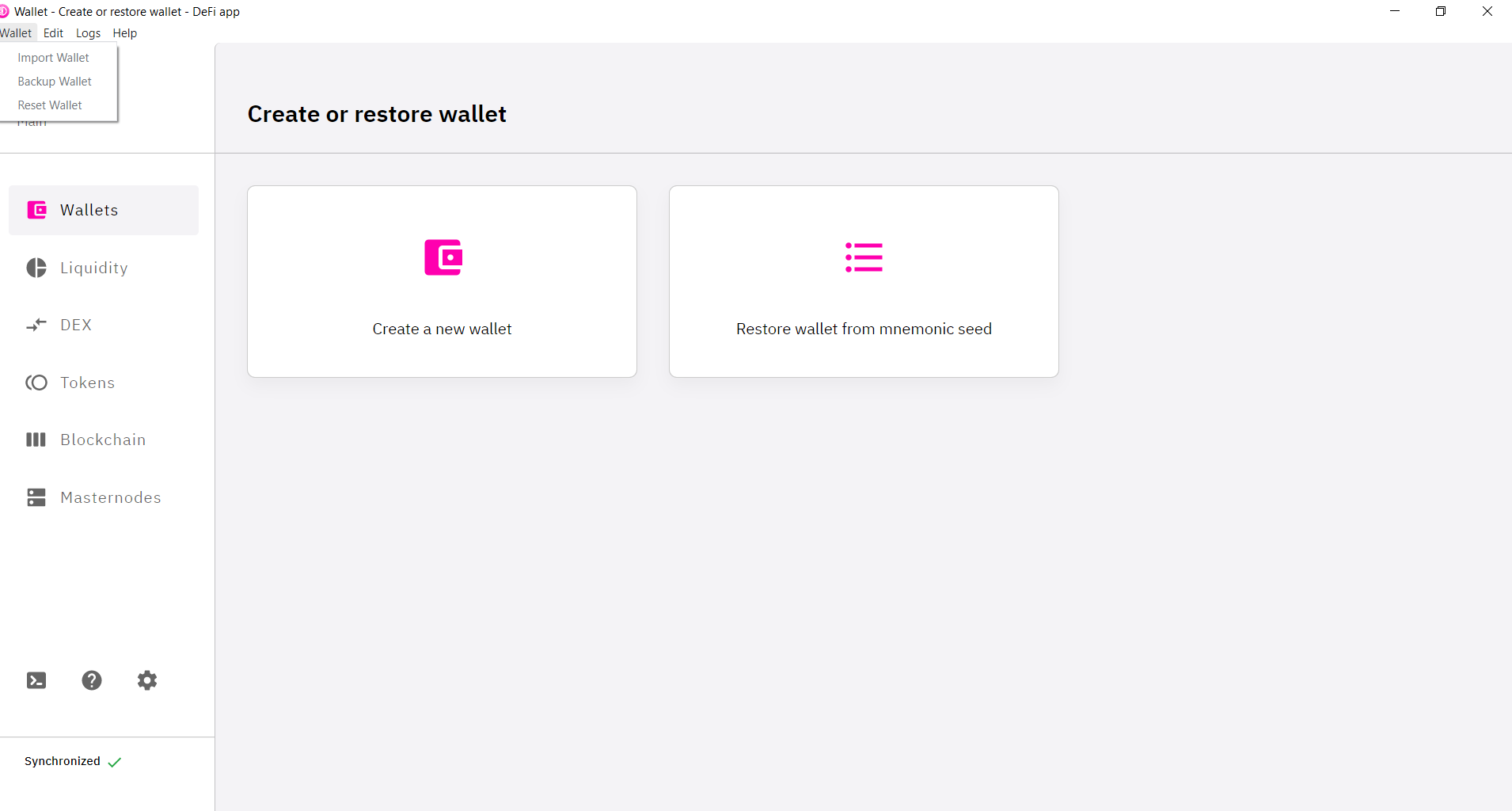
@izzycsy , here are the app logs after reindex. It is anempty white screen. When I close and open the app again I have to reindex again. Btw. memory consumption grows and is really high.
As a result I cannot try to import the wallet and enter mnemonic seed. I have the seed! However, it seems that the adress on which the dfi were and the coins for LM- Mining do not show up. That is why I hope the back up can help me to restore them again.
Thank you for your help!
lukefue
on 30 Dec 2020
lukefue
on 30 Dec 2020

lukefue
on 30 Dec 2020
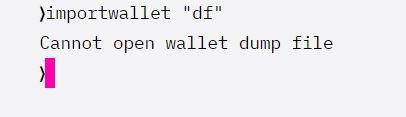
Okay managed to enter my mnemonic seed. When I try to open the backup I recieve this . @izzycsy
lukefue
on 30 Dec 2020
@lukefue thank you for the explanation & screenshots. I've forwarded your issue to the team for investigation. Please give us time. Thank you for your understanding.
izzycsy
on 31 Dec 2020
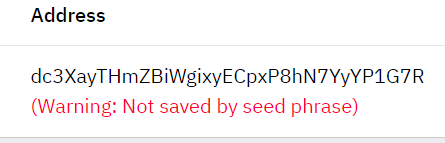
@izzycsy Quick update: App was running over night and when I woke up funds were back and app is now running smoothly with normal memory consumption. Only thing is that my Adress is gone which I used to recieve token from and when I create a new one it says " not saved by seed phrase". How can I do that ?
lukefue
on 31 Dec 2020
Here's how I was able to fix the error:
1) made sure again that the 24-word seed is available to me.
2) uninstalled the DFI wallet
3) manually deleted all relevant folders
AppData\Roaming\DeFi Blockchain
AppData\Roaming\defi-app;
AppData\Local\defi-app-updater.
AppData\Local\Programs\defi-app.
\Users.defi
4) increased the Windows swap file to in my case 32000 MB:
Control Panel/System/Advanced System Settings/Advanced/(Performance)Settings/Advanced/(Virtual Memory)Change/Initial size set to recommended value/Maximum size set to twice this value/Set/OK/Restart.
5) Closed all unnecessary programs and terminated some temporarily dispensable processes in the task manager.
6) Reinstalled version 2.1.5. Let it run over night.
7) After synchronizing, re-entered 24 words.
After a few minutes, all the coins were there.
 rang3r72
on 3 Jan 2021
rang3r72
on 3 Jan 2021
@lukefue it possibly means your address won't be saved by the mnemonic seed, hence you should backup wallet often and not rely only on the seed. I would suggest you write down your address and store it somewhere so you don't lost it. In the future, should you need to restore wallet, restore via your mnemonic seed followed by import latest wallet backup.
izzycsy
on 4 Jan 2021
Hi @UserMaxL @marathom @lukefue , update v2.1.6 is out https://defichain.com/downloads/.
Do give a thumbs up to this comment if your issue has been resolved, otherwise, you may reopen this issue w new information (include screenshots) and your app logs. Thank you.
izzycsy
on 10 Jan 2021
Hi @lukefue , regarding the issue Warning: Not saved by seed phrase, I'll link you to https://github.com/DeFiCh/app/issues/220 which we can further discuss on the problem. Let’s keep this thread related to what the original author opened. Thank you for your understanding.
izzycsy
on 10 Jan 2021
Hi @izzycsy , solved for me. Thanks!
UserMaxL
on 10 Jan 2021
I downloaded version 2.1.10 right now. The problem is not solved yet, the app (Process: defid) consumes lot more ram memory, so I even cannot re-sync my app.
marathom
on 16 Jan 2021
Btw., I made a completely fresh installation on a new linux distribution (Ubuntu 20.04). Here the memory issue is not present. The defid process consumes about 500MB all the time during sync. After wallet import, everything works fine.
marathom
on 18 Jan 2021
Hi @marathom , I've seen your comment at issue Update Button > Corrupted Blockchain file https://github.com/DeFiCh/app/issues/316. We would like to keep same issues in one thread, will keep you update there. Thank you.
izzycsy
on 20 Jan 2021
Related issues
 gabriello79
·
4Comments
gabriello79
·
4Comments
gabriello79
·
4Comments
gabriello79
·
4Comments
 LuisAsano
·
9Comments
LuisAsano
·
9Comments
 tame81
·
9Comments
tame81
·
9Comments
 jpressler
·
7Comments
jpressler
·
7Comments