Apexcharts.js: [regression] v3.22.3 destroys the linegraph scaling, compared to v3.22.2
Bug report
Codepen
https://codesandbox.io/s/vue-basic-example-forked-tt4ci?file=/src/components/Chart.component.vue
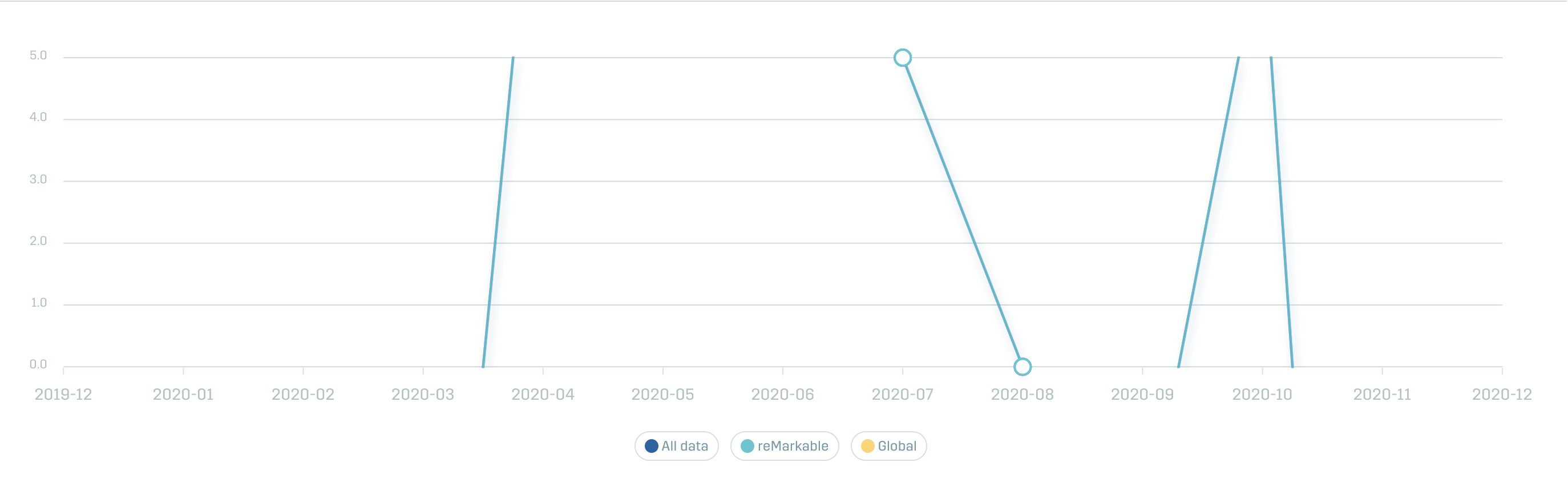
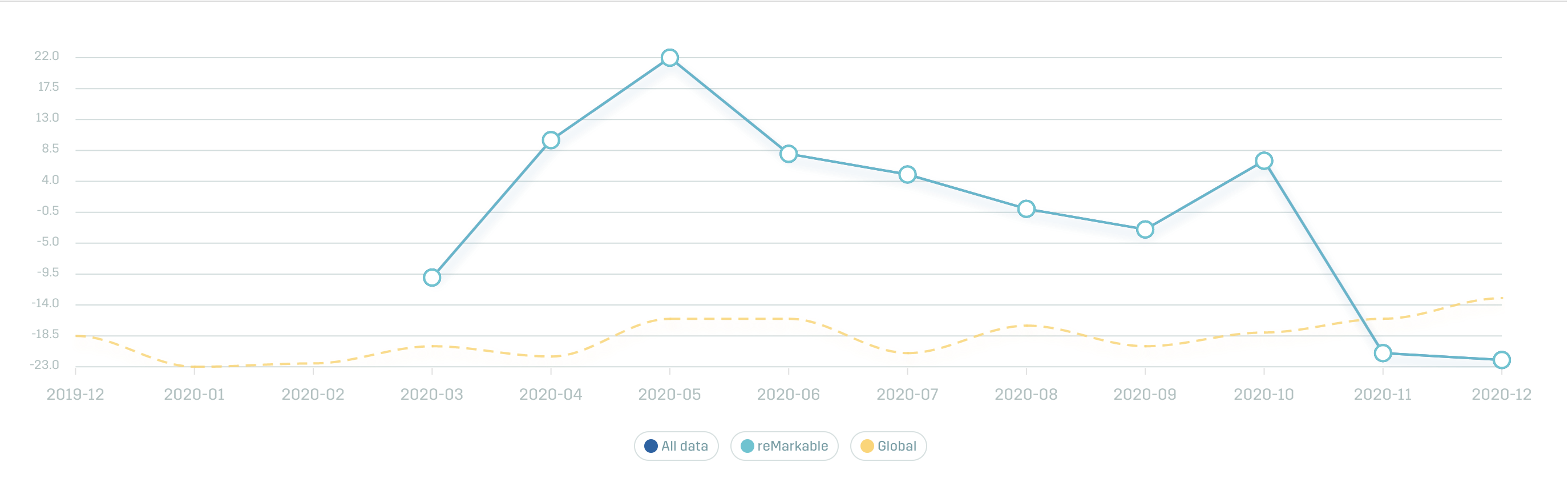
We're using vue-apexcharts and just updated the patch version from 3.22.2 to 3.22.3 and saw that it made our linegraphs unusable.
In codesandbox, change the version between 3.22.3 and 3.22.2 to see the issue. Example photos below
Explanation
- What is the behavior you expect?
- For the scale in apexcharts linegraph to work like it did in v3.22.2
- What is happening instead?
- The linegraph gets cut off "softly", it doesn’t cut off the height "hard". So that's why I'm guessing it's the scaling that's off.
- What error message are you getting?
- None
3.22.3
3.22.2
 Knogobert
All 7 comments
I've got the same issue.
 jkohlin
on 9 Dec 2020
jkohlin
on 9 Dec 2020
Temporary fix is to remove min and max definitions from y-axis options.
 azivkovi
on 9 Dec 2020
azivkovi
on 9 Dec 2020
Fixed it, a new version will be released very soon.
 junedchhipa
on 9 Dec 2020
junedchhipa
on 9 Dec 2020
I have the same problem, let's wait the fixing release 👀
 cailloumajor
on 15 Dec 2020
cailloumajor
on 15 Dec 2020
Released v3.23.0 which should fix this.
junedchhipa
on 15 Dec 2020
@Redirts Checked in the original Codesandbox of this issue by updating to the latest version and it works fine.
Can you provide another Codesandbox demo?
junedchhipa
on 15 Dec 2020
@Redirts Checked in the original Codesandbox of this issue by updating to the latest version and it works fine.
Can you provide another Codesandbox demo?
Sorry, for some reason I cannot reproduce it anymore. My bad. Thanks
 Redirts
on 15 Dec 2020
Redirts
on 15 Dec 2020
Related issues
 sdq-sts
·
15Comments
sdq-sts
·
15Comments
 LucaCorcella
·
14Comments
LucaCorcella
·
14Comments
 thellimist
·
15Comments
thellimist
·
15Comments
 CheyenneForbes
·
17Comments
CheyenneForbes
·
17Comments
 astone2014
·
15Comments
astone2014
·
15Comments
Most helpful comment
Released v3.23.0 which should fix this.