Apexcharts.js: Brush selection update issue and custom image for point
Hi, I ran into several problems, maybe there are already solutions, but I don’t see how to do it yet.
1.Is it possible for an additional schedule (brash) to update separately the entire period and the selected period on it using updateOptions?
For example, I have a period of 1 year, when I click on the button (6 months) on an additional chart, select only the area of the selected period, and do not change the rest.

- If it is possible to add a download of your image for a point, because for example I need a point with a shadow, but there is no shadow as a property)
 fisherspoons
All 8 comments
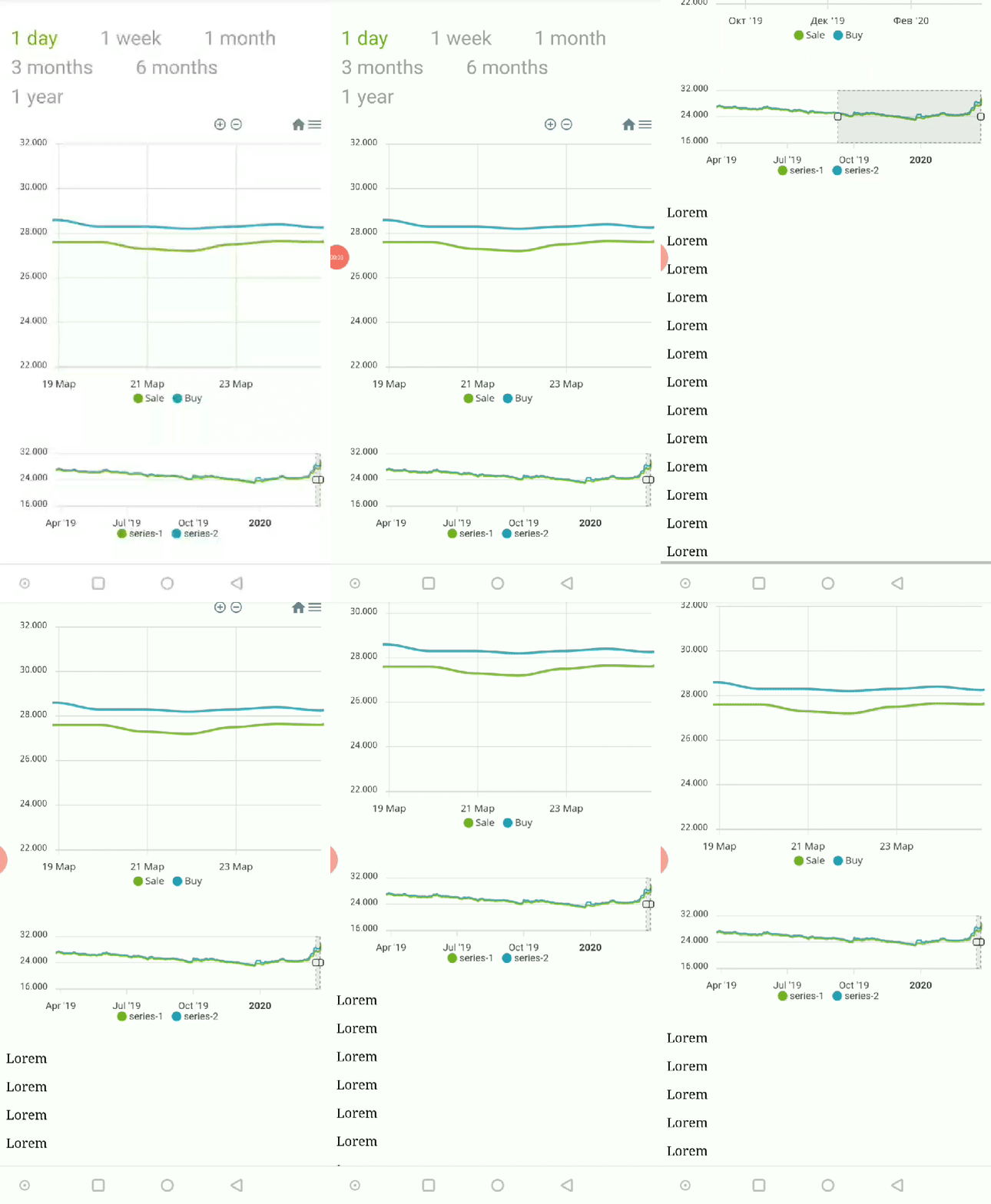
And there is another heisenbug that I cannot catch. When in the mobile version, for example, I chose a period, and
scroll the page with the chart, it can be reset completely to its initial state
Here’s a bug, there aren’t any extra libraries on the page, only apexchart
fisherspoons
on 30 Mar 2020
Hi - can anyone suggest, do we have solution for the above issue.
 badhrudeen
on 2 Apr 2020
badhrudeen
on 2 Apr 2020
@fisherspoons I confirm the bug, it will be addressed soon.
 junedchhipa
on 3 Apr 2020
junedchhipa
on 3 Apr 2020
Having similar issue. After dragging/moving the selection, chart stops updating dynamically which is perfectly working before dragging/moving the selection. I am trying to update the selection dynamically using updateOptions Method.
 geomatupen
on 29 May 2020
geomatupen
on 29 May 2020
i am also facing the same bug as @geomatupen have mentioned is there any solutions for it ?? eagerly awaiting the issue hope developers are on it.
 varun2948
on 30 May 2020
varun2948
on 30 May 2020
The issue is solved after upgrading the version to 3.19.2.
geomatupen
on 2 Jun 2020
Closing as the scroll behavior is fixed in v3.19.2 as confirmed by @geomatupen
junedchhipa
on 13 Jun 2020
For others out there (via Google), I believe this is the root cause for what I was seeing in my app:
When a jQuery UI tooltip was displayed, it would cause some funky behavior in our radialBar chart - almost as if the library were "rerendering" the widget, but incorrectly. My formatter functions (for values and labels) would be executed again, the chart dimensions would change from how I had configured them originally, etc.
I also noticed that resizing the window would trigger the same odd behavior. Drilling down further, I found that even just appending an element to the document body would trigger the same behavior in ApexCharts.
Fingers crossed that upgrading to 3.19.2 fixes the problem!
Update: Upgrading to 3.19.2+ did not fix the problem...
 rinogo
on 3 Aug 2020
rinogo
on 3 Aug 2020
Related issues
 thellimist
·
15Comments
thellimist
·
15Comments
 Vvelghe
·
15Comments
Vvelghe
·
15Comments
 tforssander
·
24Comments
tforssander
·
24Comments
 richardpolzer
·
24Comments
richardpolzer
·
24Comments
 dougnewnham
·
18Comments
dougnewnham
·
18Comments