Antennapod: Feature request: Alarm clock/clock radio
Public Radio & Podcast (https://play.google.com/store/apps/details?id=com.nprpodcastplayer.app&hl=en) has an alarm clock - just like old time clock radios.
So when I set my alarm at 8:00 I would like it to play newest episode of Democracy Now in Spanish.
 ole-tange
All 25 comments
Decent idea!
In the meantime, I think you may be able accomplish the same thing with some automation app, like Tasker. Just an idea.
 yzerman19
on 9 Jun 2016
yzerman19
on 9 Jun 2016
I have the same need, I would like to make it just start as an alarm. With appalarmpro I can open the app, but it doesn't start playing the podcats.
Tasker is an idea, but I will look for an opensource alternative.
 tomdereub
on 11 Mar 2017
tomdereub
on 11 Mar 2017
Looks like this post haven't been updated for a while. Hope we don't forget about it.
It's always hard to me get out of bed in the morning. I tried alarm clock, nature light, even Netflix, but wake up to a podcast prove most effective to me. I set up an alarm to 7:00, then turn on the app to a meditation podcast and lie on bed for 15 mins, but sometimes I am not mentally strong enough to click the app, scroll down the episodes then click play. Alarm Clock feature would be very handy and very helpful.
Thank you all in advance when you pick up this feature request.
 rei13711
on 4 Dec 2019
rei13711
on 4 Dec 2019
I would really _really_ love this. To the point I might consider helping with this myself - but I would need some guidance, I'm no Android expert and the codebase is quite large.
 harisont
on 6 May 2020
harisont
on 6 May 2020
Until @harisont found a way to implement this in AntennaPod (😜), PodAlarm might be a solution for some of you. Worked for me.
 keunes
on 7 May 2020
keunes
on 7 May 2020
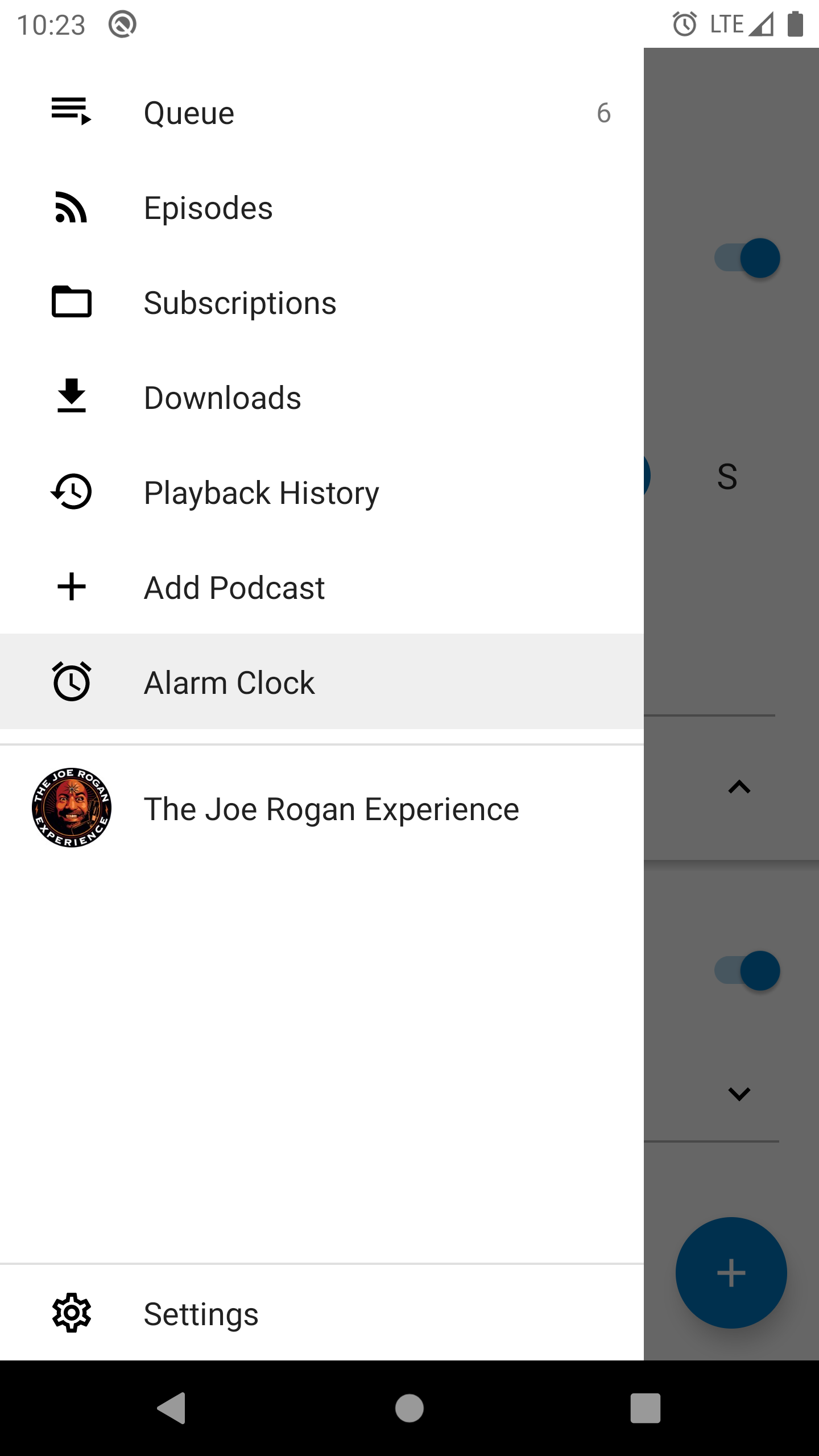
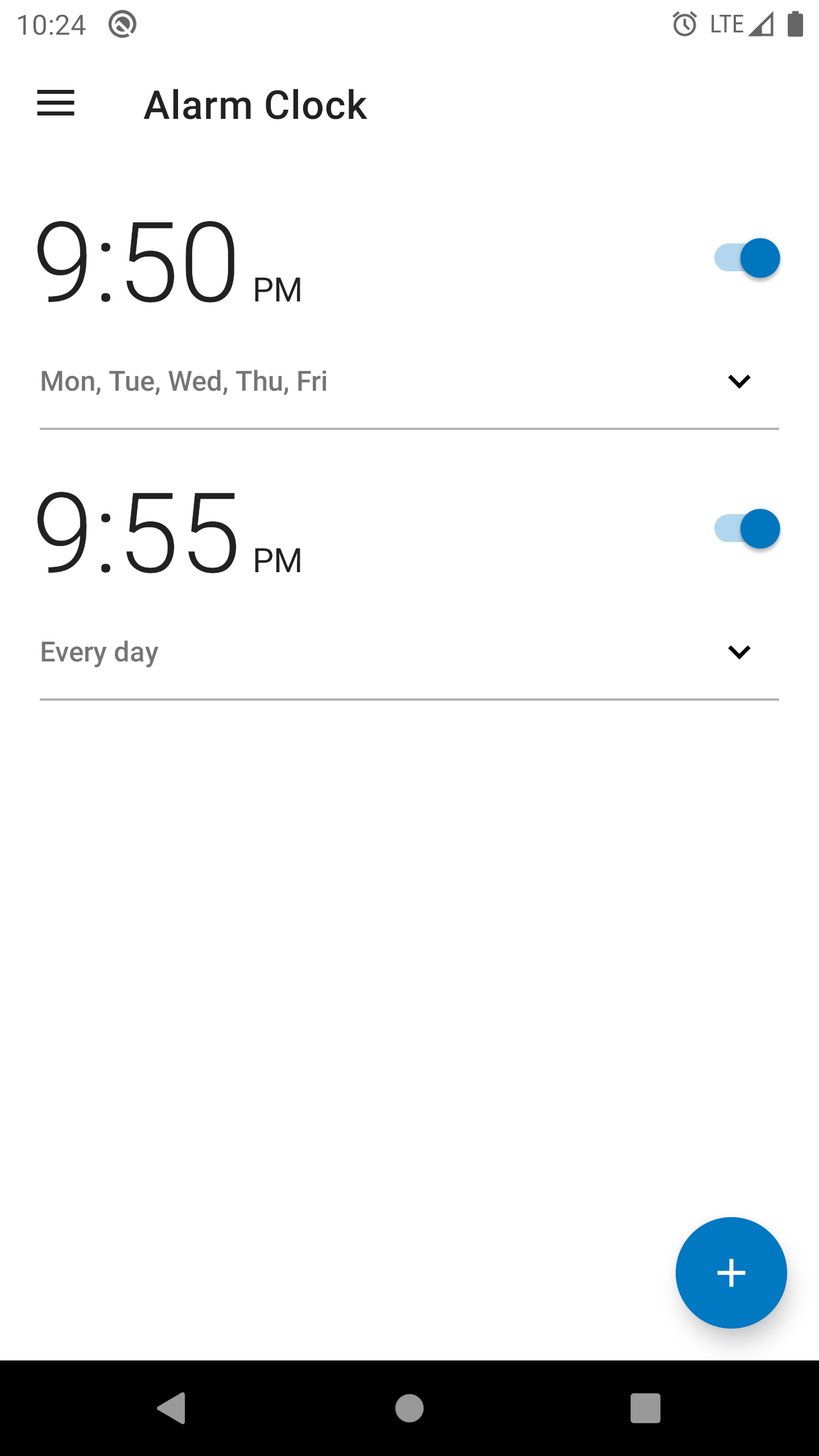
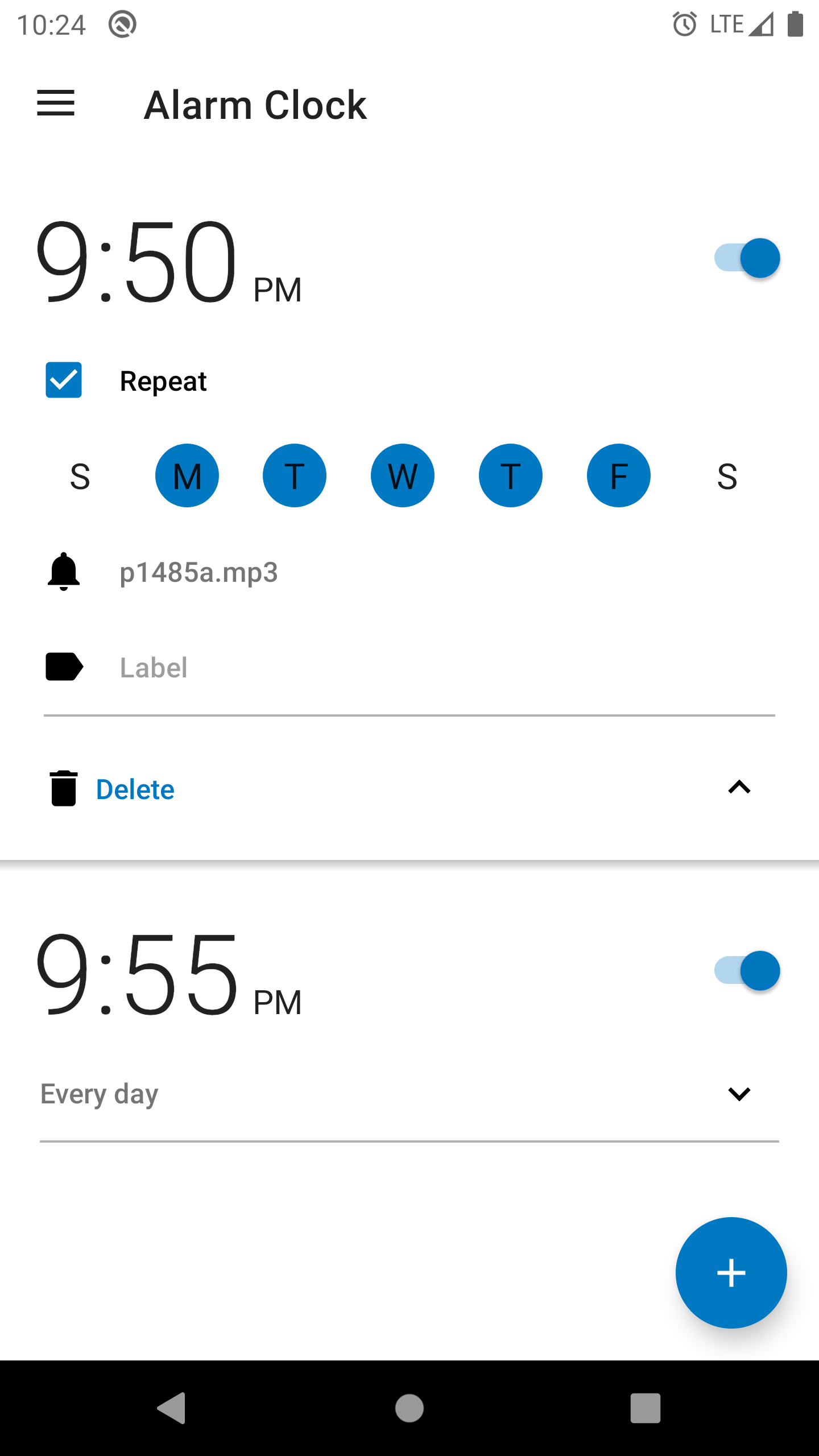
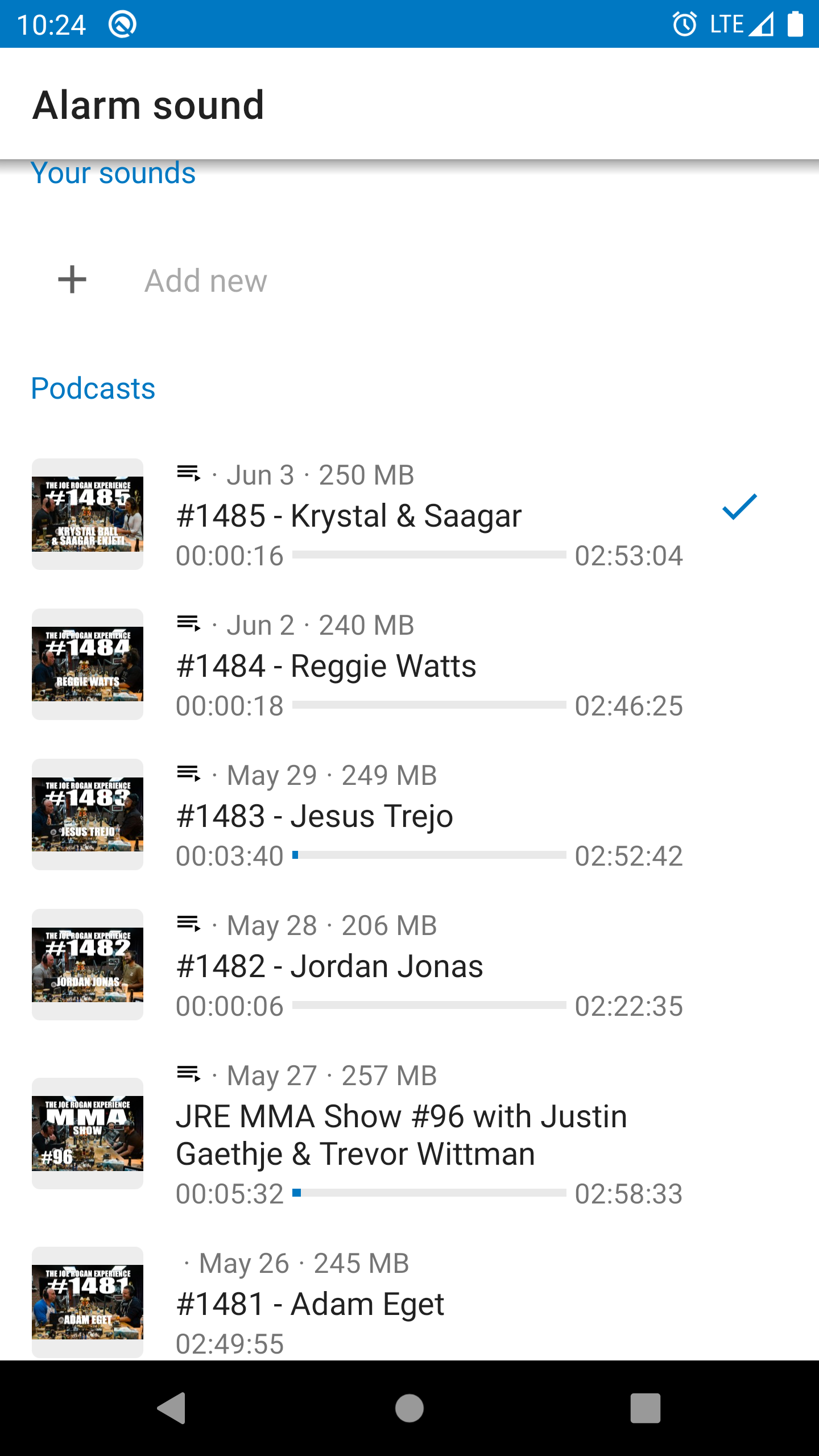
Hey all, I download the DeskClock Android app from the AOSP source code and converted it into a module and integrated it into AntennaPod (with minimal changes) to provide initial alarm clock functionality. If you'd like to give it a try I've attached an APK and some screenshots. The updated (still beta) source code can be found here and an APK to test with here.
 wseemann
on 6 Jun 2020
wseemann
on 6 Jun 2020
Amazing! This looks perfect. I'll definitely try this... as soon as my phone gets fixed hahaha
harisont
on 6 Jun 2020
I'll definitely try this... as soon as my phone gets fixed hahaha
Same here :)
@wseemann Do you think this could be integrated into AntennaPod via a PR (license-wise, for example). @ByteHamster would you accept such PR?
keunes
on 6 Jun 2020
@keunes The MIT license is compatible with the Apache 2.0 license which means the code I modified to make this alarm clock feature would be OK to include in the existing app. I still need to clean up (and prune) a portion of the code but I see no reason that this wouldn't be a worthwhile feature to integrate once that work is done. @ByteHamster any thoughts on this?
wseemann
on 8 Jun 2020
Hmm to be honest, I have a bad feeling about this. A full-featured alarm app is going to be a lot of additional maintenance overhead. This is like adding a second app that we need to take care of, in addition to AntennaPod. Maintaining AntennaPod is already a huge amount of work (I am more or less the only person doing bug fixes and in some weeks I am even the only one who does user support). I am not able to maintain basically a second app.
On a technical level, to provide a reliable alarm app, we would have to deal with things like direct boot. This would influence the whole data structure of AntennaPod, not just a single feature. The minSdkVersion of the alarm app is 23. To not lose AntennaPod users because of one new feature, we would need to extend the alarm app with support for api 16+. There are probably many more things that need to be kept in mind when integrating a full alarm app.
Additionally, this needs to be tested (on every update, forever) a lot better than just the normal AntennaPod app. Normally, if your podcast does not play and you need a second try, this is not the end of the world. If you miss an important meeting because the timer feature does not work, this is a whole different story.
I suggest to go another way. Leave the actual alarm handling to alarm apps and let AntennaPod just provide the audio files. I have seen that apps can be selected as a ringtone provider. You can then use your normal (independently maintained) alarm app and choose AntennaPod as sound source. Then the alarm app is responsible for everything that might go wrong (file does not exist, crashes, etc). This keeps the newly introduced maintenance work as low as possible while still providing a way to achieve the original goal of this issue.
 ByteHamster
on 8 Jun 2020
ByteHamster
on 8 Jun 2020
Sounds good, well, I tried. I'll leave this code up for others who may be interested in modifying or trying it out. I understand your concerns and the desire to not want to add another complicated feature into the codebase. I might just release a forked version of AntennaPod that I can maintain for those who are interested. Thanks for the feedback. Also, if this is the route you intended/intend to go can you please close the ticket so other people, like myself, don't waste time integrating a feature that was never intended to make it into the app?
wseemann
on 8 Jun 2020
@ByteHamster I see your point, but I think it would make sense to have a basic alarm-something within AntennaPod (I mean, it does have a sleep timer...) even if this is not the way to go.
On a side note, I was unable to find an open source app to replace PodAlarm, which is also not at all reliable in my experience (and it does not fit in my screen). So if you are willing to maintain a fork, @wseemann, I would definitely appreciate that.
harisont
on 9 Jun 2020
I agree with ByteHamster. Having an alarm clock is overkill. Is there any other podcast app which have one? I don't think so because you would integrate something that would be an app by itself with a lot of difficult technical edge case for making sure it's reliable. (It's crucial for an alarm)
If someone want to start AntennaPod or anything else with an alarm it would be better and make more sense to use something like tasker or automate.
Sleep timer is not comparable because there would be no problem if there is a bug. (And It can't fail because app has been killed since it would also stop playing)
A failing alarm could result in being late at work. If it happened would users still continue to use it?
 Matth7878
on 10 Jun 2020
Matth7878
on 10 Jun 2020
I suggest to go another way. Leave the actual alarm handling to alarm apps and let AntennaPod just provide the audio files. I have seen that apps can be selected as a ringtone provider. You can then use your normal (independently maintained) alarm app and choose AntennaPod as sound source.
Do we know if (where) there is documentation for this, if/what AntennaPod needs to have to be able to show up in the alarm list? Or is it solely at the discretion of Google?
keunes
on 10 Jun 2020
I am pretty sure that there is a way to choose alarm audio from third party apps. When I select a ringtone/alarm from Android's settings screen, my phone asks if I want to select one using Amaze or the system media store. I think that AntennaPod can register there, too.
Probably not as convenient as the Spotify integration; I guess that was added manually. Unfortunately, I did not find the documentation :/
ByteHamster
on 10 Jun 2020
When I select a ringtone/alarm from Android's settings screen, my phone asks if I want to select one using Amaze or the system media store.
I must say I never noticed (but then again, how often do you change your alarm). Still haven't received the replacement screen for my phone :angry: so I can't try it out. I imagine though that selecting a file from Amaze is still quite different from selecting 'Queue' or 'Podcast X' in AntennaPod, so I guess providing a useful integration will be challenging.
keunes
on 11 Jun 2020
Leave the actual alarm handling to alarm apps and let AntennaPod just provide the audio files. I have seen that apps can be selected as a ringtone provider.
This seems like a reasonable idea, but could you try working together with an open source alarm app and recommend that?
It is fine if AntennaPod also works with other alarm apps, but I would prefer if you actively test this feature with one open source alarm app. I would imagine that if you reach out to open source alarm apps that they will be happy to work together with you on this as it would benefit both projects.
ole-tange
on 16 Jun 2020
This seems like a reasonable idea, but could you try working together with an open source alarm app and recommend that?
Since there are alarm apps even which support podcast players, I don't think this will get prioritised. If you're willing to, you could help such effort forward by searching & listing a/some FOSS alarm apps that have quite a few installs and are actively maintained.
keunes
on 17 Jun 2020
Since there are alarm apps even which support podcast players,
I did not find any that were free software. Did you?
ole-tange
on 18 Jun 2020
I did not find any that were free software. Did you?
That sounds like a rhetorical question but let me answer that for you anyway: no, I didn't find an (F)OSS alarm app that integrates with podcast players.
But like I said: if you have an actively maintained and reasonably popular (F)OSS alarm app, it would help get what you want by sharing that app here. I'm sure that there'd be people willing to file a feature request against that app for integration and maybe even help with its development.
keunes
on 5 Jul 2020
Leave the actual alarm handling to alarm apps and let AntennaPod just provide the audio files. I have seen that apps can be selected as a ringtone provider.
I am pretty sure that there is a way to choose alarm audio from third party apps. When I select a ringtone/alarm from Android's settings screen, my phone asks if I want to select one using Amaze or the system media store. I think that AntennaPod can register there, too.
I totally agree with this.
A compromise would be just to define a custom intent-filter for the MediaButtonReceiver and then creating a fork of the alarm app, that just fires the matching intent on any alarm.
This would solve the overhead caused by maintaining an full alarm app and does not affect AntennaPod.
But maybe there are already some alarm apps available, that fire a Media Play-Keycode to a specific app on their alarms.
 asdoi
on 10 Sep 2020
asdoi
on 10 Sep 2020
In the meantime, I have played around with making my own alarm clock app because I wanted to have an open-source app with a UI similar to Timely. I took the open-source Android DeskClock app (basically just like @wseemann) and added some slight UI modifications. I did not touch the actual "backend" alarm handling code.
I must say that I am really disappointed. Even when the clock app is added as a battery-protected app, it sometimes just does not ring. I am using LineageOS, which is pretty close to stock Android, not a system by one of the vendors who randomly kill apps. An alarm clock app does not mean anything if it is not 100% reliable.
This experience convinced me even more that we should focus on making a podcast app, not on trying to make a reliable alarm clock app (and ensure that it stays reliable while vendors do weird things and Android versions get updated). We are just talking about the alarm part, not even the fact that playing a podcast can sometimes be unreliable, too. Sorry but this feature would cause so much pain that I do not want to add it to AntennaPod.
A compromise would be just to define a custom intent-filter for the MediaButtonReceiver and then creating a fork of the alarm app, that just fires the matching intent on any alarm.
You can already send a Media Play keycode to AntennaPod. No need to add an intent-filter. You can use automation apps like Tasker to do something like that. Be warned that things like this can break. If missing a meeting every few weeks is okay with your employer, go ahead :)
ByteHamster
on 11 Sep 2020
Issue is closed but for what it's worth just saw recommended on Xda this app : PodAlarm.
It enabled you to set an alarm and start playing a selected app for the alarm.
Matth7878
on 4 Oct 2020
@Matth7878 yeah, I shared that one before in this thread. Worked for me. Here's the play entry - don't think it's open source though.
keunes
on 4 Oct 2020
@Matth7878 yeah, I shared that one before in this thread. Worked for me. Here's the play entry - don't think it's open source though.
Haaa I started to read comments before posting but they were too many and I skimmed through too quickly. My bad!
Matth7878
on 4 Oct 2020
Related issues
 Cj-Malone
·
5Comments
Cj-Malone
·
5Comments
 maxxo
·
4Comments
maxxo
·
4Comments
 fabolhak
·
3Comments
keunes
·
4Comments
Matth7878
·
3Comments
fabolhak
·
3Comments
keunes
·
4Comments
Matth7878
·
3Comments
Most helpful comment
Hmm to be honest, I have a bad feeling about this. A full-featured alarm app is going to be a lot of additional maintenance overhead. This is like adding a second app that we need to take care of, in addition to AntennaPod. Maintaining AntennaPod is already a huge amount of work (I am more or less the only person doing bug fixes and in some weeks I am even the only one who does user support). I am not able to maintain basically a second app.
On a technical level, to provide a reliable alarm app, we would have to deal with things like direct boot. This would influence the whole data structure of AntennaPod, not just a single feature. The minSdkVersion of the alarm app is 23. To not lose AntennaPod users because of one new feature, we would need to extend the alarm app with support for api 16+. There are probably many more things that need to be kept in mind when integrating a full alarm app.
Additionally, this needs to be tested (on every update, forever) a lot better than just the normal AntennaPod app. Normally, if your podcast does not play and you need a second try, this is not the end of the world. If you miss an important meeting because the timer feature does not work, this is a whole different story.
I suggest to go another way. Leave the actual alarm handling to alarm apps and let AntennaPod just provide the audio files. I have seen that apps can be selected as a ringtone provider. You can then use your normal (independently maintained) alarm app and choose AntennaPod as sound source. Then the alarm app is responsible for everything that might go wrong (file does not exist, crashes, etc). This keeps the newly introduced maintenance work as low as possible while still providing a way to achieve the original goal of this issue.