I encountered a problem saving PNG/SVG in Windows. I installed Selenium by
conda install selenium
then downloaded chromedriver and put it under the system PATH variable (I think this is working). When I do chart.savechart('test.png'), there's problem message as follows:
---------------------------------------------------------------------------
PermissionError                           Traceback (most recent call last)
<ipython-input-16-c16ecf6573c1> in <module>()
----> 1 chart.savechart('test.png')

G:\Software\Anaconda2\envs\py36\lib\site-packages\altair\vegalite\v2\api.py in savechart(self, fp, format, **kwargs)
    331             utils.write_file_or_filename(fp, spec_html, mode='w')
    332         elif format in ['png', 'svg']:
--> 333             utils.save_spec(self.to_dict(), fp, format=format, **kwargs)
    334         else:
    335             raise ValueError("unrecognized format: '{0}'".format(format))

G:\Software\Anaconda2\envs\py36\lib\site-packages\altair\utils\headless.py in save_spec(spec, fp, mode, format, driver_timeout)
    136                                                  spec, mode)
    137         finally:
--> 138             os.remove(htmlfile)
    139     finally:
    140         driver.close()

PermissionError: [WinError 32] The process cannot access the file because it is being used by another process: 'C:\\Users\\PAGPI_~1\\AppData\\Local\\Temp\\tmpbyp9uhvp.html'
I suppose the temp html file is somehow being used in Windows so it's better to remove it after the chromedriver is closed? Let me know if you guys need further testing under Win environment
 pagpires
All 21 comments
Ah, I vaguely remember running into this problem several years ago when trying to use NamedTemporaryFile with windows in a similar context in some other project... it's something to do with Windows having some sort of lock on temporary files when they're used with a context manager. I think I ended up getting around it by writing a custom named temporary file routine from scratch.
Windows... always trying to be special.
 jakevdp
on 25 Mar 2018
jakevdp
on 25 Mar 2018
In the meantime, you can open figures in the browser and click "save to png" on the rendering.
jakevdp
on 25 Mar 2018
I don't have access to a windows machine to debug this, so if anyone else has time to take a look I'd appreciate it!
jakevdp
on 25 Mar 2018
Found it... this is a "fix" for essentially the same bug when it came up in another project: https://github.com/jakevdp/JSAnimation/commit/7eab0c23e237df707f02cfff3606eee8867e8665
We'd want to do something more sophisticated than that, though (there's a reason I never released that other package :smile: )
jakevdp
on 25 Mar 2018
And here's the slightly more sophisticated version: https://github.com/jakevdp/JSAnimation/commit/2edd36c8d0eac6508e1dd887fb142e689a08b202
jakevdp
on 25 Mar 2018
And just for good measure, here's the relevant issue in CPython: https://bugs.python.org/issue14243 (looks like this won't be a problem any more in Python 3.7)
jakevdp
on 25 Mar 2018
Thanks Jake! I tried your 'more sophisticated version' and it now worked. Do you want to adopt this solution? If so, I can do a PR
pagpires
on 25 Mar 2018
I ended up opening #650... it's a slightly lighter-weight solution.
Can you try that and see if it works?
jakevdp
on 26 Mar 2018
I got this error message (see following) using the 2.0.0dev version, seems due to chromedriver? (But I've got chromedriver work in the 2.0.0rc1 with the _NameOnlyTemporaryFile hack.)
---------------------------------------------------------------------------
AttributeError                            Traceback (most recent call last)
G:\Software\Anaconda2\envs\test_env\lib\site-packages\altair\utils\headless.py in spec_to_image_mimebundle(spec, format, mode, vega_version, vegaembed_version, vegalite_version, driver_timeout)
    142         chrome_options.add_argument("--headless")
--> 143         if os.geteuid() == 0:
    144             chrome_options.add_argument('--no-sandbox')

AttributeError: module 'os' has no attribute 'geteuid'

During handling of the above exception, another exception occurred:

UnboundLocalError                         Traceback (most recent call last)
<ipython-input-7-343303c31e8b> in <module>()
----> 1 chart.savechart('test_fixtempfile.svg')

G:\Software\Anaconda2\envs\test_env\lib\site-packages\altair\vegalite\v2\api.py in savechart(self, fp, format, **kwargs)
    368             DeprecationWarning
    369         )
--> 370         return self.save(fp, format=None, **kwargs)
    371
    372     def save(self, fp, format=None, **kwargs):

G:\Software\Anaconda2\envs\test_env\lib\site-packages\altair\vegalite\v2\api.py in save(self, fp, format, **kwargs)
    391                          vega_version=VEGA_VERSION,
    392                          vegaembed_version=VEGAEMBED_VERSION,
--> 393                          **kwargs)
    394
    395     # Layering and stacking

G:\Software\Anaconda2\envs\test_env\lib\site-packages\altair\utils\save.py in save(chart, fp, vega_version, vegaembed_version, format, mode, vegalite_version, opt, json_kwds)
    126                                               vega_version=vega_version,
    127                                               vegalite_version=vegalite_version,
--> 128                                               vegaembed_version=vegaembed_version)
    129         if format == 'png':
    130             write_file_or_filename(fp, mimebundle['image/png'], mode='wb')

G:\Software\Anaconda2\envs\test_env\lib\site-packages\altair\utils\headless.py in spec_to_image_mimebundle(spec, format, mode, vega_version, vegaembed_version, vegalite_version, driver_timeout)
    160             os.remove(htmlfile)
    161     finally:
--> 162         driver.close()
    163
    164     if format == 'png':

UnboundLocalError: local variable 'driver' referenced before assignment
Hmm... that's a change that @elyase added so that they could make it work with chromedriver on root. I didn't realize that the existence of the geteuid function is OS-dependent.
@elyase, how difficult would it be to make this check work on Windows?
jakevdp
on 26 Mar 2018
Turned out os.geteuid() is invalid in Windows. I changed that to os.getpid() and solved this, but still get
PermissionError: [WinError 32] The process cannot access the file because it is being used by another process: 'C:\\Users\\PAGPI_~1\\AppData\\Local\\Temp\\tmpnguk1px7.html'
Makes sense. We'd have to check with @elyase if changing to getpid still solves their problem.
Regarding the permission error: nothing has changed with respect to that on master. Please try running the code at #650 and let me know if that fixes your problem.
jakevdp
on 26 Mar 2018
Sorry my bad. Yap, now it works great! Thanks man!
pagpires
on 26 Mar 2018
OK – I'll merge that and keep this open to figure out the geteuid thing.
To be honest, I don't quite understand what exactly that line accomplishes, so I'm not certain how to modify it to work properly on windows.
jakevdp
on 26 Mar 2018
Hi all,
I'm trying to use Altair in Windows 10, Atom1.25+Hydrogen, Python 3.6.
I can see the figures using Renderer(cars) but cannot save them to png with cars.savechart('cars.png')
I installed selenium and added chromedriver.exe in C:\Windows but I get the error FileNotFoundError: [WinError 2] The system cannot find the file specified.
First question: which is the "file specified"?
As you see in the pics, cited files are there...
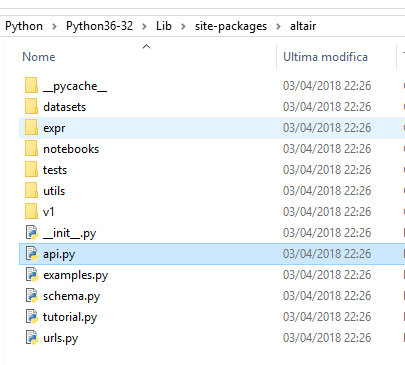
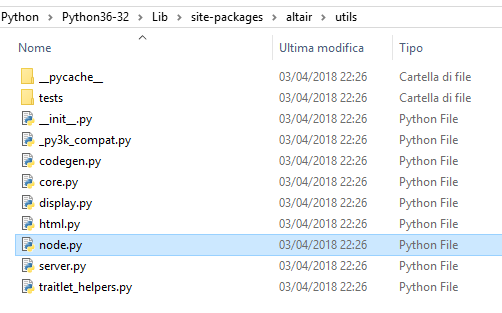
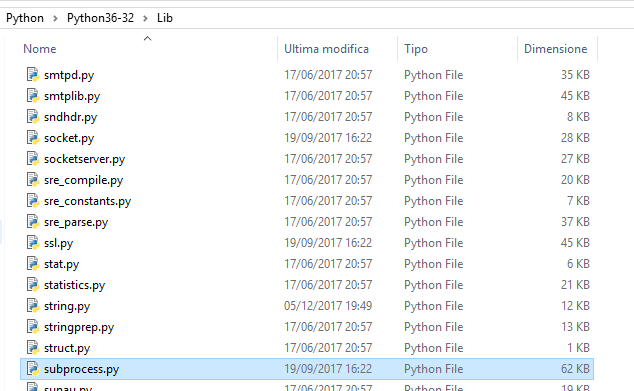
FileNotFoundError Traceback (most recent call last)
----> 1 cars.savechart('cars.png')
C:\Program Files\Python\Python36-32\lib\site-packages\altair\v1\api.py in savechart(self, outfile, filetype)
224
225 if filetype in node.SUPPORTED_FILETYPES:
--> 226 node.savechart(self, outfile, filetype)
227 elif filetype == 'json':
228 if hasattr(outfile, 'write'):
C:\Program Files\Python\Python36-32\lib\site-packages\altair\utilsnode.py in savechart(chart, filename, filetype, verbose)
138 'vl2' + filetype,
139 outfile=filename,
--> 140 verbose=verbose)
C:\Program Files\Python\Python36-32\lib\site-packages\altair\utilsnode.py in _convert_vegalite_spec(spec, cmd, outfile, verbose)
75 if verbose:
76 print('> ' + ' '.join(cmd))
---> 77 p = Popen([cmd], stdout=PIPE, stdin=PIPE, stderr=PIPE)
78
79 input_ = '{0}'.format(json.dumps(spec))
C:\Program Files\Python\Python36-32\lib\subprocess.py in __init__(self, args, bufsize, executable, stdin, stdout, stderr, preexec_fn, close_fds, shell, cwd, env, universal_newlines, startupinfo, creationflags, restore_signals, start_new_session, pass_fds, encoding, errors)
707 c2pread, c2pwrite,
708 errread, errwrite,
--> 709 restore_signals, start_new_session)
710 except:
711 # Cleanup if the child failed starting.
C:\Program Files\Python\Python36-32\lib\subprocess.py in _execute_child(self, args, executable, preexec_fn, close_fds, pass_fds, cwd, env, startupinfo, creationflags, shell, p2cread, p2cwrite, c2pread, c2pwrite, errread, errwrite, unused_restore_signals, unused_start_new_session)
995 env,
996 os.fspath(cwd) if cwd is not None else None,
--> 997 startupinfo)
998 finally:
999 # Child is launched. Close the parent's copy of those pipe
FileNotFoundError: [WinError 2] The system cannot find the file specified
 rpalloni
on 4 Apr 2018
rpalloni
on 4 Apr 2018
It looks like you're using an old version of Altair (node.py listed in your path is no longer part of the library).
Install Altair version 2.0 following the instructions here and go from there.
jakevdp
on 4 Apr 2018
Ok, updated. Now I get the same permission error as above PermissionError: [WinError 32] The process cannot access the file because it is being used by another process: 'C:\Users\PAGPI_~1\AppData\Local\Temp\tmpbyp9uhvp.html'
I copy/paste the code here in headless.py
but now I have the following error
ImportError Traceback (most recent call last)
----> 1 import altair.vegalite.v2 as alt
C:\Program Files\Python\Python36-32\lib\site-packages\altair__init__.py in
1 __version__ = '2.0.0rc1'
2
----> 3 from .vegalite import *
C:\Program Files\Python\Python36-32\lib\site-packages\altair\vegalite__init__.py in
----> 1 from .v2 import *
C:\Program Files\Python\Python36-32\lib\site-packages\altair\vegalite\v2__init__.py in
----> 1 from .schema import *
2 from .api import *
3
4 from . import examples
5
C:\Program Files\Python\Python36-32\lib\site-packages\altair\vegalite\v2\schema__init__.py in
----> 1 from .core import *
2 from .channels import *
3 SCHEMA_VERSION = 'v2.3.0'
4 SCHEMA_URL = 'https://vega.github.io/schema/vega-lite/v2.3.0.json'
C:\Program Files\Python\Python36-32\lib\site-packages\altair\vegalite\v2\schema\core.py in
2 # tools/generate_schema_wrapper.py. Do not modify directly.
3
----> 4 from altair.utils.schemapi import SchemaBase, Undefined
5
6 import os
C:\Program Files\Python\Python36-32\lib\site-packages\altair\utils__init__.py in
5 from .plugin_registry import PluginRegistry
6
----> 7 from .headless import save_spec
ImportError: cannot import name 'save_spec'
rpalloni
on 4 Apr 2018
The current version will not have from .headless import save_spec line. It's possible that somehow different versions got mixed. Maybe try to pip uninstall altair then reinstall it. The best way to test this is to create a new env and see if things work.
pagpires
on 4 Apr 2018
I think you're probably hitting this bug: https://github.com/altair-viz/altair/issues/649
The fix is in master, but not yet in any release. If you install the master version I think it should fix your issue.
jakevdp
on 4 Apr 2018
pip install git+git://github.com/altair-viz/altair.git
jakevdp
on 4 Apr 2018
Finally! Thanks for help!
rpalloni
on 4 Apr 2018
Related issues
jakevdp
·
17Comments
 mroswell
·
21Comments
mroswell
·
21Comments
 Znafon
·
23Comments
Znafon
·
23Comments
 mattijn
·
23Comments
mattijn
·
23Comments
 dyuval
·
34Comments
dyuval
·
34Comments