Zulip-desktop: Cursor does not focus in Settings box after soft reload (Ctrl/Cmd + R)
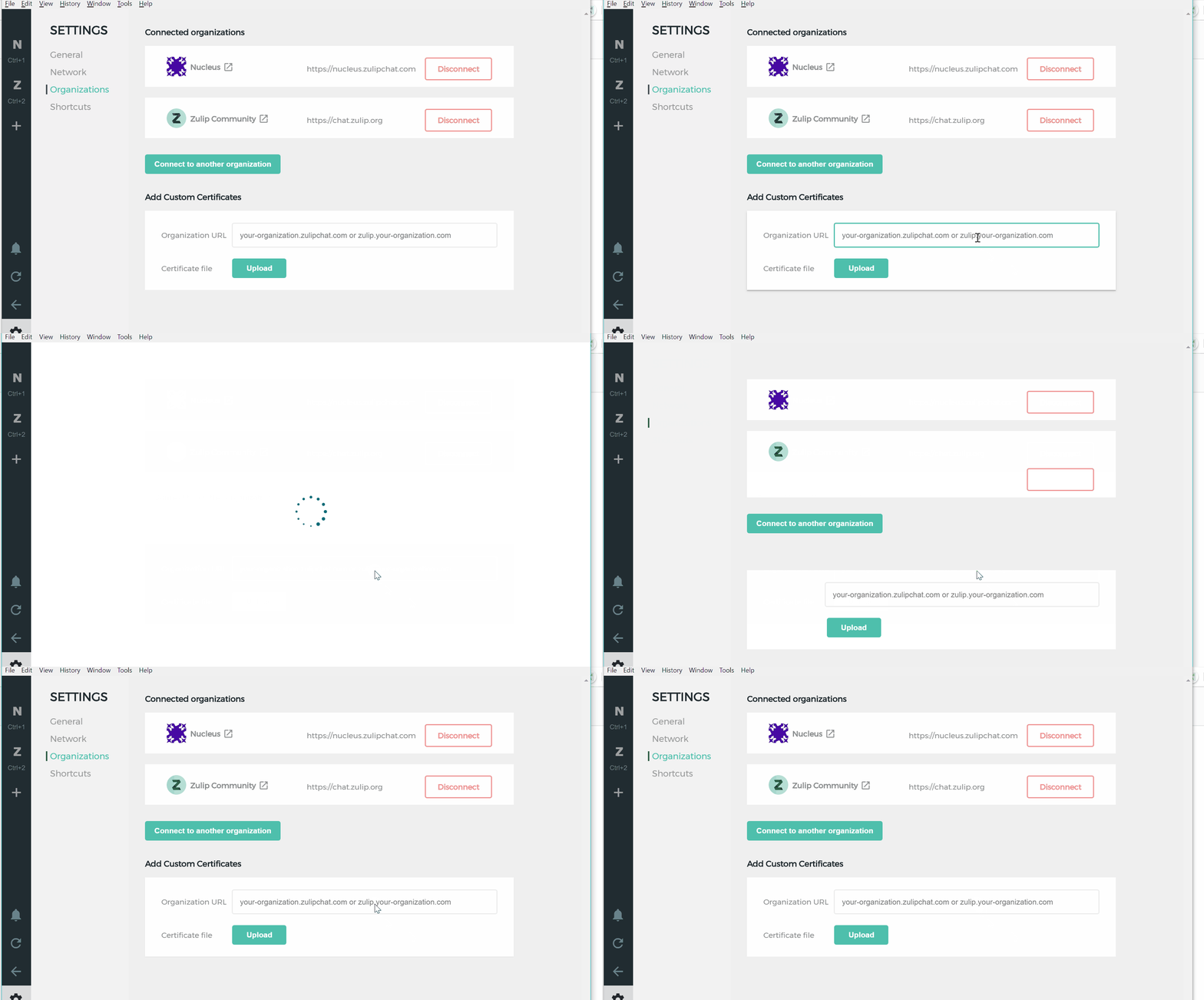
While on Settings > Organizations, if I reload by pressing Cmd/Ctrl + R, then I'm unable to focus my cursor in the input box.
The problem goes away when I switch apps and come back to Zulip.
Operating System:
- [x] Windows
- [ ] Linux/Ubuntu
- [ ] macOS
Clear steps to reproduce the issue:
Navigate to Settings > Organizations. Ctrl + R. (Reloading by clicking on the button in the sidebar works as expected). Try to click on the organization URL input box. You won't see a cursor and the input box won't focus as usual.
- Relevant GIF:
 kanishk98
All 2 comments
@zulipbot claim
 vsvipul
on 2 Apr 2019
vsvipul
on 2 Apr 2019
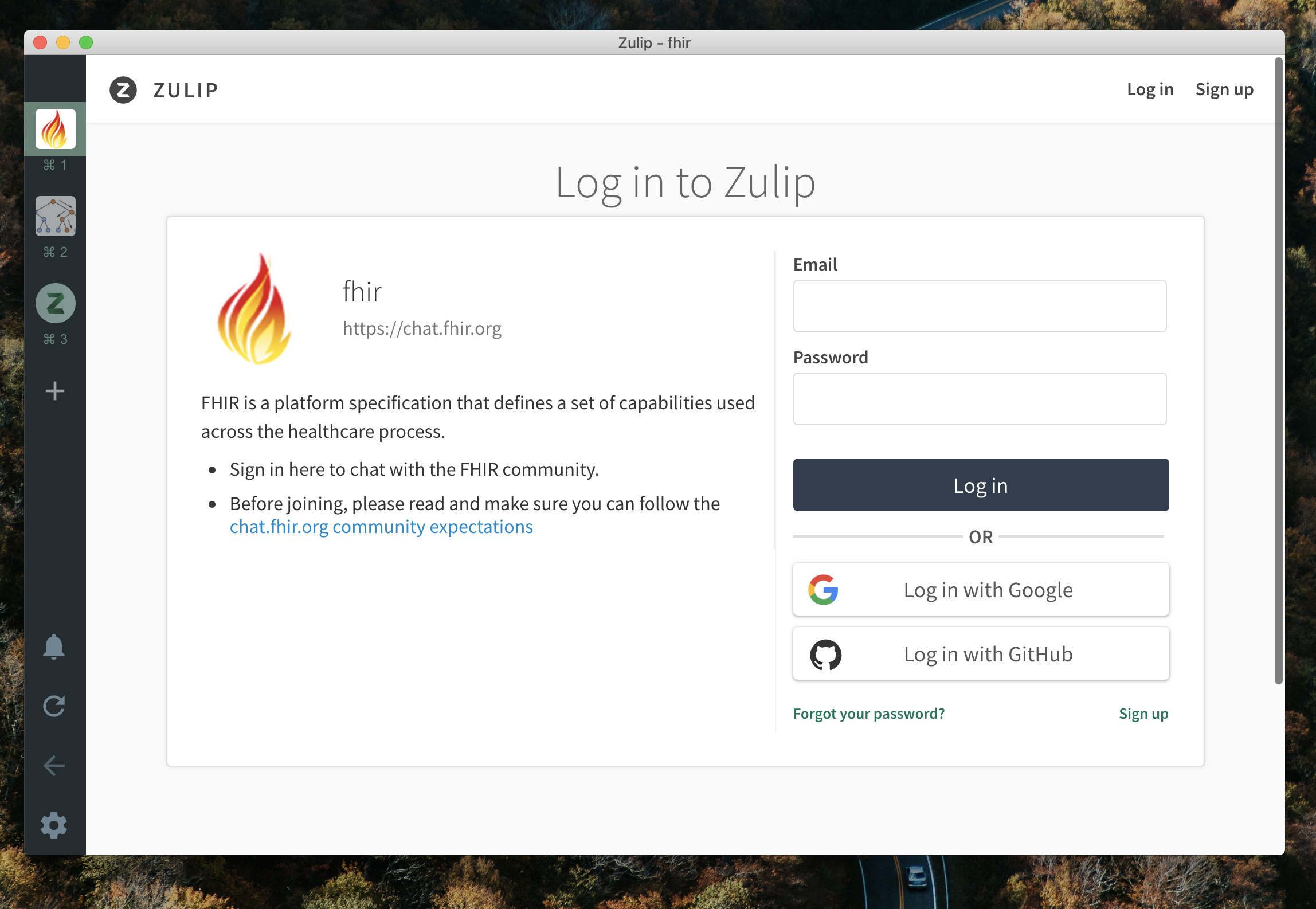
A similar issue can be seen on the /login page as well where the cursor doesn't focus the email field -
 akashnimare
on 2 Apr 2019
akashnimare
on 2 Apr 2019
👍2
Was this page helpful?
0 / 5 - 0 ratings
Related issues
 zingmars
·
11Comments
zingmars
·
11Comments
 dylnuge
·
5Comments
dylnuge
·
5Comments
 Mentalone
·
10Comments
vsvipul
·
11Comments
Mentalone
·
10Comments
vsvipul
·
11Comments
 EpicEric
·
6Comments
EpicEric
·
6Comments
Most helpful comment
A similar issue can be seen on the
/loginpage as well where the cursor doesn't focus the email field -