Zettlr: File sidebar is messed up in 1.7.3 [Fix in comments]
Description
The sidebar with the file names behaves erratically. The list loads slowly, often remains partially empty and when filled each file takes a lot of vertical space.
Reproducing
Launch the program.
Expected behaviour
Screenshots
Messed up:
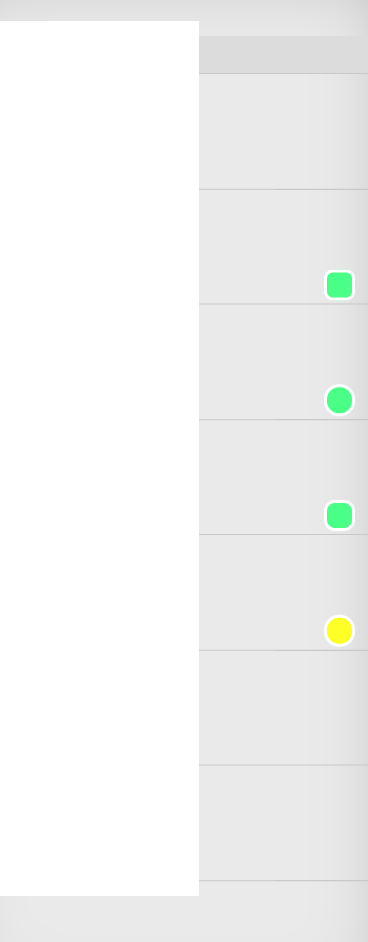
Completely empty in the middle of the scrolling range:

Platform
- OS and version: Window 10
- Zettlr Version: 1.7.3
- Screen Resolution: 1920x1080
Additional information
 BellLongworth
All 19 comments
The same on macOS 10.14.5:
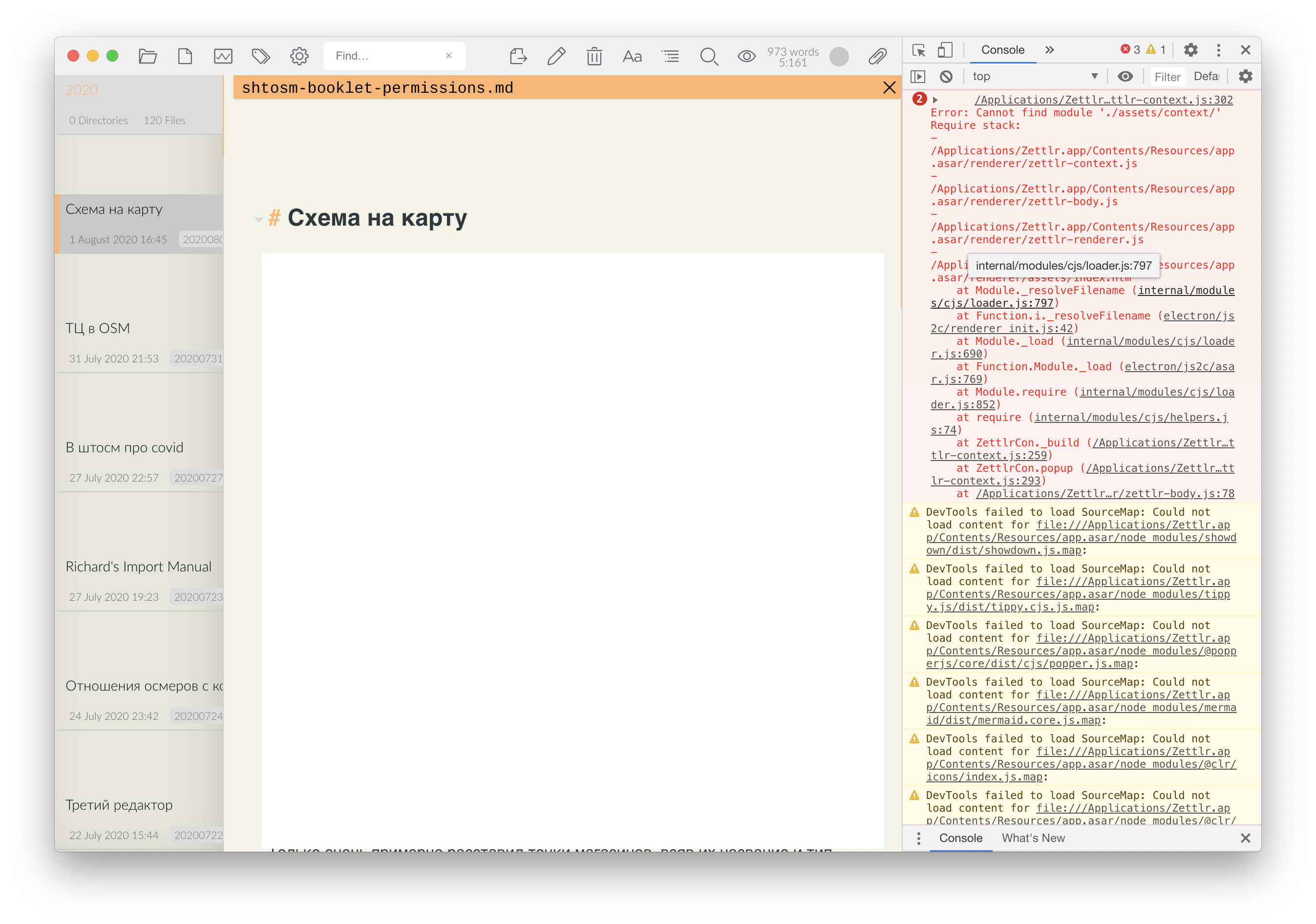
There are many errors on startup, pictured above.
 Zverik
on 1 Aug 2020
Zverik
on 1 Aug 2020
Whoops
 nathanlesage
on 1 Aug 2020
nathanlesage
on 1 Aug 2020
Alright, this is almost for sure an error in the build pipeline; if I build the app cycle completely locally everything is fine …
God I hate the instability of GitHub actions sometimes. I'll trigger the build again, let's see if this helps!
nathanlesage
on 1 Aug 2020
Here's the run: https://github.com/Zettlr/Zettlr/actions/runs/191361594
As soon as it finishes, feel free to download one of the generated artifacts and test them out — if they work, I'll just replace the binaries
nathanlesage
on 1 Aug 2020
Alright, this is almost for sure an error in the build pipeline; if I build the app cycle completely locally everything is fine …
God I hate the instability of GitHub actions sometimes. I'll trigger the build again, let's see if this helps!
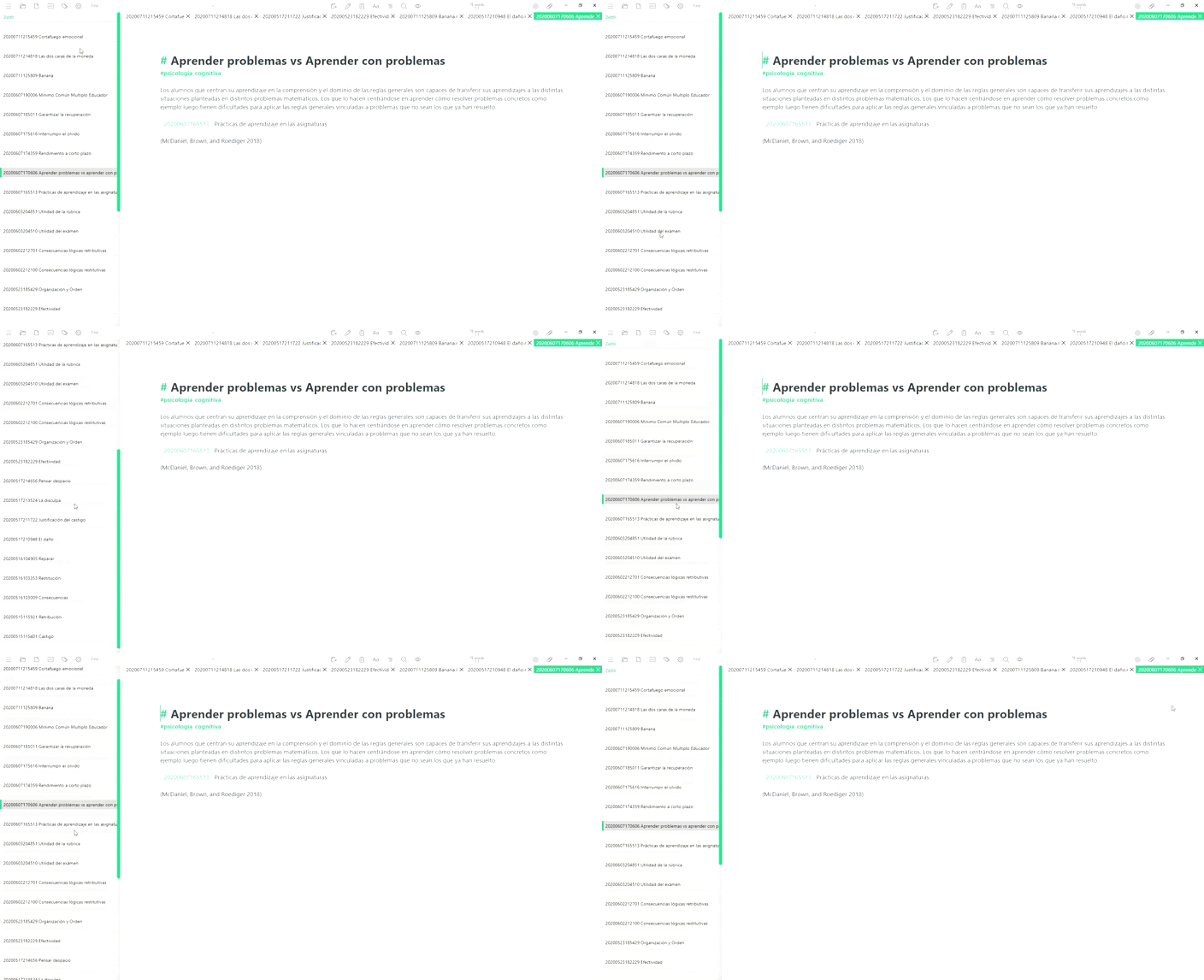
I have this problem
 berzhot
on 1 Aug 2020
berzhot
on 1 Aug 2020
Looks like the re-built version has the same bug. Logs from the dev console:
vue/sidebar.css:1 Failed to load resource: net::ERR_FILE_NOT_FOUND
electron/js2c/renderer_init.js:82 Electron Deprecation Warning The 'remote' module is deprecated and will be disabled by default in a future version of Electron. To ensure a smooth upgrade and silence this warning, specify {enableRemoteModule: true} in the WebPreferences for this window.
(anonymous) @ electron/js2c/renderer_init.js:82
DevTools failed to load SourceMap: Could not load content for file:///Applications/Zettlr.app/Contents/Resources/app.asar/node_modules/showdown/dist/showdown.js.map:
DevTools failed to load SourceMap: Could not load content for file:///Applications/Zettlr.app/Contents/Resources/app.asar/node_modules/tippy.js/dist/tippy.cjs.js.map:
DevTools failed to load SourceMap: Could not load content for file:///Applications/Zettlr.app/Contents/Resources/app.asar/node_modules/@popperjs/core/dist/cjs/popper.js.map:
DevTools failed to load SourceMap: Could not load content for file:///Applications/Zettlr.app/Contents/Resources/app.asar/node_modules/mermaid/dist/mermaid.core.js.map:
DevTools failed to load SourceMap: Could not load content for file:///Applications/Zettlr.app/Contents/Resources/app.asar/node_modules/@clr/icons/index.js.map:
DevTools failed to load SourceMap: Could not load content for file:///Applications/Zettlr.app/Contents/Resources/app.asar/node_modules/@clr/icons/shapes/all-shapes.js.map:
DevTools failed to load SourceMap: Could not load content for file:///Applications/Zettlr.app/Contents/Resources/app.asar/node_modules/@clr/icons/clr-icons.min.css.map:
ffs I hate this messy build process, and why can't I reproduce this locally? Grrr
nathanlesage
on 1 Aug 2020
This seems to happen in Thin and Expanded modes. Combined seems to work OK.
 canpolat
on 1 Aug 2020
canpolat
on 1 Aug 2020
Yeah, somehow it stops loading the sidebar CSS, albeit it gets emitted. This only happens with a clean install, so with my existing install it somehow doesn't happen and I don't know why
nathanlesage
on 1 Aug 2020
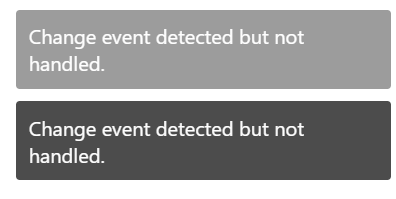
I don't know if this is the right place to dump all 1.7.3 regressions, but I get the following "notification"s on save:
canpolat
on 1 Aug 2020
@canpolat YESSS! THIS MEANS THE GODDAMN FSAL BUG IS GONE!
(Ok sorry for all-caps, but this had me sleepless for the last months, this means I'll be removing this notification in the next iteration)
nathanlesage
on 1 Aug 2020
Okay, webpack does not emit the necessary CSS file anymore. Dirty patch until then, just copy and paste this into your Custom CSS section:
.vue-recycle-scroller{position:relative}.vue-recycle-scroller.direction-vertical:not(.page-mode){overflow-y:auto}.vue-recycle-scroller.direction-horizontal:not(.page-mode){overflow-x:auto}.vue-recycle-scroller.direction-horizontal{display:-webkit-box;display:-ms-flexbox;display:flex}.vue-recycle-scroller__slot{-webkit-box-flex:1;-ms-flex:auto 0 0px;flex:auto 0 0}.vue-recycle-scroller__item-wrapper{-webkit-box-flex:1;-ms-flex:1;flex:1;-webkit-box-sizing:border-box;box-sizing:border-box;overflow:hidden;position:relative}.vue-recycle-scroller.ready .vue-recycle-scroller__item-view{position:absolute;top:0;left:0;will-change:transform}.vue-recycle-scroller.direction-vertical .vue-recycle-scroller__item-wrapper{width:100%}.vue-recycle-scroller.direction-horizontal .vue-recycle-scroller__item-wrapper{height:100%}.vue-recycle-scroller.ready.direction-vertical .vue-recycle-scroller__item-view{width:100%}.vue-recycle-scroller.ready.direction-horizontal .vue-recycle-scroller__item-view{height:100%}.resize-observer[data-v-b329ee4c]{position:absolute;top:0;left:0;z-index:-1;width:100%;height:100%;border:none;background-color:transparent;pointer-events:none;display:block;overflow:hidden;opacity:0}.resize-observer[data-v-b329ee4c] object{display:block;position:absolute;top:0;left:0;height:100%;width:100%;overflow:hidden;pointer-events:none;z-index:-1}
Seems to work for me.
BellLongworth
on 1 Aug 2020
That's good to hear, because I have no idea why the module doesn't spit out CSS anymore … haven't found a fix yet
nathanlesage
on 1 Aug 2020
Works for me too. Would it make sense to disable this release (1.7.3) to prevent this happening? (I don't even know if this is possible. I see that it is possible to mark it as pre-release, though.)
canpolat
on 1 Aug 2020
It's working on Windows 10. Nice.
 abunavas
on 1 Aug 2020
abunavas
on 1 Aug 2020
Nah, once it's out, it's out … I'll just have to find that bug in the Webpack-configuration why the CSS-Loader doesn't spit out the CSS files – in case someone of you spots this error, feel free to open a PR!
nathanlesage
on 1 Aug 2020
I can confirm that the issue is solved with 1.7.4. Thank you for the fix!
canpolat
on 2 Aug 2020
And thank you for notifying in the other issues that the fix is finally there :)
nathanlesage
on 2 Aug 2020
Related issues
 rafedramzi
·
4Comments
rafedramzi
·
4Comments
 volt4ire
·
4Comments
volt4ire
·
4Comments
 Kangie
·
4Comments
Kangie
·
4Comments
 Jos512
·
5Comments
Jos512
·
5Comments
 danieltomasz
·
5Comments
danieltomasz
·
5Comments
Most helpful comment
@canpolat YESSS! THIS MEANS THE GODDAMN FSAL BUG IS GONE!
(Ok sorry for all-caps, but this had me sleepless for the last months, this means I'll be removing this notification in the next iteration)