Zettlr: Vim Keybinding - Weird visual block behavior
Description
So i have this problem when using visual block (ctrl+v) in zettlr with vim-keybidning,
Issues:
- Can only select at most 2 lines
- If i write to 1 line and escape, the edit doesn't applied to the other line
- If I select vertically 2 times then horizontal 1 times it clears the vertical selection
Reproducing
Issue 1:
ctrl+v j j
issue 2:
ctrl+v j I blah Esc
issue 3:
ctrl+v j l
Expected behaviour
issue 1:
expected 3 lines selected, actual 2 lines selected
issue 2:
expected changes applied to 2 lines, but ony applied to 1 line
issue 3:
expected 2 by 2 block, actual 1 by 2 block, and the block starts from the 2nd line instead of the first line
Screenshots
Platform
- OS and version:
❯ uname -a
Linux hostname 5.7.8-zen2-1-zen #1 ZEN SMP PREEMPT Fri, 10 Jul 2020 14:47:51 +0000 x86_64 GNU/Linux - Zettlr Version: 1.7.1
- Screen Resolution: 1920x1080 ( doesn't matter)
Additional information
がんばって :fire:
 rafedramzi
All 4 comments
Thanks so much for opening up your first issue here on the repository! 🎉 We would like to warmly welcome you to the community behind the app! ☺️ We'll check in soon and have a look at your issue. In the meantime, you can check your issue and make sure it aligns with our contribution guidelines! Here's the comprehensive list:
Enhancements
An enhancement takes a feature and improves or alters its behaviour. Please make sure to argue how your proposition will aid non-technical text workers, and why it can't be emulated easily with other features or apps!
Feature requests
Feature requests introduce whole new features into the app. This requires a lot of work, so these might be turned down if the implementation costs supersede the benefits we expect to see from implementing it. Please do not be disappointed if that happens. It likely has nothing to do with your great request but simply with us and our missing resources!
You can of course always ask someone to implement this feature, because a PR with a working new feature has much higher chances of being merged! :)
Bug reports
Please note that one of the main reasons for why bug reports cannot be addressed is that there's not enough information for us to find and fix the bug you describe, so make sure you try to pinpoint the bug as close as possible.
The ideal bug report for us has two qualities:
- The bug is always reproducible, at least within a certain context. 2. We know exactly what specifically goes wrong, and there is consensus on
what should happen instead.
Please note that if you encounter behaviour that does not align with your expectations of what would happen, this might as well be simply intended behaviour and we need to simply _clarify_ why the behaviour is the way it is. This is not to be considered a bug and such issues may be closed! Suggest an enhancement instead!
But now, have a great day and thank you again!
![boring-cyborg[bot] picture](https://avatars3.githubusercontent.com/in/50386?v=4&s=40) boring-cyborg[bot]
on 22 Jul 2020
boring-cyborg[bot]
on 22 Jul 2020
Heya, thanks for reporting! Unfortunately, I am not at all adept at vim, so I'll label it so that maybe someone might have a look at what's happening!
 nathanlesage
on 22 Jul 2020
nathanlesage
on 22 Jul 2020
@nathanlesage feel free to @ me on any vim issues. I can't guarantee I'll be able to help but I do have a decent understanding of codemirror vim from the jupyterlab world.
@rafedramzi these are all good catches and thank you for the clear key combinations for reproduction.
Issue 1:
I can confirm this issue and that it is specific to zettlr as it does work on the codemirror vim demo
In zettlr:
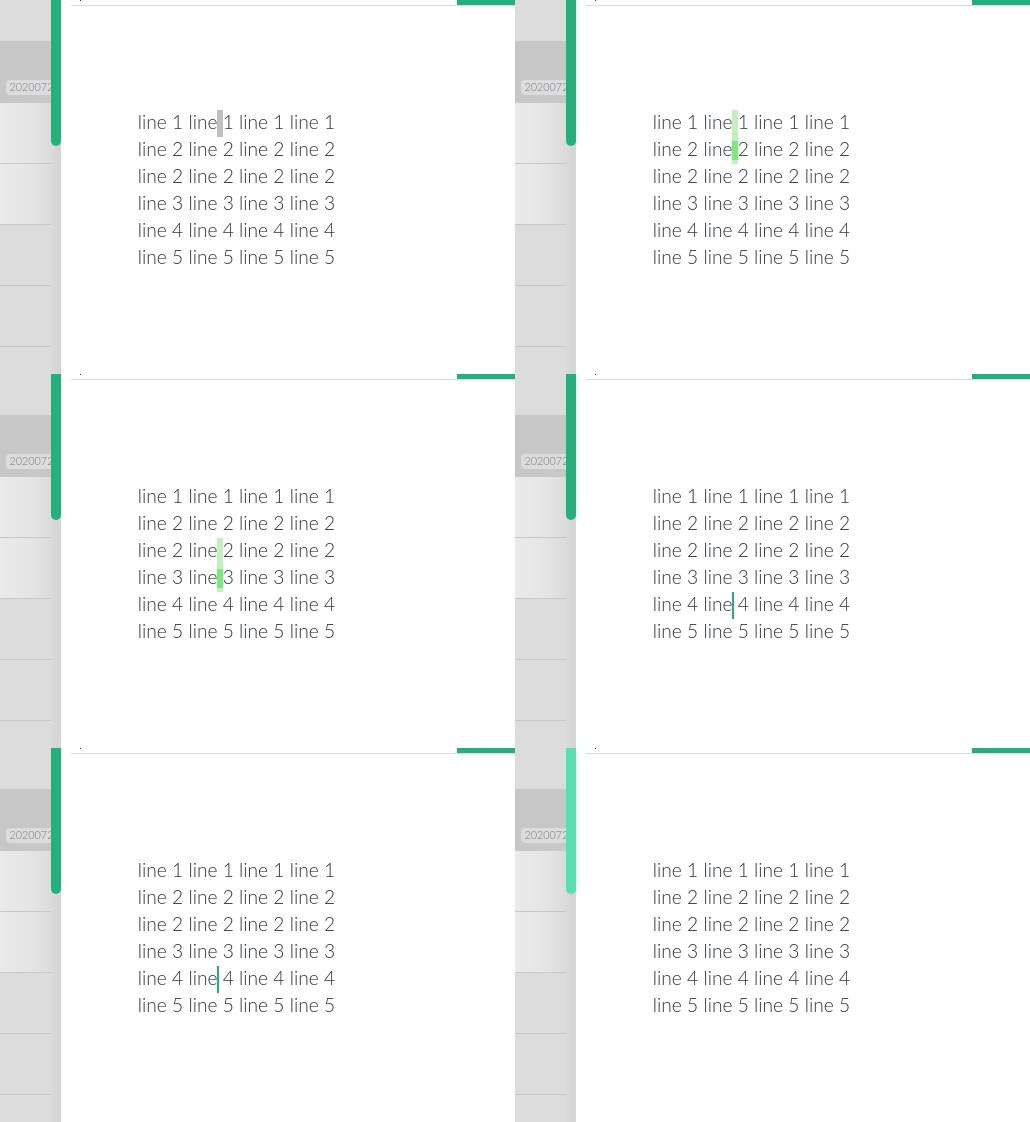
on https://codemirror.net/demo/vim.html
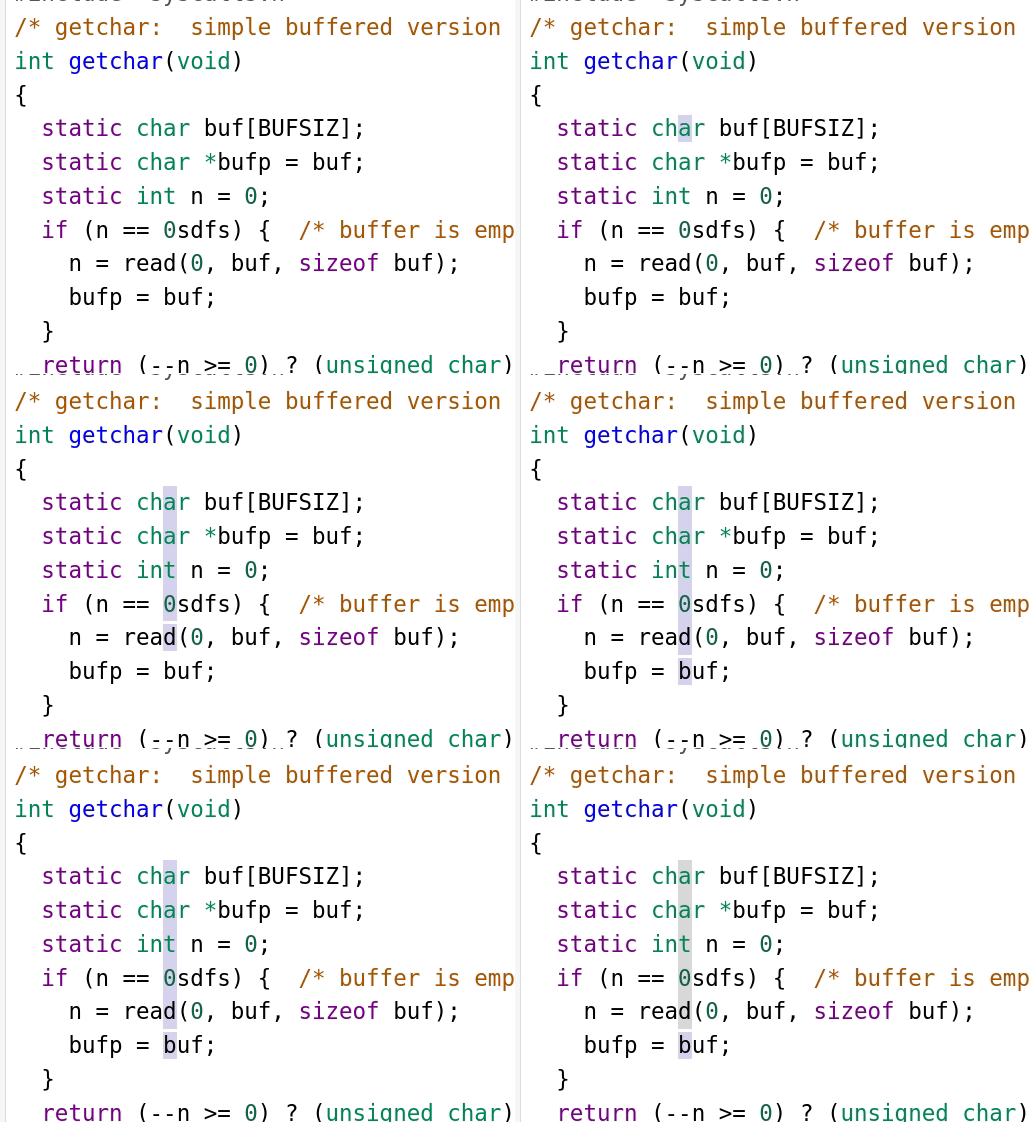
Issue 2:
This is partially a limitation of codemirror. Your example doesn't work on the codemirror demo either. However on the demo if you make a vertical selection with crtl-V and then use shift-i you can modify multiple lines:
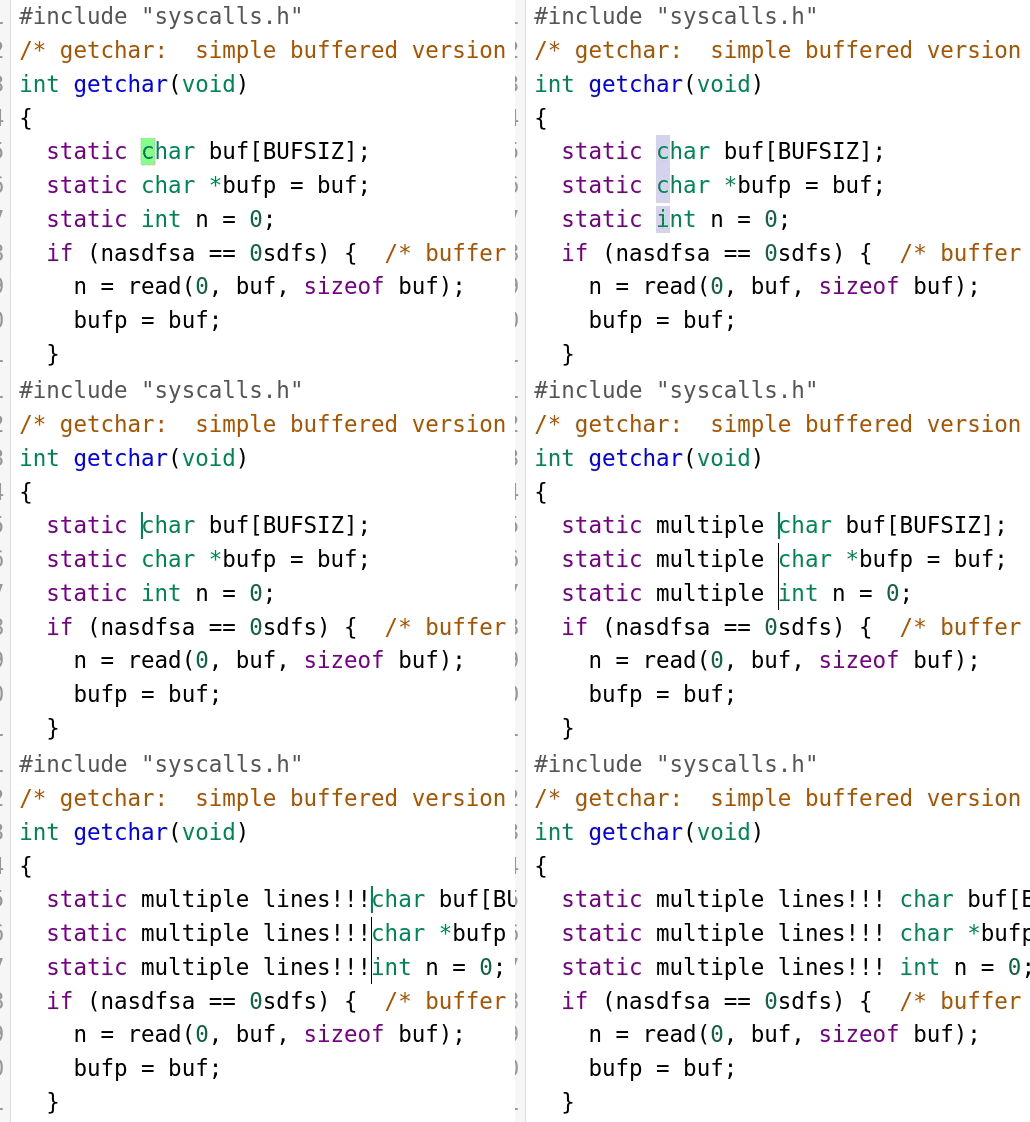
however this does not work in zettlr
Issue 3:
Yup I find the same. I think this is unique to zettlr
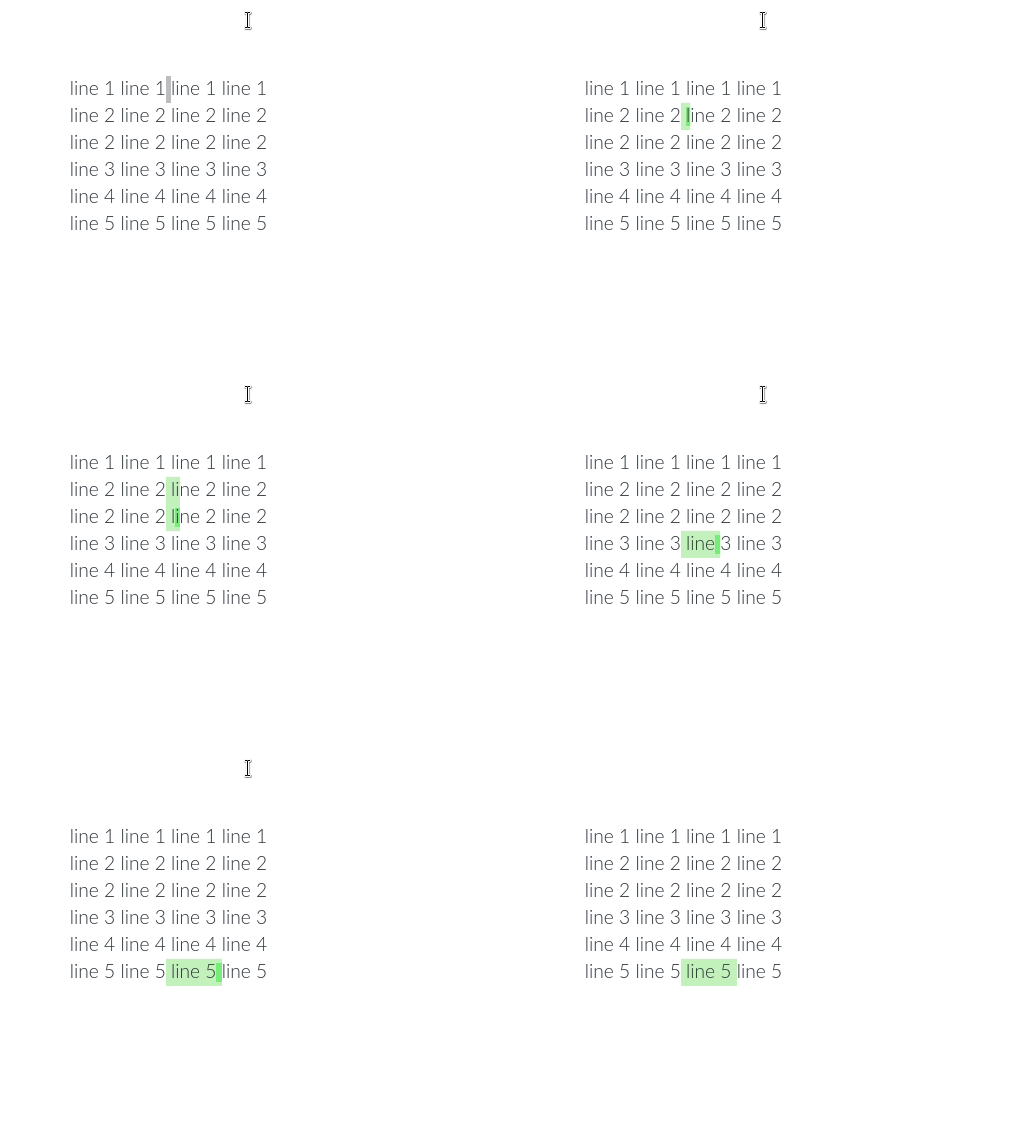
vs
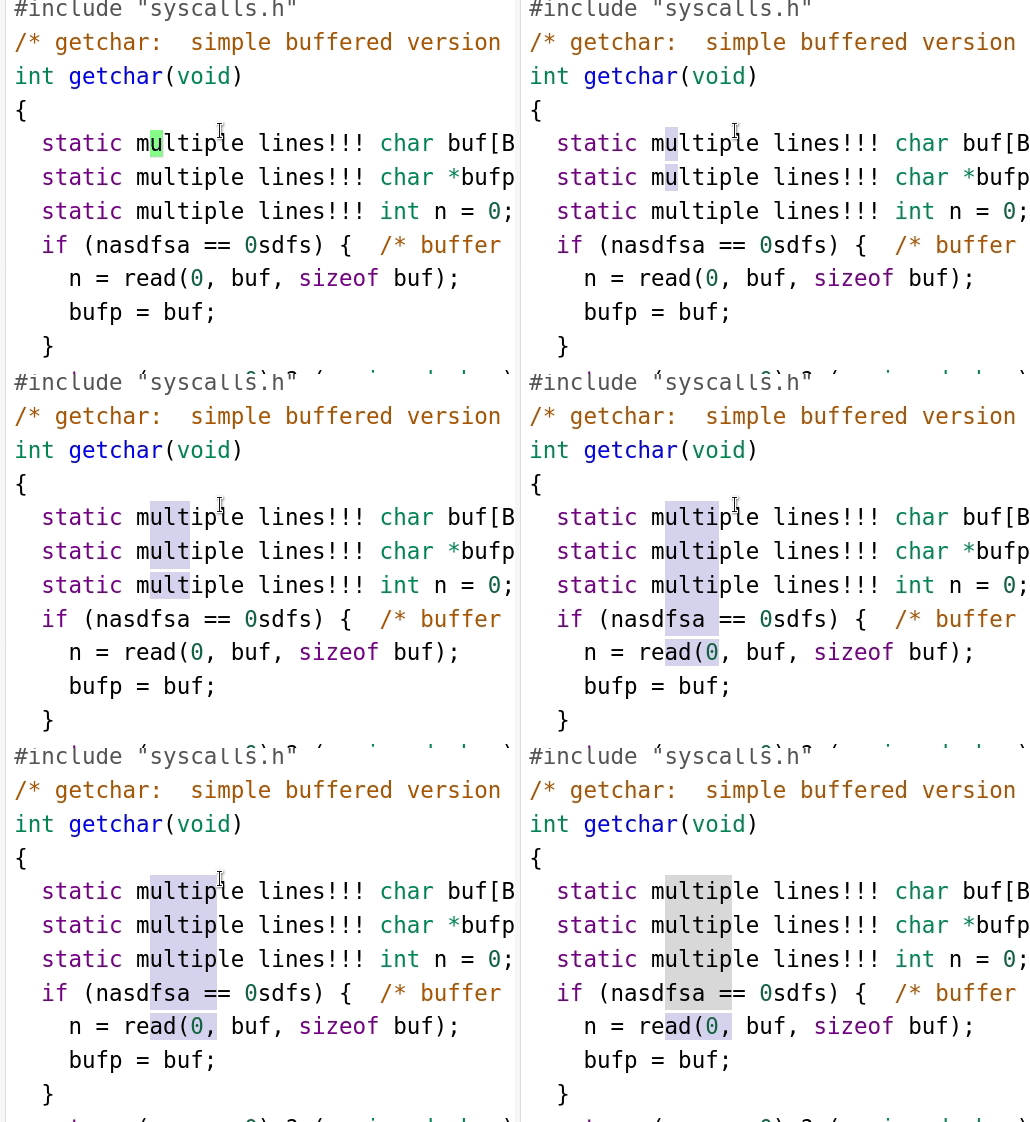
All these issues likely share a root cause though I don't really know what that is. @nathanlesage does zettlr modify how codemirror keeps track of lines?
 ianhi
on 27 Jul 2020
ianhi
on 27 Jul 2020
Confusingly both visual selection (v) and visual line selection (shift-v) behave as expected
ianhi
on 27 Jul 2020
Related issues
 akavel
·
5Comments
akavel
·
5Comments
 Jos512
·
5Comments
Jos512
·
5Comments
 volt4ire
·
4Comments
volt4ire
·
4Comments
 Noisecommander
·
3Comments
Noisecommander
·
3Comments
 danieltomasz
·
5Comments
danieltomasz
·
5Comments
Most helpful comment
@nathanlesage feel free to @ me on any vim issues. I can't guarantee I'll be able to help but I do have a decent understanding of codemirror vim from the jupyterlab world.
@rafedramzi these are all good catches and thank you for the clear key combinations for reproduction.
Issue 1:


I can confirm this issue and that it is specific to zettlr as it does work on the codemirror vim demo
In zettlr:
on https://codemirror.net/demo/vim.html
Issue 2:

This is partially a limitation of codemirror. Your example doesn't work on the codemirror demo either. However on the demo if you make a vertical selection with crtl-V and then use
shift-iyou can modify multiple lines:however this does not work in zettlr
Issue 3:


Yup I find the same. I think this is unique to zettlr
vs
All these issues likely share a root cause though I don't really know what that is. @nathanlesage does zettlr modify how codemirror keeps track of lines?