Zettlr: [Enhancement] UX small enhancements request thread
Instead of creating every time new issues to the horror of @nathanlesage I will put here inconsistencies I noticed or small things that could improve workflow with the app
Design/UX update
- [UX] Rename file/note bubble is too narrow, it doesn't display the full name of the note
Enhancements
[Enhancement] it is possible to trigger rename bubble centred on a note in sidebar view? when using rename right-click option on the note
[enhancement] Open plain https link with alt. In this moment Zettlr open links only when in Markdown tags [1.7.2]Add "Open directory [in file manager]" option when right-clicking on the directory in the sidebarWhen moving files between directories and files exist add an option to ask if overwrite (with info which file is later edited)
General/ possible bugs
Zettlr doesn't remember the width of the sidebar when restarted, every time I need to resize it (Zettlr 1.7.2)
"New virtual directory" still as an option when clicking on a folder in the sidebar. As I understood the possibility to create virtual dir has bee removed in this release? Choosing this option it doesn't do anything anyway
 danieltomasz
All 22 comments
Instead of creating every time new issues to the horror of @nathanlesage
❤️
 nathanlesage
on 13 May 2020
nathanlesage
on 13 May 2020
- "New virtual directory" still as an option when clicking on a folder in the sidebar. As I understood the possibility to create virt dir has bee removed in this release? Choosing this option it doesn't do anything anyway
danieltomasz
on 13 May 2020
someone also mentioned (while we're at UX) to enable dark styling of the dialogs. Just did that:
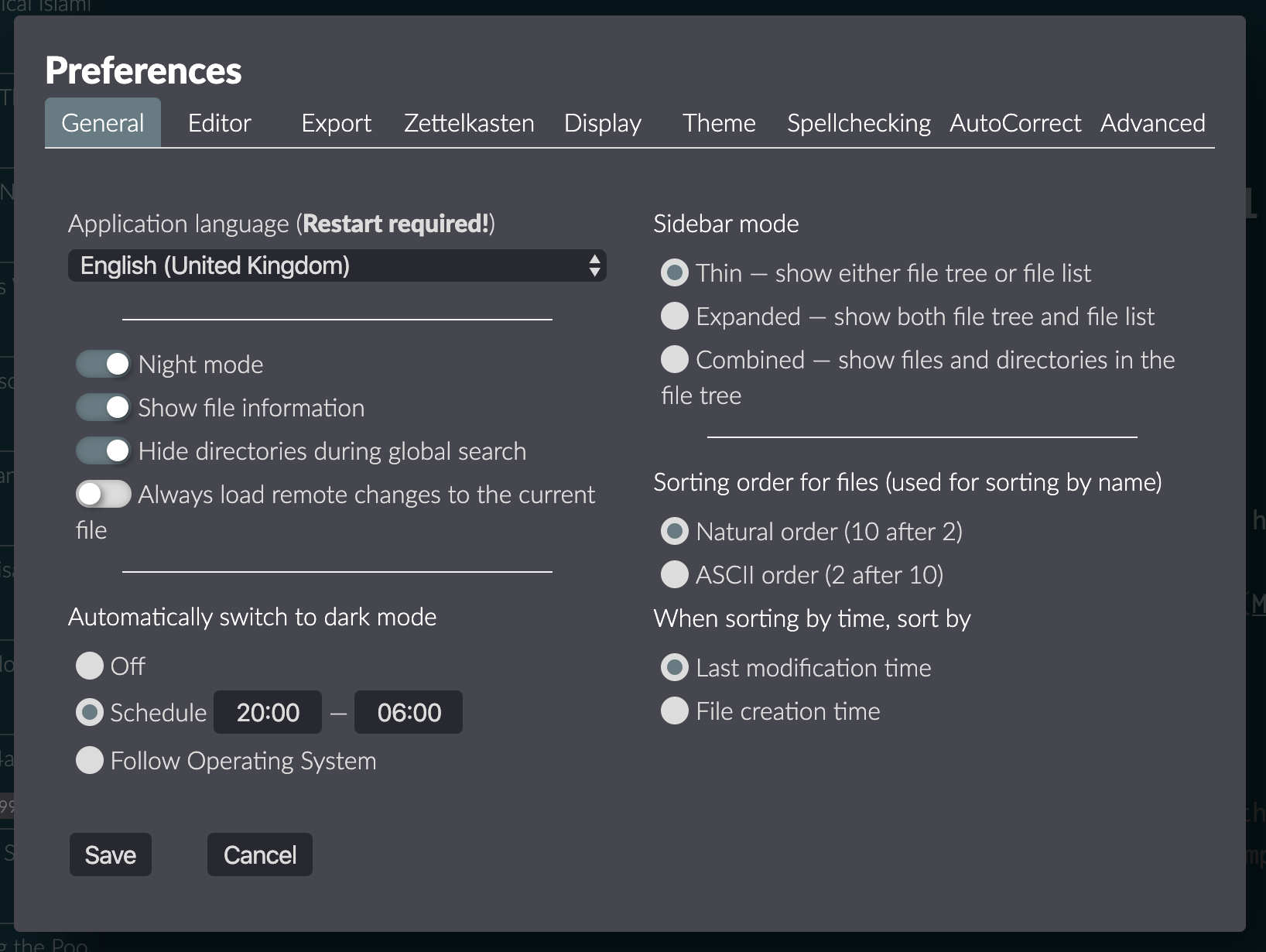
Virtual directory thingy is also gone in three, two …
nathanlesage
on 13 May 2020
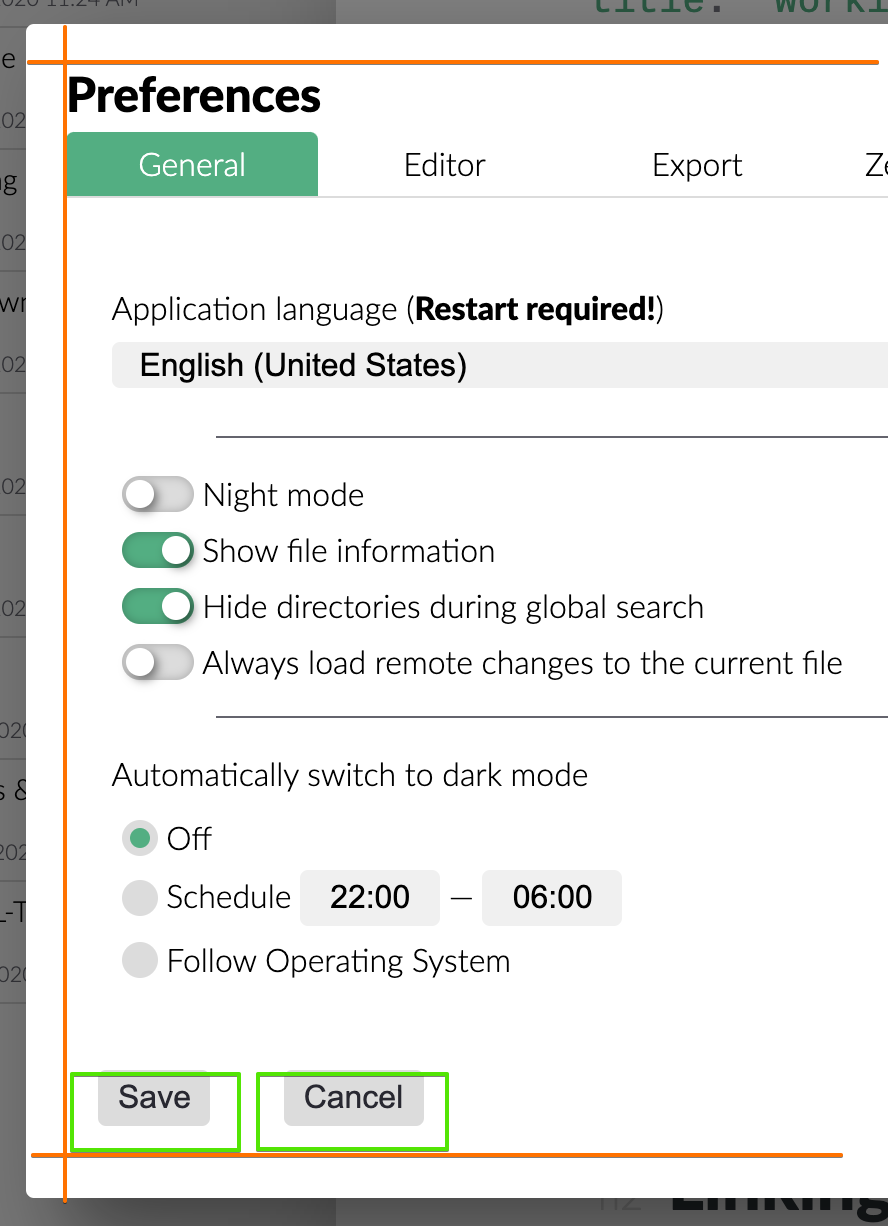
When the Zettlr window size is smaller than The Preferences Pane, the preferences pane start appearing in a different part of the screen when changing different Preferences tab
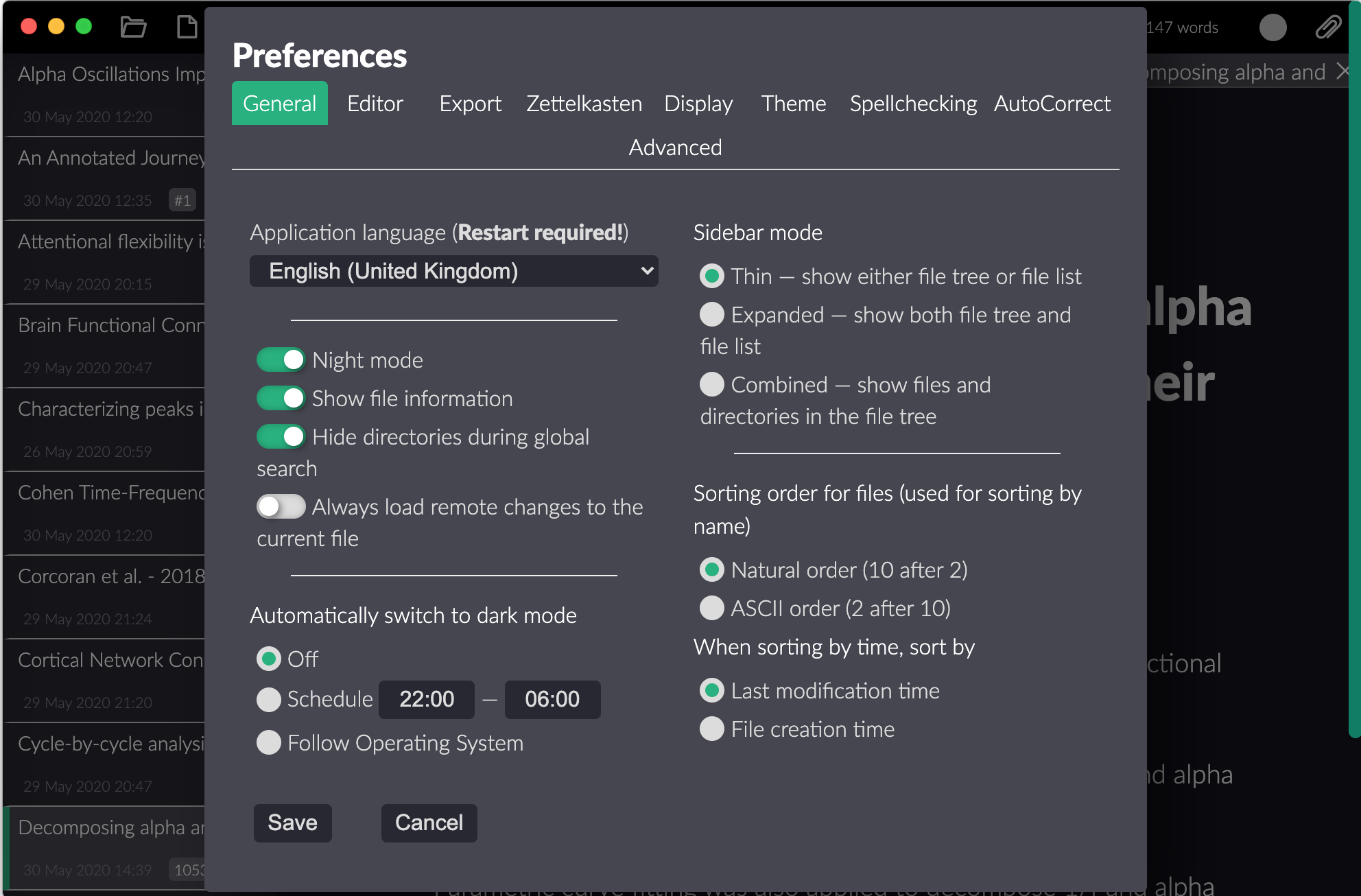
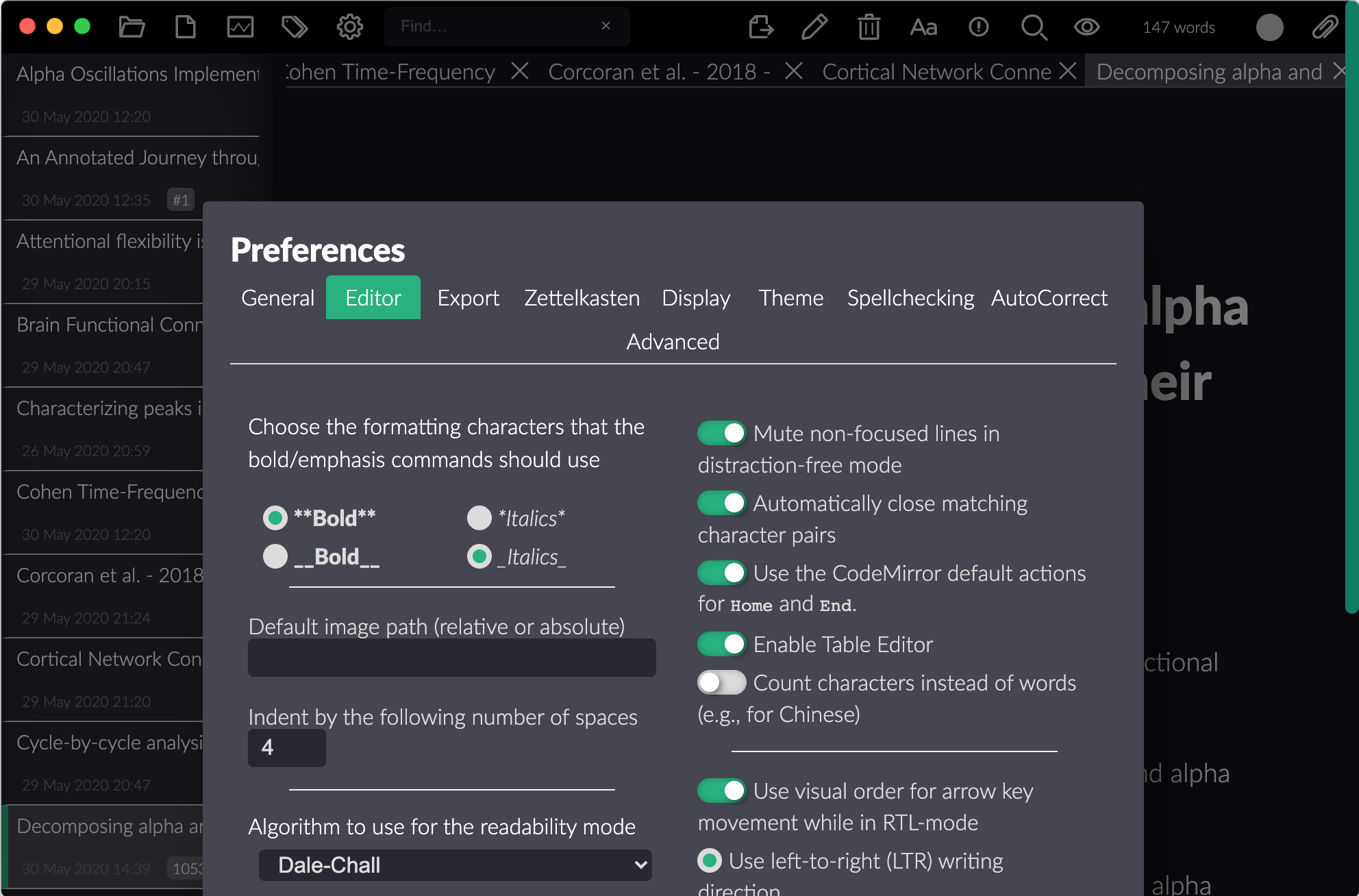
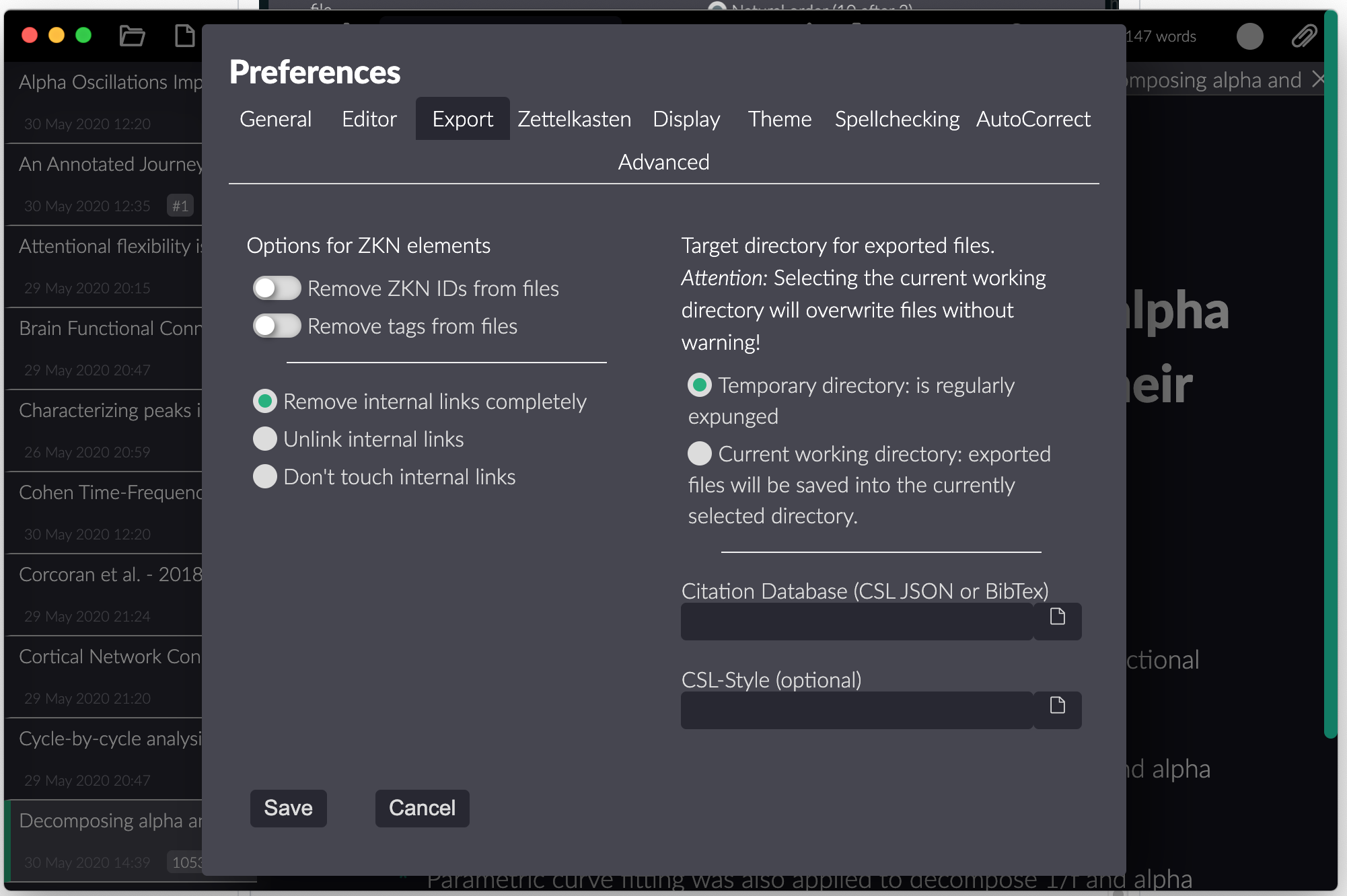
This is caused by the tab trying to "fit" into current window size, but this doesn't create good consistent user experience (this is my subjective opinion).
Zettlr 1.6 doesn't have this kind of behaviour, the window doesn't change where it start, and in my opinion, it was better behaviour
Edit: Sometimes the position of preferences window in 1.7 is fixed (when the main window is smaller), but changing size of main Zettlr window cause return to the described behaviour
This is some cosmetic issue, but anyway, I am putting this here
danieltomasz
on 30 May 2020
Path to my bibliography file disappeared when I updated.
Button to add CSL JSON file with bibliography doesnt work on Mac, but adding path manually works.
danieltomasz
on 30 May 2020
Here's how currently the algorithm works (calculations are made after the dialog window is displayed and then whenever the window is being resized):
- Check the height of the dialog window
- Is it bigger than the available window height? Then apply a margin top+bottom and make it scrollable
- If not, apply a top-margin half of the available additional (unused) window so that the window stays centered.
This means that there is this small margin after which the dialog will suddenly "jump", but this should only happen if you are actively resizing the window.
Feel free to make suggestions.
Button to add CSL JSON file with bibliography doesnt work on Mac, but adding path manually works.
This has nothing to do with UX enhancement, so please make an issue out of that, as I will have to look into that!
nathanlesage
on 30 May 2020
"Jumpy" behaviour is only in specific "border" conditions;
Feel free to make suggestions.
The solution that I could come really fast;
- Before opening get the height of all tabs, and the height of the dialogue window should be the max of all tabs
- If the height of the dialog window is bigger, create scroll (as in you recipe)
- They say there is no free dinners, instead of jumping windows the problem now will be that for some tabs there will be much free space at the bottom
- I don't know if my recipe is better, but it is something to consider
Sorry about the button, I was lazy to open a new issue, and I see it as a small thing
danieltomasz
on 31 May 2020
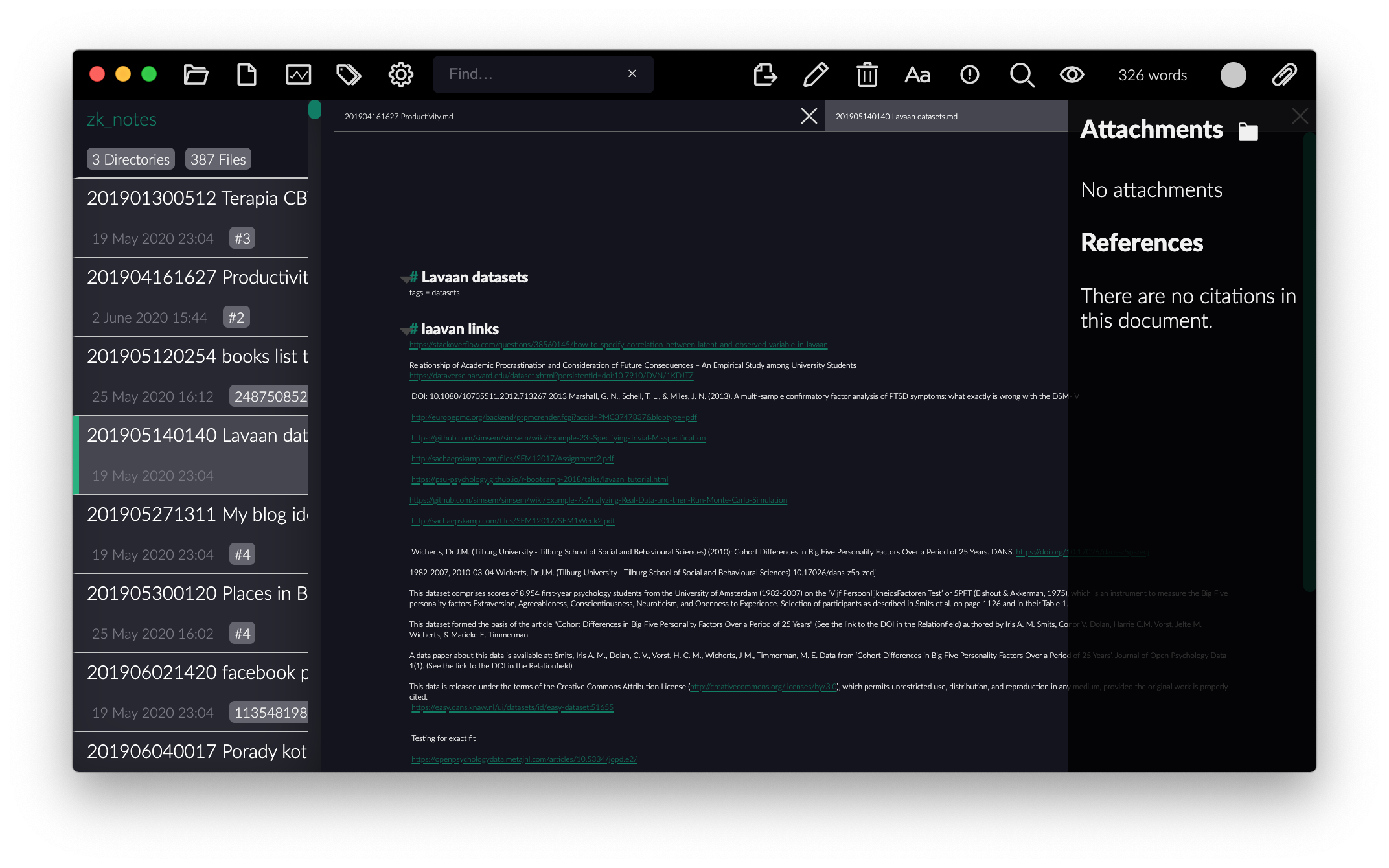
- Too much space between header (when documents start) and the bar
This is especially bad when Zettlr has small font (its actually the same amount always, I would like an option to remove much of that space) - The ability to scale sidebar font too (maybe as an option in settings)
danieltomasz
on 2 Jun 2020
hmhmhmhm …
To your first point: We could definitely see if we can find a solution that reduces the margin a little bit — but don't forget that this might boil down to taste! And concerning sidebar: I would like to only keep the editor zooming in/out — for the rest there's custom CSS!
nathanlesage
on 2 Jun 2020
Yes this is subjective matter :)
danieltomasz
on 3 Jun 2020
To the point of editor zooming in and out, may I suggest an improvement: for my taste, the default text size is a bit too large. I saw that I can make the entire text smaller (headings and all) by Ctrl+'-' and Ctrl+Shift+'+' to make it larger (on Windows). However, this size is not persisted between restarts. Could you please add an option in the settings for the relative text size, which can also be synced with the editor resizing via commands? Thanks.
 bmocanu
on 10 Jun 2020
bmocanu
on 10 Jun 2020
Hi! I just recently found about your project and I must say it's an impressive app, tons of features and is working great so far. So, I've been toying around, and I noticed few UX issues, I've listed them below. I hope you appreciate the feedback.
I might try running the project on my machine to fix the issues. Meanwhile I list them here for reference:
Remove gap between toolbar buttons
- This will increase the hit area and (hopefully) make the buttons easier to access

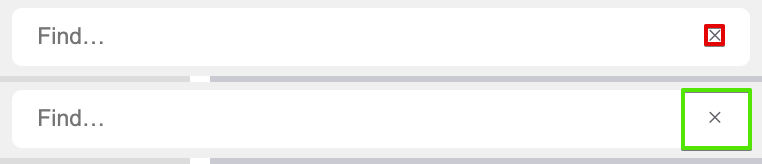
Search field improvements (fix in #990)
- Increase clear find filter hit area
- Hide
xwhen there is no filter applied - Change
xcolor on hover
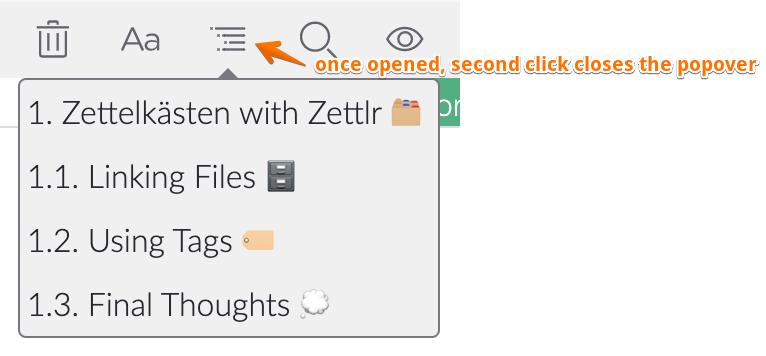
Toggle popover
- On the top toolbar, if an icon opens a popover, a second click should close the popover
Change BG color on hover on stats and pomodoro buttons
- For consistency with the other toolbar buttons, when hovering these two I would change the bg color

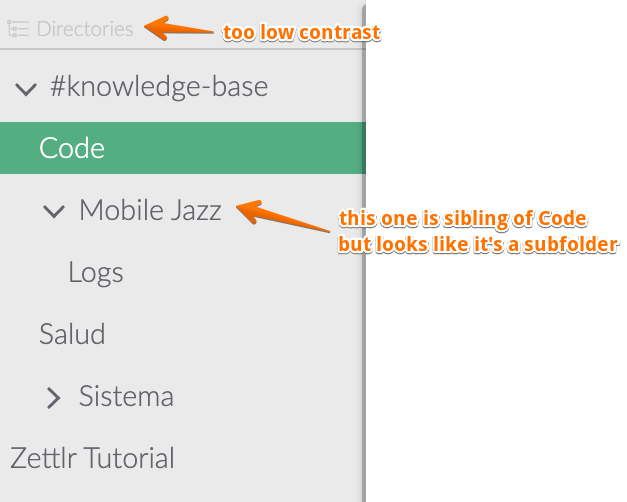
Directories column improvements
- Increase contrast
- Improve tree hierarchy readability
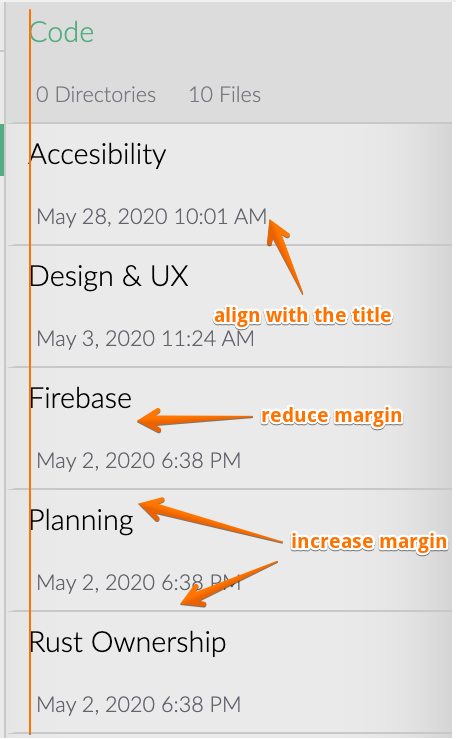
File/documents list
- Margins & alignment adjustments
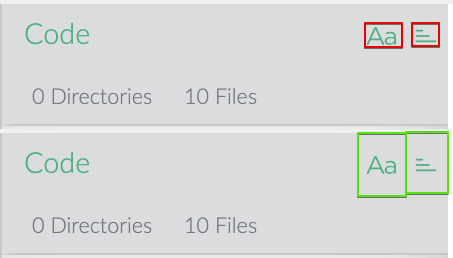
Sort file/documents
- Increase hit area
- Add tooltip explaining action
File tabs
- Increase height
- Add border to visually separate unselected tabs

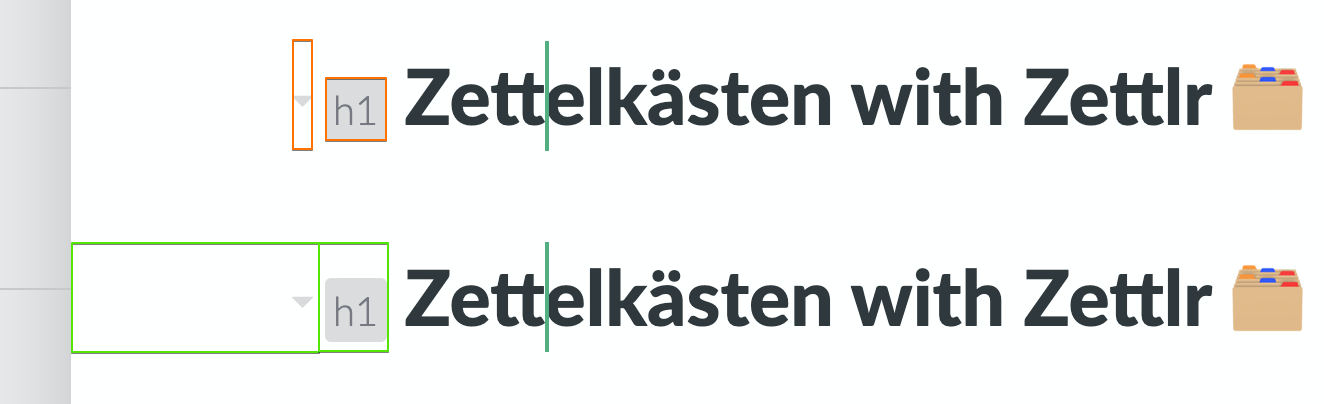
Improve section controls (fix in #990)
- Make 🔽 toggle arrow hit-area bigger, ideally arriving the left margin
- Change 🔽 color on hover
- Increase 🔽 and header-size button hit-area, keep width, change size to match
line-height, vertical-align center the text
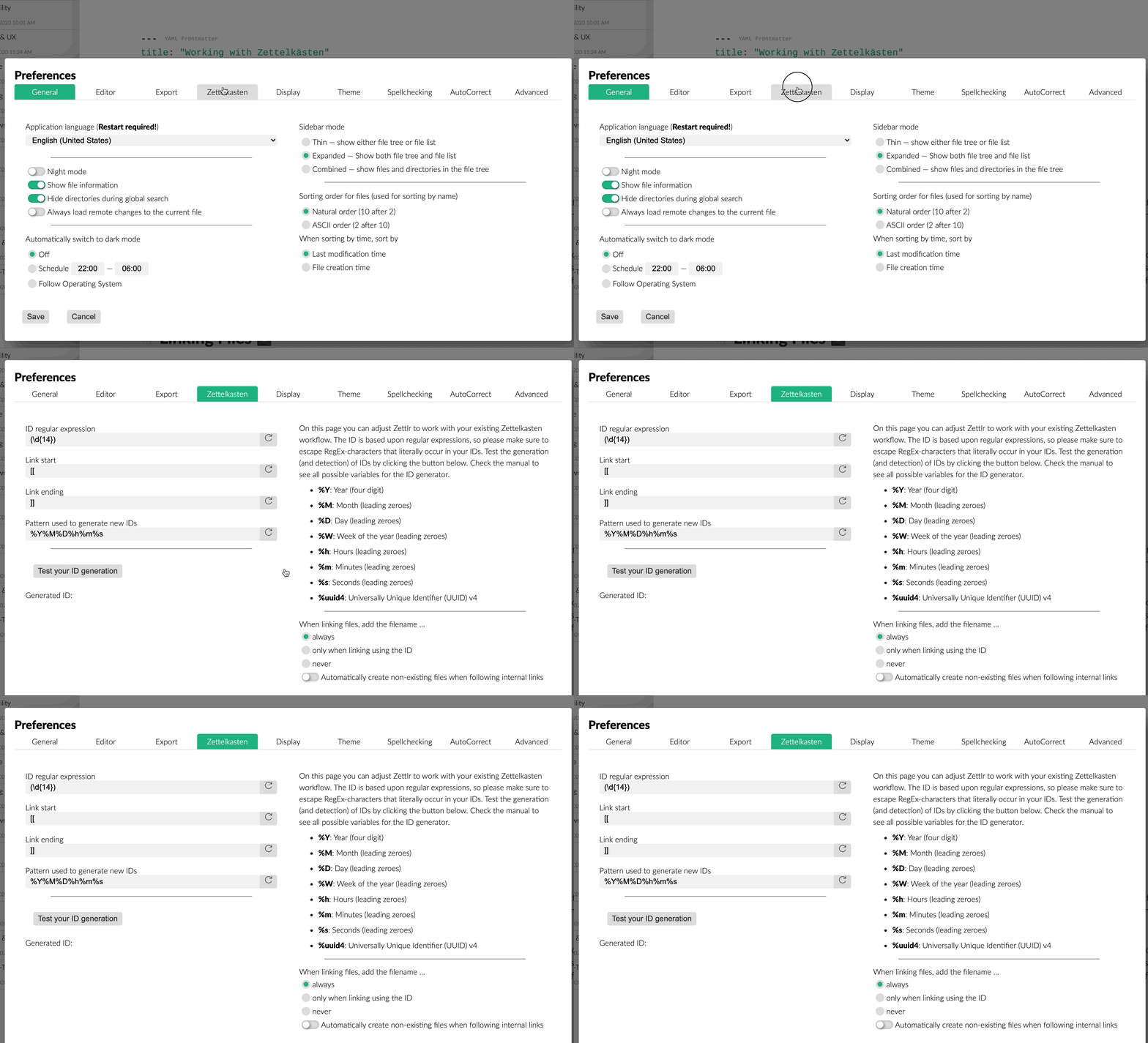
Don't vertically center settings modal
- I would put the modal to X% or px from the top to avoid the UI jumps when changing tabs
Modal buttons tweaks
- Keep consistent padding for buttons
- Increase buttons size
Vertically center reset setting button icon

 doup
on 4 Jul 2020
doup
on 4 Jul 2020
Thanks for the review! That's a lot of stuff, and you surely are right that the whole UI can actually use a good makeover. I'll be having a look into your PR asap!
nathanlesage
on 4 Jul 2020
I'd like to add to doups already very thorough suggestion list, specifically the tree hierarchy in the directory column part (also for the combined sidebar mode with files).
I find that the indentations of folders with and without subfolders/arrows, icons, and file names seem a bit inconsistent and I often get confused which folder/file is a subfolder/-file of another.
doup already mentioned this for sibling folders with subfolders/arrows and those without.
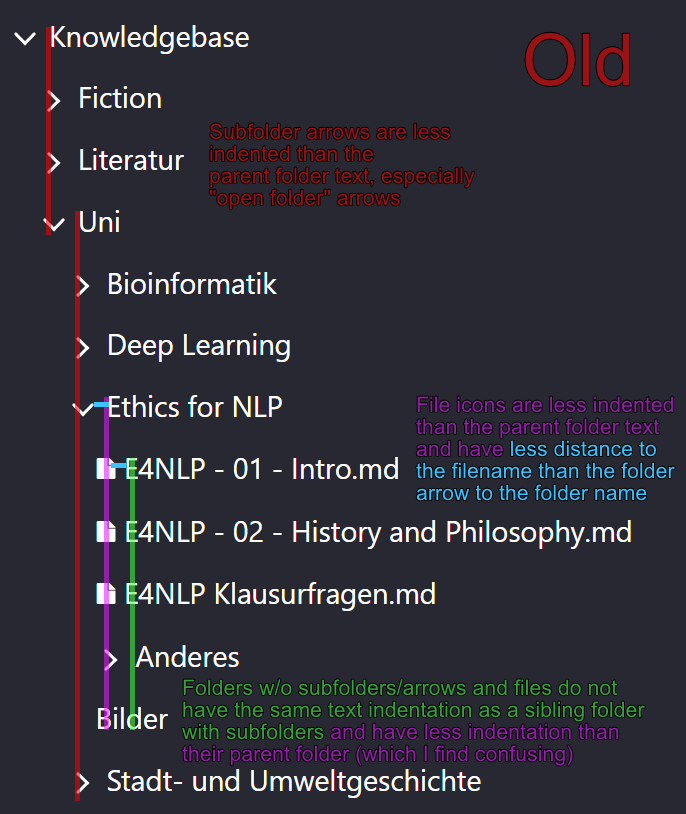
My suggestion would be to have subfiles/folders and their icons at least as indented as the parent folder and to have sibling files and folders (with and without subfolder arrows or icons) have the same text indentation. The icons could also maybe have a bit more distance to the filename.
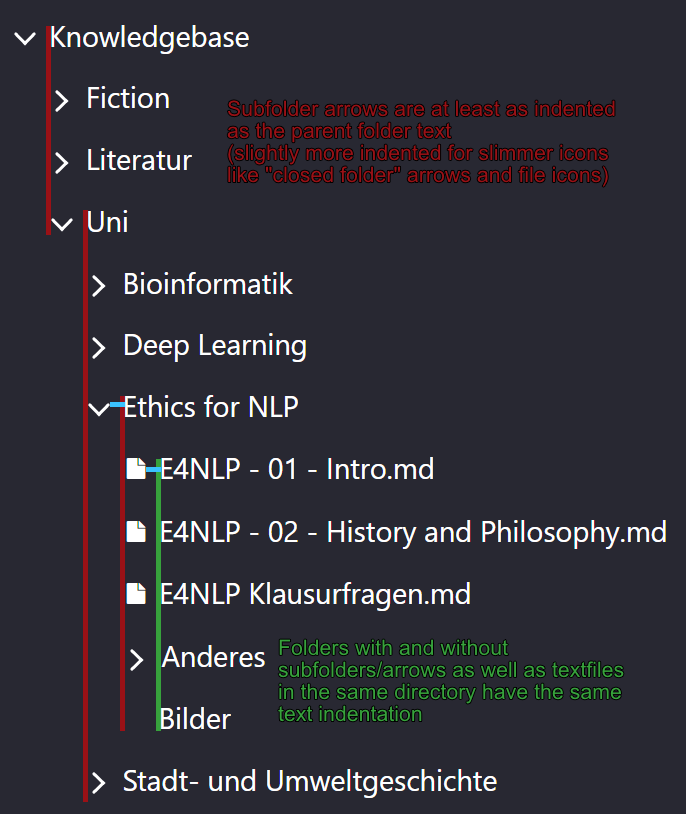
As you can see this would eat a bit more horizontal space with each new sublevel but (in my opinion) would make it clearer which file/folder is a subitem of which folder.

 crbald
on 25 Jul 2020
crbald
on 25 Jul 2020
Sorry for disappearing. I won't work on these issues as I'm going to use other solution (VS Code probably) to manage my markdown notes. Good luck and I hope the best for the project!
doup
on 3 Aug 2020
@doup No worries, but thank you very much for communicating this fact, as this helps us to move on. I really appreciate this!
nathanlesage
on 3 Aug 2020
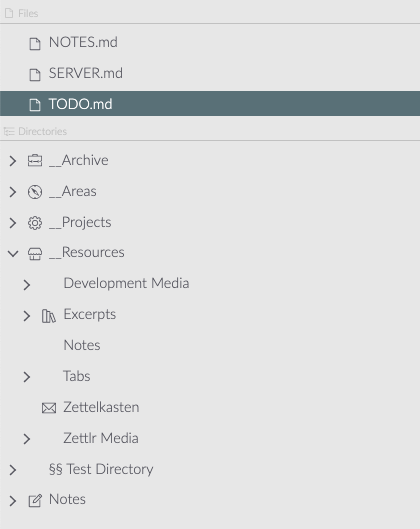
Just cleaned up the file tree display, it's now all neatly aligned with each other:
nathanlesage
on 14 Aug 2020
It would be nice if there is a setting for setting up default font size in the editor. For me the default font is too large and I have to change the font size every time when I launch the app.
 sith-on-mars
on 27 Aug 2020
sith-on-mars
on 27 Aug 2020
It would be nice if there is a setting for setting up default font size in the editor. For me the default font is too large and I have to change the font size every time when I launch the app.
Please use Custom CSS for this.
nathanlesage
on 30 Aug 2020
It would be good to have an option to be able to auto-hide the menu bar and just show it by toggeling using the alt key. Esp. for Linux this would be useful.
 yashha
on 30 Aug 2020
yashha
on 30 Aug 2020
One thing that I would like to see is a change to the section collapse controls. It constantly happens to me that I want to click into the beginning of a line but accidentally collapse the section instead. Maybe the hit box could be moved to the left or it could be confined to the arrow icon.
 TBiele
on 29 Sep 2020
TBiele
on 29 Sep 2020
@TBiele This has already been fixed and will be included in the next release.
nathanlesage
on 29 Sep 2020
Related issues
 shanvrolijk
·
5Comments
shanvrolijk
·
5Comments
 maehr
·
3Comments
maehr
·
3Comments
 volt4ire
·
4Comments
volt4ire
·
4Comments
 Jos512
·
5Comments
Jos512
·
5Comments
 Kangie
·
4Comments
Kangie
·
4Comments
Most helpful comment
Hi! I just recently found about your project and I must say it's an impressive app, tons of features and is working great so far. So, I've been toying around, and I noticed few UX issues, I've listed them below. I hope you appreciate the feedback.
I might try running the project on my machine to fix the issues. Meanwhile I list them here for reference:
Remove gap between toolbar buttons
Search field improvements (fix in #990)
xwhen there is no filter appliedxcolor on hoverToggle popover
Change BG color on hover on stats and pomodoro buttons
Directories column improvements
File/documents list
Sort file/documents
File tabs
Improve section controls (fix in #990)
line-height, vertical-align center the textDon't vertically center settings modal
Modal buttons tweaks
Vertically center reset setting button icon