Xiaomi-pro-hackintosh: Intel WiFi Driver working
I share with you. Put on in your EFI @stevezhengshiqi @daliansky
http://bbs.pcbeta.com/forum.php?mod=viewthread&tid=1838489&extra=page%3D1&page=1&mobile=yes
It’s amazing!
Other projects:
https://github.com/zxystd/AppleIntelWifiAdapter
https://github.com/Champ-Goblem/IntelWiFiDriver---Voodoo80211
 johnnync13
All 380 comments
Hello @johnnync13,
I'm trying to access the website but it seems that i need and invitation code to register.
Can you please share the file with us here. I will really appreciate it, since this is great news!! :)
Thank you very much
 gplast
on 4 Feb 2020
gplast
on 4 Feb 2020
@gplast i don’t have account, but I believe that they have
johnnync13
on 4 Feb 2020
 shew4uck
on 4 Feb 2020
shew4uck
on 4 Feb 2020
@shew4uck do you access to the attachment, can you share it with us?
Okay then, l hope that someone that has an account we share the attachment :)
gplast
on 4 Feb 2020
AppleIntelWiFi.0131-1.kext.zip
IO80211Family.kext.zip
@gplast https://github.com/zxystd/AppleIntelWifiAdapter/issues/6
johnnync13
on 4 Feb 2020
Works on 10.15.2 in Xiaomi pro but you have to changes ucode. Better work in Mojave. You must delete SSDT-DRP08.aml
Method: enter kext and delete iwm-8265-34 en / Contents / Resource.
Go to https://wireless.wiki.kernel.org/en/users/drivers/iwlwifi and
download iwlwifi-8265-ucode-22.361476.0.tgz
Unzip it to get iwlwifi-8265-22.ucode and rename it to iwm-8265-34 and place it in the first deleted location.
Use kextload to load the kext.
kext system 10.15:
Place IO80211Family.kext on the first floor / Library / Extensions, repair permissions, rebuild Cache
Do not open the system configuration, otherwise it will restart automatically.
johnnync13
on 4 Feb 2020
@johnnync13 Thank you very much for that !!
I will test it now and let you know :)
gplast
on 4 Feb 2020
Hey man, nice job. I am trying to follow your instructions I change the file in the kext, fix the permissions and try to use kextload, but when I hit enter the command is executed and the system immediately restarts. What is happening? :/
 Cr0wTom
on 4 Feb 2020
Cr0wTom
on 4 Feb 2020
@johnnync13 same here. At one point i manage to see the devices, but immediately the computer restarts. I will test it more a see whether there is a way to fix this issue.
Do you have any suggestions? Can you confirm that you can use the WIFI without restarts?
Thank you again.
gplast
on 5 Feb 2020
It's a great project, but not stable enough for release so far. I will keep an eye on it.
 stevezhengshiqi
on 5 Feb 2020
johnnync13
on 5 Feb 2020
stevezhengshiqi
on 5 Feb 2020
johnnync13
on 5 Feb 2020
@johnnync13 I don't know if something is messing up with the driver but unfortunately i cannot avoid the restart.
I tried everything, different files, i followed your tutorials and then one here but i was able at some point to search for WIFIs and select one, but then i immediately got a restart.
There is a kernel trap every time the wifi drivers load. But i can confirm that this is really promising since i can see that the drivers are loaded.
If you have something in mind that i can try, please let me know.
gplast
on 5 Feb 2020
Hello again everyone,
I managed to get some progress and decipher some parts out of the Chinese forum
- First of all fix permissions with _sudo chown -Rf 0:0 /L/E AppleIntelWiFi.0131-1.kext/_
- Rebuild kext cache with _sudo kextcache -i /_
- Reboot
- Load kext with _sudo kextload -v AppleIntelWiFi.0131-1.kext/_
This helped me see the WiFi in the settings menu and even scan for networks, but after 1 minute I get a restart which is common and affects everybody in the Chinese forum. So, it is progress but as @stevezhengshiqi said it is far from stable from now. I will keep following the topic and give any updates here.
p.s. @johnnync13 please when you use the work of others, use quotes or give a mention. The process you wrote is a translation from the Chinese forum, which is not bad but let's be kind with the community :)

Cr0wTom
on 5 Feb 2020
Wow, this is amazing. Maybe we'll have stable wifi and bluetooth within 6 months :)
 kvn1351
on 6 Feb 2020
kvn1351
on 6 Feb 2020
Hello again,
So i've been following the forum for the past few days just to see whether there is something new. At the same time i tried everything in order to load the kext and avoid the restart.
As i was reading the comments i notice someone saying that you need to specify inside the kext the Wifi name and password. After trying several attempts, indeed i was able to connect but after a few seconds the laptop restarts.
Following that i saw a link posted by xinyang686: https://git.kernel.org/pub/scm/linux/kernel/git/firmware/linux-firmware.git/plain/ . Inside this link there are several version of intel wifi ucodes. After trying again several of those i found a version(iwlwifi-8265-31.ucode) that it seems that is not causing restarts :)
I've been using the wifi for 30 minutes now and i'm able to access the internet. It seems that is not 100% responsive, the internet is slow most of the times, but this is really promising!!
Use the attached kext and follow the steps in order to test also on your system and let me know.
- Download AppleIntelWiFi.kext.zip
- Unzip it
- Open AppleIntelWiFi.kext/Contents/Info.plist with your favorite editor
- Find and Change the following lines based on your wifi (line 58, 60)
BSSID
NAMEOFWIFI
PWD
PASSWORD - sudo chown -R root:wheel AppleIntelWiFi.kext
- sudo kextload -v AppleIntelWiFi.kext/
- Check if the message is : AppleIntelWiFi.kext loaded successfully (or already loaded).
- Enjoy your buggy internet :)
Please let me know if you are able to make it work like me.
AppleIntelWiFi.kext.zip
gplast
on 7 Feb 2020

gplast
on 7 Feb 2020
Hello again,
So i've been following the forum for the past few days just to see whether there is something new. At the same time i tried everything in order to load the kext and avoid the restart.
As i was reading the comments i notice someone saying that you need to specify inside the kext the Wifi name and password. After trying several attempts, indeed i was able to connect but after a few seconds the laptop restarts.
Following that i saw a link posted by xinyang686: https://git.kernel.org/pub/scm/linux/kernel/git/firmware/linux-firmware.git/plain/ . Inside this link there are several version of intel wifi ucodes. After trying again several of those i found a version(iwlwifi-8265-31.ucode) that it seems that is not causing restarts :)
I've been using the wifi for 30 minutes now and i'm able to access the internet. It seems that is not 100% responsive, the internet is slow most of the times, but this is really promising!!
Use the attached kext and follow the steps in order to test also on your system and let me know.
- Download AppleIntelWiFi.kext.zip
- Unzip it
- Open AppleIntelWiFi.kext/Contents/Info.plist with your favorite editor
- Find and Change the following lines based on your wifi (line 58, 60)
BSSID
NAMEOFWIFI
PWD
PASSWORD- sudo chown -R root:wheel AppleIntelWiFi.kext
- sudo kextload -v AppleIntelWiFi.kext/
- Check if the message is : AppleIntelWiFi.kext loaded successfully (or already loaded).
- Enjoy your buggy internet :)
Please let me know if you are able to make it work like me.
AppleIntelWiFi.kext.zip
I've followed your instruction but on the command kextload, it shows an error "Requesting load of AppleIntelWifi.kext failed to load - (libkern/kext) dependency load failed; check the system/kernel log for errors or try kextutil(8)."
Do you know how to fix it ?
Sorry for not capturing the screenshot, thanks.
 wonhee0410
on 7 Feb 2020
wonhee0410
on 7 Feb 2020
I tried your method and it really works, but it worked only with 3 attempts the first two times I got an instant reboot, but for the third time everything started up successfully but the method is still not very stable since even after a successful download there are reboots
But this already suggests that soon we will get a full-fledged MacOS


shew4uck
on 7 Feb 2020

I would like to add that although the wifi can be launched, it works extremely unstably
shew4uck
on 7 Feb 2020
Did anyone try with the new update? There is an update with stability fixes for 7265ac which may help with our card too, but I do not have access to the forum as there is a mandatory invite to make an account. Anyone willing to invite us? :)
Cr0wTom
on 7 Feb 2020
Hello again,
So i've been following the forum for the past few days just to see whether there is something new. At the same time i tried everything in order to load the kext and avoid the restart.
As i was reading the comments i notice someone saying that you need to specify inside the kext the Wifi name and password. After trying several attempts, indeed i was able to connect but after a few seconds the laptop restarts.
Following that i saw a link posted by xinyang686: https://git.kernel.org/pub/scm/linux/kernel/git/firmware/linux-firmware.git/plain/ . Inside this link there are several version of intel wifi ucodes. After trying again several of those i found a version(iwlwifi-8265-31.ucode) that it seems that is not causing restarts :)
I've been using the wifi for 30 minutes now and i'm able to access the internet. It seems that is not 100% responsive, the internet is slow most of the times, but this is really promising!!
Use the attached kext and follow the steps in order to test also on your system and let me know.
- Download AppleIntelWiFi.kext.zip
- Unzip it
- Open AppleIntelWiFi.kext/Contents/Info.plist with your favorite editor
- Find and Change the following lines based on your wifi (line 58, 60)
BSSID
NAMEOFWIFI
PWD
PASSWORD- sudo chown -R root:wheel AppleIntelWiFi.kext
- sudo kextload -v AppleIntelWiFi.kext/
- Check if the message is : AppleIntelWiFi.kext loaded successfully (or already loaded).
- Enjoy your buggy internet :)
Please let me know if you are able to make it work like me.
AppleIntelWiFi.kext.zip
You are working on Mojave or Catalina? Which IO80211 you used? (
 kostaskas
on 7 Feb 2020
kostaskas
on 7 Feb 2020
I'm working on Catalina and i used the IO80211 which is attached from @johnnync13.
gplast
on 7 Feb 2020
I'm working on Catalina and i used the IO80211 which is attached from @johnnync13.
Good, i'm on Catalina also, but I have another WiFi card, Intel 3165, think it will work
Will report
kostaskas
on 7 Feb 2020
@gplast
AppleIntelWiFi.kext catalina.zip
I think it is more appropriate for us to discuss this work here.
Note that this kext is only for Catalina, and If you've installed an old IO80211Family, you need to remove it first.
 Goshin
on 7 Feb 2020
Goshin
on 7 Feb 2020
@Goshin
Yeah its better here :)
Thank you very much, i will test it now :)
gplast
on 7 Feb 2020
@Goshin Is there a new IO80211Family attached?
gplast
on 7 Feb 2020
@Goshin Is there a new IO80211Family attached?
If you are on Catalina, it is no longer needed. The old kext was built with the Mojave's IO80211 stack, so they installed the Mojave's IO80211Family.kext to make it work on Catalina.
Goshin
on 7 Feb 2020
Okay @Goshin , thank you, it was my bad, i also removed the IO80211 from /System/Library/Extensions and it was cause an error, i put it back and now is okay. With the original kext that you send me the laptop restarted immediately. After replacing the ucode with version 31, not restart is happening as i suggested on my previous message.
The problem is that i'm always connected to a network called UPC5424297 which is strange. Also there is an exclamation mark on the wifi icon.
I will test it further and see if can find something, but if you have a clue about this problem please let me know.
gplast
on 7 Feb 2020
Never mind. I didn't realize you guys can't see the attachment list and pictures in the post.
For the UPC5424297 network, it is the dummy network for IO80211 testing. You need to edit the info.plist for your own WiFi network.

Goshin
on 7 Feb 2020
Yeah, i did change it but is seems that something is stuck :p I will delete everything a do it again then because something is going wrong.
gplast
on 7 Feb 2020
So in the end do we need IO80211 or not? Because @Goshin said that there is no need for it in Catalina but @gplast said he used it, and also from my testing not using it results in reboot.
Cr0wTom
on 7 Feb 2020
Okay @Goshin i managed to make it work correctly. I know about the packet loss, but it seems that if you are close to the rooter is not so serious.
I would like to ask you, if there is a chance to invite me on the website in order to make a registration. I would like to add this work around with the ucode version which is working good for 8265 cards and also help with the testings.
I hope that you can and thank you again for providing the files.
Here is also the ucode file that i use and i'm able to make WIFI work and access internet.
iwm-8265-34.zip
P.S. This message and attachment was send from my Intel Wireless 8265 without an issue :) :)
gplast
on 7 Feb 2020
@Cr0wTom You need the original IO80211Family which is already pre-install in /System/Library/Extensions.
- Remove IO80211Family.kext and IO80211FamilyV2.kext from /Library/Extensions/
- If you previously installed AppleIntelWifi you might need to remove /Library/Extensions/Content/
- sudo kextcache -i /
- Replace AppleIntelWiFi.kext/Contents/Resources/iwm-8265-34 with the attached (previous message)
- Edit WIfi name and Password as @Goshin suggested.
- sudo chown -R root:wheel AppleIntelWiFi.kext
- sudo kextload -v AppleIntelWiFi.kext/
Its not stable so there is a big chance to get kernel panic. I did get one after 20 minutes.
gplast
on 7 Feb 2020
Okay @Goshin i managed to make it work correctly. I know about the packet loss, but it seems that if you are close to the rooter is not so serious.
I would like to ask you, if there is a chance to invite me on the website in order to make a registration. I would like to add this work around with the ucode version which is working good for 8265 cards and also help with the testings.
I hope that you can and thank you again for providing the files.
Here is also the ucode file that i use and i'm able to make WIFI work and access internet.
iwm-8265-34.zipP.S. This message and attachment was send from my Intel Wireless 8265 without an issue :) :)
Well, I can't help. Only senior users in the forum have permission to invite people, and I am not.
As the author mentioned, the kext is only intended for his 7265ac. Perhaps he will add some other ucodes in the future.
Goshin
on 7 Feb 2020
Catalina driver works ok with my 3165 wifi, but after 10-15 it crashes
kostaskas
on 7 Feb 2020
I wonder why every time I input the codes into terminal, it shows
chown: AppleIntelWiFi.kext: No such file or directory
The question is I have already downloaded the zip and unzipped it on my desktop. It is sure there is a AppleIntelWiFi.kext file on desktop. why does it show No such file or directory anyway?
Could anyone help me ? I am a such a freshman about this. I feel so upset...

 joeytky
on 8 Feb 2020
joeytky
on 8 Feb 2020
I wonder why every time I input the codes into terminal, it shows
chown: AppleIntelWiFi.kext: No such file or directory
The question is I have already downloaded the zip and unzipped it on my desktop. It is sure there is a AppleIntelWiFi.kext file on desktop. why does it showNo such file or directoryanyway?
Could anyone help me ? I am a such a freshman about this. I feel so upset...
you use incorrect working directory, please execute cd ~/Desktop before execute chown
 zjkyz8
on 8 Feb 2020
zjkyz8
on 8 Feb 2020
I wonder why every time I input the codes into terminal, it shows
chown: AppleIntelWiFi.kext: No such file or directory
The question is I have already downloaded the zip and unzipped it on my desktop. It is sure there is a AppleIntelWiFi.kext file on desktop. why does it showNo such file or directoryanyway?
Could anyone help me ? I am a such a freshman about this. I feel so upset...
you use incorrect working directory, please execute cd ~/Desktop before execute chown
Thanks buddy. It works.
However, when i click "turn wifi on" button in wifi settings, there is no response. I have restarted many times, but it still doesn't response. Is this a bug?

joeytky
on 8 Feb 2020
Probably. I have the Intel Wireless-AC 9462 and it's an instant reboot - not even sure if there's support for it. However this is really good for the future as this is the first time Intel WiFi has somewhat worked on macOS, and it shocked a lot of people who have seen this, even if it's in it's early stages. @Goshin ask the developer if he can make a GitHub Repository for it, that can add tremendous development if it is.
 Aspring15
on 9 Feb 2020
Aspring15
on 9 Feb 2020
Probably. I have the Intel Wireless-AC 9462 and it's an instant reboot - not even sure if there's support for it. However this is really good for the future as this is the first time Intel WiFi has somewhat worked on macOS, and it shocked a lot of people who have seen this, even if it's in it's early stages. @Goshin ask the developer if he can make a GitHub Repository for it, that can add tremendous development if it is.
Can be a great opportunity to get some help. Can't wait to make my Matebook 13 guide completely bug free :D
 Edoardo001
on 10 Feb 2020
Edoardo001
on 10 Feb 2020
@aspring14 This developer is rewriting all iwlwifi driver, the idea is better
https://github.com/zxystd/AppleIntelWifiAdapter
johnnync13
on 10 Feb 2020
@aspring14 This developer is rewriting all iwlwifi driver, the idea is better
https://github.com/zxystd/AppleIntelWifiAdapter
Isn't this the very kext we're using?
kvn1351
on 11 Feb 2020
really hope the guy who developed this kext open-sources it... though the code base looks to be severely fragmented (uses parts of my black80211 fixup, intelmausiethernet, intelwifi, and iwm/ieee80211)... would love to help with HW initialization
 hatf0
on 11 Feb 2020
hatf0
on 11 Feb 2020
if u need a account of PCBETA,i can share u one
 mn19941219
on 11 Feb 2020
mn19941219
on 11 Feb 2020
if u need a account of PCBETA,i can share u one
Could you share one with me? I really need an account of it. Thank you very much!
joeytky
on 11 Feb 2020
@mn19941219 i would also like an invitation if you please. Please use this mail: [email protected]
gplast
on 11 Feb 2020
ID:[email protected]
Password:Aa123456
no security question
dont change password
pcbeta intel wifi :http://bbs.pcbeta.com/viewthread-1838489-1-2.html
this account only 45PB,means u can download 45 Attachment
mn19941219
on 11 Feb 2020
@mn19941219 i would also like an invitation if you please. Please use this mail: [email protected]
ID:[email protected]
Password:Aa123456
dont change password
mn19941219
on 11 Feb 2020
If there's any progress in the Wifi driver, can someone upload the files here as well please? I'm all for open source and sharing. Everyone should have a benefit of this :)
Thx!
 yllwfsh
on 11 Feb 2020
yllwfsh
on 11 Feb 2020
Latest one as of the 7th. Thanks to @mn19941219 for the account.
AppleIntelWiFi.kext catalina.zip
Please don't download with the account unless there's an update, and if there is, repost here. The download amount is dwindling, there's only about 20 left from when I'm writing this.
 dhinakg
on 12 Feb 2020
dhinakg
on 12 Feb 2020
Anyone tried it with 7260? And for those who tried the kext in other intel wifi, is handoff and continuity working?
 simmy1232
on 13 Feb 2020
simmy1232
on 13 Feb 2020
How do you unload this kext? Can't seem to unload it using sudo kext unload com. or AppleIntelWiFi.kext? It only says it not found. The kext was loaded using the method above
 ghost
on 13 Feb 2020
ghost
on 13 Feb 2020
@gplast hey buddy. I managed to make my intel 8265 WiFi working with following your recommendations. but the problem is that my laptop reboots before 5 minutes. how did you make it working for a twenty minutes? :D
by the way, how can we remove this kext from our system as @LeryoCos asked?
where to does "kextload" command install this kext? I tried it for many times but couldn't see kext in S/L/E nor L/E. so I just installed with Hackintool then to /L/E.
more or less , it is working for my 8265 at least and I hope folks can manage to work it properly very soon. Thanks to everyone
 lersy
on 13 Feb 2020
lersy
on 13 Feb 2020
Yep can't unload too! I used the method above to load while the kext is on the desktop. Didn't put it in /Library/Extensions/. It only says it can't be found or sometimes it says it is on use.
simmy1232
on 13 Feb 2020
Hello @lersy , @LeryoCos ,
If you load the kext using the kextload command, then when the PC restarts the kext is unloaded. If you install it on /L/E then i suggest to remove it and run kextcache to completely remove it, since this kext is not stable and you might stuck in a reboot loop. (If you do so you have to enable single user mode from clover and then remove it from /L/E with commands).
Moreover, after replacing ucode(version 34) with ucode that i attached on my previous comment i was able to get more that 20 minutes. Please remember that you have to at your Wifi name and password on info.plist and after kextload make sure that the wifi was successfully connected. Don't try to scan for new networks or do anything on the wifi menu because this might cause restart.
Lets hope that with the next kext release we will be able to use it. For now i suggest to avoid using this kext because its not stable and in a way unusable.
gplast
on 13 Feb 2020
@gplast
for first time, I tried to install it via command kext load , when I saw the message "installed or already installed" it couldn't connect to wifi. in system preferences I could see wifi option each time even after rebooting but it was not responding.
then I disable gatekeeper, disable SIP, and give it a go with "Hackintool" kext install. after reboot it connected directly.
so if kextload method is not valid after a reboot, how can I see wifi option in system preferences? this made me think that I couldn't remove it.
iwm-8265-34 seems like a plain text document while others seem like unix executable. should we make it unix executable also? have you tried that? I will try it.
by the way while I was surfing on GitHub, playing music via Apple Music and writing to folks on discord channel there was no problem. I just decided to try a YouTube video because each time I try to watch a video on YouTube it immediately crashed. it crashed again. after crash it can take 3-4 reboot to login. but if I login and don't do heavy stuff, it does not crash for 15 minutes.
this is heavily experimental right now as @gplast said. you can be in real danger if you rely on your rig that much. be aware and make sure you can access to your EFI or macOS Data from windows or linux in case if anything goes completely wrong.
lersy
on 13 Feb 2020
@lersy
Once you successfully loaded and enabled the wifi device, the wifi option and tray icon will be there no matter it is removed or unavailable. So it is expected behavior of macOS, don't worry about it.
The kext is still shaky and buggy, especially under heavy network traffic. Many reported reboots happened when people tried to download files or do a speed test.
You are right. Don't install it in your system or Clover.
Goshin
on 13 Feb 2020
Anyone tried it with 7260? And for those who tried the kext in other intel wifi, is handoff and continuity working?
I use it with Intel 3265, it's working ok if you don't click on Network Settings, otherwise it gets a kernel panic. Speed is not always fast, but it's usable
kostaskas
on 13 Feb 2020
Anyone here who has Intel AC 9560 working ? If yes please share a guide how to please, thanks ! <3
ghost
on 15 Feb 2020
Intel 7260 don't work. Please help me!
 khanhbui96
on 15 Feb 2020
khanhbui96
on 15 Feb 2020
Is there any new updates/news about the kext??
simmy1232
on 16 Feb 2020
@kostaskas
can you help me make ac3165 work??
 karle228
on 18 Feb 2020
karle228
on 18 Feb 2020
@kostaskas
can you help me make ac3165 work??
Just copy to S/L/E, clear cache and repair permissions. Then make the mod described above to insert your wifi ssid and pass and reboot
But is unstable
kostaskas
on 19 Feb 2020
Don't put it in S/L/E, that'll permanently damage your system because the Kernel Extension is unstable
Don't put it in L/E either
Aspring15
on 20 Feb 2020
@kostaskas
can you help me make ac3165 work??Just copy to S/L/E, clear cache and repair permissions. Then make the mod described above to insert your wifi ssid and pass and reboot
But is unstable
Thanks for sharing the info, working for my Intel 3165 Wifi Card on Catalina but sometimes hangs the PC and require restart.
 chillpilllike
on 20 Feb 2020
chillpilllike
on 20 Feb 2020
Don't put it in S/L/E, that'll permanently damage your system because the Kernel Extension is unstable
Don't put it in L/E either
I have installed it there but system didn't boot, only after removing. I'm on Catalina, I think that you install it using the IO80211family kext on L/E on Mojave, on Catalina you only need to install intel kext with stock IO80211family
kostaskas
on 20 Feb 2020
Hello again,
So i've been following the forum for the past few days just to see whether there is something new. At the same time i tried everything in order to load the kext and avoid the restart.
As i was reading the comments i notice someone saying that you need to specify inside the kext the Wifi name and password. After trying several attempts, indeed i was able to connect but after a few seconds the laptop restarts.
Following that i saw a link posted by xinyang686: https://git.kernel.org/pub/scm/linux/kernel/git/firmware/linux-firmware.git/plain/ . Inside this link there are several version of intel wifi ucodes. After trying again several of those i found a version(iwlwifi-8265-31.ucode) that it seems that is not causing restarts :)
I've been using the wifi for 30 minutes now and i'm able to access the internet. It seems that is not 100% responsive, the internet is slow most of the times, but this is really promising!!
Use the attached kext and follow the steps in order to test also on your system and let me know.
- Download AppleIntelWiFi.kext.zip
- Unzip it
- Open AppleIntelWiFi.kext/Contents/Info.plist with your favorite editor
- Find and Change the following lines based on your wifi (line 58, 60)
BSSID
NAMEOFWIFI
PWD
PASSWORD- sudo chown -R root:wheel AppleIntelWiFi.kext
- sudo kextload -v AppleIntelWiFi.kext/
- Check if the message is : AppleIntelWiFi.kext loaded successfully (or already loaded).
- Enjoy your buggy internet :)
Please let me know if you are able to make it work like me.
AppleIntelWiFi.kext.zipI've followed your instruction but on the command kextload, it shows an error "Requesting load of AppleIntelWifi.kext failed to load - (libkern/kext) dependency load failed; check the system/kernel log for errors or try kextutil(8)."
Do you know how to fix it ?
Sorry for not capturing the screenshot, thanks.
the stock IO80211Family.kext is missing from your hackintosh install of catalina. try to use mine attached herewith
Stock IO80211Family kexts Catalina 10.15.3.zip
chillpilllike
on 20 Feb 2020
A speedtest on AC3165 is causing panic and sudden restart. using the last
Latest one as of the 7th. Thanks to @mn19941219 for the account.
AppleIntelWiFi.kext catalina.zip
Please don't download with the account unless there's an update, and if there is, repost here. The download amount is dwindling, there's only about 20 left from when I'm writing this.
A speedtest on AC3165 is causing panic and sudden restart. :( at least we could do browsing but when theres a background sync of files or something (on increse of data transfer) it creates panic.
chillpilllike
on 20 Feb 2020
I've Intel 7265ac. How to install this driver? Need help...
 jigar08it
on 23 Feb 2020
jigar08it
on 23 Feb 2020
I get this link from newest update (2020-02-23)
https://github.com/a565109863/AppleIntelWiFi_Debug/releases
 Phu1237
on 26 Feb 2020
Phu1237
on 26 Feb 2020
@Phu1237 did you try this kext? Any news?
Cr0wTom
on 26 Feb 2020
Hello guys, im new to the hackintosh, and i dont understand tutorial by gplast and something is wrong. In my case, system reboots instantly after booting. Can someone make step by step tutorial for dummies?
 karolekgaj
on 26 Feb 2020
karolekgaj
on 26 Feb 2020
@karolekgaj You shouldn’t use this Kext if your new, and you should know that this Kext is extremely unstable, even configured right there’s stills problem like extremely slow WiFi and randomly crashes.... I would wait until a more stable version if I were you...
 Menchen
on 26 Feb 2020
Menchen
on 26 Feb 2020
I've Intel 7265ac. How to install this driver? Need help...
Take a little time to read the posts above...
kostaskas
on 26 Feb 2020
Hello @karolekgaj ,
As soon as there is a stable version i promise that i will write a step by step tutorial to help you install it. For now is better to avoid that since its unusable.
gplast
on 26 Feb 2020
Wireless 3160 working but sometimes auto restart :(
 lzhoang2601
on 27 Feb 2020
lzhoang2601
on 27 Feb 2020
Works on 8265 (asus zenbook), panics when you open wifi menubar or settings, panics on restart. otherwise seems to not crash. I d like to try loading the kext from clover but just putting it in c/k/o didn't work.
 soffyo
on 4 Mar 2020
soffyo
on 4 Mar 2020
Any news/updates about this?? @gplast @johnnync13
simmy1232
on 5 Mar 2020
Works on 8265 (asus zenbook), panics when you open wifi menubar or settings, panics on restart. otherwise seems to not crash. I d like to try loading the kext from clover but just putting it in c/k/o didn't work.
Oh really nice ! My Vivobook is also 8265.
Could you instruct me how to install the kext, thanks very much.
Here is the new one (23/02/2020): https://github.com/a565109863/AppleIntelWiFi_Debug/releases
wonhee0410
on 5 Mar 2020
Works on 8265 (asus zenbook), panics when you open wifi menubar or settings, panics on restart. otherwise seems to not crash. I d like to try loading the kext from clover but just putting it in c/k/o didn't work.
Oh really nice ! My Vivobook is also 8265.
Could you instruct me how to install the kext, thanks very much.Here is the new one (23/02/2020): https://github.com/a565109863/AppleIntelWiFi_Debug/releases
just follow the above instructions, replace the ucode, add your wifi name and pwd in info.plist, rebuild cache, root own the kext and load it with kextload.
soffyo
on 5 Mar 2020
@simmy1232 Don't expect too much, it's far from working properly.
stevezhengshiqi
on 5 Mar 2020
https://github.com/a565109863/AppleIntelWiFi_Debug/releases
i test it on 10.15.3 gl553vd intel ac7260 ! worked ! but when i try to connect wifi system rebooted !!!
 MohammadtaghiFarkhondekar
on 8 Mar 2020
MohammadtaghiFarkhondekar
on 8 Mar 2020
Wireless 3160 working but sometimes auto restart :(
Please can you help with the installation of this kext on this model of wireless card i have the same wireless card, thanks
 frabev
on 14 Mar 2020
frabev
on 14 Mar 2020
So, there is another project dropped on GitHub https://github.com/zxystd/itlwm
As I think, it's a source code of this kext (maybe I'm wrong)
I've managed to build it, but can't get it to work. Everything is in Chinese :/
@johnnync13 @gplast @stevezhengshiqi
 vladdenisov
on 15 Mar 2020
vladdenisov
on 15 Mar 2020
@vladdenisov The kext in that link still doesn’t work for our 8265 chip. I participated in the testing stage of that kext. And also, that driver do not support password-protected wifi(WPA/WPA2) currently. Maybe we have to wait for longer time.
stevezhengshiqi
on 15 Mar 2020
Strange, but it says in project's readme, that 8265 should also work.
Anyway, thanks for quick reply. Let's wait till some changes.
vladdenisov
on 15 Mar 2020
I have an Intel(R) Wireless-AC 9462 will it work on this card
 hgabe
on 16 Mar 2020
hgabe
on 16 Mar 2020
Currently no, the author is working on it.
stevezhengshiqi
on 16 Mar 2020
a new update about Intel WiFi, He is another one who bulid intel bluetooth driver
https://github.com/zxystd/itlwm/blob/master/.github/README_en.md
mn19941219
on 17 Mar 2020
a new update about Intel WiFi, He is another one who bulid intel bluetooth driver
https://github.com/zxystd/itlwm/blob/master/.github/README_en.md
Already reviewed and made several builds. If you do itlvm build, then there are no particular problems. But if you want to make with include of binary of frimwares (_the code generator script is in the repository_), then an error occurs during the assembly. This problem was solved by banal substitution of the necessary imports. But not without binary fw, and with it doesn’t work for me. Then I went to try to build OpenWifi which is in the same repository. There you can’t just build it. There is a mistake, but just as easily solved. In general, nothing worked for me, but I attach everything that I could build. Try you :)
itlwmFW.kext.zip
itlwm.kext.zip
For itlwm u need to create open (without password) hotspot with SSID "Redmi"
UPD. Not working with 8 series https://github.com/zxystd/itlwm/issues/5
 MarshalX
on 17 Mar 2020
MarshalX
on 17 Mar 2020
8265 devices can try this. zxystd made great changes to let it work in 8 and maybe 9 series. It works for me.

itlwm Mar 17.zip
Full credit to the author zxystd. Really appreciate his help.
stevezhengshiqi
on 17 Mar 2020
a new update about Intel WiFi, He is another one who bulid intel bluetooth driver
https://github.com/zxystd/itlwm/blob/master/.github/README_en.mdAlready reviewed and made several builds. If you do itlvm build, then there are no particular problems. But if you want to make with include of binary of frimwares (_the code generator script is in the repository_), then an error occurs during the assembly. This problem was solved by banal substitution of the necessary imports. But not without binary fw, and with it doesn’t work for me. Then I went to try to build OpenWifi which is in the same repository. There you can’t just build it. There is a mistake, but just as easily solved. In general, nothing worked for me, but I attach everything that I could build. Try you :)
itlwmFW.kext.zip
itlwm.kext.zipFor itlwm u need to create open (without password) hotspot with SSID "Redmi"
UPD. Not working with 8 series zxystd/itlwm#5
_Intel(R) Dual Band Wireless AC 8265_ - Successfully connected to the access point. Working internet. Unstable assembly, kernel panic sometimes (by watching youtube 1080p, for example). Branch feature-openbsd-newest
Builded kext:
itlwm.kext.zip
Intel(R) Dual Band Wireless AC 8260 not working, but there is progress. Now defines a firmware
MarshalX
on 17 Mar 2020
a new update about Intel WiFi, He is another one who bulid intel bluetooth driver
https://github.com/zxystd/itlwm/blob/master/.github/README_en.mdAlready reviewed and made several builds. If you do itlvm build, then there are no particular problems. But if you want to make with include of binary of frimwares (_the code generator script is in the repository_), then an error occurs during the assembly. This problem was solved by banal substitution of the necessary imports. But not without binary fw, and with it doesn’t work for me. Then I went to try to build OpenWifi which is in the same repository. There you can’t just build it. There is a mistake, but just as easily solved. In general, nothing worked for me, but I attach everything that I could build. Try you :)
itlwmFW.kext.zip
itlwm.kext.zip
For itlwm u need to create open (without password) hotspot with SSID "Redmi"
OpenWifi.kext.zip
UPD. Not working with 8 series zxystd/itlwm#5_Intel(R) Dual Band Wireless AC 8265_ - Successfully connected to the access point. Working internet. Unstable assembly, kernel panic sometimes (by watching youtube 1080p, for example). Branch feature-openbsd-newest
Builded kext:
itlwm.kext.zipIntel(R) Dual Band Wireless AC 8260 not working, but there is progress. Now defines a firmware
how to use kext in mojave?
khanhbui96
on 18 Mar 2020
a new update about Intel WiFi, He is another one who bulid intel bluetooth driver
https://github.com/zxystd/itlwm/blob/master/.github/README_en.mdAlready reviewed and made several builds. If you do itlvm build, then there are no particular problems. But if you want to make with include of binary of frimwares (_the code generator script is in the repository_), then an error occurs during the assembly. This problem was solved by banal substitution of the necessary imports. But not without binary fw, and with it doesn’t work for me. Then I went to try to build OpenWifi which is in the same repository. There you can’t just build it. There is a mistake, but just as easily solved. In general, nothing worked for me, but I attach everything that I could build. Try you :)
itlwmFW.kext.zip
itlwm.kext.zip
For itlwm u need to create open (without password) hotspot with SSID "Redmi"
OpenWifi.kext.zip
UPD. Not working with 8 series zxystd/itlwm#5_Intel(R) Dual Band Wireless AC 8265_ - Successfully connected to the access point. Working internet. Unstable assembly, kernel panic sometimes (by watching youtube 1080p, for example). Branch feature-openbsd-newest
Builded kext:
itlwm.kext.zip
Intel(R) Dual Band Wireless AC 8260 not working, but there is progress. Now defines a firmwarehow to use kext in mojave?
Kexts that I published for Catalina only, but I switch to 10.14 and build special for you. U can try to use this one. Maybe it doesn't work because I do nothing with dependencies for Mojave
itlwmMojave.kext.zip
MarshalX
on 18 Mar 2020
a new update about Intel WiFi, He is another one who bulid intel bluetooth driver
https://github.com/zxystd/itlwm/blob/master/.github/README_en.mdAlready reviewed and made several builds. If you do itlvm build, then there are no particular problems. But if you want to make with include of binary of frimwares (_the code generator script is in the repository_), then an error occurs during the assembly. This problem was solved by banal substitution of the necessary imports. But not without binary fw, and with it doesn’t work for me. Then I went to try to build OpenWifi which is in the same repository. There you can’t just build it. There is a mistake, but just as easily solved. In general, nothing worked for me, but I attach everything that I could build. Try you :)
itlwmFW.kext.zip
itlwm.kext.zip
For itlwm u need to create open (without password) hotspot with SSID "Redmi"
OpenWifi.kext.zip
UPD. Not working with 8 series zxystd/itlwm#5_Intel(R) Dual Band Wireless AC 8265_ - Successfully connected to the access point. Working internet. Unstable assembly, kernel panic sometimes (by watching youtube 1080p, for example). Branch feature-openbsd-newest
Builded kext:
itlwm.kext.zipIntel(R) Dual Band Wireless AC 8260 not working, but there is progress. Now defines a firmware
New version from _feature-openbsd-newest_ branch. Can connect and use ethernet on _Intel(R) Dual Band Wireless AC 826_0
Kext builed for Catalina:
itlwm.kext.zip
MarshalX
on 18 Mar 2020
a new update about Intel WiFi, He is another one who bulid intel bluetooth driver
https://github.com/zxystd/itlwm/blob/master/.github/README_en.mdAlready reviewed and made several builds. If you do itlvm build, then there are no particular problems. But if you want to make with include of binary of frimwares (_the code generator script is in the repository_), then an error occurs during the assembly. This problem was solved by banal substitution of the necessary imports. But not without binary fw, and with it doesn’t work for me. Then I went to try to build OpenWifi which is in the same repository. There you can’t just build it. There is a mistake, but just as easily solved. In general, nothing worked for me, but I attach everything that I could build. Try you :)
itlwmFW.kext.zip
itlwm.kext.zip
For itlwm u need to create open (without password) hotspot with SSID "Redmi"
OpenWifi.kext.zip
UPD. Not working with 8 series zxystd/itlwm#5_Intel(R) Dual Band Wireless AC 8265_ - Successfully connected to the access point. Working internet. Unstable assembly, kernel panic sometimes (by watching youtube 1080p, for example). Branch feature-openbsd-newest
Builded kext:
itlwm.kext.zip
Intel(R) Dual Band Wireless AC 8260 not working, but there is progress. Now defines a firmwareNew version from _feature-openbsd-newest_ branch. Can connect and use ethernet on _Intel(R) Dual Band Wireless AC 826_0
Kext builed for Catalina:
itlwm.kext.zip
connects and works to open Redmi hotspots but panics after short time. (on 8265 device)
soffyo
on 18 Mar 2020
a new update about Intel WiFi, He is another one who bulid intel bluetooth driver
https://github.com/zxystd/itlwm/blob/master/.github/README_en.mdAlready reviewed and made several builds. If you do itlvm build, then there are no particular problems. But if you want to make with include of binary of frimwares (_the code generator script is in the repository_), then an error occurs during the assembly. This problem was solved by banal substitution of the necessary imports. But not without binary fw, and with it doesn’t work for me. Then I went to try to build OpenWifi which is in the same repository. There you can’t just build it. There is a mistake, but just as easily solved. In general, nothing worked for me, but I attach everything that I could build. Try you :)
itlwmFW.kext.zip
itlwm.kext.zip
For itlwm u need to create open (without password) hotspot with SSID "Redmi"
OpenWifi.kext.zip
UPD. Not working with 8 series zxystd/itlwm#5_Intel(R) Dual Band Wireless AC 8265_ - Successfully connected to the access point. Working internet. Unstable assembly, kernel panic sometimes (by watching youtube 1080p, for example). Branch feature-openbsd-newest
Builded kext:
itlwm.kext.zip
Intel(R) Dual Band Wireless AC 8260 not working, but there is progress. Now defines a firmwareNew version from _feature-openbsd-newest_ branch. Can connect and use ethernet on _Intel(R) Dual Band Wireless AC 826_0
Kext builed for Catalina:
itlwm.kext.zipconnects and works to open Redmi hotspots but panics after short time. (on 8265 device)
Hmm, lets use prev version from my comment. @vladdenisov have long connection on 8265 as I know
MarshalX
on 18 Mar 2020
a new update about Intel WiFi, He is another one who bulid intel bluetooth driver
https://github.com/zxystd/itlwm/blob/master/.github/README_en.mdAlready reviewed and made several builds. If you do itlvm build, then there are no particular problems. But if you want to make with include of binary of frimwares (_the code generator script is in the repository_), then an error occurs during the assembly. This problem was solved by banal substitution of the necessary imports. But not without binary fw, and with it doesn’t work for me. Then I went to try to build OpenWifi which is in the same repository. There you can’t just build it. There is a mistake, but just as easily solved. In general, nothing worked for me, but I attach everything that I could build. Try you :)
itlwmFW.kext.zip
itlwm.kext.zip
For itlwm u need to create open (without password) hotspot with SSID "Redmi"
OpenWifi.kext.zip
UPD. Not working with 8 series zxystd/itlwm#5_Intel(R) Dual Band Wireless AC 8265_ - Successfully connected to the access point. Working internet. Unstable assembly, kernel panic sometimes (by watching youtube 1080p, for example). Branch feature-openbsd-newest
Builded kext:
itlwm.kext.zip
Intel(R) Dual Band Wireless AC 8260 not working, but there is progress. Now defines a firmwarehow to use kext in mojave?
Kexts that I published for Catalina only, but I switch to 10.14 and build special for you. U can try to use this one. Maybe it doesn't work because I do nothing with dependencies for Mojave
itlwmMojave.kext.zip
Thanks. But it doesn't work in mojave
khanhbui96
on 19 Mar 2020
a new update about Intel WiFi, He is another one who bulid intel bluetooth driver
https://github.com/zxystd/itlwm/blob/master/.github/README_en.mdAlready reviewed and made several builds. If you do itlvm build, then there are no particular problems. But if you want to make with include of binary of frimwares (_the code generator script is in the repository_), then an error occurs during the assembly. This problem was solved by banal substitution of the necessary imports. But not without binary fw, and with it doesn’t work for me. Then I went to try to build OpenWifi which is in the same repository. There you can’t just build it. There is a mistake, but just as easily solved. In general, nothing worked for me, but I attach everything that I could build. Try you :)
itlwmFW.kext.zip
itlwm.kext.zip
For itlwm u need to create open (without password) hotspot with SSID "Redmi"
OpenWifi.kext.zip
UPD. Not working with 8 series zxystd/itlwm#5_Intel(R) Dual Band Wireless AC 8265_ - Successfully connected to the access point. Working internet. Unstable assembly, kernel panic sometimes (by watching youtube 1080p, for example). Branch feature-openbsd-newest
Builded kext:
itlwm.kext.zip
Intel(R) Dual Band Wireless AC 8260 not working, but there is progress. Now defines a firmwareNew version from _feature-openbsd-newest_ branch. Can connect and use ethernet on _Intel(R) Dual Band Wireless AC 826_0
Kext builed for Catalina:
itlwm.kext.zipconnects and works to open Redmi hotspots but panics after short time. (on 8265 device)
Hmm, lets use prev version from my comment. @vladdenisov have long connection on 8265 as I know
I confirm I can have long connection with kext from previous comment and less crashes but slow internet. I think I'm going to provide logs.
soffyo
on 19 Mar 2020
我的同样也是AC8265,使用上边大佬编译好的驱动文件,放到四叶草中启动系统,有时候开机后自动重启,有时候不会,重要的是 网络选项中都没出现 新的以太网 选项,不知道问题出在哪里。
 HKMV
on 20 Mar 2020
HKMV
on 20 Mar 2020
@HKMV 暂不支持引导工具加载,必须 使用kextutil命令 或者 放入L/E(不推荐)。
stevezhengshiqi
on 20 Mar 2020
@HKMV 暂不支持引导工具加载,必须 使用kextutil命令 或者 放入L/E(不推荐)。
感谢大佬,我晚上回去试下。
HKMV
on 20 Mar 2020
@HKMV 暂不支持引导工具加载,必须 使用kextutil命令 或者 放入L/E(不推荐)。
kextload* ?
MarshalX
on 20 Mar 2020
@MarshalX using kextutil to load kexts can show more logs.
stevezhengshiqi
on 20 Mar 2020
@HKMV暂不支持引导工具加载,必须使用kextutil命令或添加L / E(不推荐)。
大佬,我jia zai加载上之后并没有什么变化。
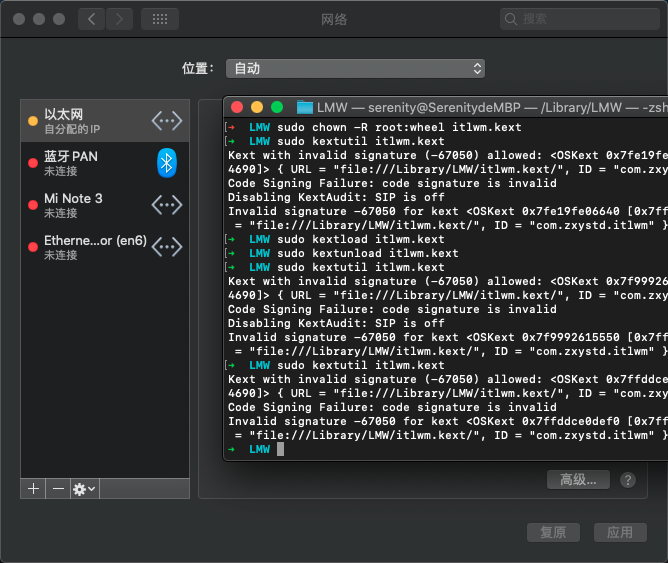 HKMV
on 20 Mar 2020
HKMV
on 20 Mar 2020
@HKMV暂不支持引导工具加载,必须使用kextutil命令或添加L / E(不推荐)。
大佬,我jia zai加载上之后并没有什么变化。
找到原因了,是因为使用SSDT禁用了英特尔网卡导致的,现在加载成功了,经过测试还有很多需要优化的地方,网络连接还不太稳定.
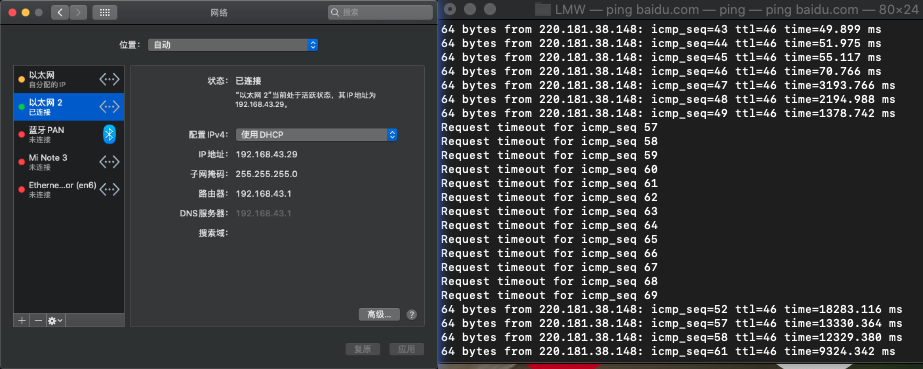
HKMV
on 21 Mar 2020
Who can help me download the latest kext from this?
Please, I don't have account
http://bbs.pcbeta.com/forum.php?mod=viewthread&tid=1848739&mobile=yes
 hoanganhduy75
on 22 Mar 2020
hoanganhduy75
on 22 Mar 2020
@hoanganhduy75 It's same one from above(https://github.com/daliansky/XiaoMi-Pro-Hackintosh/issues/330#issuecomment-599932497).... You can compile from source https://github.com/zxystd/itlwm
Menchen
on 22 Mar 2020
@hoanganhduy75 It's same one from above(#330 (comment)).... You can compile from source https://github.com/zxystd/itlwm
I don't know how to complie from source.
Can you help me?
hoanganhduy75
on 22 Mar 2020
@hoanganhduy75 It's same one from above(#330 (comment)).... You can compile from source https://github.com/zxystd/itlwm
I don't know how to complie from source.
Can you help me?
You were given a link to the comment, where the compiled version is published!
MarshalX
on 22 Mar 2020
Anyone work on ac9560?
I'm trying at ac9560 and it doesn't work. to be in need of assistance.
 Zeco-H
on 22 Mar 2020
Zeco-H
on 22 Mar 2020
Anyone work on ac9560?
I'm trying at ac9560 and it doesn't work. to be in need of assistance.
I have tryed on AC9560 on Mojave but no success.
 buderull
on 22 Mar 2020
buderull
on 22 Mar 2020
Anyone work on ac9560?
I'm trying at ac9560 and it doesn't work. to be in need of assistance.
I have 9560 too. Not work :(
 Dramler1997
on 23 Mar 2020
Dramler1997
on 23 Mar 2020
9560 Catalina same here
Edoardo001
on 23 Mar 2020
Anyone tried on 9260?
 kevinshroff
on 30 Mar 2020
kevinshroff
on 30 Mar 2020
News from https://github.com/AppleIntelWifi/adapter:
Can scan and view wifi hotspots in network panel on Intel(R) Dual Band Wireless AC 8260
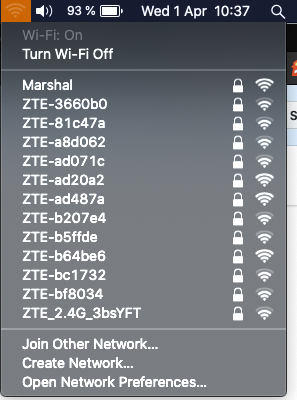
You can help by sending your logs at https://github.com/AppleIntelWifi/device-logs
MarshalX
on 1 Apr 2020
News from https://github.com/AppleIntelWifi/adapter:
Can scan and view wifi hotspots in network panel on Intel(R) Dual Band Wireless AC 8260
You can help by sending your logs at https://github.com/AppleIntelWifi/device-logs
Even I know that speed test and other things make panic, now the next allow to connect with the connection with/without password? Just to know in which state it is. However that's a great step.
Edoardo001
on 1 Apr 2020
Even I know that speed test and other things make panic, now the next allow to connect with the connection with/without password? Just to know in which state it is. However that's a great step.
You confuse this with another project.
This project: "Update: As of today (03/27/20), the most it can do is scan for wireless networks. More to come." from readme
MarshalX
on 1 Apr 2020
News from https://github.com/AppleIntelWifi/adapter:
Can scan and view wifi hotspots in network panel on Intel(R) Dual Band Wireless AC 8260
You can help by sending your logs at https://github.com/AppleIntelWifi/device-logsEven I know that speed test and other things make panic, now the next allow to connect with the connection with/without password? Just to know in which state it is. However that's a great step.
Please compile, to kext :)
 Annarex
on 3 Apr 2020
Annarex
on 3 Apr 2020
News from https://github.com/AppleIntelWifi/adapter:
Can scan and view wifi hotspots in network panel on Intel(R) Dual Band Wireless AC 8260
You can help by sending your logs at https://github.com/AppleIntelWifi/device-logsEven I know that speed test and other things make panic, now the next allow to connect with the connection with/without password? Just to know in which state it is. However that's a great step.
Please compile, to kext :)
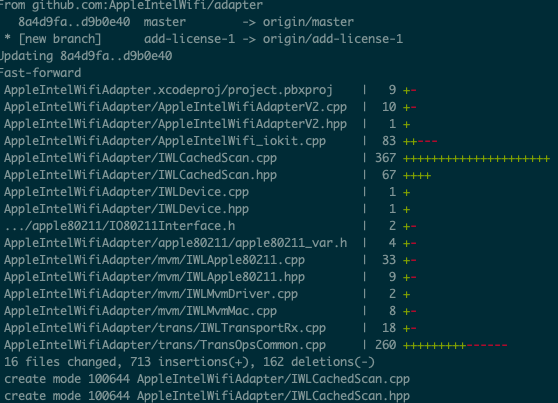
Kext from latest commit:
AppleIntelWifiAdapterV2.kext.zip
MarshalX
on 3 Apr 2020
News from https://github.com/AppleIntelWifi/adapter:
Can scan and view wifi hotspots in network panel on Intel(R) Dual Band Wireless AC 8260
You can help by sending your logs at https://github.com/AppleIntelWifi/device-logsEven I know that speed test and other things make panic, now the next allow to connect with the connection with/without password? Just to know in which state it is. However that's a great step.
Please compile, to kext :)
Kext from latest commit:
AppleIntelWifiAdapterV2.kext.zip
Thank you)
Annarex
on 3 Apr 2020
News from https://github.com/AppleIntelWifi/adapter:
Can scan and view wifi hotspots in network panel on Intel(R) Dual Band Wireless AC 8260
You can help by sending your logs at https://github.com/AppleIntelWifi/device-logsEven I know that speed test and other things make panic, now the next allow to connect with the connection with/without password? Just to know in which state it is. However that's a great step.
Please compile, to kext :)
Kext from latest commit:
AppleIntelWifiAdapterV2.kext.zip
Hi . is not working with ac7260 on asus gl553vd - macos 10.15.3
MohammadtaghiFarkhondekar
on 3 Apr 2020
News from https://github.com/AppleIntelWifi/adapter:
Can scan and view wifi hotspots in network panel on Intel(R) Dual Band Wireless AC 8260
You can help by sending your logs at https://github.com/AppleIntelWifi/device-logsEven I know that speed test and other things make panic, now the next allow to connect with the connection with/without password? Just to know in which state it is. However that's a great step.
Please compile, to kext :)
Kext from latest commit:
AppleIntelWifiAdapterV2.kext.zip
What is means screenshot? Its now able to work? Do something new ?
Edoardo001
on 4 Apr 2020
@Edoardo001 It means nothing but able to scan. Still need a huge amount of work.
stevezhengshiqi
on 5 Apr 2020
Hey y'all, Travis-CI will building the AppleIntelWifi kext and deploying it-- please avoid posting your own compiled versions.
hatf0
on 5 Apr 2020
You'll be able to get the latest version of the kext here.
hatf0
on 6 Apr 2020
Xiaomi dont detect the chip
 k4reash
on 6 Apr 2020
k4reash
on 6 Apr 2020
you have to delete ssdt which disables wifi @alexkite03
johnnync13
on 6 Apr 2020
hello @johnnync13
I download the kext in https://intelwifi.0xcc.pw and I add to clover it and delete: SSDT-DRP08
Do I need to delete any more?
I have all of patches in the "XiaoMi-Pro-Hackintosh/EFI/CLOVER/ACPI/patched/" of this repository.
Still not working.
k4reash
on 6 Apr 2020
@alexkite03 This kext isn't ready to use yet. It can now only search networks around you. More to come.
vladdenisov
on 7 Apr 2020
@alexkite03 the kext only works if you load on terminal
johnnync13
on 7 Apr 2020
@alexkite03 the kext only works if you load on terminal
I tried to load it through terminal but it cannot work. Here is the error
/Library/Extensions/AppleIntelWifiAdaptwrV2.kext failed to load - (libkern/kext) authentication failure (file ownership/permissions); check the system/kernel logs for errors or try kextutil(8)
 crisbile
on 8 Apr 2020
crisbile
on 8 Apr 2020
@alexkite03 the kext only works if you load on terminal
I tried to load it through terminal but it cannot work. Here is the error
/Library/Extensions/AppleIntelWifiAdaptwrV2.kext failed to load - (libkern/kext) authentication failure (file ownership/permissions); check the system/kernel logs for errors or try kextutil(8)
需要使用sudo来获取权限
HKMV
on 9 Apr 2020
it can work ,10.15.4 ac8265 this is the newest file http://bbs.pcbeta.com/viewthread-1838489-1-1.html
 renyichan
on 11 Apr 2020
renyichan
on 11 Apr 2020
@renyichan share here. Not everyone has a forum account
johnnync13
on 11 Apr 2020
i can not upload,you can see this
https://github.com/a565109863/AppleIntelWiFi_Debug/releases
8265shoud replace iwm-8265-34 file
@johnnync13
renyichan
on 11 Apr 2020
you need modify info.plist file replace you wifi name and pwd
renyichan
on 11 Apr 2020
@renyichan oh works fine. I haven't replaced the file
johnnync13
on 11 Apr 2020
after 2min my hacintosh reboot. so i replace the file,works fine
renyichan
on 11 Apr 2020
@renyichan I don't have problems with this. Only with speed max 20mb/s. I have hired 1gbps
johnnync13
on 11 Apr 2020
It's already great, waiting for the author to update again. It's 4 months since the last update. The author should be busy. Is your model 8265, too? What's the version of the system。There are two authors in the forum. The other one is updated quickly, but it is not mature at present. Let's wait for the rest
renyichan
on 11 Apr 2020
@renyichan I'm waiting for the adapter project. He is rewriting the code now. Use IEE 802.11, iokit of apple and not based on openbsd.
iokit:
https://developer.apple.com/library/archive/documentation/DeviceDrivers/Conceptual/IOKitFundamentals/Introduction/Introduction.html#//apple_ref/doc/uid/TP0000011
https://developer.apple.com/library/archive/documentation/Porting/Conceptual/PortingDrivers/intro/intro.html#//apple_ref/doc/uid/TP30001169
https://developer.apple.com/library/archive/documentation/DeviceDrivers/Conceptual/WritingDeviceDriver/CPluPlusRuntime/CPlusPlusRuntime.html#//apple_ref/doc/uid/TP30000695-TPXREF101
johnnync13
on 11 Apr 2020
@renyichan Thank you . It's working very good on AC7265 - GL553VD .
MohammadtaghiFarkhondekar
on 11 Apr 2020
@renyichen @hatf0
https://github.com/AppleIntelWifi/adapter Is not working on AC7265 but https://github.com/a565109863/AppleIntelWiFi_Debug/releases on AC7265 Working very well !
MohammadtaghiFarkhondekar
on 11 Apr 2020
https://github.com/a565109863/AppleIntelWiFi_Debug/releases Project already deleted?
 harika09
on 12 Apr 2020
harika09
on 12 Apr 2020
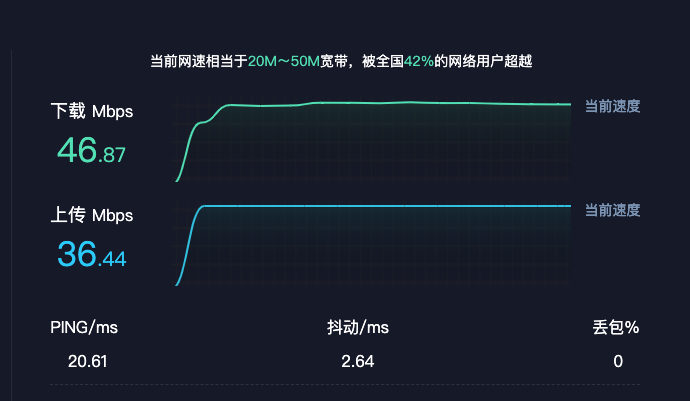
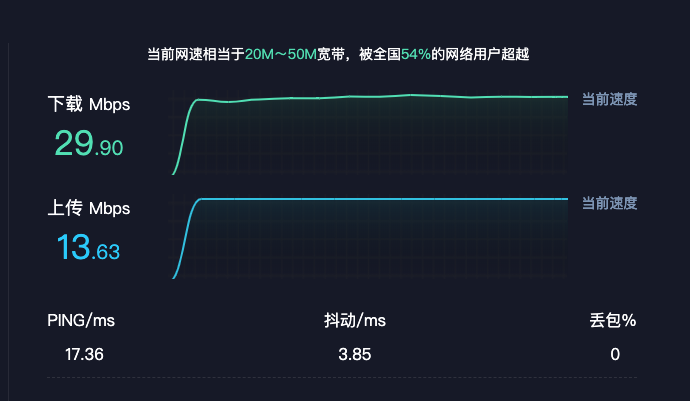
 mrxie68
on 12 Apr 2020
mrxie68
on 12 Apr 2020
https://github.com/a565109863/AppleIntelWiFi_Debug/releases Project already deleted?
yes
mn19941219
on 12 Apr 2020
https://github.com/a565109863/AppleIntelWiFi_Debug/releases Project already deleted?
yes
Why? I would like to try it if its possible
harika09
on 12 Apr 2020
https://github.com/a565109863/AppleIntelWiFi_Debug/releases Project already deleted?
yes
Why? I would like to try it if its possible
see ↑, there is the kext
mn19941219
on 12 Apr 2020
ac 8260 success 。Unfortunately packet loss download:https://c-t.work/s/5400197ab8b94a 4rgiwq
mrxie68
on 12 Apr 2020
https://github.com/a565109863/AppleIntelWiFi_Debug/releases Project already deleted?
yes
Why? I would like to try it if its possible
see ↑, there is the kext
Is it working on 9260? Should i put it on /S/L/E or only on /L/E?
harika09
on 12 Apr 2020
https://github.com/a565109863/AppleIntelWiFi_Debug/releases Project already deleted?
yes
Why? I would like to try it if its possible
see ↑, there is the kext
Is it working on 9260? Should i put it on /S/L/E or only on /L/E?
1.put kext files on desktop
2.open terminal
3.cd ~/desktop
4.sudo chown -R root:wheel *.kext
5.sudo chmod -R 755 *.kext
6.sudo kextload -v *.kext
mn19941219
on 12 Apr 2020
sudo kextload -v *.kext
I have successfully loaded kext but can't connect to wifi
 lephuochoai
on 12 Apr 2020
lephuochoai
on 12 Apr 2020
@lephuochoaiYou need to modify the content inside
mrxie68
on 12 Apr 2020
@lephuochoaiYou need to modify the content inside
give me tutorial
lephuochoai
on 12 Apr 2020
@lephuochoaiYou need to modify the content inside
I modified the content inside and successfully load the file but I could not turn wifi on after reboot, when I try to load the kext again it caused panic. Can you give me some tutorial
crisbile
on 12 Apr 2020
Hi every body and thanks for all this!!! I have a HP EliteBook folio 9470m with a Intel Centrino Advanced-N 6235. Do you thinkt this wold work on that? And please, could you tell me how can install on my Hackintosh Catalina 10.15.4 with clover? but please, like if a I was a little boy... I have not idea about programming and I have been doing this Hackintosh for a mont... and still I have not battery and sleep mode... But I will get!!
Thanks in advance!!
 Macauty
on 12 Apr 2020
Macauty
on 12 Apr 2020
So, the project is died? Nothing strange, this work is a pain in the a.. , write a driver without documentation, maybe only one or two guy... And all this for free... I love community works, but when it's too hard I think that is good to pay for it
Edoardo001
on 12 Apr 2020
I installed the driver by modifying the info.config file with xcode and I must say that it works very well. Can airdrop also work?
 Giannidmg
on 12 Apr 2020
Giannidmg
on 12 Apr 2020
I installed the driver by modifying the info.config file with xcode and I must say that it works very well. Can airdrop also work?
The latest version of AppleIntelWiFi.kext with IO80211Family.kext works well on my 10.15 Catalina (ThinkPad T570/Intel Dual Band Wireless-ac 8265) too! I have used it for about an hour and it doesn't show panic or reboot :)
@Giannidmg I don't think airdrop can work because bluetooth doesn't work now :(
 shawn-han-isme
on 12 Apr 2020
shawn-han-isme
on 12 Apr 2020
@Giannidmg AirDrop can only work with a full implementation of AWDL, which is an incredibly complex protocol with rigid timing sequences, “elections”, etc, etc. BLE is only half of it, and getting AWDL working on a non-Apple card is a several month long adventure.
hatf0
on 12 Apr 2020
@hatf0 step by step. Nothing is impossible. I hope all community hackintosh work in your project
johnnync13
on 12 Apr 2020
Instalé el controlador modificando el archivo info.config con xcode y debo decir que funciona muy bien. ¿Airdrop también puede funcionar?
Could you explain how please?
Macauty
on 12 Apr 2020
Instalé el controlador modificando el archivo info.config con xcode y debo decir que funciona muy bien. ¿Airdrop también puede funcionar?
Could you explain how please?
you need
- Right click in AppleIntelWiFi.kext
- Show Package Contents
- go to Contents folder
- open with xcode or another text editor info.plist
- find and open IOKitPersonalities
- find and open AppleIntelWiFi
- find and open NetWork Parameters
- modify BSSID with your wifi name
- modify PWD with your wifi password
save file and exit
sudo chown -R root:wheel *.kext
- sudo chmod -R 755 *.kext
- sudo kextload -v *.kext
 ghondar
on 12 Apr 2020
ghondar
on 12 Apr 2020
my wifi is working! awesome
 boardman21
on 12 Apr 2020
boardman21
on 12 Apr 2020
Instalé el controlador modificando el archivo info.config con xcode y debo decir que funciona muy bien. ¿Airdrop también puede funcionar?
Could you explain how please?
you need
- Right click in AppleIntelWiFi.kext
- Show Package Contents
- go to Contents folder
- open with xcode or another text editor info.plist
- find and open IOKitPersonalities
- find and open AppleIntelWiFi
- find and open NetWork Parameters
- modify BSSID with your wifi name
- modify PWD with your wifi password
- save file and exit
- sudo chown -R root:wheel *.kext
- sudo chmod -R 755 *.kext
- sudo kextload -v *.kext
Can you send me the file? i want to try on 9560. Maybe i make different version one for each wifi(work and home) and a script to do the thing more fast LOL. I'm really happy of this stage of developement, hope still continue and people help. I don't have that skills :(
Edoardo001
on 12 Apr 2020
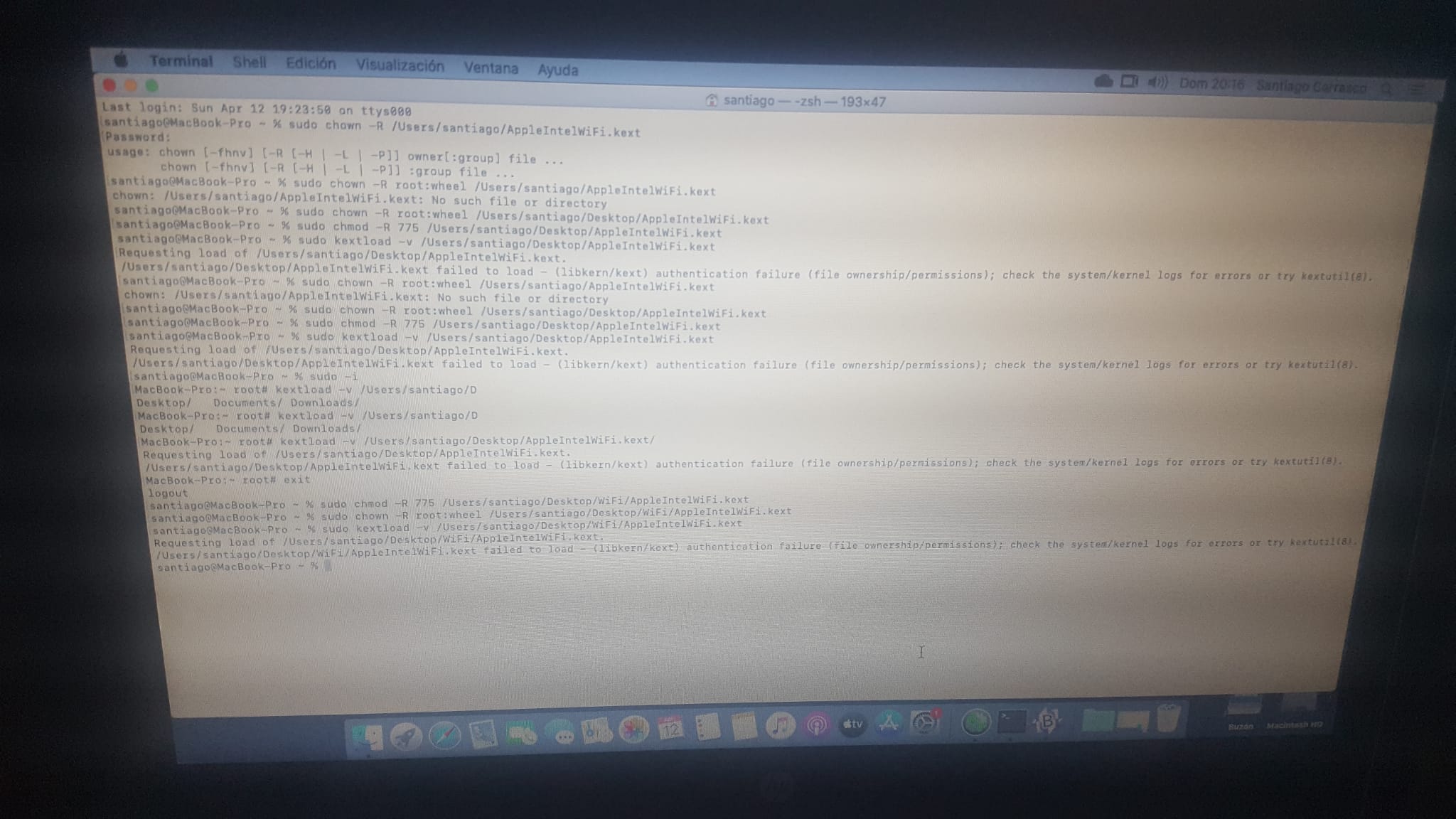
Hi, I tryed but in the last command I obtain an error. I put kext on desktop first and after I put it on a new folder in Desktop called WiFi, but the same... Must I put it in some specific folder? Maybe on EFI/Clover/Kext/Other?:
Macauty
on 12 Apr 2020
anybody knows where the latest kext can be downloaded? have been following this thread ever since i hackintoshed my mi notebook air 12.5 (i5-8200y) and would love to try it since i have the AC 8265
 skullpnuk
on 12 Apr 2020
skullpnuk
on 12 Apr 2020
Hi, I tryed but in the last command I obtain an error. I put kext on desktop first and after I put it on a new folder in Desktop called WiFi, but the same... Must I put it in some specific folder? Maybe on EFI/Clover/Kext/Other?:
Any idea please??
Macauty
on 12 Apr 2020
Try first to load:
sudo kextcache -i /
 p4c0ga
on 13 Apr 2020
p4c0ga
on 13 Apr 2020
Try first to load:
sudo kextcache -i /
Thankyou for your support p4c0ga, but... nothing... the same error!! Anything else please?
Macauty
on 13 Apr 2020
Put the AppleIntelWiFi.kext file in the Desktop, apply permission, reload caché and load...
Try sudo kextload -v *.kext
p4c0ga
on 13 Apr 2020
The same p4c0ga... I want to cry... really...
I do with kext on Desktop:
sudo chown -R root:wheel /Users/santiago/Desktop/AppleIntelWiFi.kext --> OK
sudo chmod -R 775 /Users/santiago/Desktop/AppleIntelWiFi.kext --> OK
sudo kextcache -i / --> Some Kexts with invali signatures
sudo kextload -v /Users/santiago/Desktop/AppleIntelWiFi.kext --> AppleIntelWiFi.kext failed toload - (libkern/ket) authentication failure (file ownership/permissions) check the system/kernel logs for errors or try kextutil(8)
Really... I want to cry!!
Macauty
on 13 Apr 2020
The same p4c0ga... I want to cry... really...
I do with kext on Desktop:sudo chown -R root:wheel /Users/santiago/Desktop/AppleIntelWiFi.kext --> OK
sudo chmod -R 775 /Users/santiago/Desktop/AppleIntelWiFi.kext --> OK
sudo kextcache -i / --> Some Kexts with invali signatures
sudo kextload -v /Users/santiago/Desktop/AppleIntelWiFi.kext --> AppleIntelWiFi.kext failed toload - (libkern/ket) authentication failure (file ownership/permissions) check the system/kernel logs for errors or try kextutil(8)Really... I want to cry!!
Did you disable SIP or gatekeeper?
skullpnuk
on 13 Apr 2020
Gatekeeper yes... it is disabled from more than one month ago... Is one of the first thing I did... SIP I don't know what is... I go to investigate to google...
Thankyouuuu!!!
Macauty
on 13 Apr 2020
Gatekeeper yes... it is disabled from more than one month ago... Is one of the first thing I did... SIP I don't know what is... I go to investigate to google...
Thankyouuuu!!!
Not sure if it’ll help but worth a try, hope it works after
skullpnuk
on 13 Apr 2020
It was disabled skullpnuk... both... (but thankyou for your support)
I have tried sudo mount -uw /
And nothing... the same error...
Macauty
on 13 Apr 2020
It was disabled skullpnuk... both... (but thankyou for your support)
I have tried sudo mount -uw /And nothing... the same error...
Did you download the latest kext? Not sure if it’s a kext issue then
skullpnuk
on 13 Apr 2020
It was disabled skullpnuk... both... (but thankyou for your support)
I have tried sudo mount -uw /
And nothing... the same error...Did you download the latest kext? Not sure if it’s a kext issue then
I am not sure... could you tell me what is the latest please? I have downloaded one of the link avobe.. but I do not know wich one?
Macauty
on 13 Apr 2020
p4c0ga
on 13 Apr 2020
Nothing... the same... I edit kext with BBedit... write SSID and PASWORD in string and save in Desktop... I doo chown, after chmod, after cache, and in -v I have the error...
Macauty
on 13 Apr 2020
👎 Sorry
p4c0ga
on 13 Apr 2020
No p40ga... so much thanks to you... I will go trying things and maybe something works... or not. this is a very hard way (I did not know how) Thankyou so much for your support...
Macauty
on 13 Apr 2020
No p40ga... so much thanks to you... I will go trying things and maybe something works... or not. this is a very hard way (I did not know how) Thankyou so much for your support...
@Macauty Have you ever tried it with replacing the IO80211Family.kext?
You can find this file above ⬆️
:)
shawn-han-isme
on 13 Apr 2020
No p40ga... so much thanks to you... I will go trying things and maybe something works... or not. this is a very hard way (I did not know how) Thankyou so much for your support...
@Macauty Have you ever tried it with replacing the IO80211Family.kext?
You can find this file above ⬆️
:)
silly question, but how does one replace the files in S/L/E?
skullpnuk
on 13 Apr 2020
For me worked only first time, after that got reboot after kextload, even with rebuild cache
Edoardo001
on 13 Apr 2020
Para mí, trabajé solo la primera vez, después de eso se reinició después de kextload, incluso con la reconstrucción de caché
What macOS version have you got? Edoardo001?
Macauty
on 13 Apr 2020
Para mí, trabajé solo la primera vez, después de eso se reinició después de kextload, incluso con la reconstrucción de caché
What macOS version have you got? Edoardo001?
Catalina 10.15.4
Edoardo001
on 13 Apr 2020
Para mí, trabajé solo la primera vez, después de eso se reinició después de kextload, incluso con la reconstrucción de caché
What macOS version have you got? Edoardo001?
Catalina 10.15.4
Same like me. Aaagggggrrrrr!!!!!!!
Macauty
on 13 Apr 2020
No p40ga... so much thanks to you... I will go trying things and maybe something works... or not. this is a very hard way (I did not know how) Thankyou so much for your support...
@Macauty Have you ever tried it with replacing the IO80211Family.kext?
You can find this file above ⬆️
:)silly question, but how does one replace the files in S/L/E?
@skullpnuk I think you can find a solution on Google :)
shawn-han-isme
on 13 Apr 2020
No p40ga... so much thanks to you... I will go trying things and maybe something works... or not. this is a very hard way (I did not know how) Thankyou so much for your support...
@Macauty Have you ever tried it with replacing the IO80211Family.kext?
You can find this file above ⬆️
:)silly question, but how does one replace the files in S/L/E?
Sorry, I had not see this mesage... You can use files and replace them if you before do in terminal:
mount -uw /
killlist Finder (or killutil Finder, one of them)
Then you can replace items on Macintosh HD until you reboot...
Macauty
on 13 Apr 2020
@Macauty Use sudo chmod -R 755 ... not 775. The permission flags must be exact. This issue literally turned into a support forum for MacOS KEXTs.
Only chown and chroot is required before dynamically loading the KEXT. Take care of the rest after it loads successfully.
 cihantas
on 13 Apr 2020
cihantas
on 13 Apr 2020
No p40ga... so much thanks to you... I will go trying things and maybe something works... or not. this is a very hard way (I did not know how) Thankyou so much for your support...
@Macauty Have you ever tried it with replacing the IO80211Family.kext?
You can find this file above ⬆️
:)
Hi shawn-han-isme, sorry I had not see your mesage avobe... I have downladed IO80211Family-10.14.6.zip from johnnync13 above, and ther are two kexts inside:
IO80211Family.kext
IO80211FamilyV2.kext
and both already exit on /S/L/E... do you say I replace them both? And then I do all the process?
Sorry, but I am very new in all this and I can understand instructions very good...
Macauty
on 13 Apr 2020
@Macauty Use
sudo chmod -R 755 ...not 775. The permission flags must be exact. This issue literally turned into a support forum for MacOS KEXTs.Only chown and chroot is required before dynamically loading the KEXT. Take care of the rest after it loads successfully.
Cihantas, sorry, in terminal I wrote -R 775. I mistaked to translation here...
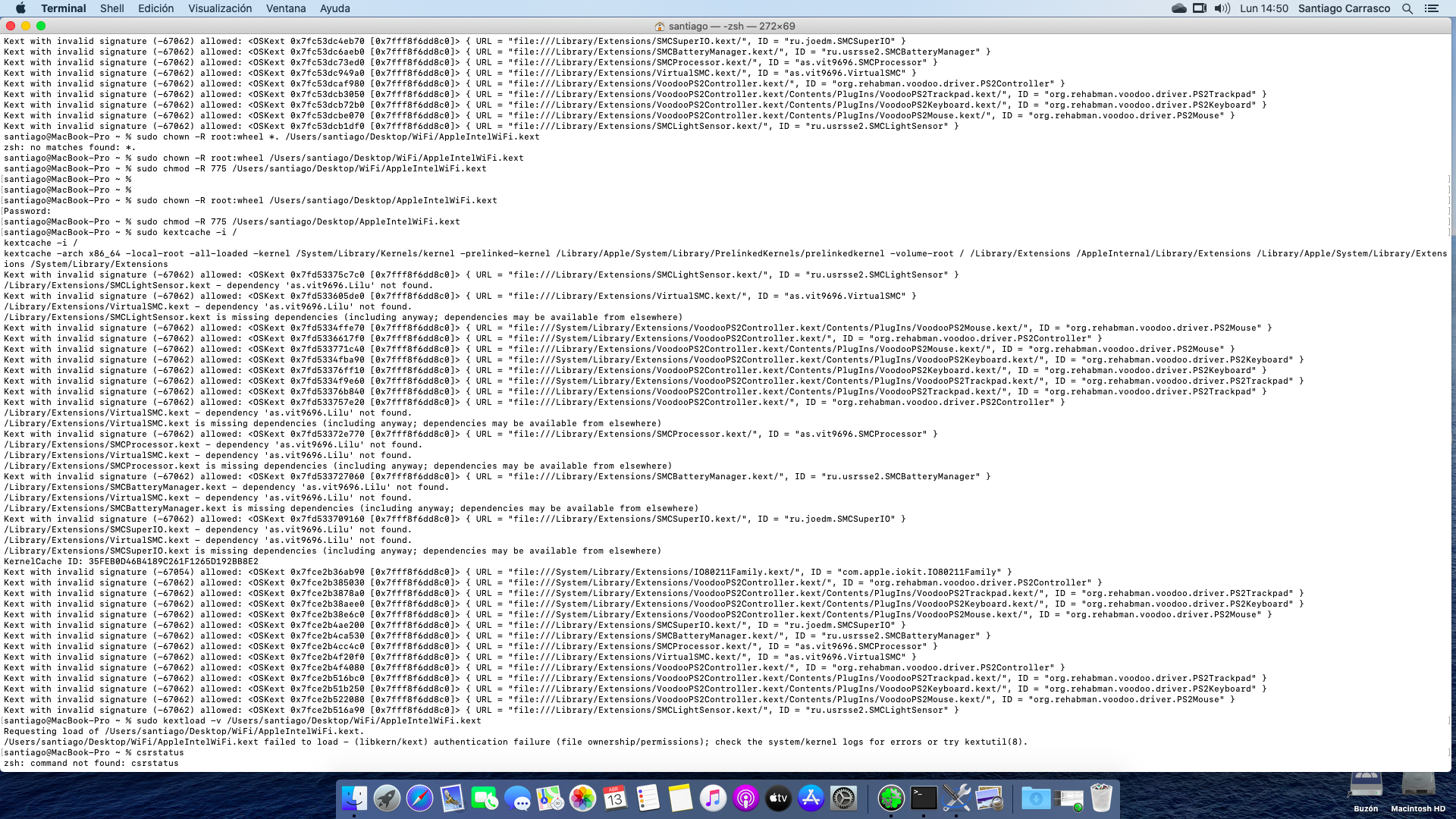
Macauty
on 13 Apr 2020
@Macauty Yes, don't do that. I don't know how much is messed up already, but just do the following:
sudo chmod -R root:wheel AppleIntelWIFI.kext
sudo chmod -R 755 AppleIntelWIFI.kext
sudo kextload AppleIntelWIFI.kext
That's it. Please reboot once before you do that. AFAIK unloading the KEXT is broken currently.
cihantas
on 13 Apr 2020
No p40ga... so much thanks to you... I will go trying things and maybe something works... or not. this is a very hard way (I did not know how) Thankyou so much for your support...
@Macauty Have you ever tried it with replacing the IO80211Family.kext?
You can find this file above ⬆️
:)Hi shawn-han-isme, sorry I had not see your mesage avobe... I have downladed IO80211Family-10.14.6.zip from johnnync13 above, and ther are two kexts inside:
IO80211Family.kext
IO80211FamilyV2.kext
and both already exit on /S/L/E... do you say I replace them both? And then I do all the process?
Sorry, but I am very new in all this and I can understand instructions very good...
@Macauty
I used this file👇 rather than what you have downloaded.
Stock.IO80211Family.kexts.Catalina.10.15.3.zip
You will get two files in this zip
- IO80211Family.kext
- IOAcceleratorFamily2.kext
On my Catalina 10.15.4 I have only replaced the IO80211Family.kext and Wi-Fi works well.
The other one named IOAcceleratorFamily2.kext will make my display into a wrong color.
I hope these will be helpful :)
shawn-han-isme
on 13 Apr 2020
This one can scan networks. However it sees WPA2 networks as WEP. Using Intel 9560 AC on 10.15.4.
 q64ceo
on 13 Apr 2020
q64ceo
on 13 Apr 2020
This one can scan networks. However it sees WPA2 networks as WEP. Using Intel 9560 AC
Can scan and connect or only scan?
Edoardo001
on 13 Apr 2020
No p40ga... so much thanks to you... I will go trying things and maybe something works... or not. this is a very hard way (I did not know how) Thankyou so much for your support...
@Macauty Have you ever tried it with replacing the IO80211Family.kext?
You can find this file above ⬆️
:)Hi shawn-han-isme, sorry I had not see your mesage avobe... I have downladed IO80211Family-10.14.6.zip from johnnync13 above, and ther are two kexts inside:
IO80211Family.kext
IO80211FamilyV2.kext
and both already exit on /S/L/E... do you say I replace them both? And then I do all the process?
Sorry, but I am very new in all this and I can understand instructions very good...@Macauty
I used this file👇 rather than what you have downloaded.
Stock.IO80211Family.kexts.Catalina.10.15.3.zip
You will get two files in this zip
- IO80211Family.kext
- IOAcceleratorFamily2.kext
On my Catalina 10.15.4 I have only replaced the IO80211Family.kext and Wi-Fi works well.
The other one named IOAcceleratorFamily2.kext will make my display into a wrong color.
I hope these will be helpful :)
Nothing... I replaced and do nothing.... Thankyou very much!!
Macauty
on 13 Apr 2020
@Macauty Yes, don't do that. I don't know how much is messed up already, but just do the following:
sudo chmod -R root:wheel AppleIntelWIFI.kext
sudo chmod -R 755 AppleIntelWIFI.kext
sudo kextload AppleIntelWIFI.kext
That's it. Please reboot once before you do that. AFAIK unloading the KEXT is broken currently.
Nothing, it doesn't work either ...
Thankyou so much too...
Someone know if is there someplace that someone can connect to my laptop by teamviewer or similar and helpme? Something like a support center?? Would be cool!! Because when I think in all items I need to fix... jajaajjajaja Because I have no money, else I would buy an iMAC in this moment and put my laptop on fire!! jajaja...
Really... thankyou very much everyone for your support... in you have a light in your mind about this, please tell me...
Best regards from the south of Spain and OVER ALL, I hope you are fine and COVID be far from you!!
Macauty
on 13 Apr 2020
If your Info.plist is correct as well (sure it is?), it's likely due to a corrupted KEXT folder. Can't help with that though, sorry. Just tried it out on my Thinkpad X250 and works right away.
cihantas
on 13 Apr 2020
This one can scan networks. However it sees WPA2 networks as WEP. Using Intel 9560 AC on 10.15.4.
This is working perfectly for my wireless AC 8265! No reboot yet but I think there might be a bit of loss
skullpnuk
on 13 Apr 2020
What do you thing if I install AppleIntelWiFi.kext with Kext Utility? Would be possible and safety?
Macauty
on 13 Apr 2020
What do you thing if I install AppleIntelWiFi.kext with Kext Utility? Would be possible and safety
 mazeltov45
on 13 Apr 2020
mazeltov45
on 13 Apr 2020
Hello dear friend, can you help me, i have an intel 8260 wifi, and catalina 10.15.4. thank you for helping me
mazeltov45
on 13 Apr 2020
Hello dear friend, can you help me, i have an intel 8260 wifi, and catalina 10.15.4. thank you for helping me
Try downloading kext updater, click on tools and select the first option for rebuild kextcache Then try the commands again
skullpnuk
on 13 Apr 2020
I am new to hackintosh I do not really master everything so detailed help would be welcome
mazeltov45
on 13 Apr 2020
skullpnuk
on 13 Apr 2020
It's done, what should I do now? In order not to tire you it would be better if you said exactly what I should do in a single comment so I will do it and if it does not work I will tell you what is wrong
mazeltov45
on 13 Apr 2020
Hello everyone, i have an intel 7265 ac wifi card, i using 10.15.4 and loaded kext but about 5 minutes it's reboot. Thank for helping !!
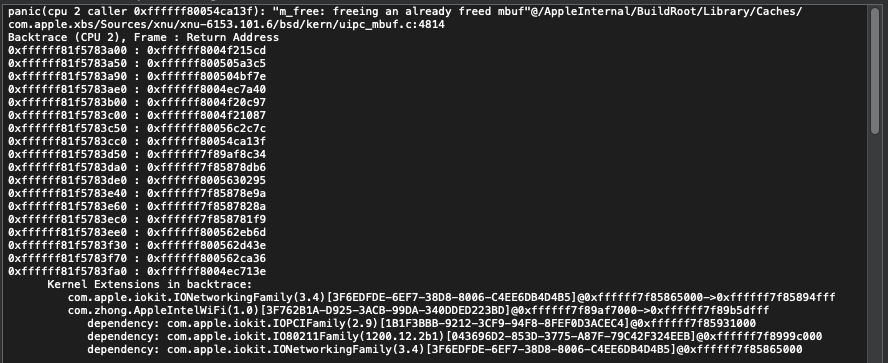
 duongle305
on 13 Apr 2020
duongle305
on 13 Apr 2020
It's done, what should I do now? In order not to tire you it would be better if you said exactly what I should do in a single comment so I will do it and if it does not work I will tell you what is wrong
1) Open Kext Updater
2) Tools
3) Rebuild Kextcache -> Start
4) Restart your system
5) Right click AppleIntelWiFi.kext and click on Show Package Contents
6) Contents > info.plist
7) Open info.plist
8) Navigate to IOKitPersonalities > AppleIntelWiFi > NetWork Parameters > BSSID (your wifi name) > BSSID - 2 (leave blank) > PWD (password of the wifi you are connecting to in BSSID)
9) Save
10) cd ~/Desktop
11) sudo chown -R root:wheel AppleIntelWiFi.kext
12) sudo chmod -R 755 AppleIntelWiFi.kext
13) sudo kextload -v AppleIntelWiFi.kext/
make sure to place AppleIntelWifi.kext on your desktop
skullpnuk
on 13 Apr 2020
This one can scan networks. However it sees WPA2 networks as WEP. Using Intel 9560 AC
Can scan and connect or only scan?
Can scan only. When I try to connect It tells me the network is WEP when it's WPA2
q64ceo
on 13 Apr 2020
It's done, what should I do now? In order not to tire you it would be better if you said exactly what I should do in a single comment so I will do it and if it does not work I will tell you what is wrong
- Open Kext Updater
- Tools
- Rebuild Kextcache -> Start
- Restart your system
- Right click AppleIntelWiFi.kext and click on Show Package Contents
- Contents > info.plist
- Open info.plist
- Navigate to IOKitPersonalities > AppleIntelWiFi > NetWork Parameters > BSSID (your wifi name) > BSSID - 2 (leave blank) > PWD (password of the wifi you are connecting to in BSSID)
- Save
- cd ~/Desktop
- sudo chown -R root:wheel AppleIntelWiFi.kext
- sudo chmod -R 755 AppleIntelWiFi.kext
- sudo kextload -v AppleIntelWiFi.kext/
make sure to place AppleIntelWifi.kext on your desktop
Thank you for your help, I followed exactly what you said, but arrived at number 11, when I entered it in the terminal it says: No such file or directory
mazeltov45
on 13 Apr 2020
It's done, what should I do now? In order not to tire you it would be better if you said exactly what I should do in a single comment so I will do it and if it does not work I will tell you what is wrong
- Open Kext Updater
- Tools
- Rebuild Kextcache -> Start
- Restart your system
- Right click AppleIntelWiFi.kext and click on Show Package Contents
- Contents > info.plist
- Open info.plist
- Navigate to IOKitPersonalities > AppleIntelWiFi > NetWork Parameters > BSSID (your wifi name) > BSSID - 2 (leave blank) > PWD (password of the wifi you are connecting to in BSSID)
- Save
- cd ~/Desktop
- sudo chown -R root:wheel AppleIntelWiFi.kext
- sudo chmod -R 755 AppleIntelWiFi.kext
- sudo kextload -v AppleIntelWiFi.kext/
make sure to place AppleIntelWifi.kext on your desktop
Thank you for your help, I followed exactly what you said, but arrived at number 11, when I entered it in the terminal it says: No such file or directory
Did you place the AppleIntelWifi.kext on your desktop? Do not put it in any other folder other than desktop folder
skullpnuk
on 13 Apr 2020
I was able to find a solution to execute the 11th and 12th but I am now blocked on the 13th; here's what it says: failed to load - (libkern / kext) dependency load failed; check the system / kernel logs for errors or try kextutil (8).
mazeltov45
on 13 Apr 2020
It's done, what should I do now? In order not to tire you it would be better if you said exactly what I should do in a single comment so I will do it and if it does not work I will tell you what is wrong
- Open Kext Updater
- Tools
- Rebuild Kextcache -> Start
- Restart your system
- Right click AppleIntelWiFi.kext and click on Show Package Contents
- Contents > info.plist
- Open info.plist
- Navigate to IOKitPersonalities > AppleIntelWiFi > NetWork Parameters > BSSID (your wifi name) > BSSID - 2 (leave blank) > PWD (password of the wifi you are connecting to in BSSID)
- Save
- cd ~/Desktop
- sudo chown -R root:wheel AppleIntelWiFi.kext
- sudo chmod -R 755 AppleIntelWiFi.kext
- sudo kextload -v AppleIntelWiFi.kext/
make sure to place AppleIntelWifi.kext on your desktop
Thank you for your help, I followed exactly what you said, but arrived at number 11, when I entered it in the terminal it says: No such file or directory
Hi mazeltov45, I am like you... a new user in macOS, but like more than one month that I am with this and how I am at home by law (COVID) I am 12-14 hours at day with this but with a very litle success for the moment... but this problem I think I can help you:
You have two options:
A: You have downloaded the AppleIntelWiFi.kext in other folder instead Desktop... you must to copy this file to Desktop and if you download it compressed, you must to zip and copy it to Desktop and then do 11, 12 and 13 steps...
B: You have kext file on desktop but you open Terminal and start to type commands directly... no... If you have AppleIntelWiFi.kext then, the first command that you must to type befor 11 step is:
cd /Users/yourusername/Desktop and press enter... after commands 11, 12 and 13...
I hope you have lucker than me... I can not do 13 step because I have an error...
Macauty
on 13 Apr 2020
I was able to find a solution to execute the 11th and 12th but I am now blocked on the 13th; here's what it says: failed to load - (libkern / kext) dependency load failed; check the system / kernel logs for errors or try kextutil (8).
Ooopss!!! thats my error on 13th step... If you get fixed, please tell me (I will do the same) but I think it is no easy... Good luck!!
Macauty
on 13 Apr 2020
I was able to find a solution to execute the 11th and 12th but I am now blocked on the 13th; here's what it says: failed to load - (libkern / kext) dependency load failed; check the system / kernel logs for errors or try kextutil (8).
Ooopss!!! thats my error on 13th step... If you get fixed, please tell me (I will do the same) but I think it is no easy... Good luck!!
I don't know what to do, let's hope someone helps us. I'm stuck at level 13, it's annoying because it's the last step
mazeltov45
on 13 Apr 2020
I was able to find a solution to execute the 11th and 12th but I am now blocked on the 13th; here's what it says: failed to load - (libkern / kext) dependency load failed; check the system / kernel logs for errors or try kextutil (8).
Ooopss!!! thats my error on 13th step... If you get fixed, please tell me (I will do the same) but I think it is no easy... Good luck!!
I don't know what to do, let's hope someone helps us. I'm stuck at level 13, it's annoying because it's the last step
Try to redownload the kext and do it again
skullpnuk
on 13 Apr 2020
Pude encontrar una solución para ejecutar el 11 y el 12 pero ahora estoy bloqueado el 13; esto es lo que dice: no se pudo cargar: la carga de dependencia (libkern / kext) falló; revise los registros del sistema / kernel para ver si hay errores o intente kextutil (8).
Ooopss !!! ese es mi error en el paso 13 ... Si te arreglan, por favor dime (haré lo mismo) pero creo que no es fácil ... ¡Buena suerte!
No sé qué hacer, esperemos que alguien nos ayude. Estoy atrapado en el nivel 13, es molesto porque es el último paso
Mazeltov45, do not be affraid for the last step... When we get this, something will go bad and other behind... This is hackintosh... more than one month ago I am in this way, but it is a good way... when you get something you are so happy!!!
One week ago, I fixed audio... jajajajaj... has been my happyest day in a lot of time... Since then, I only go for here, for there... but nothing gets!!
Do not be afraid... be patient... community helps a lot (here and more of this)... I have registered in this month in a lot of places and community helps!!
Macauty
on 13 Apr 2020
Hi again... looking for this here and there, I have noticed that I had AppleIntelWiFi.kext file inside the EFI partition in EFI/clover/kext/other... so I deleted from there, rebooted, and did the steps again... and...... Cool!!!! Now I have not error!!!! Great!!!
But nothing happened... I don not have WiFi Connection and in Network (in System Preferences) WiFi is missing still missing...
Any idea?
@mazeltov45, be sure you do not have kext file in EFI partition like me!!
Macauty
on 13 Apr 2020
No p40ga... so much thanks to you... I will go trying things and maybe something works... or not. this is a very hard way (I did not know how) Thankyou so much for your support...
@Macauty Have you ever tried it with replacing the IO80211Family.kext?
You can find this file above ⬆️
:)Hi shawn-han-isme, sorry I had not see your mesage avobe... I have downladed IO80211Family-10.14.6.zip from johnnync13 above, and ther are two kexts inside:
IO80211Family.kext
IO80211FamilyV2.kext
and both already exit on /S/L/E... do you say I replace them both? And then I do all the process?
Sorry, but I am very new in all this and I can understand instructions very good...@Macauty
I used this file👇 rather than what you have downloaded.
Stock.IO80211Family.kexts.Catalina.10.15.3.zip
You will get two files in this zip
- IO80211Family.kext
- IOAcceleratorFamily2.kext
On my Catalina 10.15.4 I have only replaced the IO80211Family.kext and Wi-Fi works well.
The other one named IOAcceleratorFamily2.kext will make my display into a wrong color.
I hope these will be helpful :)
@Macauty @mazeltov45
Oh my friends who have met with the error failed to load - (libkern / kext) dependency load failed; check the system / kernel logs for errors or try kextutil (8) please try to replace the old IO80211Family.kext in your System/Library/Extension with the file(the same name) adove in this comment and reboot and then try again with what @skullpnuk have said:
- Open Kext Updater
- Tools
- Rebuild Kextcache -> Start
- Restart your system
- Right click AppleIntelWiFi.kext and click on Show Package Contents
- Contents > info.plist
- Open info.plist
- Navigate to IOKitPersonalities > AppleIntelWiFi > NetWork Parameters > BSSID (your wifi name) > BSSID - 2 (leave blank) > PWD (password of the wifi you are connecting to in BSSID)
- Save
- cd ~/Desktop
- sudo chown -R root:wheel AppleIntelWiFi.kext
- sudo chmod -R 755 AppleIntelWiFi.kext
- sudo kextload -v AppleIntelWiFi.kext/
I have also met with the same error yesterday so I replaced the IO80211Family.kext and it works. You can find the reason of this solution in the previous comments under this issue on Feb 7 and Feb 8.
Have a try and good luck :)
shawn-han-isme
on 13 Apr 2020
Hi again... looking for this here and there, I have noticed that I had AppleIntelWiFi.kext file inside the EFI partition in EFI/clover/kext/other... so I deleted from there, rebooted, and did the steps again... and...... Cool!!!! Now I have not error!!!! Great!!!
But nothing happened... I don not have WiFi Connection and in Network (in System Preferences) WiFi is missing still missing...
Any idea?
@mazeltov45, be sure you do not have kext file in EFI partition like me!!
Yes you are right. This version of AppleIntelWiFi.kext cannot work properly if you add it into clover. It can only be used with the command sudo kextload -v AppleIntelWiFi.kext/ now.
But don't worry. The developer does have already made great progress on AppleIntelWiFi.kext since this issue was opened. I believe we will not wait for too long for a full function AppleIntelWiFi.kext :)
shawn-han-isme
on 13 Apr 2020
Ok @shawn-han-isme ... so finally I can not use my WiFi connection for the moment, isn't it?
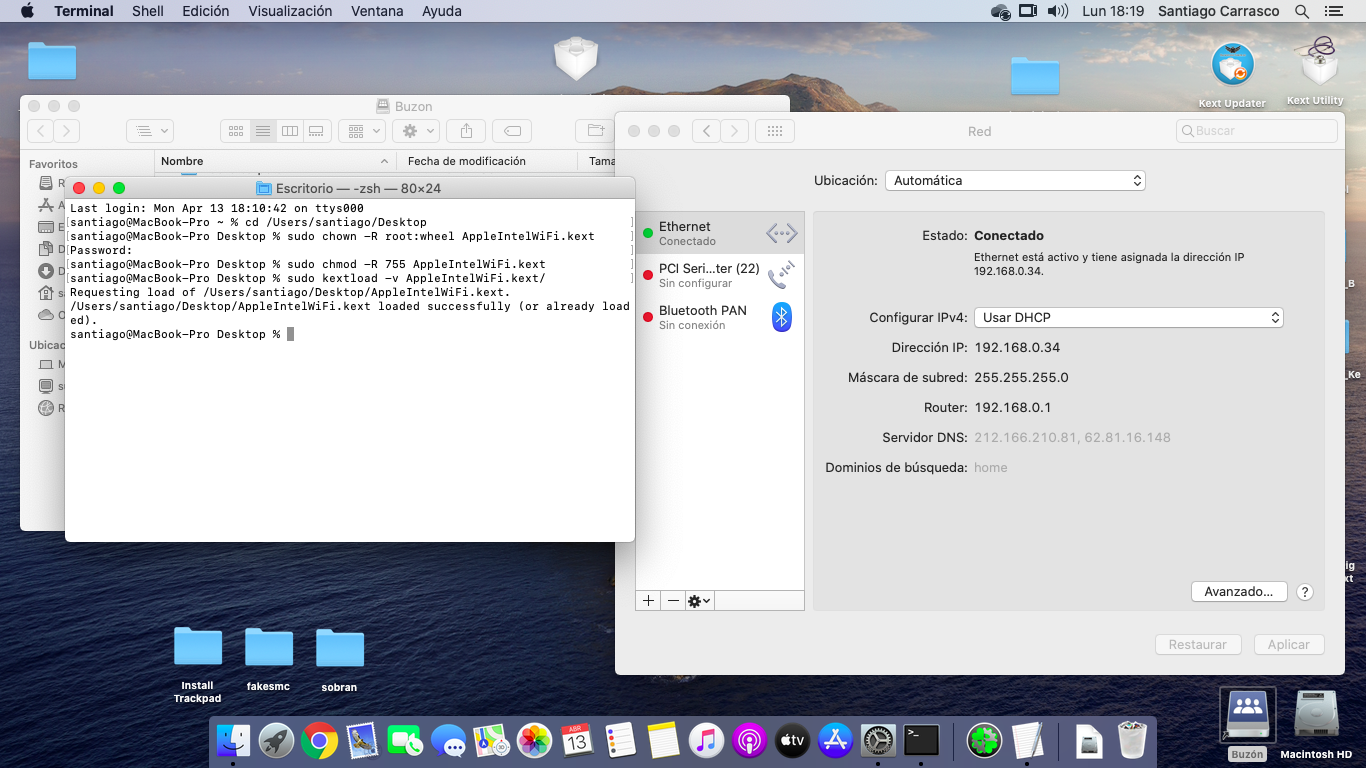
Macauty
on 13 Apr 2020
Ok @shawn-han-isme ... so finally I can not use my WiFi connection for the moment, isn't it?
It seems not :(
I’m using Intel Dual Band Wireless-AC 8265 and the kext works well. I’m not sure but I remember this kext is developed for AC 8265. Which model are you using?
shawn-han-isme
on 13 Apr 2020
I use factory. Intel Centrino Advanced-N 6235. But I can not give more dettails... I do not know how... I have not Windows. Only Catalina Hackintosh
Macauty
on 13 Apr 2020
Oh it seems that the kext does not match with your model.
But keep your chin up :) It’s cheerful to see no error with the kext. Maybe a few days later a new kext will be developed for your model.
shawn-han-isme
on 13 Apr 2020
Ooouuhh Mamma!!!
Ok... I will hope that or maybe I will buy a new Atheros model... I have learned somethings with this... In this moment I will ask you for battery and for the TrackPad. I know this is not the correct place for this, but could you tell me where can I find information? I have some guides for my EliteBook 9470m but without success....
Macauty
on 13 Apr 2020
You can try to install
VoodooPS2 in this way to get your touchpad work.
Sorry I haven’t figured out how to show my battery status but I think this would be helpful. But it is “a little bit” complex.
shawn-han-isme
on 13 Apr 2020
It's done, what should I do now? In order not to tire you it would be better if you said exactly what I should do in a single comment so I will do it and if it does not work I will tell you what is wrong
- Open Kext Updater
- Tools
- Rebuild Kextcache -> Start
- Restart your system
- Right click AppleIntelWiFi.kext and click on Show Package Contents
- Contents > info.plist
- Open info.plist
- Navigate to IOKitPersonalities > AppleIntelWiFi > NetWork Parameters > BSSID (your wifi name) > BSSID - 2 (leave blank) > PWD (password of the wifi you are connecting to in BSSID)
- Save
- cd ~/Desktop
- sudo chown -R root:wheel AppleIntelWiFi.kext
- sudo chmod -R 755 AppleIntelWiFi.kext
- sudo kextload -v AppleIntelWiFi.kext/
make sure to place AppleIntelWifi.kext on your desktop
Super! It all worked! Thank you for your efforts and in anticipation of improvements in the kekst!
HP Probook 450 G4 i7, Intel Dual AC8265.
 GDruzin
on 14 Apr 2020
GDruzin
on 14 Apr 2020
Hey guys,
I'm using Mojave and can't load the latest Kext that @skullpnuk referred to. I get a link error. Are you guys on Catalina?
I'm on Mojave and I can see that the latest Kext mentions "LS Minimum Version" 10.15. Any way to make this work for 10.14?
Thanks!
 Advv1
on 14 Apr 2020
Advv1
on 14 Apr 2020
Sorry I am using Catalina but I think you can paste your screenshot of the error in your comment so that someone can help you :)
shawn-han-isme
on 14 Apr 2020
Thanks for the encouragement, I got it to work on Mojave.
For anyone trying to figure it out use the Kext Johnny posted on 4 February (0131 file) and follow his instructions in the subsequent post. I didn’t use any “family” kext files.
It works but as others have stated, it’s super slow and as soon as I tried to run a speed test it rebooted on me.
Also after I ran the Kext, wifi seemed to be working but wasn’t connecting to the SSID. I turned off wifi and turned it back on and it immediately connected.
Advv1
on 14 Apr 2020
Ideally if anyone could figure out how to use the latest Kext files on Mojave (seem to be for Catalina only), that would be great
Advv1
on 14 Apr 2020
It's done, what should I do now? In order not to tire you it would be better if you said exactly what I should do in a single comment so I will do it and if it does not work I will tell you what is wrong
- Open Kext Updater
- Tools
- Rebuild Kextcache -> Start
- Restart your system
- Right click AppleIntelWiFi.kext and click on Show Package Contents
- Contents > info.plist
- Open info.plist
- Navigate to IOKitPersonalities > AppleIntelWiFi > NetWork Parameters > BSSID (your wifi name) > BSSID - 2 (leave blank) > PWD (password of the wifi you are connecting to in BSSID)
- Save
- cd ~/Desktop
- sudo chown -R root:wheel AppleIntelWiFi.kext
- sudo chmod -R 755 AppleIntelWiFi.kext
- sudo kextload -v AppleIntelWiFi.kext/
make sure to place AppleIntelWifi.kext on your desktop
tried to test on my 3160 but it doesn't connect to the internet
 1ukidev
on 14 Apr 2020
1ukidev
on 14 Apr 2020
I use kextload without any problems on my INTEL AC 9260 hardware.
Just unzip the file to the desktop, run wifi.command and enter the sudo password.
calisma.zip
WPA2 network is being seen as WEP. Intel 9560 AC 2X2.
q64ceo
on 14 Apr 2020
Please help, this is the response of kextutil command:
Kext with invalid signature (-67030) allowed: Code Signing Failure: code signature is invalid Invalid signature -67030 for kext Why ? How solve ?
p4c0ga
on 15 Apr 2020
Hi will there be updates on the kext or not?
Sorry for english but it's not my language
 Alex131111
on 15 Apr 2020
Alex131111
on 15 Apr 2020
Hi will there be updates on the kext or not?
Sorry for english but it's not my language
Yes there will be. They have not abandoned it. Also English isn't my first language, too. I speak American.
q64ceo
on 15 Apr 2020
Please help, this is the response of kextutil command:
Kext with invalid signature (-67030) allowed:Code Signing Failure: code signature is invalid
Invalid signature -67030 for kextWhy ? How solve ? https://khronokernel-2.gitbook.io/opencore-vanilla-desktop-guide/intel-config.plist/kaby-lake#nvram
csr-active-config should be either03000000orE7030000. If you edit this from config.plist you need to clear the vram. In alternative you can usecsrutilfrom recovery
Soory, but my config.plist do not have NVRAM string and I can't find csr-active-config
How is possible ???
p4c0ga
on 15 Apr 2020
Is it necessary to put the files (IO80211Family.kext and V2) in S / L / E or only in L / E? Or in both places? and give them permissions?
p4c0ga
on 15 Apr 2020
For now I use USB-WIFI, but I would like to be able to use the Intel 8265 card from the computer
p4c0ga
on 15 Apr 2020
Please help, this is the response of kextutil command:
Kext with invalid signature (-67030) allowed:Code Signing Failure: code signature is invalid
Invalid signature -67030 for kextWhy ? How solve ? https://khronokernel-2.gitbook.io/opencore-vanilla-desktop-guide/intel-config.plist/kaby-lake#nvram
csr-active-config should be either03000000orE7030000. If you edit this from config.plist you need to clear the vram. In alternative you can usecsrutilfrom recoverySoory, but my config.plist do not have NVRAM string and I can't find csr-active-config
How is possible ???
Sorry I don't know the reason for the invalid signature.
But if you are using Catalina, I think you'd better to replace only the IO80211Family.kext in S/L/E with this one. ↓↓↓
I used this file ↓↓↓ rather than what you have downloaded.
Stock.IO80211Family.kexts.Catalina.10.15.3.zip
You will get two files in this zip
- IO80211Family.kext
- IOAcceleratorFamily2.kext
On my Catalina 10.15.4 I have only replaced the IO80211Family.kext and Wi-Fi works well.
The other one named IOAcceleratorFamily2.kext will make my display into a wrong color.
I hope these will be helpful :)
Oh my friends who have met with the error
failed to load - (libkern / kext) dependency load failed; check the system / kernel logs for errors or try kextutil (8)please try to replace the old IO80211Family.kext in your System/Library/Extension with the file(the same name) adove in this comment and reboot and then try again with what @skullpnuk have said:
- Open Kext Updater
- Tools
- Rebuild Kextcache -> Start
- Restart your system
- Right click AppleIntelWiFi.kext and click on Show Package Contents
- Contents > info.plist
- Open info.plist
- Navigate to IOKitPersonalities > AppleIntelWiFi > NetWork Parameters > BSSID (your wifi name) > BSSID - 2 (leave blank) > PWD (password of the wifi you are connecting to in BSSID)
- Save
- cd ~/Desktop
- sudo chown -R root:wheel AppleIntelWiFi.kext
- sudo chmod -R 755 AppleIntelWiFi.kext
- sudo kextload -v AppleIntelWiFi.kext/
I have also met with the same error yesterday so I replaced the IO80211Family.kext and it works. You can find the reason of this solution in the previous comments under this issue on Feb 7 and Feb 8.
Have a try and good luck :)
shawn-han-isme
on 15 Apr 2020
Thanks I will try
p4c0ga
on 15 Apr 2020
Ohhhh
pac@MacBook-Pro Desktop % sudo mv IO80211Family.kext /System/Library/Extensions
override rwxr-xr-x root/wheel for /System/Library/Extensions/IO80211Family.kext? (y/n [n]) y
mv: rename IO80211Family.kext to /System/Library/Extensions/IO80211Family.kext: Read-only file system
p4c0ga
on 15 Apr 2020
How can replace the foriginal file ?
p4c0ga
on 15 Apr 2020
I use Catalina 10.15.4, sorry
p4c0ga
on 15 Apr 2020
First run sudo mount -o rw /
And then run your command :)
shawn-han-isme
on 15 Apr 2020
Now:
pac@MacBook-Pro Desktop % sudo kextload -v AppleIntelWiFi.kext/
Requesting load of /Users/pac/Desktop/AppleIntelWiFi.kext.
/Users/pac/Desktop/AppleIntelWiFi.kext failed to load - (libkern/kext) dependency load failed; check the system/kernel logs for errors or try kextutil(8).
:(
p4c0ga
on 15 Apr 2020
I haver repaired permission S/L/E and load
Requesting load of /Users/pac/Desktop/AppleIntelWiFi.kext.
/Users/pac/Desktop/AppleIntelWiFi.kext loaded successfully (or already loaded).
But not found, does not appear on my network preferences (no wifi device)
???
p4c0ga
on 15 Apr 2020
No p40ga... so much thanks to you... I will go trying things and maybe something works... or not. this is a very hard way (I did not know how) Thankyou so much for your support...
@Macauty Have you ever tried it with replacing the IO80211Family.kext?
You can find this file above ⬆️
:)
Hi shawn-han-isme, sorry I had not see your mesage avobe... I have downladed IO80211Family-10.14.6.zip from johnnync13 above, and ther are two kexts inside:
IO80211Family.kext
IO80211FamilyV2.kext
and both already exit on /S/L/E... do you say I replace them both? And then I do all the process?
Sorry, but I am very new in all this and I can understand instructions very good...
@Macauty
I used this file👇 rather than what you have downloaded.
You will get two files in this zip
- IO80211Family.kext
- IOAcceleratorFamily2.kext
On my Catalina 10.15.4 I have only replaced the IO80211Family.kext and Wi-Fi works well.
The other one named IOAcceleratorFamily2.kext will make my display into a wrong color.
I hope these will be helpful :)
@Macauty @mazeltov45
Oh my friends who have met with the error
failed to load - (libkern / kext) dependency load failed; check the system / kernel logs for errors or try kextutil (8)please try to replace the old IO80211Family.kext in your System/Library/Extension with the file(the same name) adove in this comment and reboot and then try again with what @skullpnuk have said:
- Open Kext Updater
- Tools
- Rebuild Kextcache -> Start
- Restart your system
- Right click AppleIntelWiFi.kext and click on Show Package Contents
- Contents > info.plist
- Open info.plist
- Navigate to IOKitPersonalities > AppleIntelWiFi > NetWork Parameters > BSSID (your wifi name) > BSSID - 2 (leave blank) > PWD (password of the wifi you are connecting to in BSSID)
- Save
- cd ~/Desktop
- sudo chown -R root:wheel AppleIntelWiFi.kext
- sudo chmod -R 755 AppleIntelWiFi.kext
- sudo kextload -v AppleIntelWiFi.kext/
I have also met with the same error yesterday so I replaced the IO80211Family.kext and it works. You can find the reason of this solution in the previous comments under this issue on Feb 7 and Feb 8.
Have a try and good luck :)
Have you done this step 8. Navigate to IOKitPersonalities > AppleIntelWiFi > NetWork Parameters > BSSID (your wifi name) > BSSID - 2 (leave blank) > PWD (password of the wifi you are connecting to in BSSID)?
shawn-han-isme
on 15 Apr 2020
Now:
pac@MacBook-Pro Desktop % sudo kextload -v AppleIntelWiFi.kext/
Requesting load of /Users/pac/Desktop/AppleIntelWiFi.kext.
/Users/pac/Desktop/AppleIntelWiFi.kext failed to load - (libkern/kext) dependency load failed; check the system/kernel logs for errors or try kextutil(8).
:(
sudo spctl --master-disable
 Saigoxx
on 15 Apr 2020
Saigoxx
on 15 Apr 2020
all done step by step but:
pac@MacBook-Pro Desktop % sudo kextcache -i/
Kext with invalid signature (-67014) allowed:
Kext with invalid signature (-67014) allowed:
p4c0ga
on 15 Apr 2020
Load the kext but whem try kextcache....
pac@MacBook-Pro Desktop % sudo kextload -v AppleIntelWiFi.kext/
Requesting load of /Users/pac/Desktop/AppleIntelWiFi.kext.
/Users/pac/Desktop/AppleIntelWiFi.kext loaded successfully (or already loaded).
pac@MacBook-Pro Desktop % sudo kextcache -i/
kxld[com.apple.driver.AppleIntelKBLGraphics]: The super class vtable 'vtable for IOAccelLegacyDisplayPipe' for vtable 'vtable for IGAccelDisplayPipe' is out of date. Make sure your kext has been built against the correct headers.
kxld[com.apple.driver.AppleIntelKBLGraphics]: The super class vtable 'vtable for IOAccelLegacyDisplayMachine' for vtable 'vtable for IGAccelDisplayMachine' is out of date. Make sure your kext has been built against the correct headers.
kxld[com.apple.driver.AppleIntelKBLGraphics]: The super class vtable 'vtable for IOAccelLegacyDisplayPipe' for vtable 'vtable for IGAccelDisplayPipe' is out of date. Make sure your kext has been built against the correct headers.
kxld[com.apple.driver.AppleIntelKBLGraphics]: The super class vtable 'vtable for IOAccelLegacyDisplayMachine' for vtable 'vtable for IGAccelDisplayMachine' is out of date. Make sure your kext has been built against the correct headers.
kxld[com.apple.driver.AppleIntelKBLGraphics]: The super class vtable 'vtable for IOAccelLegacyDisplayPipe' for vtable 'vtable for IGAccelDisplayPipe' is out of date. Make sure your kext has been built against the correct headers.
kxld[com.apple.driver.AppleIntelKBLGraphics]: The super class vtable 'vtable for IOAccelLegacyDisplayMachine' for vtable 'vtable for IGAccelDisplayMachine' is out of date. Make sure your kext has been built against the correct headers.
Link failed (error code 5).
Prelink failed for com.apple.driver.AppleIntelKBLGraphics; omitting from prelinked kernel.
KernelCache ID: 7243222DB5D7D6939517B000FE420BC4
Kext with invalid signature (-67014) allowed:
p4c0ga
on 15 Apr 2020
And not wifi device
p4c0ga
on 15 Apr 2020
Anybody know why second time i try the pc reboot? first time worked.
Ac9560, catalina 10.15.4
Edoardo001
on 15 Apr 2020
@p4c0ga Please try to keep all the information in one box. This page is not a forum or chat page. Too many boxes will influence the reading experience. Also, no need to send useless message like “I’m a newbie.”
stevezhengshiqi
on 15 Apr 2020
Sorry
p4c0ga
on 16 Apr 2020
Fantastic work everyone. thank you so much. I have been following every comment and trying to load the kext. I managed to load suceesfully but nothing happens. I can't see new wifi connection in network settings. I also tried adding new wifi, but only the existing card gets added not the intel. can you please advise.
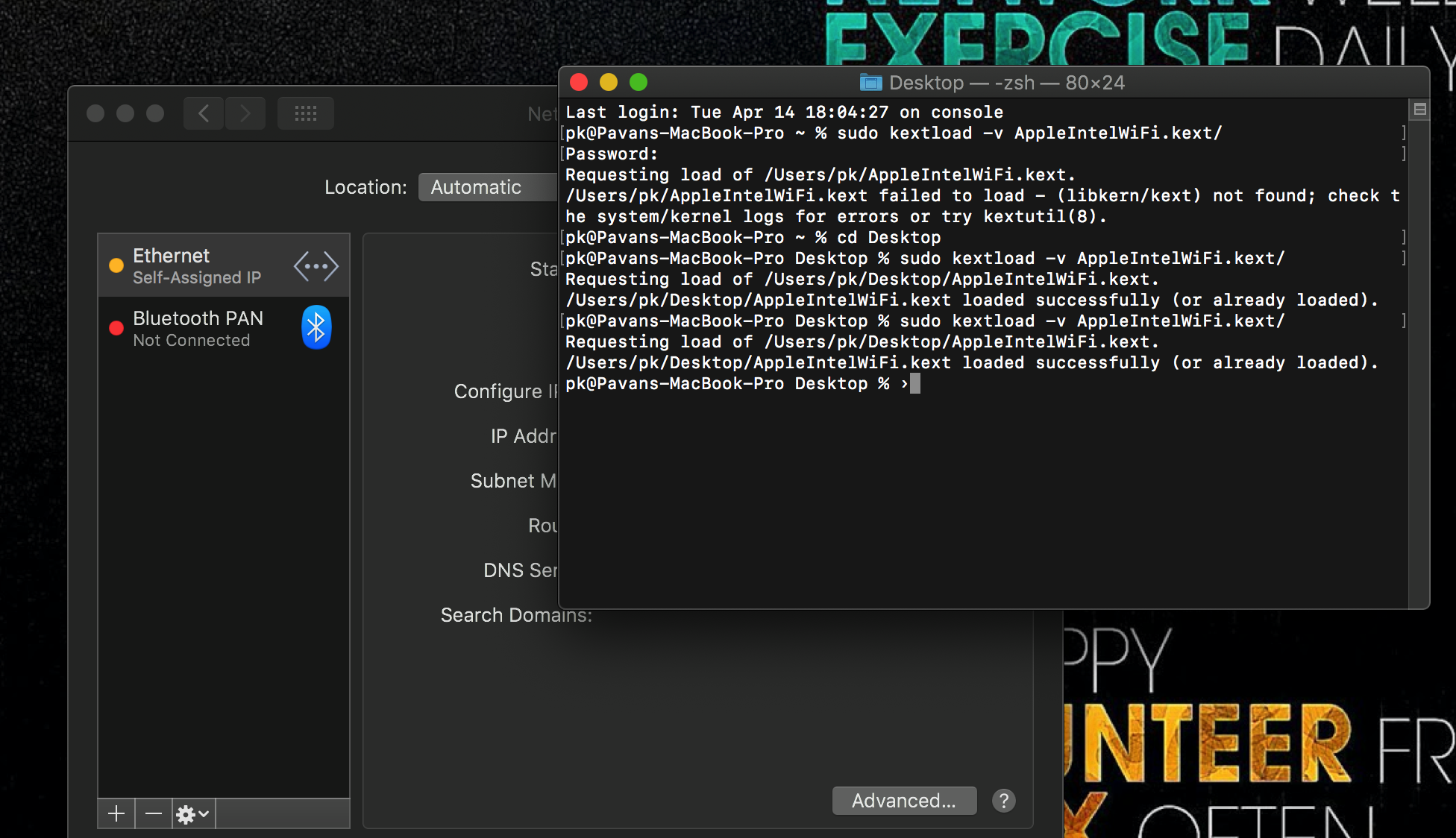
 kampav
on 16 Apr 2020
kampav
on 16 Apr 2020
you need remove SSDT-DRP08 from EFI/CLOVER/ACPI/patched/ or update XiaoMi-Pro-Hackintosh EFI
ghondar
on 16 Apr 2020
you need remove SSDT-DRP08 from EFI/CLOVER/ACPI/patched/ or update XiaoMi-Pro-Hackintosh EFI
thank you so much @ghondar . Its working brilliant now
kampav
on 16 Apr 2020
you need remove SSDT-DRP08 from EFI/CLOVER/ACPI/patched/ or update XiaoMi-Pro-Hackintosh EFI
thank you so much @ghondar . Its working brilliant now
Hello, please how did you do in the last step? I am stuck on the file: AppleIntelWiFi.kext failed to load - (libkern / kext) loading the dependency failed; check the system / kernel logs for errors or try kextutil (8)
I do not know how to do. Help me
mazeltov45
on 17 Apr 2020
@mazeltov45 yes, I never had problems loading kext. May be worth trying different kext in this thread. I assume you followed all the steps mentioned in this thread
kampav
on 17 Apr 2020
you need remove SSDT-DRP08 from EFI/CLOVER/ACPI/patched/ or update XiaoMi-Pro-Hackintosh EFI
thank you so much @ghondar . Its working brilliant now
Hello, please how did you do in the last step? I am stuck on the file: AppleIntelWiFi.kext failed to load - (libkern / kext) loading the dependency failed; check the system / kernel logs for errors or try kextutil (8)
I do not know how to do. Help me
Read the above repeatedly wrote about this
Saigoxx
on 17 Apr 2020
Hello everybody, I confirm that this kext is working very well on my Lenovo Thinkpad P51 laptop (catalina 10.15.4) with Intel DW8265ac. Now, I have WiFi And Bluetooth ! Awesome !
Thank you for your work !
 zealucard
on 20 Apr 2020
zealucard
on 20 Apr 2020
Hello everybody, I confirm that this kext is working very well on my Lenovo Thinkpad P51 laptop (catalina 10.15.4) with Intel DW8265ac. Now, I have WiFi And Bluetooth ! Awesome !
Thank you for your work !
I'm glad to hear that someone else has. I keep trying and I don't know why it doesn't work for me. Could you comment on the steps you followed? Maybe there is too much information in the thread and it has messed me up
p4c0ga
on 20 Apr 2020
Hello everybody, I confirm that this kext is working very well on my Lenovo Thinkpad P51 laptop (catalina 10.15.4) with Intel DW8265ac. Now, I have WiFi And Bluetooth ! Awesome !
Thank you for your work !I'm glad to hear that someone else has. I keep trying and I don't know why it doesn't work for me. Could you comment on the steps you followed? Maybe there is too much information in the thread and it has messed me up
I just followed these steps :
- Download kext AppleIntelWiFi.kext.zip, and Kext Updater Kext_Updater_3.4.2.zip
- Open Kext Updater (
- Tools
- Rebuild Kextcache -> Start
- Restart your system
- Right click AppleIntelWiFi.kext and click on Show Package Contents
- Contents > info.plist
- Open info.plist
- Navigate to IOKitPersonalities > AppleIntelWiFi > NetWork Parameters > BSSID (your wifi name) > BSSID - 2 (leave blank) > PWD (password of the wifi you are connecting to in BSSID)
- Save
- cd [folder which contains AppleIntelWiFi.kext]
- sudo chown -R root:wheel AppleIntelWiFi.kext
- sudo chmod -R 755 AppleIntelWiFi.kext
- sudo kextload -v AppleIntelWiFi.kext/
I didn't modify any other files like IO80211Family.kext, and my csr is still 0x67.
I will try with Clover by injected Kexts to load automatically the driver at each boot.
zealucard
on 20 Apr 2020
Any tried this with opencore? Been trying whole day but i cannot get it to work. Having same issue with AppleIntelWiFi.kext/
Requesting load of /Users/pac/Desktop/AppleIntelWiFi.kext.
/Users/pac/Desktop/AppleIntelWiFi.kext failed to load - (libkern/kext) dependency load failed; check the system/kernel logs for errors or try kextutil(8)
harika09
on 20 Apr 2020
Thanks for the encouragement, I got it to work on Mojave.
For anyone trying to figure it out use the Kext Johnny posted on 4 February (0131 file) and follow his instructions in the subsequent post. I didn’t use any “family” kext files.
It works but as others have stated, it’s super slow and as soon as I tried to run a speed test it rebooted on me.
Also after I ran the Kext, wifi seemed to be working but wasn’t connecting to the SSID. I turned off wifi and turned it back on and it immediately connected.
Thanks this worked for me.But im facing the same KP after speedtest. I have the intel 9560 on mojave. And apparently kext doesnt work when you reboot from windows, it needs a proper shutdown (probably some firmware loading issues).
If someone can make the latest kext from mojave it would be great,thanks anyway.
 ayan312002
on 20 Apr 2020
ayan312002
on 20 Apr 2020
Hi,
Would it be possible to get an update about drivers' situation without reading the whole 200+ posts? thanks in advance.
 leo02yt
on 20 Apr 2020
leo02yt
on 20 Apr 2020
Hi,
Would it be possible to get an update about drivers' situation without reading the whole 200+ posts? thanks in advance.
They're working on it. They haven't given up on it. It's still very buggy but they are making strides.
q64ceo
on 21 Apr 2020
Hello all,
For those that have an error with permissions while loading the kext, here what i used in order to solve it(attached is the kext that i'm using and is working - unfortunately i don't remember where i find it(i downloaded and tested so many versions :p ) but is working perfectly with 8265 with 30mbps):
- Move zip to the Desktop
- Extract it and open Intel_30mbps folder
- Right click AppleIntelWiFi.kext and click on Show Package Contents
- Contents > info.plist
- Open info.plist
- Navigate to IOKitPersonalities > AppleIntelWiFi > NetWork Parameters > BSSID (your wifi name) > PWD (password of the wifi you are connecting to in BSSID)
- Save
- Double click on wifi.command and write your password for root access
- I used 744 for permission because 755 was causing permission error
- Hope that is working :)
Regarding the error with permissions try the following command using your preferred kext:
sudo chown -R root:wheel AppleIntelWiFi.kext
sudo chmod -R 744 AppleIntelWiFi.kext
sudo kextload -v AppleIntelWiFi.kext/
gplast
on 22 Apr 2020
 charlesld
on 23 Apr 2020
charlesld
on 23 Apr 2020
Hello all,
For those that have an error with permissions while loading the kext, here what i used in order to solve it(attached is the kext that i'm using and is working - unfortunately i don't remember where i find it(i downloaded and tested so many versions :p ) but is working perfectly with 8265 with 30mbps):
* Move zip to the Desktop

* Extract it and open Intel_30mbps folder

* Right click AppleIntelWiFi.kext and click on Show Package Contents

* Contents > info.plist

* Open info.plist

* Navigate to IOKitPersonalities > AppleIntelWiFi > NetWork Parameters > BSSID (your wifi name) > PWD (password of the wifi you are connecting to in BSSID)

* Save

* Double click on wifi.command and write your password for root access

* I used 744 for permission because 755 was causing permission error

* Hope that is working :)
Regarding the error with permissions try the following command using your preferred kext:
sudo chown -R root:wheel AppleIntelWiFi.kext
sudo chmod -R 744 AppleIntelWiFi.kext
sudo kextload -v AppleIntelWiFi.kext/
Not work for me :(
p4c0ga
on 23 Apr 2020
rking perfec
thanks to this i my intel 9260 is now working,,no kernel panic and so
 dblademasteh
on 23 Apr 2020
dblademasteh
on 23 Apr 2020
Hello all,
For those that have an error with permissions while loading the kext, here what i used in order to solve it(attached is the kext that i'm using and is working - unfortunately i don't remember where i find it(i downloaded and tested so many versions :p ) but is working perfectly with 8265 with 30mbps):
- Move zip to the Desktop
- Extract it and open Intel_30mbps folder
- Right click AppleIntelWiFi.kext and click on Show Package Contents
- Contents > info.plist
- Open info.plist
- Navigate to IOKitPersonalities > AppleIntelWiFi > NetWork Parameters > BSSID (your wifi name) > PWD (password of the wifi you are connecting to in BSSID)
- Save
- Double click on wifi.command and write your password for root access
- I used 744 for permission because 755 was causing permission error
- Hope that is working :)
Regarding the error with permissions try the following command using your preferred kext:
sudo chown -R root:wheel AppleIntelWiFi.kext
sudo chmod -R 744 AppleIntelWiFi.kext
sudo kextload -v AppleIntelWiFi.kext/
想自己该一下zxystd大佬的itlwm项目为从info.plist中读取ssid and pwd ,能说下您是怎么实现的吗?
HKMV
on 25 Apr 2020
Hello all,
For those that have an error with permissions while loading the kext, here what i used in order to solve it(attached is the kext that i'm using and is working - unfortunately i don't remember where i find it(i downloaded and tested so many versions :p ) but is working perfectly with 8265 with 30mbps)
....
Intel_30mbps.zip
Hello! I have a 8275 card on my Matebook X Pro. Tried both kexts and I'm able to connect to the internet, but unfortunately I get a kernel panic short after. I'm available to provide logs to anyone working on this
 mircoianese
on 26 Apr 2020
mircoianese
on 26 Apr 2020
Hello all,
For those that have an error with permissions while loading the kext, here what i used in order to solve it(attached is the kext that i'm using and is working - unfortunately i don't remember where i find it(i downloaded and tested so many versions :p ) but is working perfectly with 8265 with 30mbps):
- Move zip to the Desktop
- Extract it and open Intel_30mbps folder
- Right click AppleIntelWiFi.kext and click on Show Package Contents
- Contents > info.plist
- Open info.plist
- Navigate to IOKitPersonalities > AppleIntelWiFi > NetWork Parameters > BSSID (your wifi name) > PWD (password of the wifi you are connecting to in BSSID)
- Save
- Double click on wifi.command and write your password for root access
- I used 744 for permission because 755 was causing permission error
- Hope that is working :)
Regarding the error with permissions try the following command using your preferred kext:
sudo chown -R root:wheel AppleIntelWiFi.kext
sudo chmod -R 744 AppleIntelWiFi.kext
sudo kextload -v AppleIntelWiFi.kext/
i try this kext with my 8265 but after 5/10 min it crashed. I dont know if the problem is my router or something else.
 kanekifont
on 27 Apr 2020
kanekifont
on 27 Apr 2020
is it possible to make it work during install ?
trying to install catalina on mi air 12.5, but I've no ethernet adapter, will be good to try directly with wifi.
 boo50
on 30 Apr 2020
boo50
on 30 Apr 2020
@boo50 it's worth a try, can you let us know if it works
is it possible to make it work during install ?
trying to install catalina on mi air 12.5, but I've no ethernet adapter, will be good to try directly with wifi.
 ItsTashi
on 30 Apr 2020
ItsTashi
on 30 Apr 2020
Hello all,
For those that have an error with permissions while loading the kext, here what i used in order to solve it(attached is the kext that i'm using and is working - unfortunately i don't remember where i find it(i downloaded and tested so many versions :p ) but is working perfectly with 8265 with 30mbps):
- Move zip to the Desktop
- Extract it and open Intel_30mbps folder
- Right click AppleIntelWiFi.kext and click on Show Package Contents
- Contents > info.plist
- Open info.plist
- Navigate to IOKitPersonalities > AppleIntelWiFi > NetWork Parameters > BSSID (your wifi name) > PWD (password of the wifi you are connecting to in BSSID)
- Save
- Double click on wifi.command and write your password for root access
- I used 744 for permission because 755 was causing permission error
- Hope that is working :)
Regarding the error with permissions try the following command using your preferred kext:
sudo chown -R root:wheel AppleIntelWiFi.kext
sudo chmod -R 744 AppleIntelWiFi.kext
sudo kextload -v AppleIntelWiFi.kext/
Thanks it's working with a few hiccups from here and there on my 7260 and I got no kernel panics on the version you sent
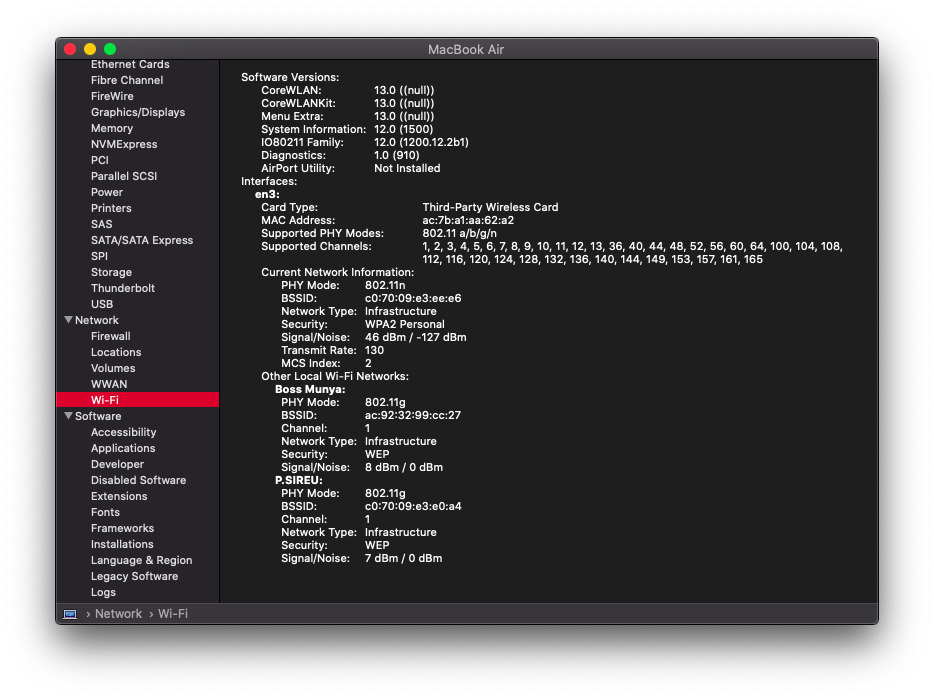
ItsTashi
on 30 Apr 2020
@boo50 it's worth a try, can you let us know if it works
Actually I'm not on mi pro, but mi air 12.5 7y30 cpu. Anyway wanna try, or this kext only work with mi pro ?
I've tried to put this kext to kexts folder on the bootable usb with Catalina, but got error.
Any ideas ?
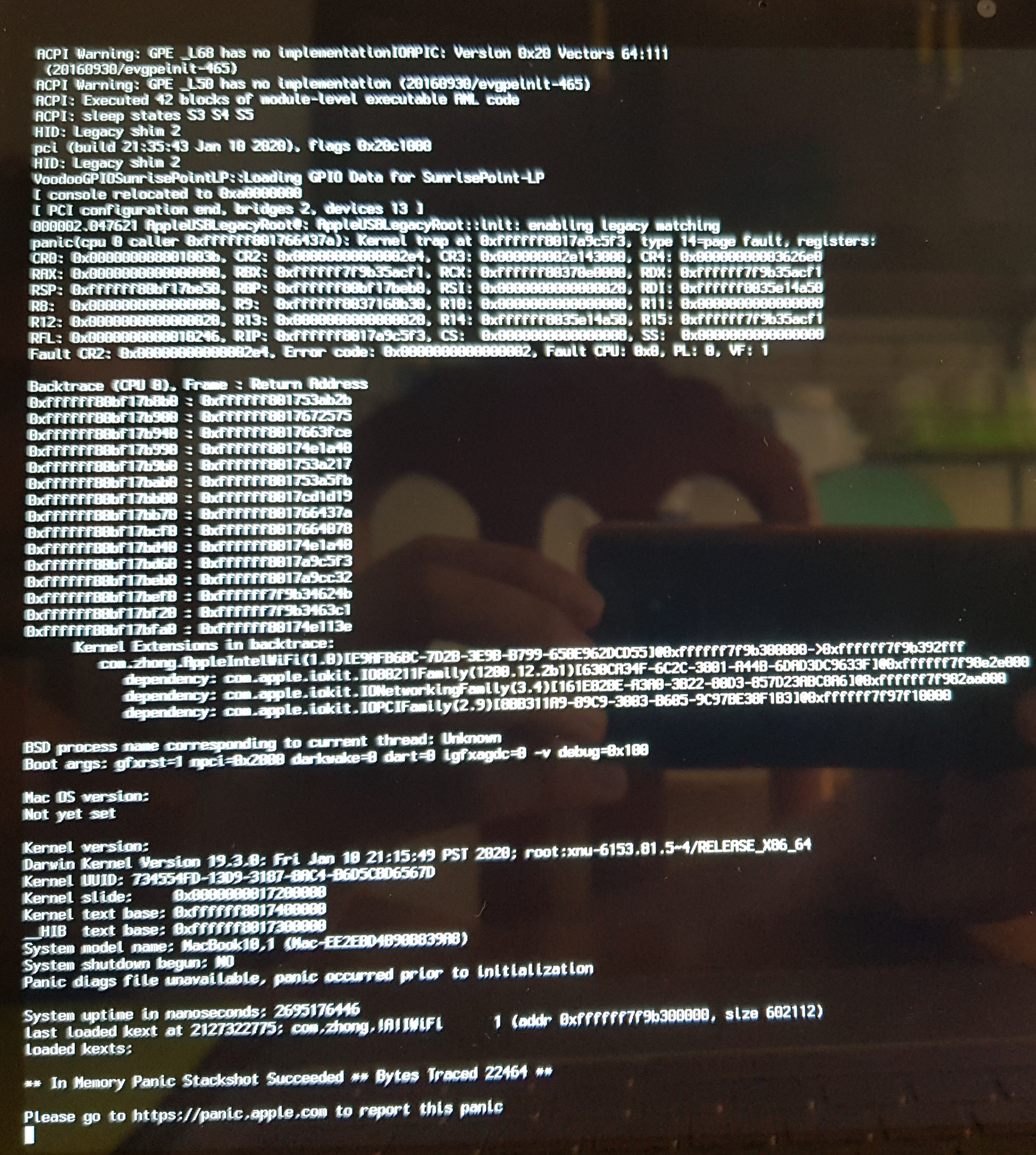
----- update ----
tried another kext for my laptop
described process here https://github.com/influenist/Mi-NB-Gaming-Laptop-MacOS/issues/21
now I can boot to installation screen but no luck with wifi.
boo50
on 1 May 2020
@utkubky i followed this and it works https://github.com/daliansky/XiaoMi-Pro-Hackintosh/issues/330#issuecomment-583196191
i'm on a t480s
 treeshateorcs
on 1 May 2020
treeshateorcs
on 1 May 2020
@basedtho what are the download speeds like btw? My wifi adapter is really disappointing me with a measly 3mbps at max, while it is supposed to max out at 150mbps...
 utkubky
on 1 May 2020
utkubky
on 1 May 2020
@utkubky very low. it feels like there's some misseting of mtu or something, because youtube plays fine but some other sites and, say, torrents are super slow
treeshateorcs
on 1 May 2020
@basedtho
How low? If it’s more than what I’m stuck with currently I’m willing to try this!
utkubky
on 1 May 2020
@utkubky speedtest shows ~20Mbps
treeshateorcs
on 1 May 2020
@utkubky also, i suggest you try this https://github.com/zxystd/itlwm if you have any success with that, report back. i didn't
treeshateorcs
on 1 May 2020
@basedtho
When doing sudo chowdown in my terminal it says that there is no such file or directory? What am I supposed to do now? Haha
utkubky
on 1 May 2020
you need to be in the directory with the kext. so if you just downloaded it do in the terminal as follows
cd ~/Downloads
open AppleIntelWiFi.kext.zip                         (to unzip it)
sudo chown -R root:wheel ApplIntelWiFi.kext
oh no!! sorry i linked the wrong comment
this one is correct
https://github.com/daliansky/XiaoMi-Pro-Hackintosh/issues/330#issuecomment-616522634
treeshateorcs
on 1 May 2020
@utkubky sorry don't know how to help you, but at least you gotta boot into verbose mode
and tell us your laptop/wifi card model
treeshateorcs
on 1 May 2020
Hello,
I'm not sure who to thank for this great solution to Intel WiFi. I have been watching the slow development for over 4 years. GREAT JOB!!! I have been using this on my HP pavilion 570-p033w desktop with an intel 7700 i7 and Catalina 10.15.0. Intel HD 620 graphics and Clover 5093. I have a Intel AC3168ngw stonePeak wifi +BT 4.2 m.2 card. I followed the suggestions in this thread and it has been working for a week now with the occasional freeze. The only problems I had were solved by resetting the pram in Clover (F11). My questions are: how do I increase the speed from 30-72mbps to the card's full 433mbps( I am willing to tinker if guided) 2) will it support newer versions of Catalina in the future? 3)will this eventually provide a solution for realtek 8821ce cards. Thanks again for your innovative work.
 pbona49009
on 4 May 2020
pbona49009
on 4 May 2020
Can someone give me a kext for Mojave ? Many thanks :(
wonhee0410
on 5 May 2020
guys but 5ghz networks are supported?
Giannidmg
on 11 May 2020
this AppleIntelWiFi works on mojave ?
INTEL 3165
 sidyguedes
on 11 May 2020
sidyguedes
on 11 May 2020
Intel 8265
0.75mbp/s download
15.54 mbp/s upload
how do I increase the speed

 masIV4
on 18 May 2020
masIV4
on 18 May 2020
@johnnync13 using catalina 10.15.4 did u got a good solution for intel ac 3165 without KP and no loss on the network after working an hour?
 rahulmangla19
on 18 May 2020
rahulmangla19
on 18 May 2020
@ItsTashi is there every time need to load the Kext any permanent solution for this.
rahulmangla19
on 18 May 2020
Put in s/l/e in loader?
 agassecond
on 22 May 2020
agassecond
on 22 May 2020
@ItsTashi is there every time need to load the Kext any permanent solution for this.
I'm manually loading it
It doesn't seem to be a pain since it works after putting the laptop in sleep mode
ItsTashi
on 23 May 2020
Personnaly, I created a bash script a'd compiled it with Automator to create an app. I registered this app in the startup launcher. Easy to do, and automatic.
zealucard
on 23 May 2020
Thats a great way to implement it
Quick question
is anyone else facing bluetooth audio stutter when playing music while browsing the web using the driver
ItsTashi
on 23 May 2020
@zealucard can u share the same or DM me
rahulmangla19
on 24 May 2020
Seems like there is a new wifi driver that works by adding NVRAM through OC instead of manually editing the info.plist within the kext.
Anyone can assist with translating and providing the exact details from the below link?
http://bbs.pcbeta.com/viewthread-1856465-1-1.html
To download the kext,
https://ww.lanzous.com/b01bfh3zi
password: gejq
skullpnuk
on 24 May 2020
Seems like there is a new wifi driver that works by adding NVRAM through OC instead of manually editing the info.plist within the kext.
Anyone can assist with translating and providing the exact details from the below link?
http://bbs.pcbeta.com/viewthread-1856465-1-1.htmlTo download the kext,
https://ww.lanzous.com/b01bfh3zi
password: gejq
I can confirm that it works with download speeds above 50mbps from speedtest and upload of 20+mbps.
Used google translate to translate from chinese to english and followed the instructions accordingly. Let me know if you guys need the translated files.
Had to however delete IO80211Family.kext and IOAcceleratorFamily2.kext from within Library/Extensions before the kext would load for me.
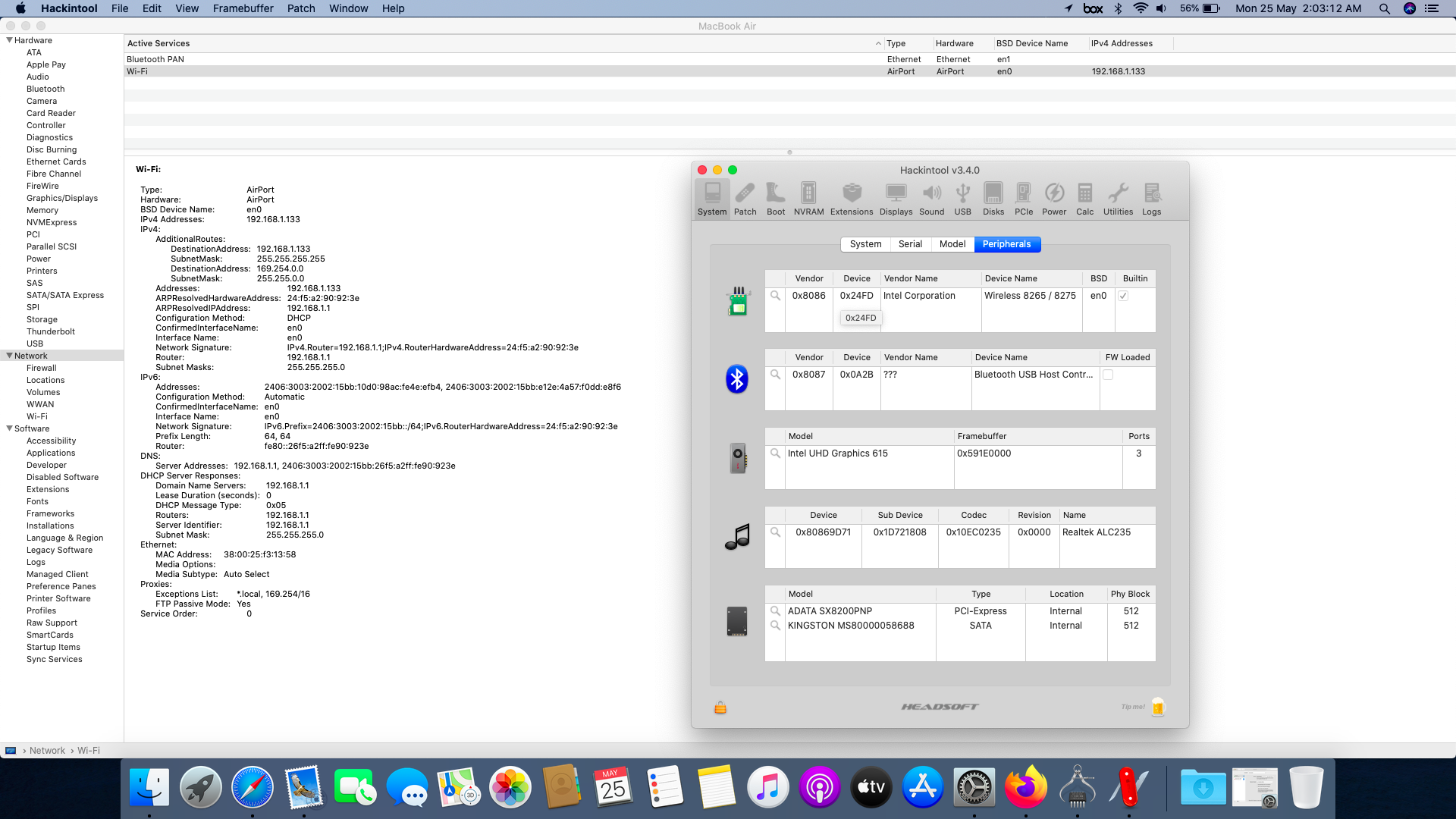
skullpnuk
on 24 May 2020
Thank you so much for this. It works for me. So far I need to run the kextload again everytime I reboot. What have others done to automate this?
 JonHolman
on 24 May 2020
JonHolman
on 24 May 2020
Thank you so much for this. It works for me. So far I need to run the kextload again everytime I reboot. What have others done to automate this?
Which version did you download? 2.8.1 or 3.8.1?
3.8.1 has a script that auto connects on every reboot but you'd have to amend your NVRAM accordingly.
skullpnuk
on 24 May 2020
Thank you so much for this. It works for me. So far I need to run the kextload again everytime I reboot. What have others done to automate this?
Which version did you download? 2.8.1 or 3.8.1?
3.8.1 has a script that auto connects on every reboot but you'd have to amend your NVRAM accordingly.
Hmm. Not sure. I just downloaded Intel_30mbps.zip linked above in the thread. What version is that? How can I check?
JonHolman
on 24 May 2020
@zealucard can u share the same or DM me
The best way, is to create your own app with Automator (Tutorial link: Use a shell script action in an Automator workflow on Mac).
Then, you can use this script (change FOLDER, WIFIDRIVER, PASSW):
#!/bin/bash
FOLDER='/Users/username/Desktop/IntelWifiDriver'
WIFIDRIVER='AppleIntelWiFi.kext'
PASSW=UserPWD
cd "$FOLDER"
echo "Setting rights to kext package '$FOLDER/$WIFIDRIVER'"
echo $PASSW | sudo -S chown -R root:wheel $WIFIDRIVER
echo $PASSW | sudo -S chmod -R 755 $WIFIDRIVER
echo "Loading Intel WiFi driver..."
echo $PASSW | sudo -S kextload -v AppleIntelWiFi.kext
cd ~
Once the package .app is compiled, you just have to manage your profile's startup applications to add it.
P.S.: This script is not secure because your password must be written in clear text... Be careful !
zealucard
on 25 May 2020
Seems like there is a new wifi driver that works by adding NVRAM through OC instead of manually editing the info.plist within the kext.
Anyone can assist with translating and providing the exact details from the below link?
http://bbs.pcbeta.com/viewthread-1856465-1-1.html
To download the kext,
https://ww.lanzous.com/b01bfh3zi
password: gejqI can confirm that it works with download speeds above 50mbps from speedtest and upload of 20+mbps.
Used google translate to translate from chinese to english and followed the instructions accordingly. Let me know if you guys need the translated files.
Had to however delete IO80211Family.kext and IOAcceleratorFamily2.kext from within Library/Extensions before the kext would load for me.

Thx, bro! Work for me)
 KrimskiyMaxim
on 25 May 2020
KrimskiyMaxim
on 25 May 2020
I got it to work only once on my intel AX200 then did not worked after that
 SaeedHaidar
on 25 May 2020
SaeedHaidar
on 25 May 2020
I got it to work only once on my intel AX200 then did not worked after that
There seems to be a few versions of 2.8.1 according to the changelog in the link i provided above. Maybe try 3.8.1 if you haven't already tried
skullpnuk
on 26 May 2020
I fix it I was doing something wrong for now it can only search here is my build https://github.com/SaeedHaidar/Nitro-5-an517-51-Hackintosh
SaeedHaidar
on 26 May 2020
I am using 3.8.1
SaeedHaidar
on 26 May 2020
I fix it I was doing something wrong for now it can only search here is my build https://github.com/SaeedHaidar/Nitro-5-an517-51-Hackintosh
You may find the translated readme below,
Use scenario 1: Connect only 1 wifi:
Use the NVRAM tab in the Hackintool tool, click the "+" icon below, add two values WiFi-SSID and WiFi-PW fill in the wireless network name and password respectively. Restart after executing install.command to realize automatic connection.
Use scenario 2: Connect a limited number of wifi, select different OC configuration files to start through the startup menu:
Add the following configuration to each OC configuration file, add WiFi-SSID and WiFi-PW to ADD to correspond to the wireless network name and password, and add WiFi-SSID and WiFi-PW to Block. Add or delete by searching boot-args.
It should basically look like this in your NVRAM if you use scenario 2, see items circled in maroon


Once you have done that, run install.cmd located in the folder of 3.8.1 and restart your hackintosh and you should be able to connect to your network
skullpnuk
on 26 May 2020
Thats a great way to implement it
Quick question
is anyone else facing bluetooth audio stutter when playing music while browsing the web using the driver
Yes, I'm also facing the same issue as well. After loading the AppleIntelWiFi.kext streaming Intel Bluetooth audio it starts stuttering.
I fix it I was doing something wrong for now it can only search here is my build https://github.com/SaeedHaidar/Nitro-5-an517-51-Hackintosh
You may find the translated readme below,
Use scenario 1: Connect only 1 wifi:
...
Once you have done that, run install.cmd located in the folder of 3.8.1 and restart your hackintosh and you should be able to connect to your network
Thanks man, this works for me, though my Intel Bluetooth streaming audio is now stuttering.
Seems like there is a new wifi driver that works by adding NVRAM through OC instead of manually editing the info.plist within the kext.
Anyone can assist with translating and providing the exact details from the below link?
http://bbs.pcbeta.com/viewthread-1856465-1-1.htmlTo download the kext,
https://ww.lanzous.com/b01bfh3zi
password: gejq
Does anyone know this AppleIntelWiFi.kext is from which repo? I believe there's currently many projects on-going at the same time tackling this.
EDIT: Managed to get this to work on my build here: https://github.com/leopck/ChuWi-Cube-i7-Book-Hackintosh
 leopck
on 30 May 2020
leopck
on 30 May 2020
Does anyone know this AppleIntelWiFi.kext is from which repo? I believe there's currently many projects on-going at the same time tackling this.
There seems to be a few ongoing,
1) https://github.com/zxystd/itlwm - this spoofs your wlan card to work as an ethernet and is hardcoded to Wi-Fi SSID - _ssdt_ password - _zxyssdt112233_.
2) https://github.com/AppleIntelWifi/adapter - this currently only enables scanning of wifi networks
3) http://bbs.pcbeta.com/viewthread-1856465-16-2.html - the one that i posted earlier with working scanning as well as connecting via NVRAM option or hackintool option.
skullpnuk
on 31 May 2020
Hello all,
I believe that the drivers created from @zxystd in https://github.com/zxystd/itlwm can be used for Notebook Pro without any problem. Since they were able to enable kextunload and load l've created a command based connection script in order to enable users to connect on different Wifi Access Points by giving the ssid and the password from the terminal.
Attached you can find the script along with the updated itlwm.kext where i renamed the ssid and the password in order to find them through the script.
First unzip AutoConnect.zip, open AutoConnect and move both the connect.command and the itlwm.kext.zip on the Desktop. Then open terminal and run:
cd Desktop
sudo chmod +x connect.command
Here you have two options, either run ./connect.command or close the terminal and double click on the connect.command. If the default action with .command files is to run them on the terminal(prefered action for faster connection), this will open the terminal and execute the commands. Follow the instructions printed on the terminal.
I'm using this script for the past week and the drivers and i don't have any problem. In a case that after sleep you don't have connection, just run the scrip and re-connect to the WIFI and the problem will be resolved.
I hope that you will find this script useful :)
gplast
on 2 Jun 2020
@gplast can u share the complied kext and what about speedtest I think there is a problem with upload speed and also download speed is not above 30mbps
rahulmangla19
on 3 Jun 2020
@rahulmangla19 inside the zip file, you can find also the compiled kext. I think that they fixed the upload issue, check it out and let me know, because my download and upload is not high enough at my house (30mbps - 2mbps).
gplast
on 3 Jun 2020
With opencore, i have to disable sip? even if i install kext in EFI?
Edoardo001
on 4 Jun 2020
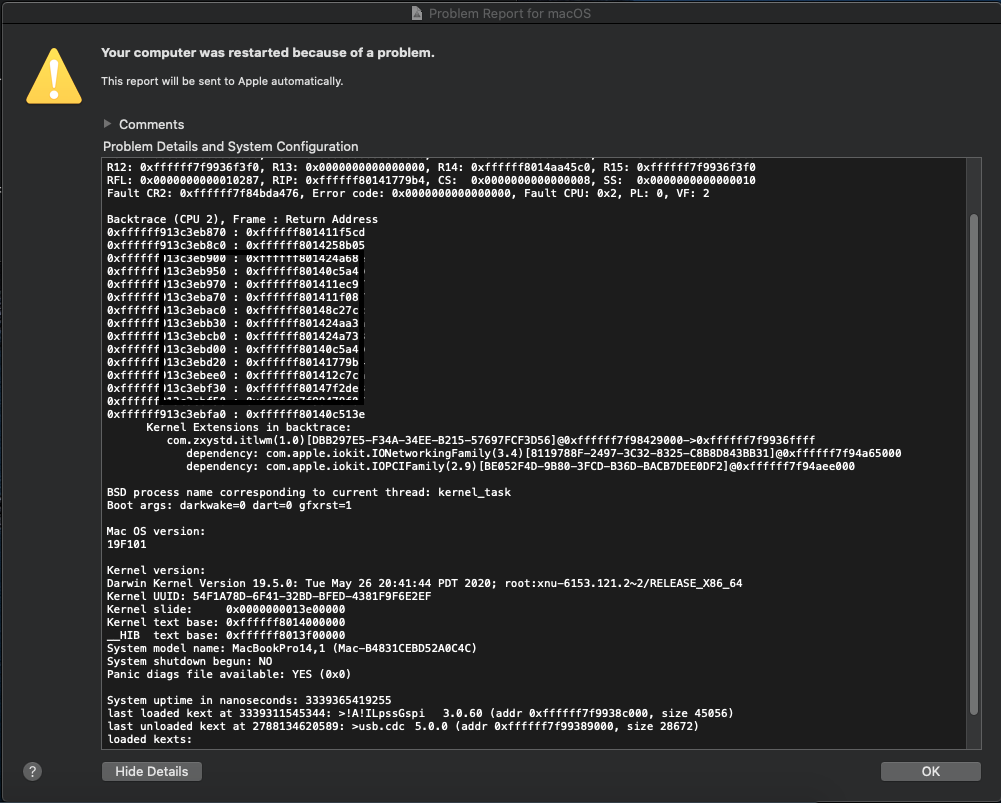
Hello all,
I believe that the drivers created from @zxystd in https://github.com/zxystd/itlwm can be used for Notebook Pro without any problem. Since they were able to enable kextunload and load l've created a command based connection script in order to enable users to connect on different Wifi Access Points by giving the ssid and the password from the terminal.
Attached you can find the script along with the updated itlwm.kext where i renamed the ssid and the password in order to find them through the script.
First unzip AutoConnect.zip, open AutoConnect and move both the connect.command and the itlwm.kext.zip on the Desktop. Then open terminal and run:
- cd Desktop
- sudo chmod +x connect.command
- Here you have two options, either run ./connect.command or close the terminal and double click on the connect.command. If the default action with .command files is to run them on the terminal(prefered action for faster connection), this will open the terminal and execute the commands. Follow the instructions printed on the terminal.
I'm using this script for the past week and the drivers and i don't have any problem. In a case that after sleep you don't have connection, just run the scrip and re-connect to the WIFI and the problem will be resolved.
I hope that you will find this script useful :)
It was working flawlessly yesterday for me when i first ran it, i had to reinstall my system and now everytime i run it, it just crashes my entire system. Anyone else experiencing the same?
 caiobenatti
on 5 Jun 2020
caiobenatti
on 5 Jun 2020
Is there anyone who can help me? How can I deal with it?
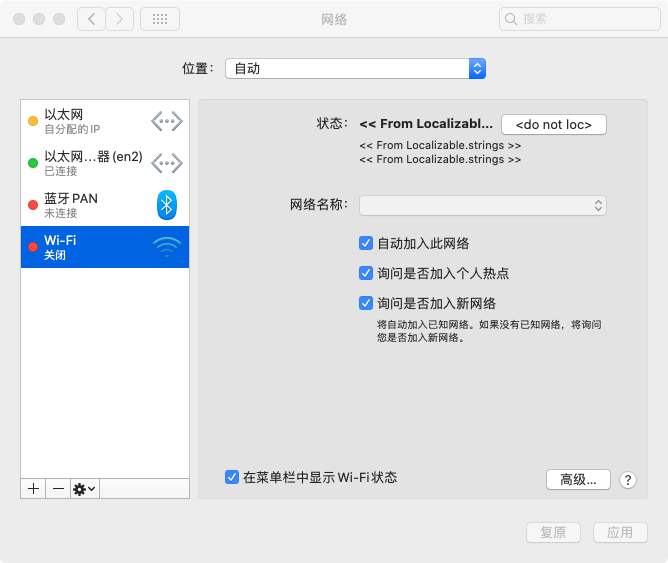
macOS 10155 intel 8265ac
I think there might be something wrong with the IO80211Family.kext, but I don't know how to fix it.
 Notics-Seed
on 7 Jun 2020
Notics-Seed
on 7 Jun 2020
do you guys think that one day it will be possible to connect to a wifi through the "original" apple wifi interface?
 arandax
on 7 Jun 2020
arandax
on 7 Jun 2020
do you guys think that one day it will be possible to connect to a wifi through the "original" apple wifi interface?
There is another kext which is mentioned in this thread, and does this exact thing but it's not stable yet! We have to wait a long time I guess but it's a huge leap forward! :)
Cr0wTom
on 7 Jun 2020
I keep following you guys. Thanks for your efforts!
arandax
on 7 Jun 2020
guys but heliport what's the use?
Giannidmg
on 8 Jun 2020
Be CAREFULL, I think it is NOT OpenSource. Use at your OWN RISK.
A working, stable AppleIntelWiFi.kext. In the links given in the firts post in this forum:
 yoqueco
on 9 Jun 2020
yoqueco
on 9 Jun 2020
Be CAREFULL, I think it is NOT OpenSource. Use at your OWN RISK.
A working, stable AppleIntelWiFi.kext. In the links given in the firts post in this forum:
It works more than 50mb?
johnnync13
on 9 Jun 2020
guys but heliport what's the use?
AFAIK it's a UI to select wifi networks, replicating the wifi symbol on the menu bar.
Tried it a few days ago and other than the UI itself, it's not usable yet - you won't see any scanned networks to connect to.
 kugn
on 9 Jun 2020
kugn
on 9 Jun 2020
https://ww.lanzous.com/b01bfh3zi
password: gejq
Could somebody re-upload this? Link seems to be down for me. Thank you in advance
 indexons
on 9 Jun 2020
indexons
on 9 Jun 2020
https://ww.lanzous.com/b01bfh3zi
password: gejqCould somebody re-upload this? Link seems to be down for me. Thank you in advance
 ViPiMP
on 9 Jun 2020
ViPiMP
on 9 Jun 2020
Works now. Thank you!
indexons
on 9 Jun 2020
Is there anyone who can help me? How can I deal with it?
macOS 10155 intel 8265ac
I think there might be something wrong with the IO80211Family.kext, but I don't know how to fix it.
same issue, the wifi appears red/disabled for some reason and I can't enable it
indexons
on 11 Jun 2020
https://ww.lanzous.com/b01bfh3zi
password: gejq
Could somebody re-upload this? Link seems to be down for me. Thank you in advance
can someone help me with using this? for now using script by @cbl-123 Thanks.
 imabhaysutar
on 12 Jun 2020
imabhaysutar
on 12 Jun 2020
https://ww.lanzous.com/b01bfh3zi
password: gejq
Could somebody re-upload this? Link seems to be down for me. Thank you in advancecan someone help me with using this? for now using script by @cbl-123 Thanks.
new link
https://www.lanzoux.com/b01bgwiuj
password: ghv2
skullpnuk
on 13 Jun 2020
I have write script for intel wifi here: https://github.com/duongle305/intel-wifi-helper
duongle305
on 13 Jun 2020
I have write script for intel wifi here: https://github.com/duongle305/intel-wifi-helper
Is this the version of zxystd ? Cause I'm running Mojave
wonhee0410
on 13 Jun 2020
I have write script for intel wifi here: https://github.com/duongle305/intel-wifi-helper
Is this the version of zxystd ? Cause I'm running Mojave
No, this version only support for Catalina
duongle305
on 13 Jun 2020
@duongle305 but you use zxystd or chinese page kext?
johnnync13
on 13 Jun 2020
Did you guys try HelioPort (An interface client) to connect itlwm wifi by zxystd ? Can I ask some questions ?
wonhee0410
on 14 Jun 2020
@duongle305 but you use zxystd or chinese page kext?
Using for chinese page kext. I have attach kext on this repo !!
duongle305
on 14 Jun 2020
stevezhengshiqi
on 21 Jun 2020
The first two days I compiled the test myself, app didn't seem to be associated with the driver, there was no wifi list on the app and no connected wifi was shown
HKMV
on 22 Jun 2020
@HKMV Everything is working for me except remembering password.
stevezhengshiqi
on 22 Jun 2020
@HKMV Everything is working for me except remembering password.
Thanks, I'll go back and test it tonight.
HKMV
on 22 Jun 2020
@HKMV Everything is working for me except remembering passworud.
Nice, you can switch WIFI.
HKMV
on 22 Jun 2020
@HKMV Everything is working for me except remembering password.
And velocity?
johnnync13
on 23 Jun 2020
@HKMV Everything is working for me except remembering password.
And velocity?
Speed needs to be increased.
HKMV
on 23 Jun 2020
Do you add the itlwm to the clover kexts or directly into the system? @HKMV, HeliPort doesn't see any networks for me and it seems that I installed it incorrectly by putting it into the clover.
 DjangoOverloard
on 23 Jun 2020
DjangoOverloard
on 23 Jun 2020
Do you add the itlwm to the clover kexts or directly into the system? @HKMV, HeliPort doesn't see any networks for me and it seems that I installed it incorrectly by putting it into the clover.
I use OpenCore and I put it into the kexts folder, and I believe you can do that for Clover as well. HeliPort works for me - just open it by double-clicking like an app.
kugn
on 23 Jun 2020
Thanks a lot to devs of this Intel wifi project. Very appreciate it, currently I'm using AC 9560, but the problem is, the kext I use compiled from https://github.com/zxystd/itlwm detects my Intel wifi card is Ethernet, not Wireless device, so I don't even have MAC address (and this may the main issue for me as I'm in need of using location services of apps such as Siri or Maps for instance). So anyone here have ways to resolve this ? (eg: spoofing MAC address ? or something?). Beside I think the download and upload speed need to be improved more in the future as now it stays ~ 25 - 40 mpbs download and download 10 - 20 mpbs)
 t3s8r8
on 25 Jun 2020
t3s8r8
on 25 Jun 2020
Thanks a lot to devs of this Intel wifi project. Very appreciate it, currently I'm using AC 9560, but the problem is, the kext I use compiled from https://github.com/zxystd/itlwm detects my Intel wifi card is Ethernet, not Wireless device, so I don't even have MAC address (and this may the main issue for me as I'm in need of using location services of apps such as Siri or Maps for instance). So anyone here have ways to resolve this ? (eg: spoofing MAC address ? or something?). Beside I think the download and upload speed need to be improved more in the future as now it stays ~ 25 - 40 mpbs download and download 10 - 20 mpbs)
This is the way this kext works, by spoofing Ethernet (more like how WiFI dongles work). There is another WIP kext that works via the IO80211Controller (https://github.com/AppleIntelWifi/adapter) but for now the only thing that works is network scanning, and I don't see too much activity like the other one. I guess that the main issue (that was connecting to the internet through wifi) is fixed and now there is a long road for all the issues to get fixed (if the will get fixed), so just wait and enjoy the ride...
Cr0wTom
on 25 Jun 2020
Thanks a lot to devs of this Intel wifi project. Very appreciate it, currently I'm using AC 9560, but the problem is, the kext I use compiled from https://github.com/zxystd/itlwm detects my Intel wifi card is Ethernet, not Wireless device, so I don't even have MAC address (and this may the main issue for me as I'm in need of using location services of apps such as Siri or Maps for instance). So anyone here have ways to resolve this ? (eg: spoofing MAC address ? or something?). Beside I think the download and upload speed need to be improved more in the future as now it stays ~ 25 - 40 mpbs download and download 10 - 20 mpbs)
https://i.imgur.com/6FFO43B.pngThis is the way this kext works, by spoofing Ethernet (more like how WiFI dongles work). There is another WIP kext that works via the IO80211Controller (https://github.com/AppleIntelWifi/adapter) but for now the only thing that works is network scanning, and I don't see too much activity like the other one. I guess that the main issue (that was connecting to the internet through wifi) is fixed and now there is a long road for all the issues to get fixed (if the will get fixed), so just wait and enjoy the ride...
The other project you linked its actually from the same original developer of this one: itlwm , he then stopped releasing anything there and moved on to this project.
caiobenatti
on 25 Jun 2020
Thanks a lot to devs of this Intel wifi project. Very appreciate it, currently I'm using AC 9560, but the problem is, the kext I use compiled from https://github.com/zxystd/itlwm detects my Intel wifi card is Ethernet, not Wireless device, so I don't even have MAC address (and this may the main issue for me as I'm in need of using location services of apps such as Siri or Maps for instance). So anyone here have ways to resolve this ? (eg: spoofing MAC address ? or something?). Beside I think the download and upload speed need to be improved more in the future as now it stays ~ 25 - 40 mpbs download and download 10 - 20 mpbs)
https://i.imgur.com/6FFO43B.pngThis is the way this kext works, by spoofing Ethernet (more like how WiFI dongles work). There is another WIP kext that works via the IO80211Controller (https://github.com/AppleIntelWifi/adapter) but for now the only thing that works is network scanning, and I don't see too much activity like the other one. I guess that the main issue (that was connecting to the internet through wifi) is fixed and now there is a long road for all the issues to get fixed (if the will get fixed), so just wait and enjoy the ride...
The other project you linked its actually from the same original developer of this one: itlwm , he then stopped releasing anything there and moved on to this project.
The one that you are referring to is this one https://github.com/zxystd/AppleIntelWifiAdapter and as you see it mentions "Intel Wifi team is continuing develope this project" with the link I mentioned before.
Cr0wTom
on 25 Jun 2020
@Cr0wTom AppleIntelWifi team has three members currently, and zxystd is one of them. Also in the contributor graph of https://github.com/AppleIntelWifi/adapter, we can see zxystd provided enormous code. BTW, I truly appreciate all their efforts.👍
stevezhengshiqi
on 25 Jun 2020
@Cr0wTom AppleIntelWifi team has three members currently, and zxystd is one of them. Also in the contributor graph of https://github.com/AppleIntelWifi/adapter, we can see zxystd provided enormous code. BTW, I truly appreciate all their efforts.👍
I really appreciate all their efforts and didn't say anything about who help where, I just said that there is still an active project for the AppleIntelWiFi :)) let's wait and see... By my side I feel blessed that we even have WiFi working so I don't care for anything more, but it's fun to see what they will achieve :D
Cr0wTom
on 25 Jun 2020
Itwlm improve speed on last commit
johnnync13
on 27 Jun 2020
@DjangoOverloard I started it directly in clover.
HKMV
on 28 Jun 2020
i followed #413 instructions. nothing happened. i putted .kext file in OC/Kexts and then restarted. When on, clicked on HeliPort but no one wifi appears. Do i need something more?
 gvbsxmoon
on 1 Jul 2020
gvbsxmoon
on 1 Jul 2020
i followed #413 instructions. nothing happened. i putted .kext file in OC/Kexts and then restarted. When on, clicked on HeliPort but no one wifi appears. Do i need something more?
I made entries in OC config.plist similar to the other kexts in the OC folder. It's working for me
kugn
on 1 Jul 2020
i followed #413 instructions. nothing happened. i putted .kext file in OC/Kexts and then restarted. When on, clicked on HeliPort but no one wifi appears. Do i need something more?
I loaded it with hackintool, go to utilities, disable gatekeeper, install kext, rebuilt kext, reboot. Load heliport to put your wifi/ssid. You will need to run heliport at every reboot and put your wi-fi/ssid again but thats a minor thing :)
hope it helps.
caiobenatti
on 1 Jul 2020
I made entries in OC config.plist similar to the other kexts in the OC folder. It's working for me
You need to add and activate it in the config.plist for OPEN CORE.
 iSonik
on 2 Jul 2020
iSonik
on 2 Jul 2020
i followed #413 instructions. nothing happened. i putted .kext file in OC/Kexts and then restarted. When on, clicked on HeliPort but no one wifi appears. Do i need something more?
I made entries in OC config.plist similar to the other kexts in the OC folder. It's working for me
You need to add and activate it in the config.plist for OPEN CORE.
Can you help me? Do you have the entries to write in in plist?
gvbsxmoon
on 3 Jul 2020
Can you help me? Do you have the entries to write in in plist?
Sure
BundlePath; itlwm.kext
Comment: itlwm
ExecutablePath: Contents/MacOS/itlwm
PlistPath: Contents/Info.plist
Dont forget to enable it!

Btw newest Heliport can remember passwords now
iSonik
on 3 Jul 2020
i followed #413 instructions. nothing happened. i putted .kext file in OC/Kexts and then restarted. When on, clicked on HeliPort but no one wifi appears. Do i need something more?
I made entries in OC config.plist similar to the other kexts in the OC folder. It's working for me
You need to add and activate it in the config.plist for OPEN CORE.
Can you help me? Do you have the entries to write in in plist?
Sure
BundlePath; itlwm.kext
Comment: itlwm
ExecutablePath: Contents/MacOS/itlwm
PlistPath: Contents/Info.plist
Dont forget to enable it!
Btw newest Heliport can remember passwords now
sorry if i bore you all, really. it's a complete new world for me and i REALLY appreciate your help.
what i have to do to enable it?
gvbsxmoon
on 3 Jul 2020
sorry if i bore you all, really. it's a complete new world for me and i REALLY appreciate your help.
what i have to do to enable it?
I used open core configurator. Just tick the box where it days "enabled"
iSonik
on 3 Jul 2020
i followed #413 instructions. nothing happened. i putted .kext file in OC/Kexts and then restarted. When on, clicked on HeliPort but no one wifi appears. Do i need something more?
I made entries in OC config.plist similar to the other kexts in the OC folder. It's working for me
You need to add and activate it in the config.plist for OPEN CORE.
Can you help me? Do you have the entries to write in in plist?
Sure
BundlePath; itlwm.kext
Comment: itlwm
ExecutablePath: Contents/MacOS/itlwm
PlistPath: Contents/Info.plist
Dont forget to enable it!
Btw newest Heliport can remember passwords now
sorry if i bore you all, really. it's a complete new world for me and i REALLY appreciate your help.
what i have to do to enable it?
I used open core configurator. Just tick the box where it days "enabled"
there s a way to contact you?
gvbsxmoon
on 3 Jul 2020
there s a way to contact you?
just download open core configurator (if you use oc), open the config.plist inside your efi folder, go to kexts and press the plus button on the bottom side. Then fill in the stuff i wrote in my comment before
iSonik
on 3 Jul 2020
i followed #413 instructions. nothing happened. i putted .kext file in OC/Kexts and then restarted. When on, clicked on HeliPort but no one wifi appears. Do i need something more?
>
>
I made entries in OC config.plist similar to the other kexts in the OC folder. It's working for me
>
>
You need to add and activate it in the config.plist for OPEN CORE.
>
>
Can you help me? Do you have the entries to write in in plist?
>
>
Sure
BundlePath; itlwm.kext
Comment: itlwm
ExecutablePath: Contents/MacOS/itlwm
PlistPath: Contents/Info.plist
Dont forget to enable it!
Btw newest Heliport can remember passwords now
sorry if i bore you all, really. it's a complete new world for me and i REALLY appreciate your help.
what i have to do to enable it?
I used open core configurator. Just tick the box where it days "enabled"
there s a way to contact you?
just download open core configurator (if you use oc), open the config.plist inside your efi folder, go to kexts and press the plus button on the bottom side. Then fill in the stuff i wrote in my comment before
done! thank you so much
gvbsxmoon
on 3 Jul 2020
@gvbsxmoon
No problem mate!
iSonik
on 3 Jul 2020
Hi im only a simple client of this post, i have xiaomi notebook pro with intel 8265 and hack Catalina 10.15.3, AppleIntelWiFi.kext is working but disconnect and reconnect randomly any improve or suggest? Im available for get any log, only need the instructions.
 retsel89
on 4 Jul 2020
retsel89
on 4 Jul 2020
@retsel89 AppleIntelWiFi.kext is a close source kext and no one can give more details.
I suggest people who have concerns with itlwm and Heliport can chat on https://gitter.im/OpenIntelWireless/itlwm for more professional help. Close this issue since itlwm + Heliport are ready to release for daily use.
stevezhengshiqi
on 5 Jul 2020
This works for me pretty well. Thanks for your effort @johnnync13
Catalina 10.15.5 working on Thinkpad T450
 hashaaan
on 27 Jul 2020
hashaaan
on 27 Jul 2020
guys but 5ghz networks are supported?
Does 5Ghz work, I can't seem to connect to 5Ghz networks?
 Mikes0
on 13 Nov 2020
Mikes0
on 13 Nov 2020
@Mikes0 Yes.
 larryare
on 13 Nov 2020
larryare
on 13 Nov 2020
@Mikes0 Yes.
Hmm, I can't seem to connect to my main router on 5ghz, but 5ghz does work elsewhere - I can connect to a 5ghz hotspot on my phone.
Are there any limitations to 5ghz compatibility that might make it not work with my router?
It can't see the SSID even when unhidden and when hidden trying to connect gives the error "network could not be found"
Mikes0
on 13 Nov 2020
@Mikes0 Yes. Read this.
larryare
on 13 Nov 2020
5Ghz network interference with bt, so if you want to use 5Ghz, turn off bt or stick with 2.4Ghz
agassecond
on 13 Nov 2020
Related issues
 orhan-drsn
·
7Comments
orhan-drsn
·
7Comments
 cook1e0
·
7Comments
cook1e0
·
7Comments
 P0SlX
·
4Comments
P0SlX
·
4Comments
 bnznamco
·
8Comments
bnznamco
·
8Comments
 Mateo1234454545
·
5Comments
Mateo1234454545
·
5Comments
Most helpful comment
Hello again everyone,
I managed to get some progress and decipher some parts out of the Chinese forum
This helped me see the WiFi in the settings menu and even scan for networks, but after 1 minute I get a restart which is common and affects everybody in the Chinese forum. So, it is progress but as @stevezhengshiqi said it is far from stable from now. I will keep following the topic and give any updates here.
p.s. @johnnync13 please when you use the work of others, use quotes or give a mention. The process you wrote is a translation from the Chinese forum, which is not bad but let's be kind with the community :)